
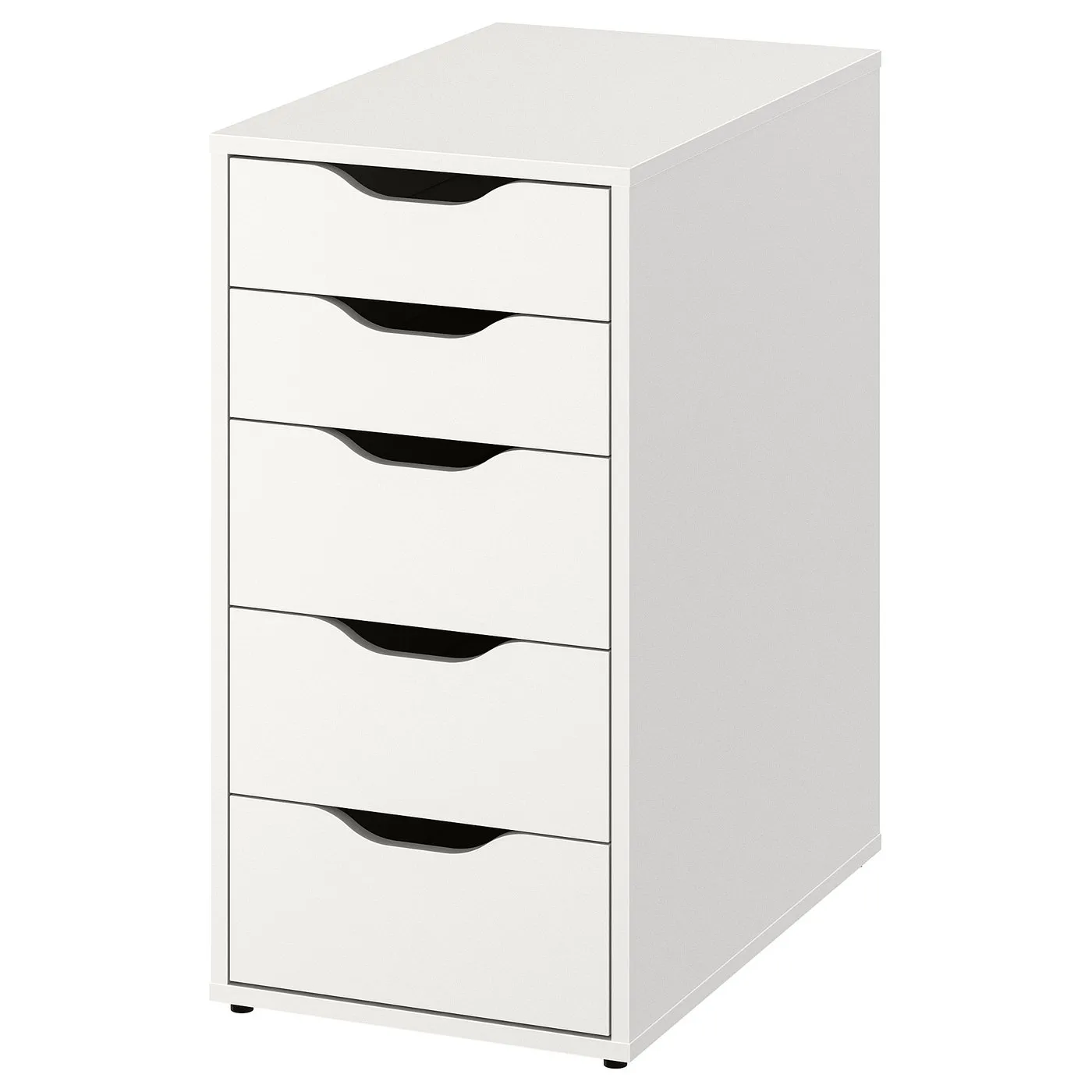
How to assemble IKEA ALEX drawer unit

ALEX drawer unit, white, 141/8x271/2"

This guide covers the white IKEA ALEX five-drawer unit, article 004.735.46. Assemble the cabinet, then follow the instructions for its three deeper drawers and two shallower drawers.

View on IKEA
ALEX drawer unit

Interactive assembly guide

Step-by-Step Instructions

1 different parts, 1 boxes total — click on a package to see step-by-step assembly instructions

ALEX Drawer unit

004.735.46

x1

23 ½ "

Width

4 ¼ "

Height

32 "

Length

61 lb 11 oz

Weight

Start Assembly

Written guide

Step-by-step instructions with diagrams

Follow the numbered assembly steps below, or open the interactive guide above to track progress and zoom into each diagram. This guide includes 24 illustrated steps.

ALEX Drawer unit

  1. Before you begin

    Three stacked preparation/safety panels show required tools, warn against assembling on a hard surface, and advise reading instructions or contacting IKEA if parts are unclear or missing.
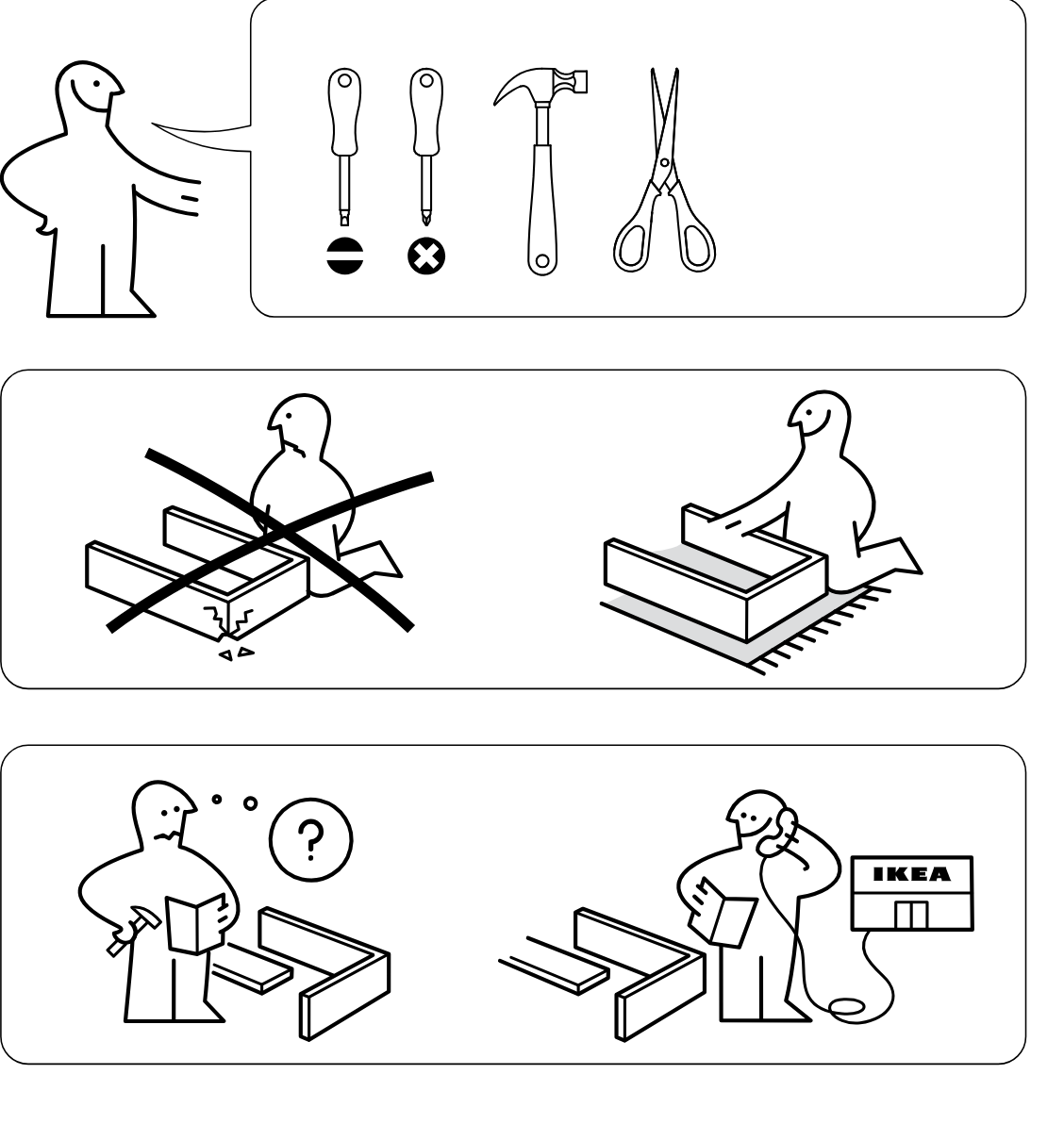
    Illustration for assembly note: Three stacked preparation/safety panels show required tools, warn against assembling on a hard surface, and advise reading instructions or contacting IKEA if parts are unclear or missing.
  2. Before you begin

    Warning panel showing that two drawer units must not be stacked on top of each other, indicated by a large crossed-out illustration.
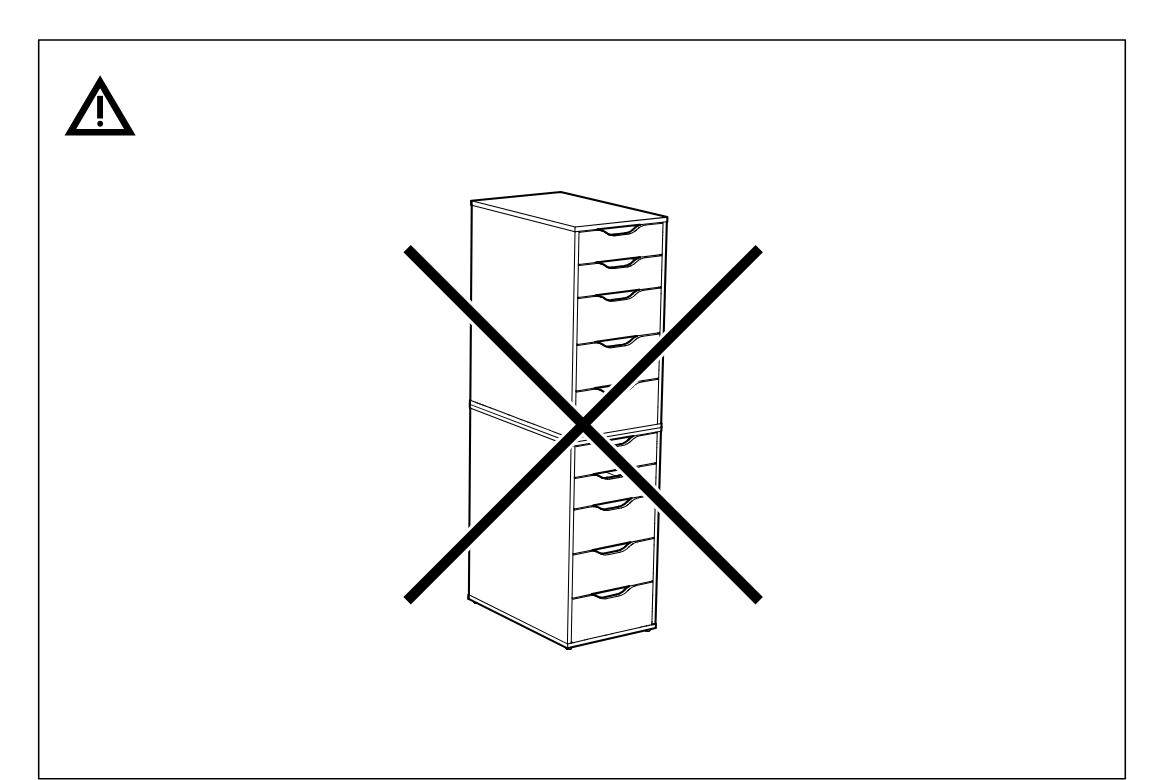
    Illustration for assembly note: Warning panel showing that two drawer units must not be stacked on top of each other, indicated by a large crossed-out illustration.
  3. Before you begin

    Support panel with information icon showing approved uses of the drawer unit: used alone, placed under a desk, fitted with casters, and a close-up of a caster.
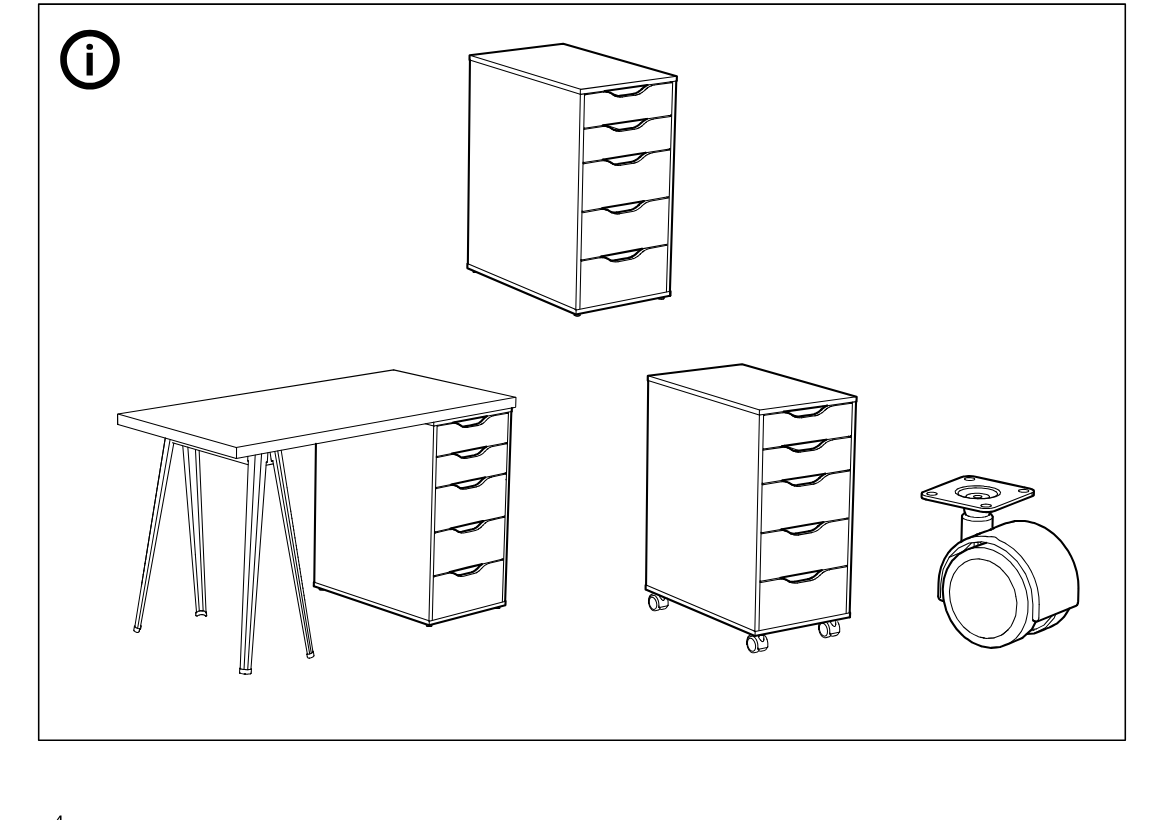
    Illustration for assembly note: Support panel with information icon showing approved uses of the drawer unit: used alone, placed under a desk, fitted with casters, and a close-up of a caster.
  4. Step 1

    Insert six screw studs into the marked holes of the two large panels while they lie on a soft surface, with the inset showing the correct seating depth and a do-not-overdrive warning.
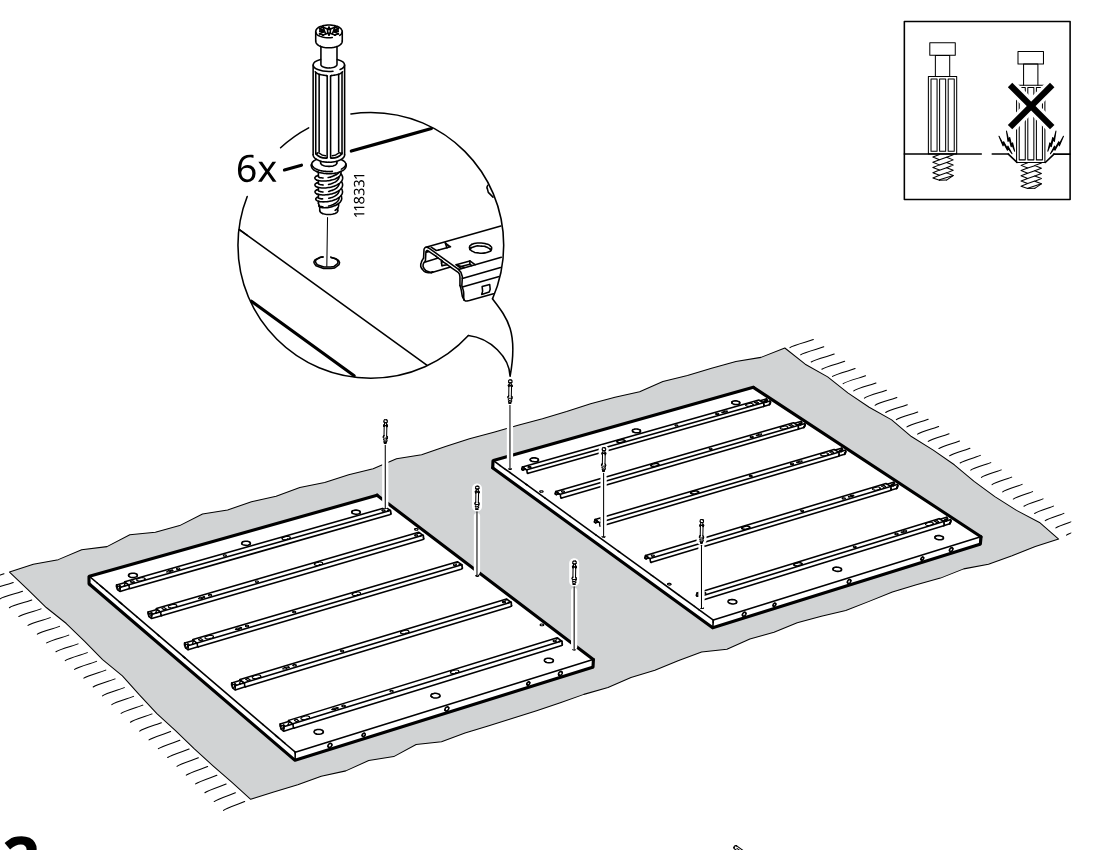
    Diagram for step 1: Insert six screw studs into the marked holes of the two large panels while they lie on a soft surface, with the inset showing the correct seating depth and a do-not-overdrive warning.
  5. Step 2

    Insert twelve wooden dowels into the edge holes of the center panel and the two large side panels, as shown by the exploded view and detail inset.
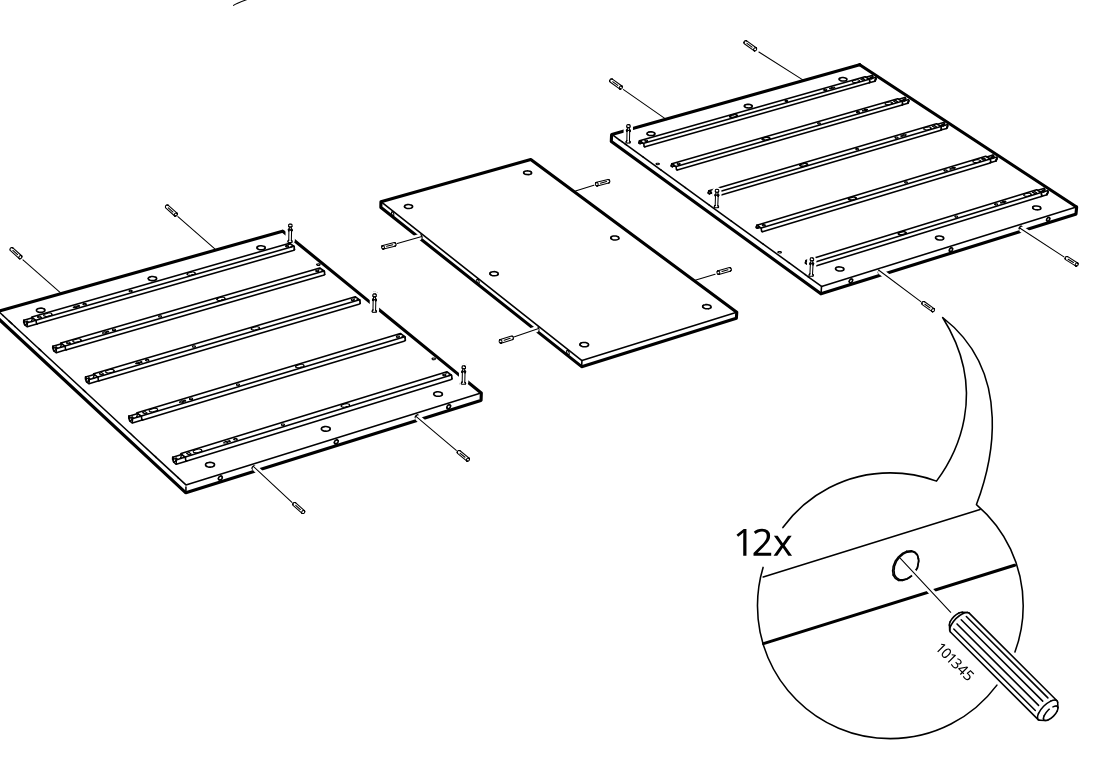
    Diagram for step 2: Insert twelve wooden dowels into the edge holes of the center panel and the two large side panels, as shown by the exploded view and detail inset.
  6. Step 3

    The two side panels are rotated upright around the bottom panel to form the cabinet body.
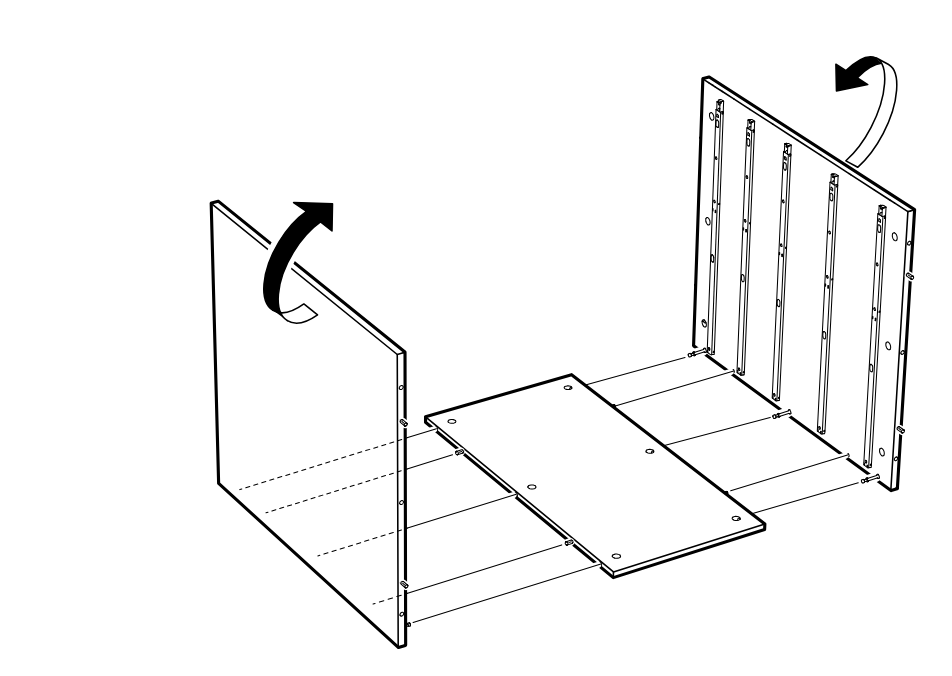
    Diagram for step 3: The two side panels are rotated upright around the bottom panel to form the cabinet body.
  7. Step 4

    Six cam locks 119251 are inserted into the panel holes and then turned with a screwdriver, while the inset warns not to use part 103114.
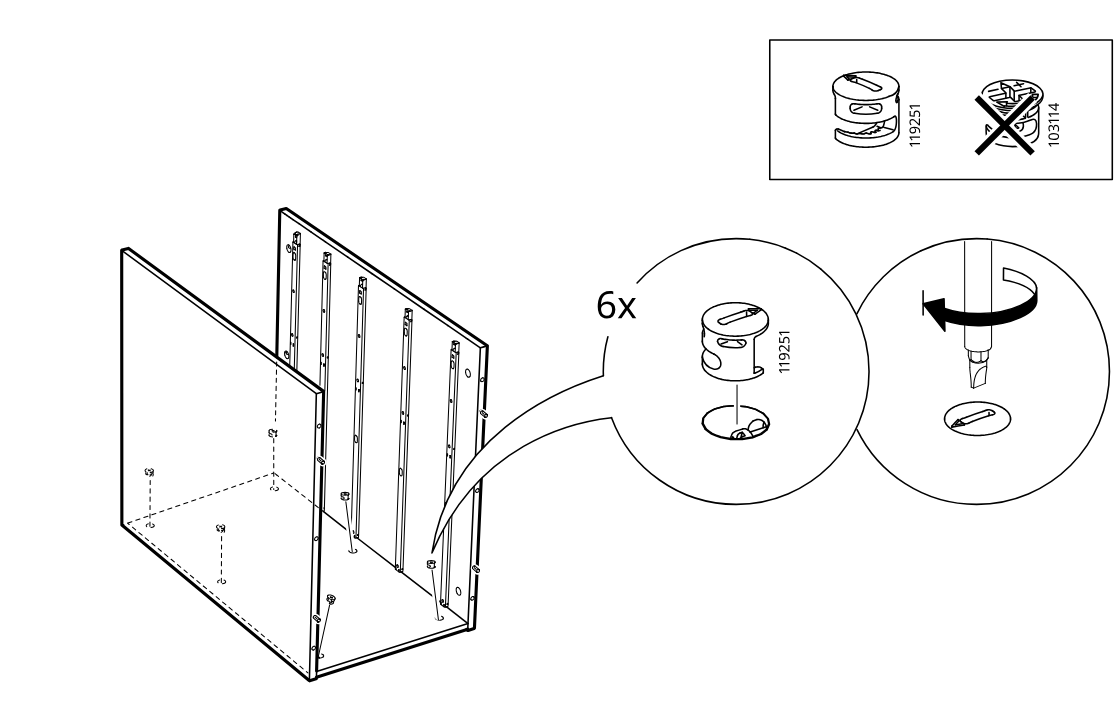
    Diagram for step 4: Six cam locks 119251 are inserted into the panel holes and then turned with a screwdriver, while the inset warns not to use part 103114.
  8. Step 5

    Insert twelve cam screws into the predrilled holes of the two large panels, with a zoomed inset showing screw part 118331 being installed.
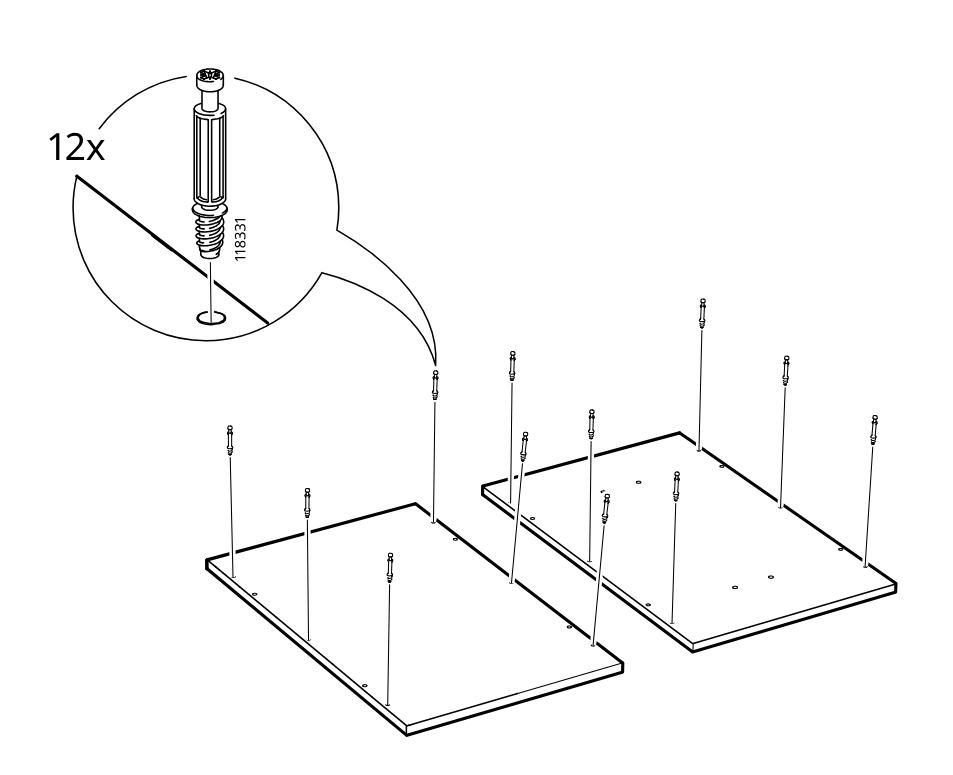
    Diagram for step 5: Insert twelve cam screws into the predrilled holes of the two large panels, with a zoomed inset showing screw part 118331 being installed.
  9. Step 6

    The side panel is attached to the cabinet frame with the solid face oriented outward and the illustrated hole pattern aligned correctly.
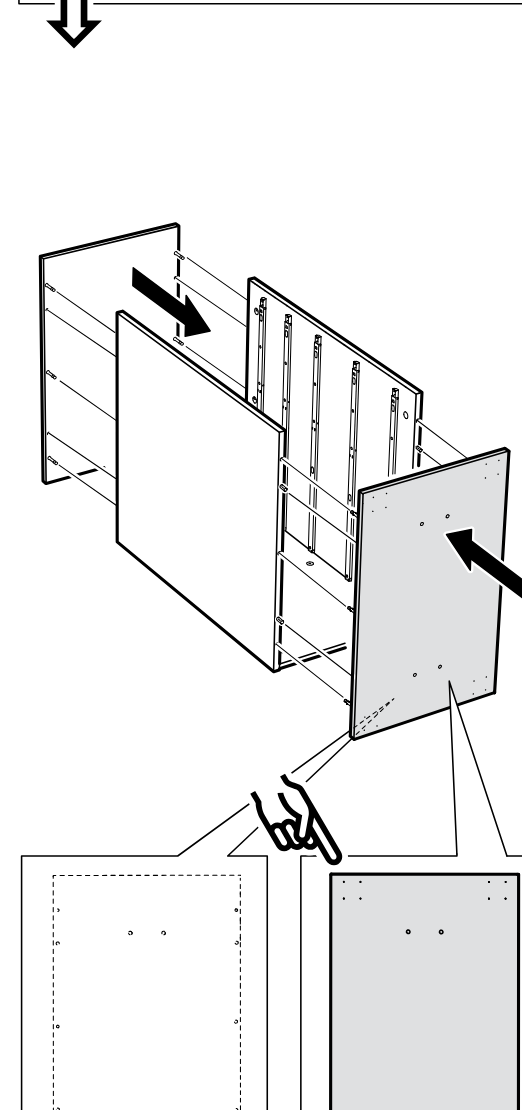
    Diagram for step 6: The side panel is attached to the cabinet frame with the solid face oriented outward and the illustrated hole pattern aligned correctly.
  10. Step 7

    The opposite side panel is attached to the cabinet frame while inset diagrams indicate the correct inner and outer face orientation and hole positions.
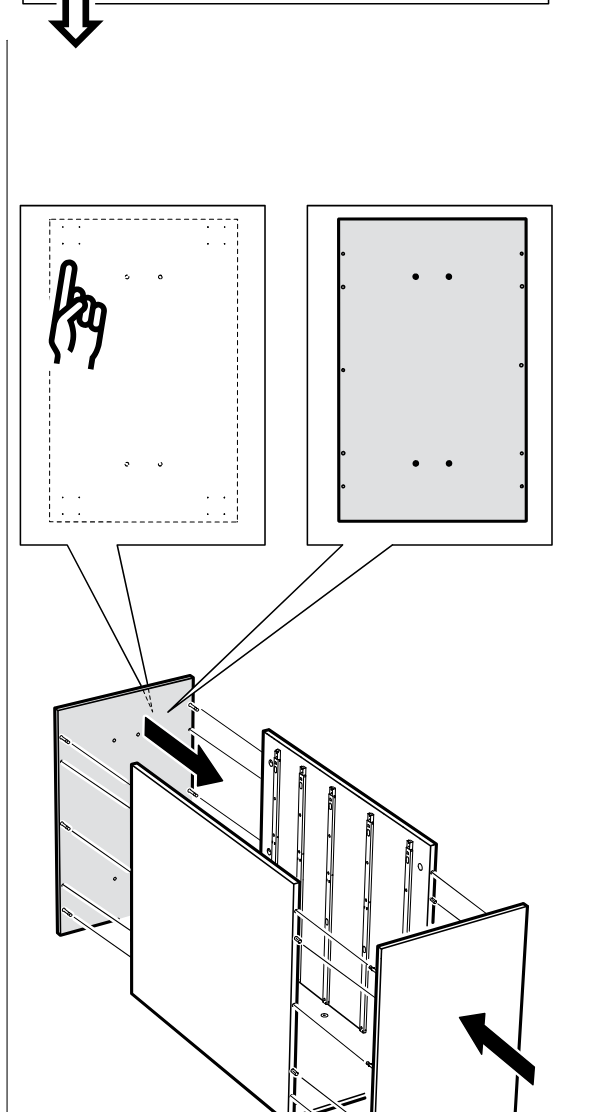
    Diagram for step 7: The opposite side panel is attached to the cabinet frame while inset diagrams indicate the correct inner and outer face orientation and hole positions.
  11. Step 8

    Insert 12 cam locks into the cabinet side panels and turn them with a screwdriver to lock them in place.
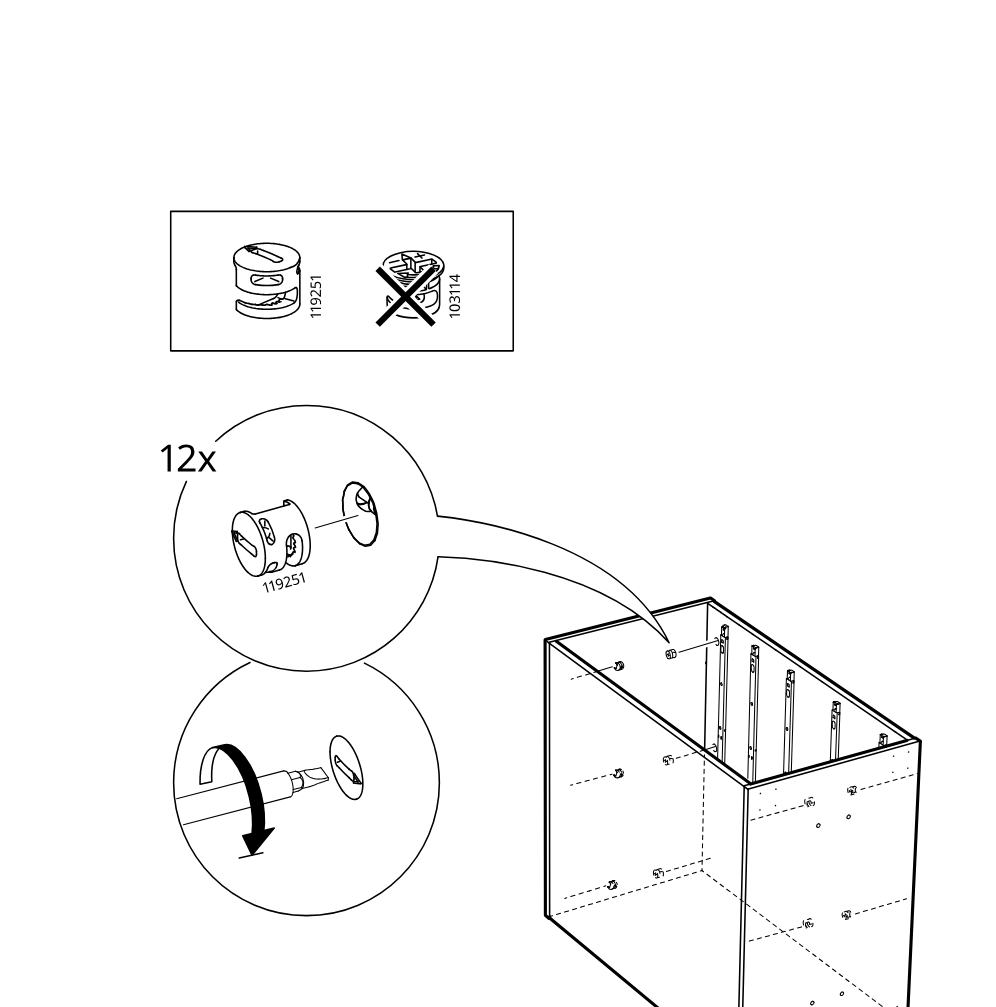
    Diagram for step 8: Insert 12 cam locks into the cabinet side panels and turn them with a screwdriver to lock them in place.
  12. Before you begin

    Support panel with circled i showing the cap part 10061614, a dashed placeholder box, and instruction to continue at page 23.
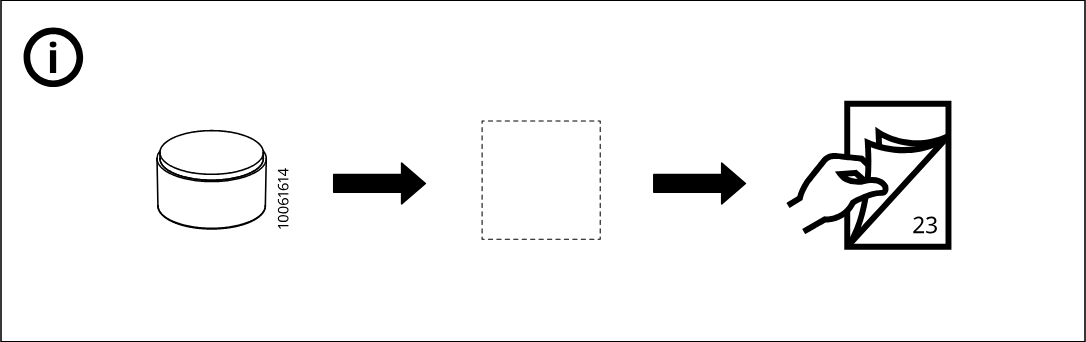
    Illustration for assembly note: Support panel with circled i showing the cap part 10061614, a dashed placeholder box, and instruction to continue at page 23.
  13. Step 9

    Turn the cabinet body and install four 10061614 caps into the indicated holes at the bottom, then rotate the unit as shown.
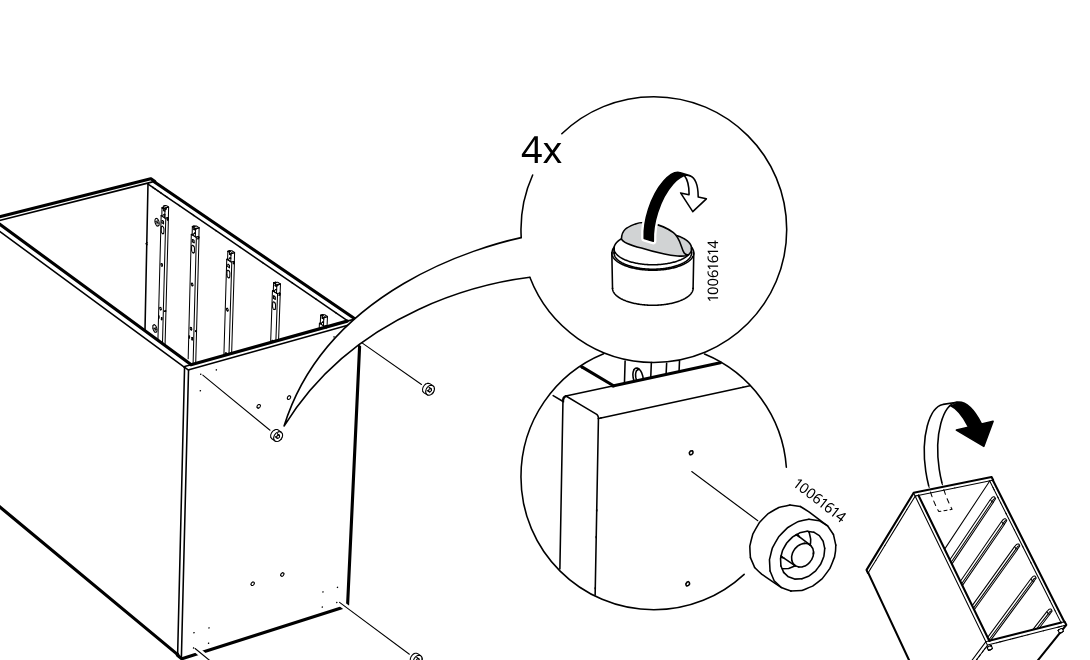
    Diagram for step 9: Turn the cabinet body and install four 10061614 caps into the indicated holes at the bottom, then rotate the unit as shown.
  14. Before you begin

    Support page shows that the drawer unit uses casters, refers to the ALEX instructions for the caster part, illustrates installing four casters into the cabinet bottom, highlights the mounting-hole corner detail, and then shows tipping the unit upright onto its wheels.
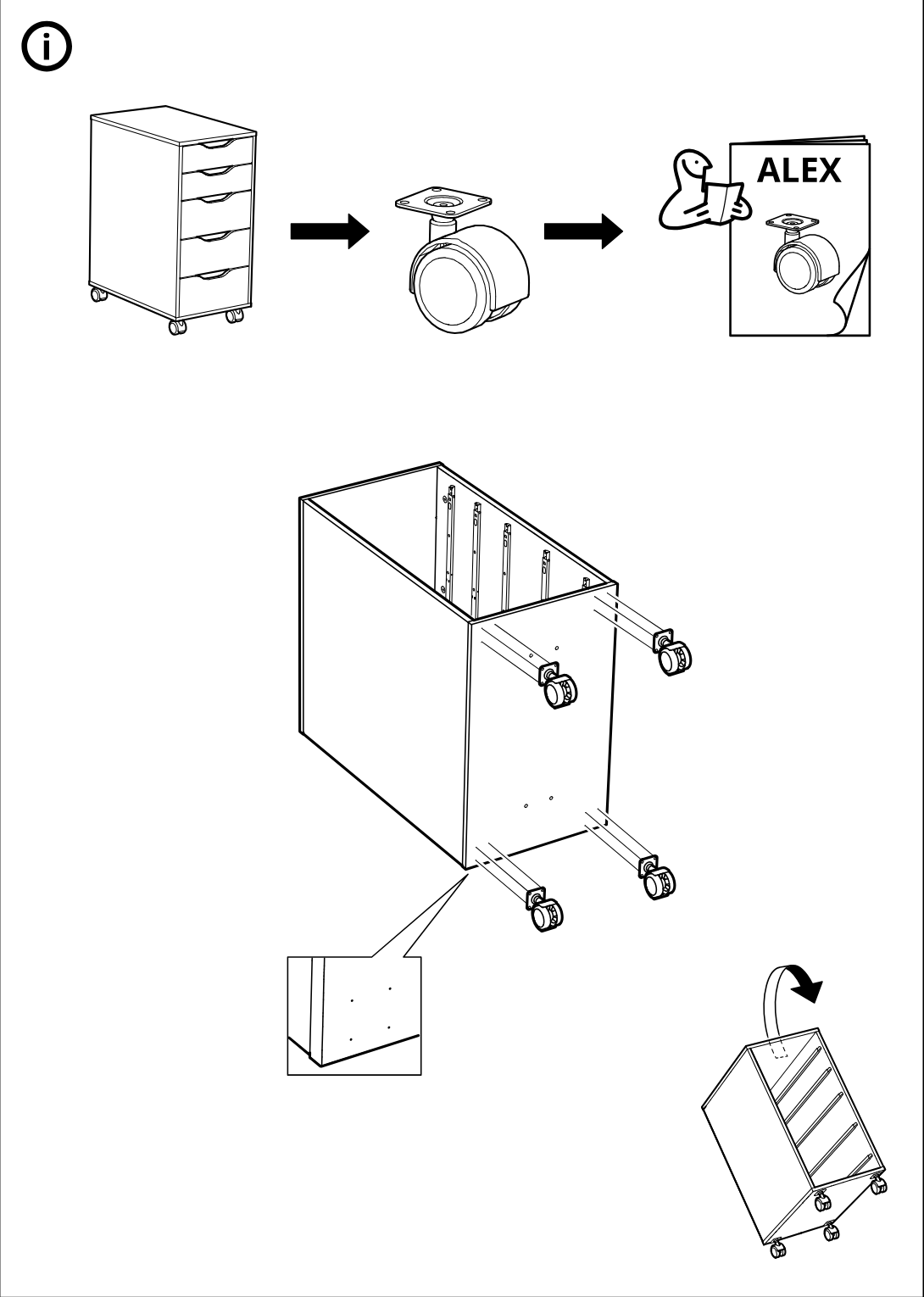
    Illustration for assembly note: Support page shows that the drawer unit uses casters, refers to the ALEX instructions for the caster part, illustrates installing four casters into the cabinet bottom, highlights the mounting-hole corner detail, and then shows tipping the unit upright onto its wheels.
  15. Before you begin

    Support panel with circled information icon showing a drawer unit being used together with a tabletop and legs to form a desk, plus a booklet/page-turn icon referencing step 21.
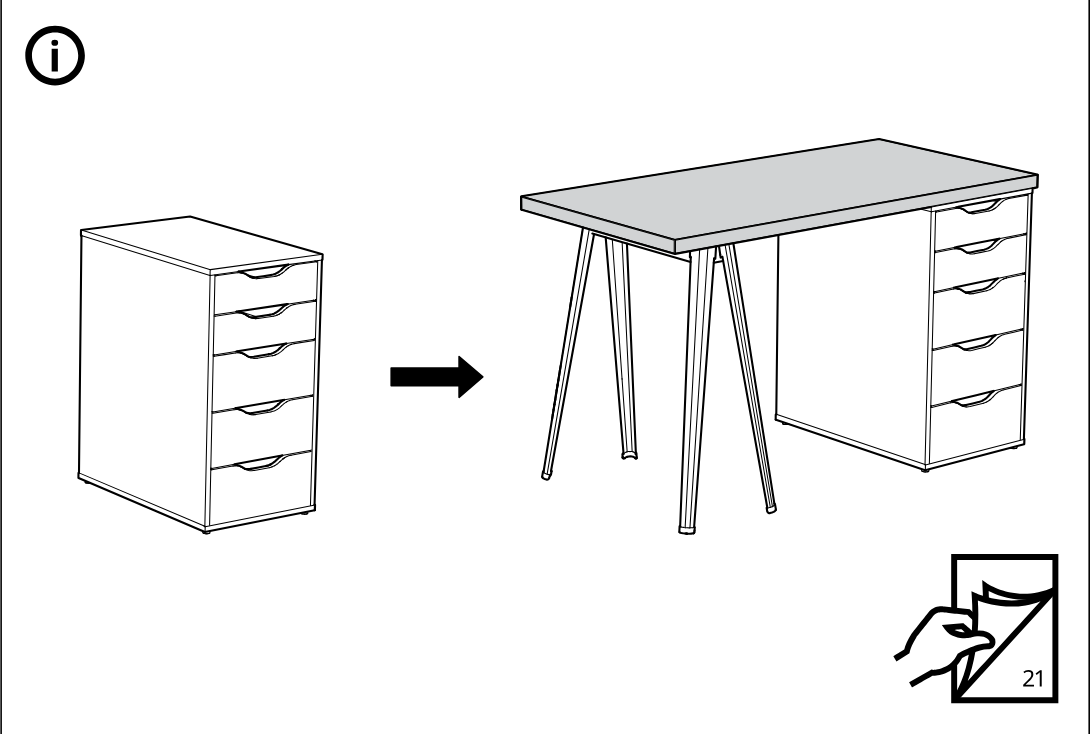
    Illustration for assembly note: Support panel with circled information icon showing a drawer unit being used together with a tabletop and legs to form a desk, plus a booklet/page-turn icon referencing step 21.
  16. Step 10

    Insert four 118331 screw pins into the four holes of the shaped drawer front panel while the top reference panels indicate the required drawer subassemblies.
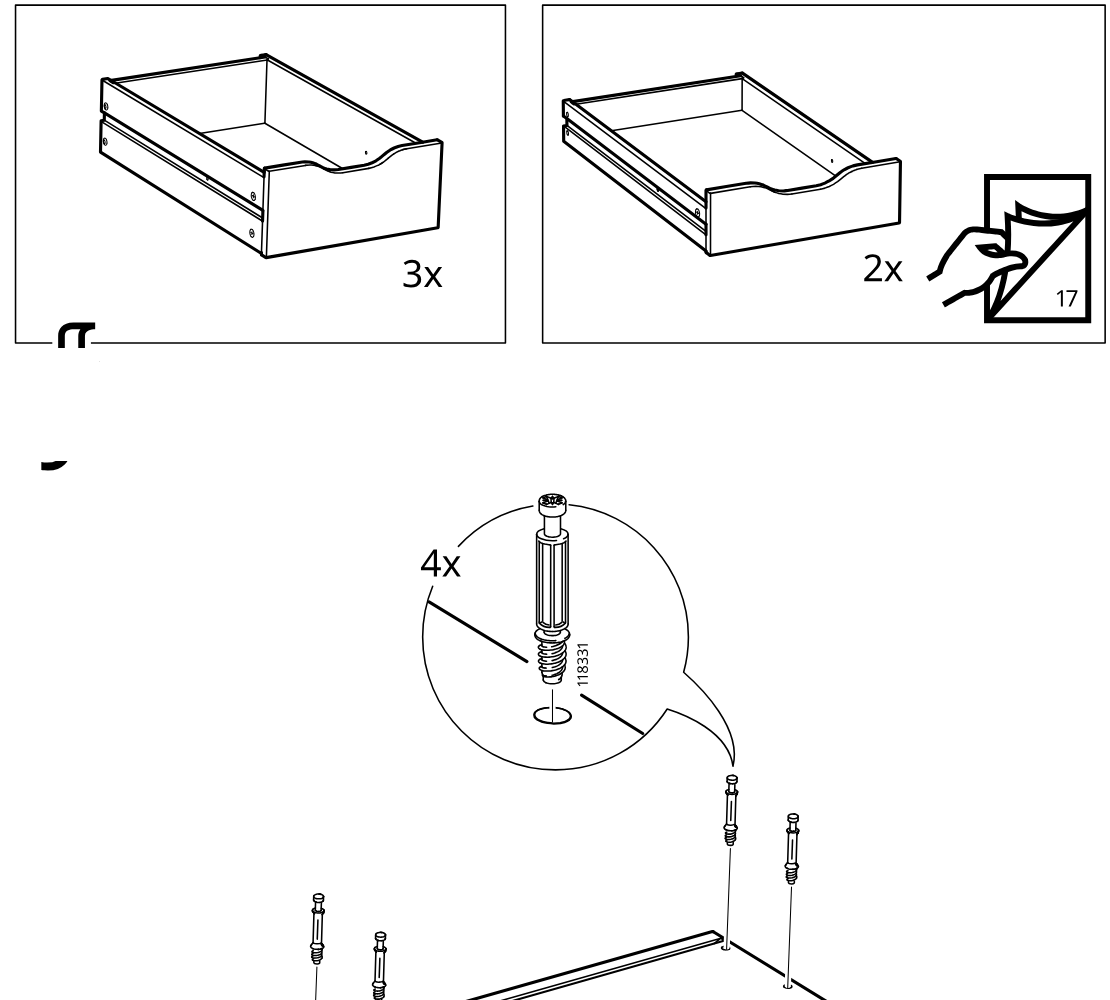
    Diagram for step 10: Insert four 118331 screw pins into the four holes of the shaped drawer front panel while the top reference panels indicate the required drawer subassemblies.
  17. Step 11

    Two side panels are lowered onto the base panel with the preinstalled dowels and rail aligned between them.
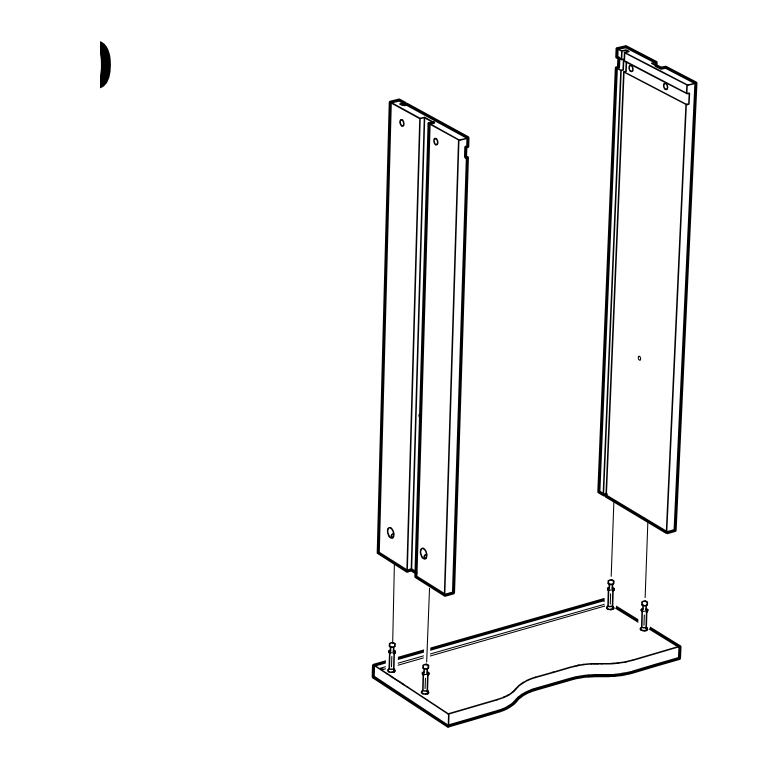
    Diagram for step 11: Two side panels are lowered onto the base panel with the preinstalled dowels and rail aligned between them.
  18. Step 12

    Four cam locks are inserted from the outer sides and turned to secure the two side panels to the base, with a zoom callout showing the locking direction.
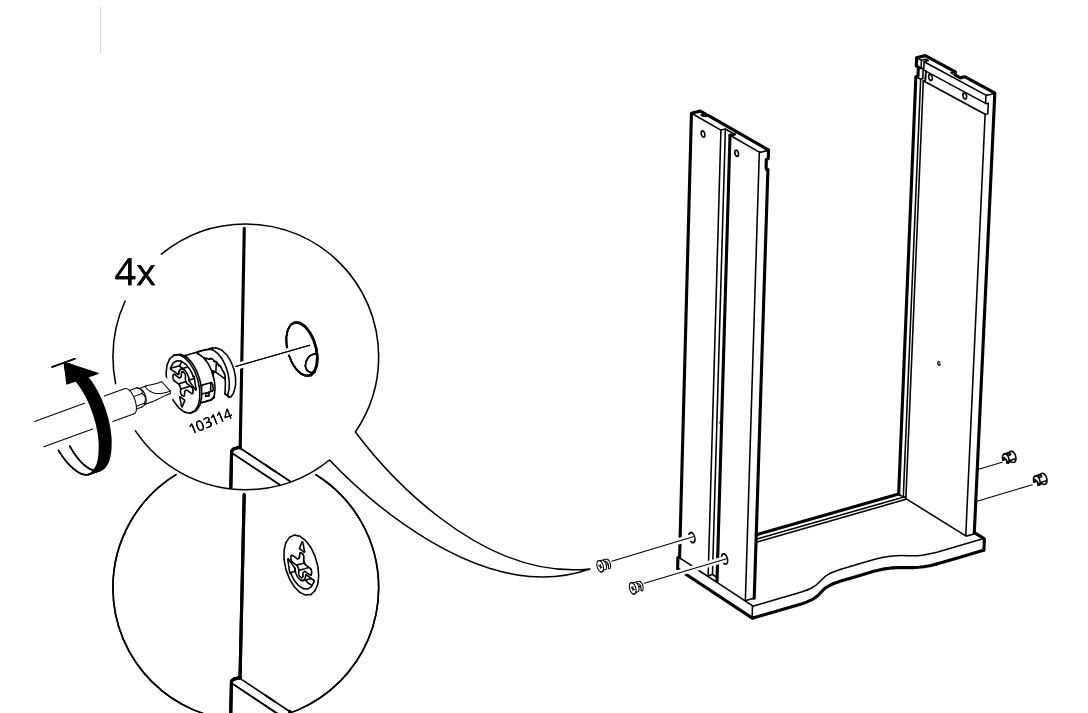
    Diagram for step 12: Four cam locks are inserted from the outer sides and turned to secure the two side panels to the base, with a zoom callout showing the locking direction.
  19. Step 13

    The large back panel is lowered down into the grooves between the two side panels, with an inset showing the panel aligned in the slot.
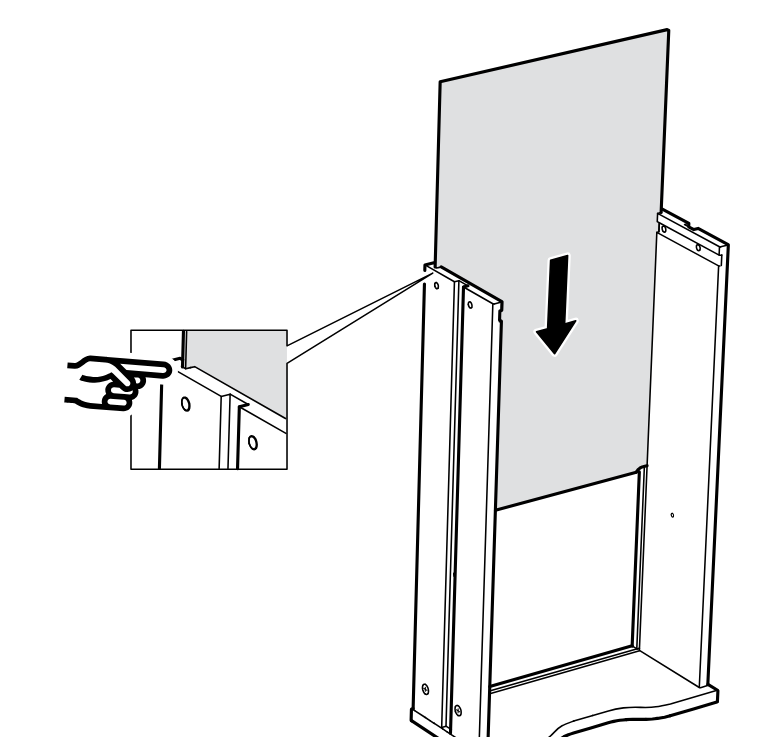
    Diagram for step 13: The large back panel is lowered down into the grooves between the two side panels, with an inset showing the panel aligned in the slot.
  20. Step 14

    The top shelf panel is lowered onto the cabinet frame, with an inset showing the edge fitting into place at the side.
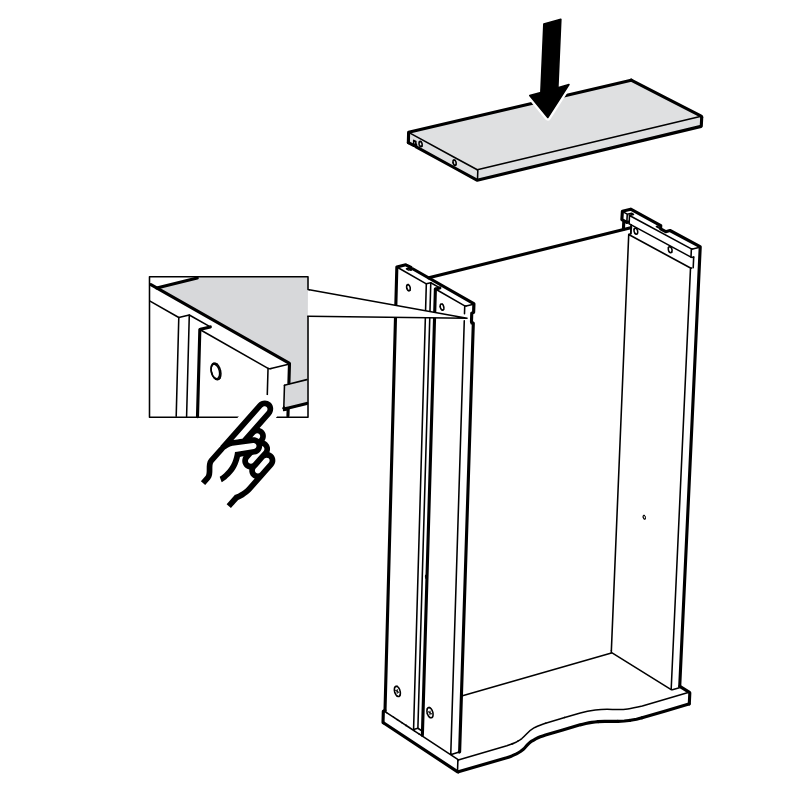
    Diagram for step 14: The top shelf panel is lowered onto the cabinet frame, with an inset showing the edge fitting into place at the side.
  21. Step 15

    Hammer two nails into the side panels at the marked holes near the top of the cabinet frame, then turn the drawer upright as indicated.
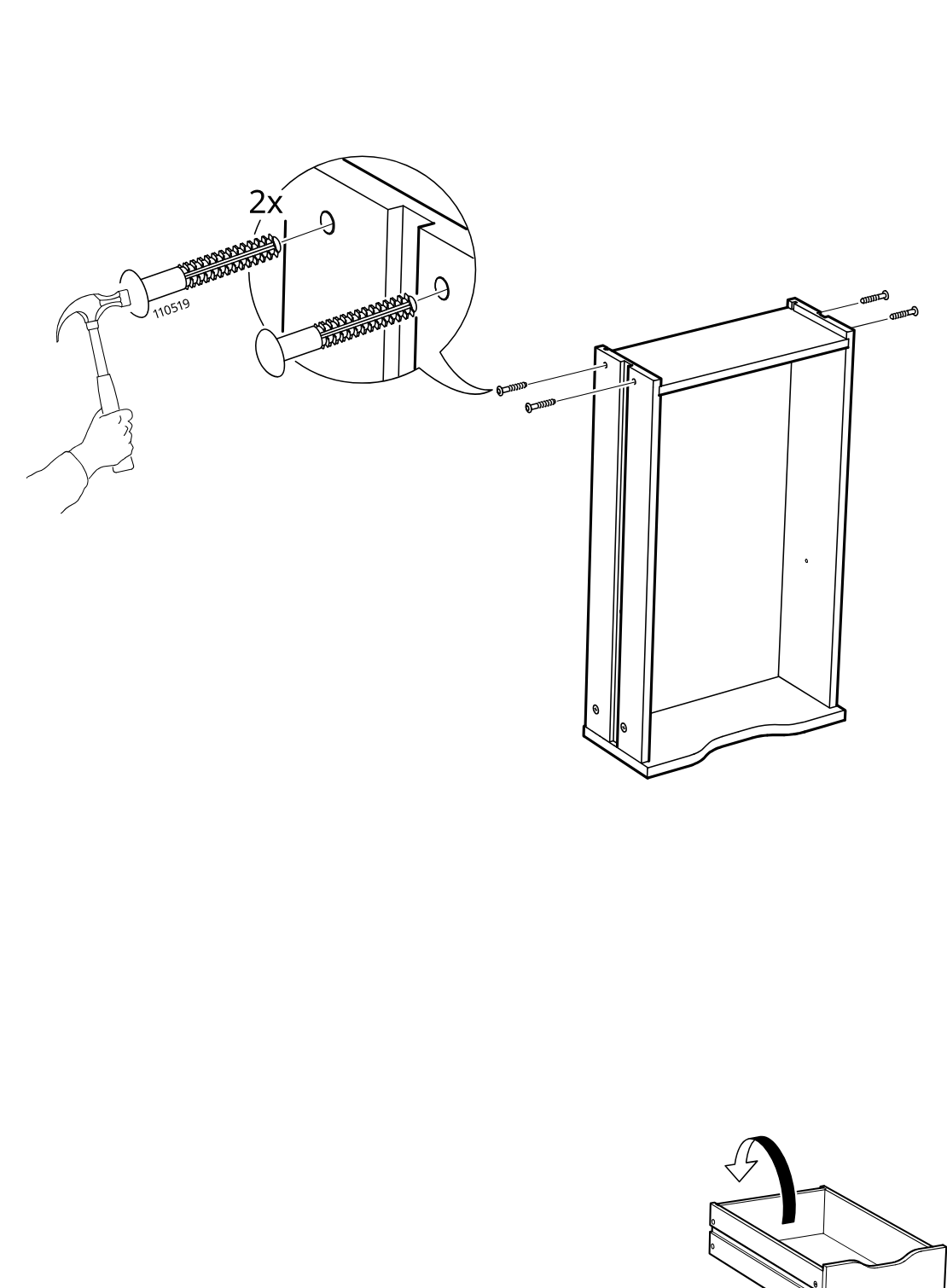
    Diagram for step 15: Hammer two nails into the side panels at the marked holes near the top of the cabinet frame, then turn the drawer upright as indicated.
  22. Step 16

    Two side panels receive dowel pins at one end, with a zoom callout showing the pin placement and part 101345 used twice.
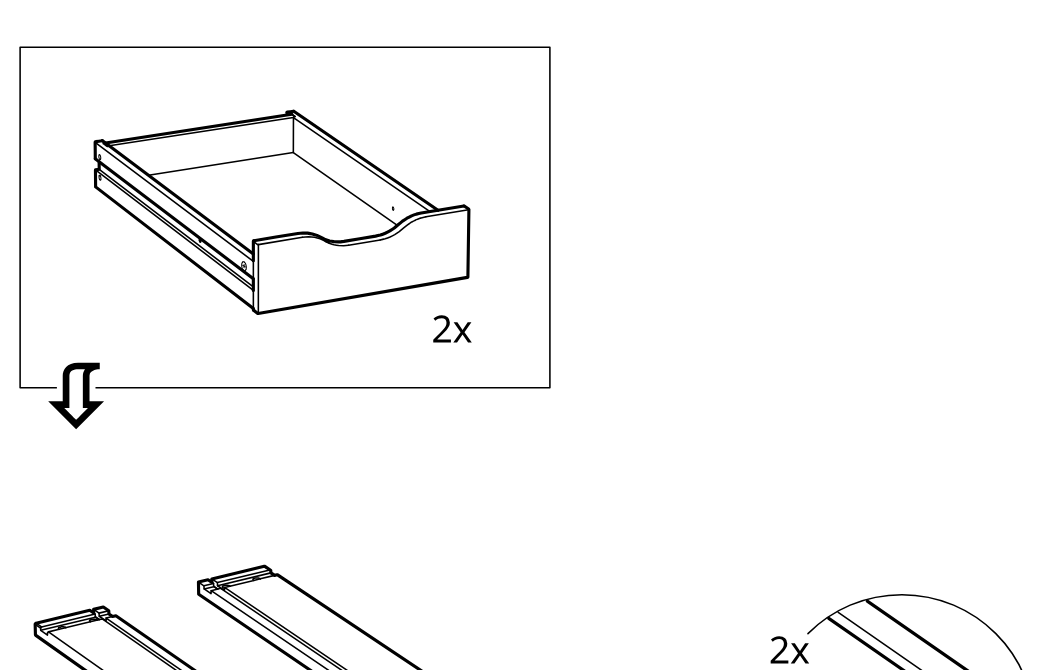
    Diagram for step 16: Two side panels receive dowel pins at one end, with a zoom callout showing the pin placement and part 101345 used twice.
  23. Step 17

    Two cam bolts are inserted into the front panel, with a zoom callout identifying part 118331 and showing the insertion orientation twice.
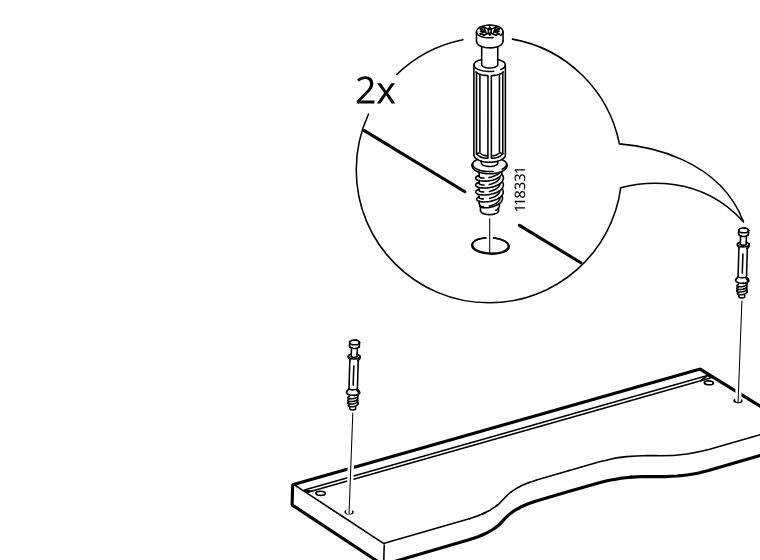
    Diagram for step 17: Two cam bolts are inserted into the front panel, with a zoom callout identifying part 118331 and showing the insertion orientation twice.
  24. Step 18

    Two side panels are lowered onto the protruding connectors on the shaped bottom panel to form a U-shaped frame.
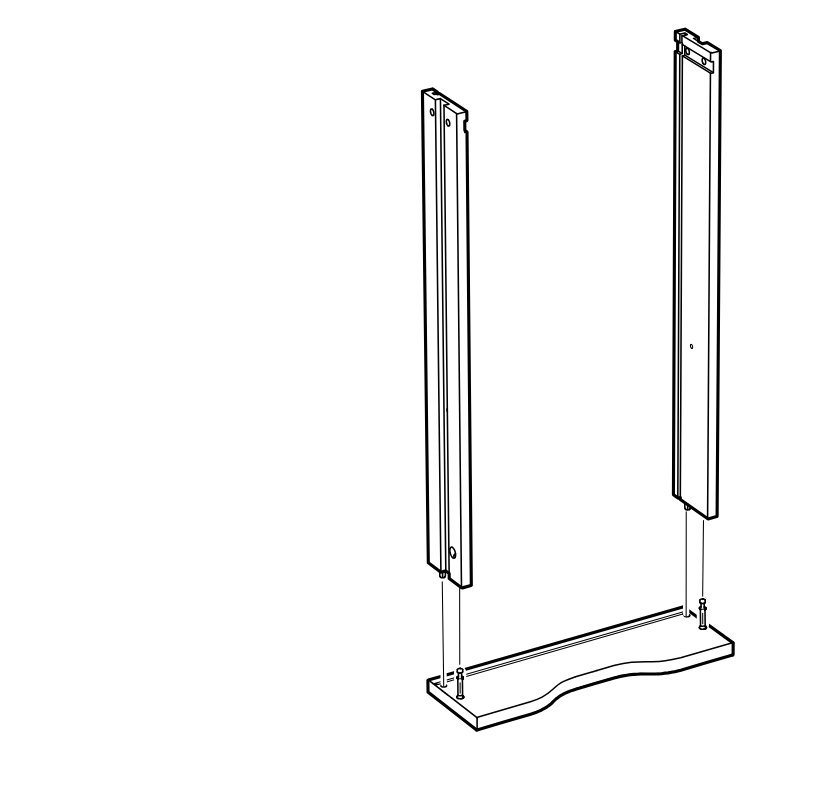
    Diagram for step 18: Two side panels are lowered onto the protruding connectors on the shaped bottom panel to form a U-shaped frame.
  25. Step 19

    Four cam locks labeled 103114 are inserted and turned to secure the two side panels to the bottom panel, as shown in the enlarged detail.
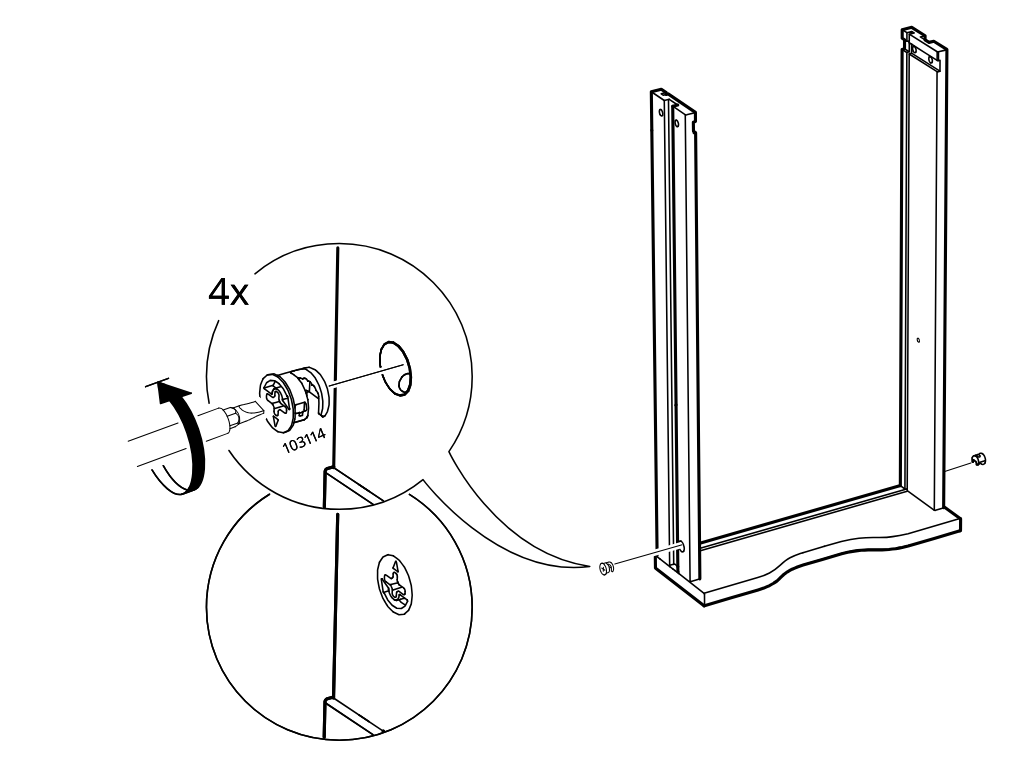
    Diagram for step 19: Four cam locks labeled 103114 are inserted and turned to secure the two side panels to the bottom panel, as shown in the enlarged detail.
  26. Step 20

    Slide the large back panel downward into the side grooves of the frame, aligning it as shown in the inset.
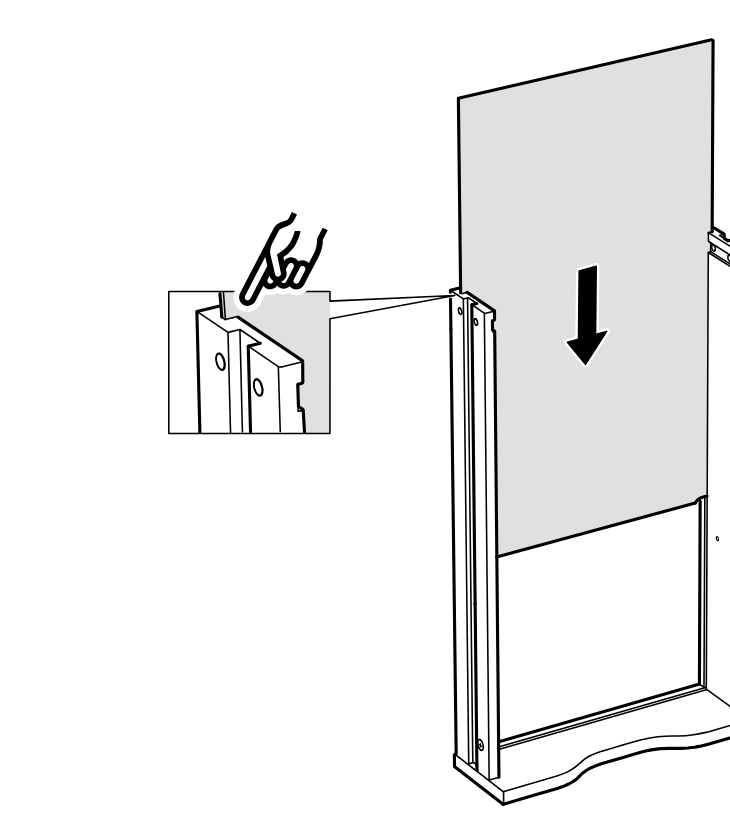
    Diagram for step 20: Slide the large back panel downward into the side grooves of the frame, aligning it as shown in the inset.
  27. Step 21

    Lower the narrow top board onto the assembled side frame, with the inset showing the side alignment detail.
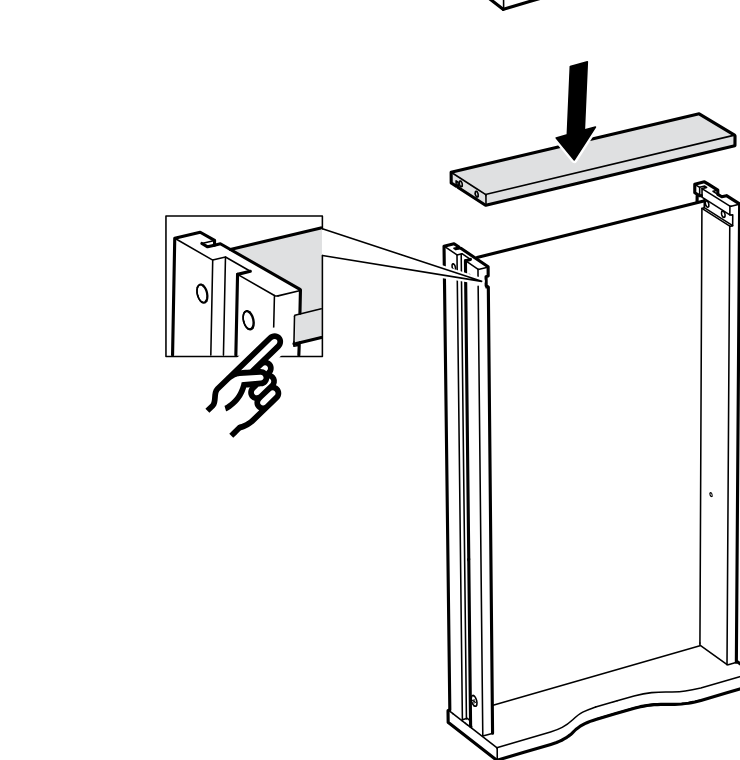
    Diagram for step 21: Lower the narrow top board onto the assembled side frame, with the inset showing the side alignment detail.
  28. Step 22

    Hammer two 110519 wall plugs into the side panel holes and align them with the top of the frame, then place the drawer into the unit.
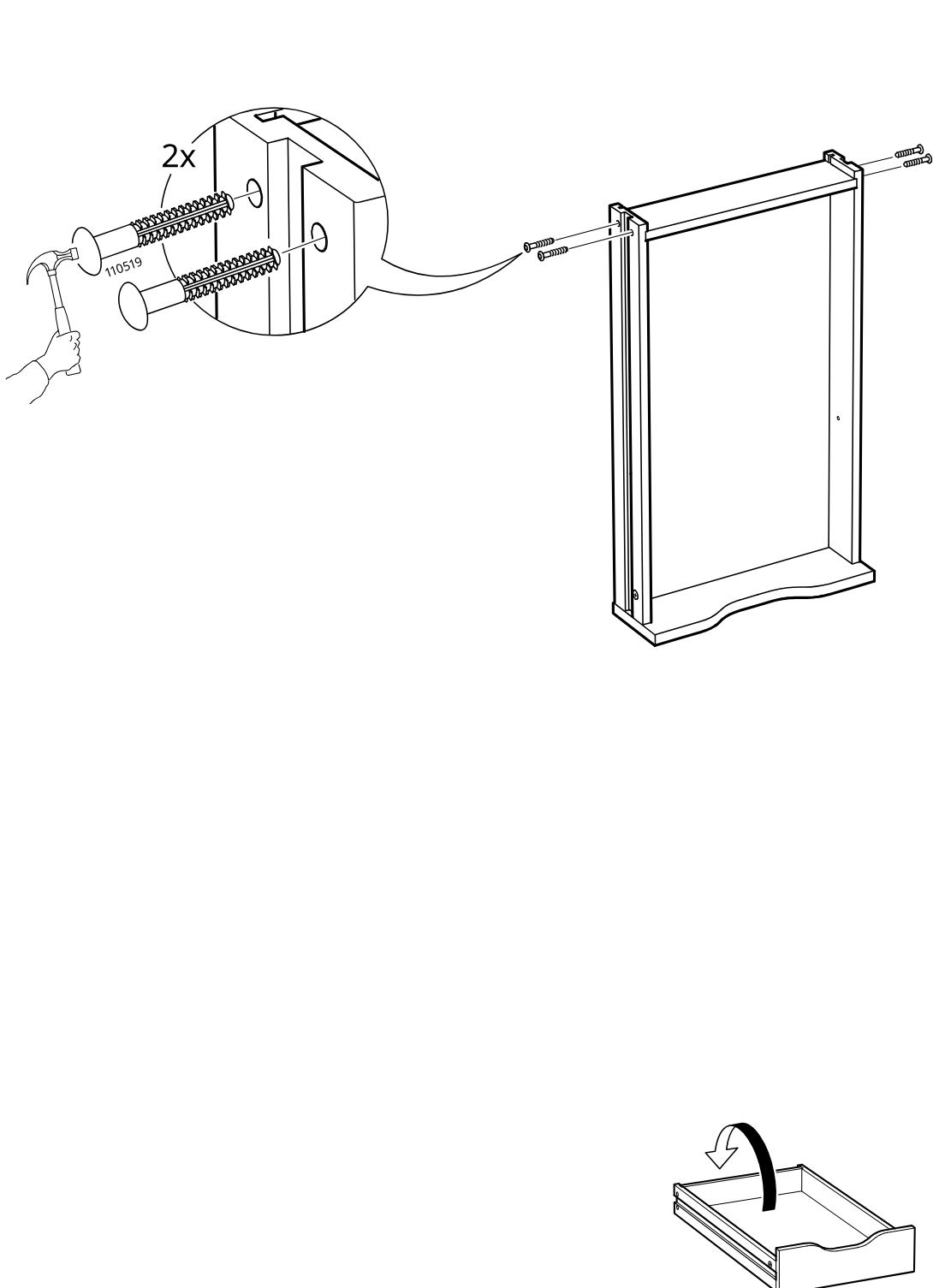
    Diagram for step 22: Hammer two 110519 wall plugs into the side panel holes and align them with the top of the frame, then place the drawer into the unit.
  29. Before you begin

    Information panel showing compatible desktop types: LAGKAPTEN, MÅLSKYTT, and ANFALLARE.
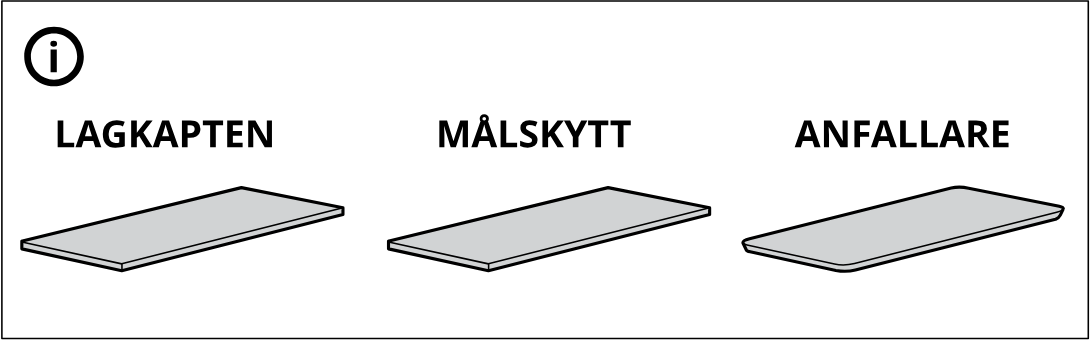
    Illustration for assembly note: Information panel showing compatible desktop types: LAGKAPTEN, MÅLSKYTT, and ANFALLARE.
  30. Step 23

    Place the tabletop onto the leg trestle and drawer unit, align the marked pilot holes, and fasten it with four screws using the hex key.
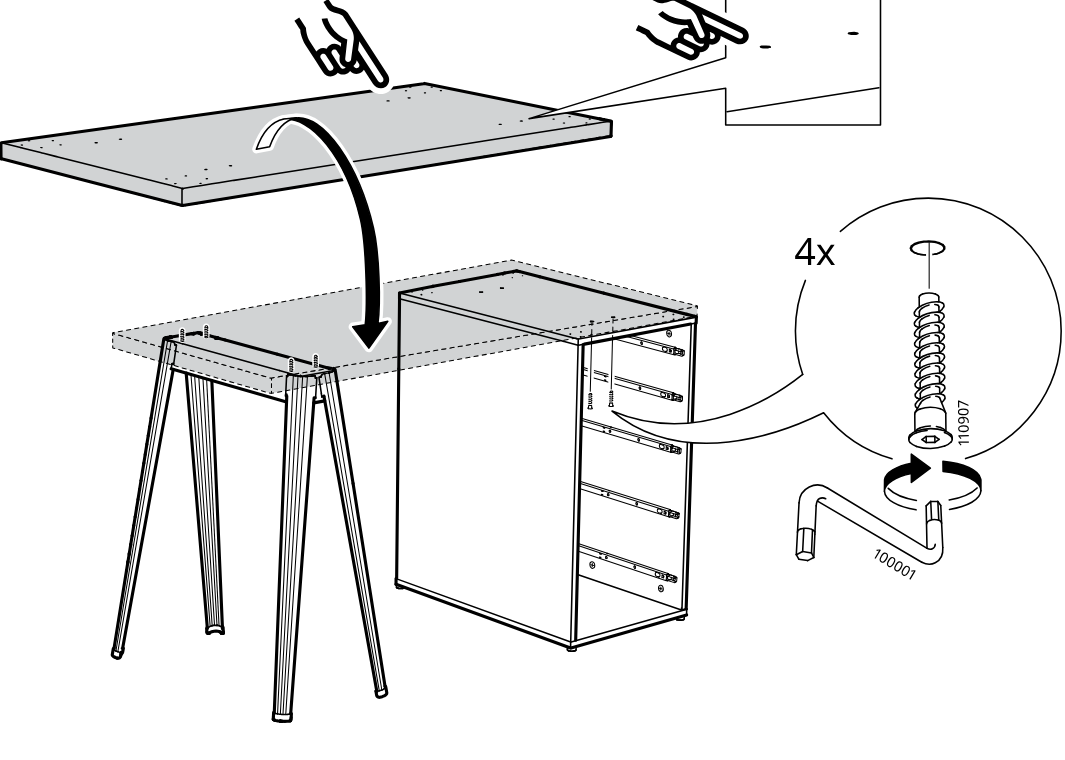
    Diagram for step 23: Place the tabletop onto the leg trestle and drawer unit, align the marked pilot holes, and fasten it with four screws using the hex key.
  31. Before you begin

    Reference panel showing two drawer-unit variants with the number of drawers to remove before assembly: remove 2 drawers for one variant and 3 drawers for the taller variant.
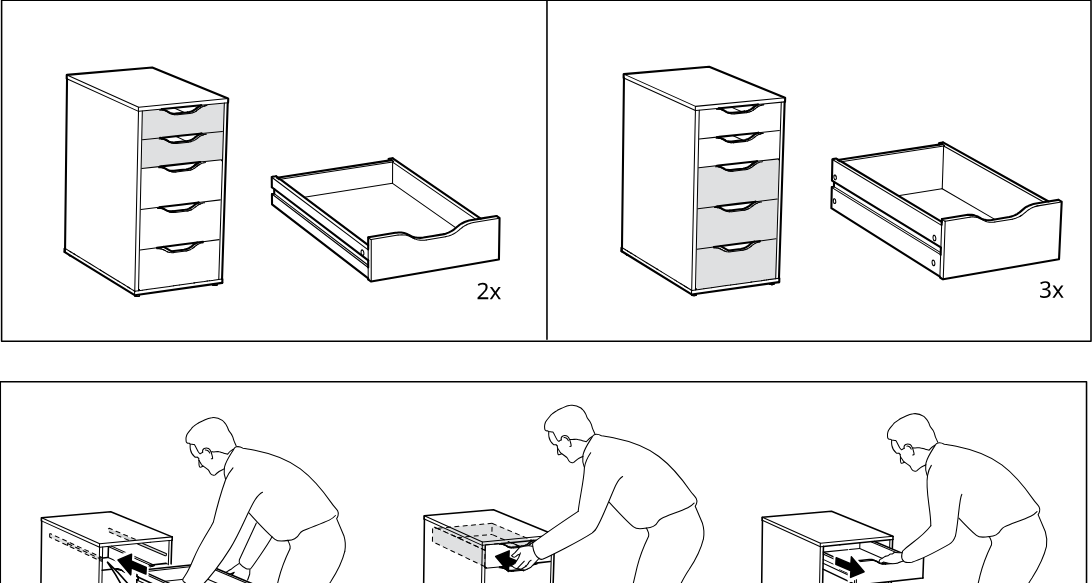
    Illustration for assembly note: Reference panel showing two drawer-unit variants with the number of drawers to remove before assembly: remove 2 drawers for one variant and 3 drawers for the taller variant.
  32. Before you begin

    Support panel showing how to pull a drawer out, press the release catches on both runners, and remove the drawer, with a zoom inset of the runner latch.
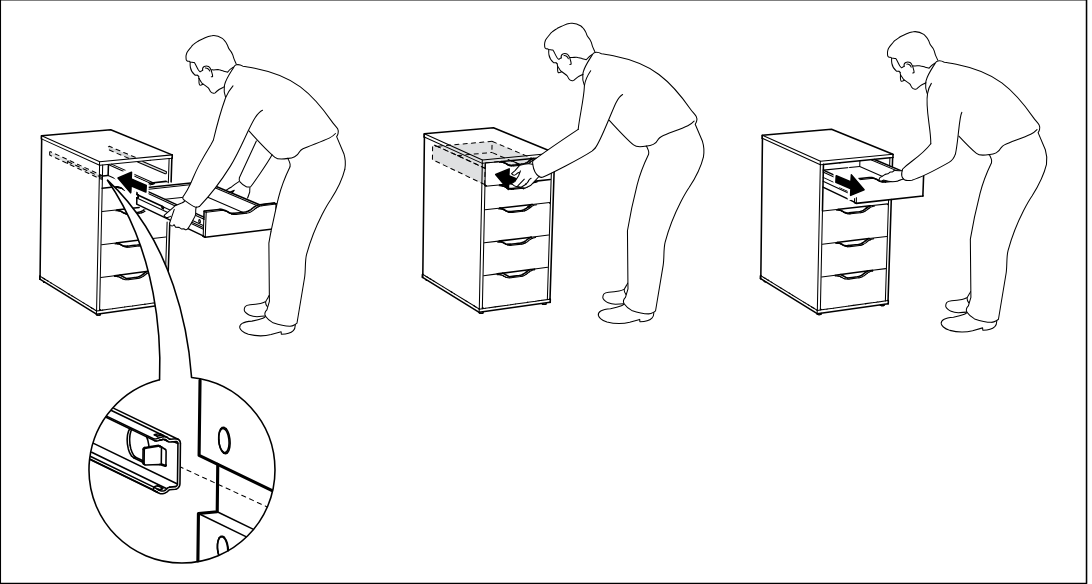
    Illustration for assembly note: Support panel showing how to pull a drawer out, press the release catches on both runners, and remove the drawer, with a zoom inset of the runner latch.
  33. Step 24

    Tighten two screws labeled 105027 on the side of the open top drawer runner area using a screwdriver, as shown in the enlarged inset.
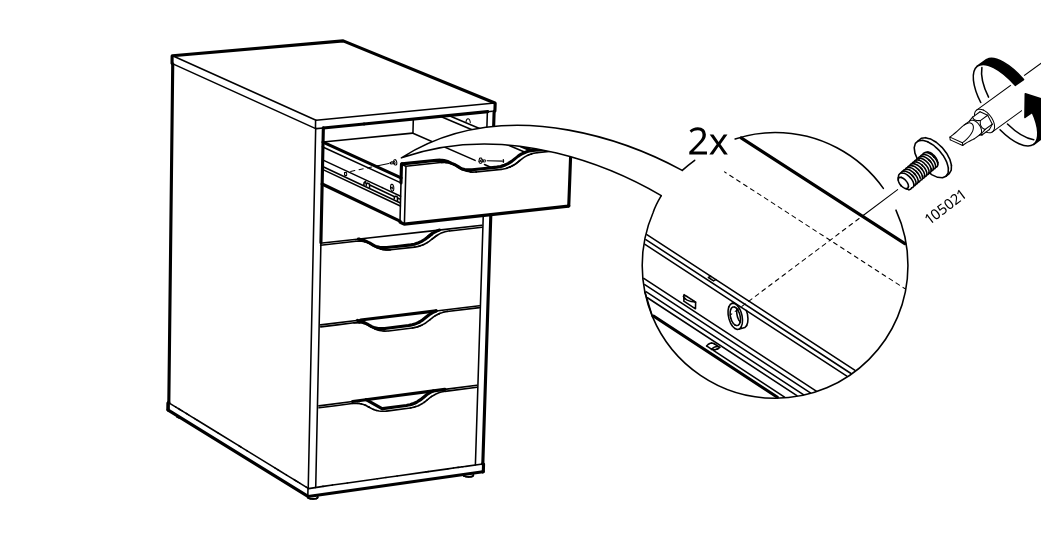
    Diagram for step 24: Tighten two screws labeled 105027 on the side of the open top drawer runner area using a screwdriver, as shown in the enlarged inset.
  34. Before you begin

    Information panel showing to cut or peel a 20 mm by 20 mm square piece, place four adhesive pads on the cabinet side panel positions, and referring to instruction page 10.
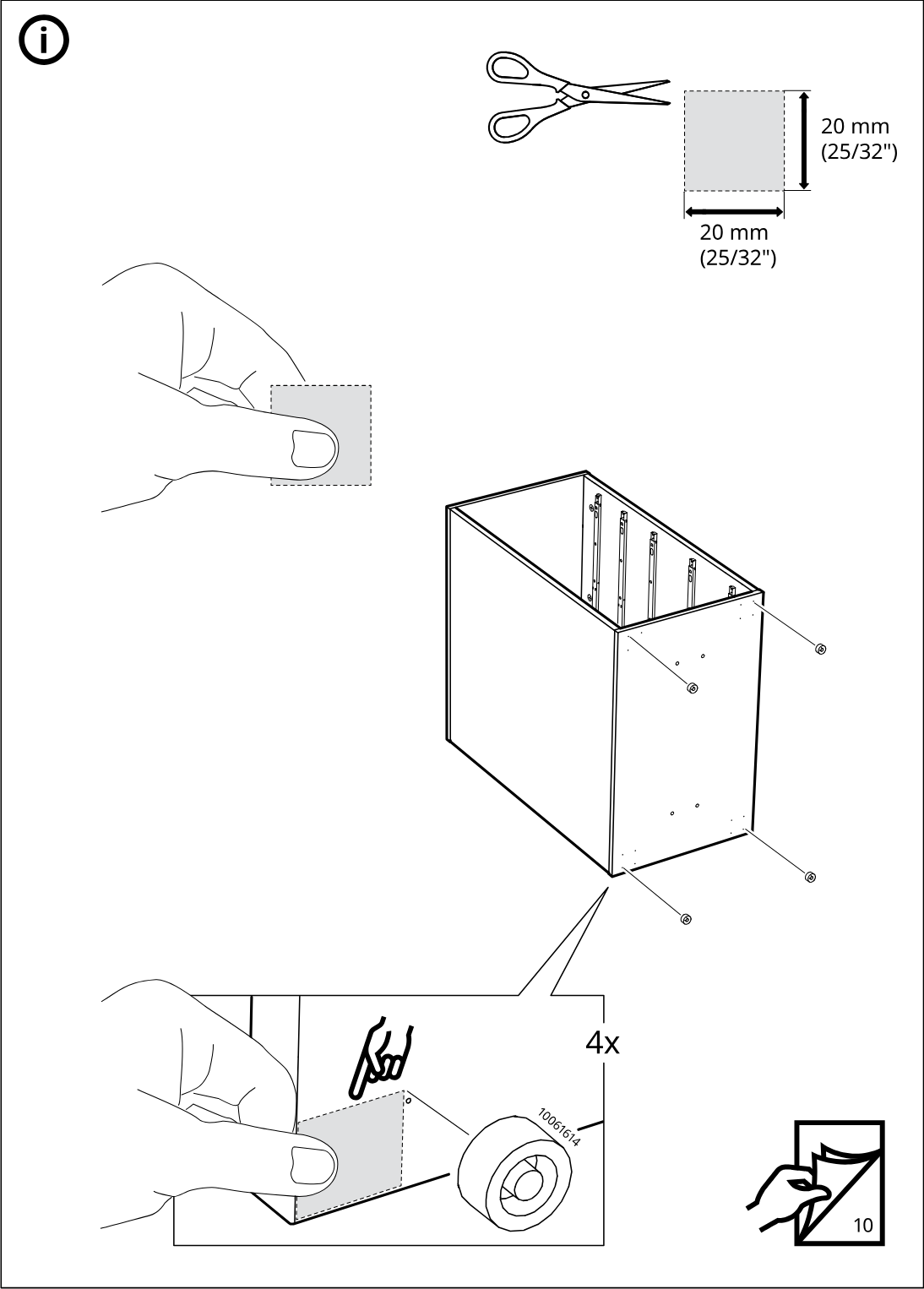
    Illustration for assembly note: Information panel showing to cut or peel a 20 mm by 20 mm square piece, place four adhesive pads on the cabinet side panel positions, and referring to instruction page 10.

Make it yours

Small additions. A better setup.

These optional additions are separate from any parts, safety equipment, or tools required to assemble the product.

Browse organization ideas

Some links are affiliate links. We may earn a commission if you buy through them, at no extra cost to you. As an Amazon Associate, we earn from qualifying purchases.

  • madesmart 5-compartment tray, white

    A low-profile tray separates small supplies inside an ALEX drawer.

    The tray is 12.75 × 9 × 1.88 in; orient its long side along the drawer depth. IKEA lists 20.5 in of interior depth but not the clear width or height for this article. Confirm the drawer clears the tray before buying; do not force it.

    View product
  • iDesign Clarity expandable drawer tray, clear

    Expandable compartments separate small items inside an ALEX drawer.

    Expands from 11.25 to 18.5 in long and measures 7.75 × 1.25 in across and high. Confirm the drawer has up to 18.5 × 7.75 × 1.25 in of clear space; use a shorter extension if needed.

    Image reuse rights have not been independently verified.

    View product
  • Duck EasyLiner non-adhesive drawer liner, black

    Cut-to-fit liner cushions the drawer floor and helps prevent scratches.

    Non-adhesive and cut-to-fit. Trim to the actual drawer floor; IKEA lists 20.5 in of interior depth for ALEX 00473546 but not its clear width. Do not use adhesive.

    Image reuse rights have not been independently verified.

    View product

Video guide