
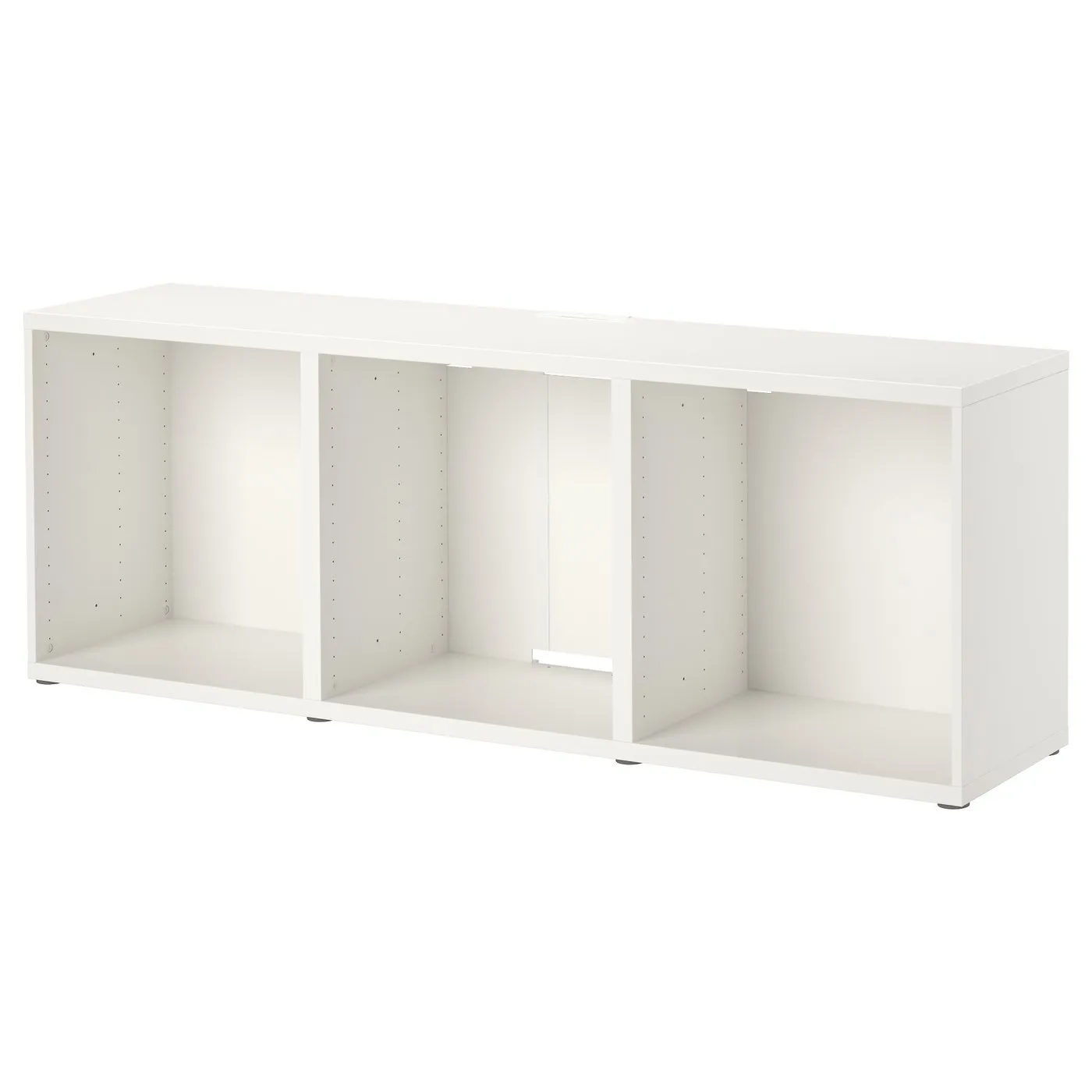
How to assemble IKEA BESTÅ TV unit

BESTÅ TV unit, white, 707/8x153/4x251/4"

This guide covers the white IKEA BESTÅ TV unit, article 805.660.37, measuring 70 7/8 inches wide. Follow the TV-unit assembly diagrams and video in the guide below.

View on IKEA
BESTÅ TV unit

Interactive assembly guide

Step-by-Step Instructions

1 different parts, 1 boxes total — click on a package to see step-by-step assembly instructions

BESTÅ TV unit

805.660.37

x1

16 "

Width

2 ½ "

Height

52 "

Length

20 lb 1 oz

Weight

Start Assembly

Written guide

Step-by-step instructions with diagrams

Follow the numbered assembly steps below, or open the interactive guide above to track progress and zoom into each diagram. This guide includes 18 illustrated steps.

BESTÅ TV unit

  1. Before you begin

    Four large preparation and safety panels show required tools, two-person assembly guidance, assembling on a soft surface instead of directly on the floor, and reading the instructions or contacting IKEA if unsure.
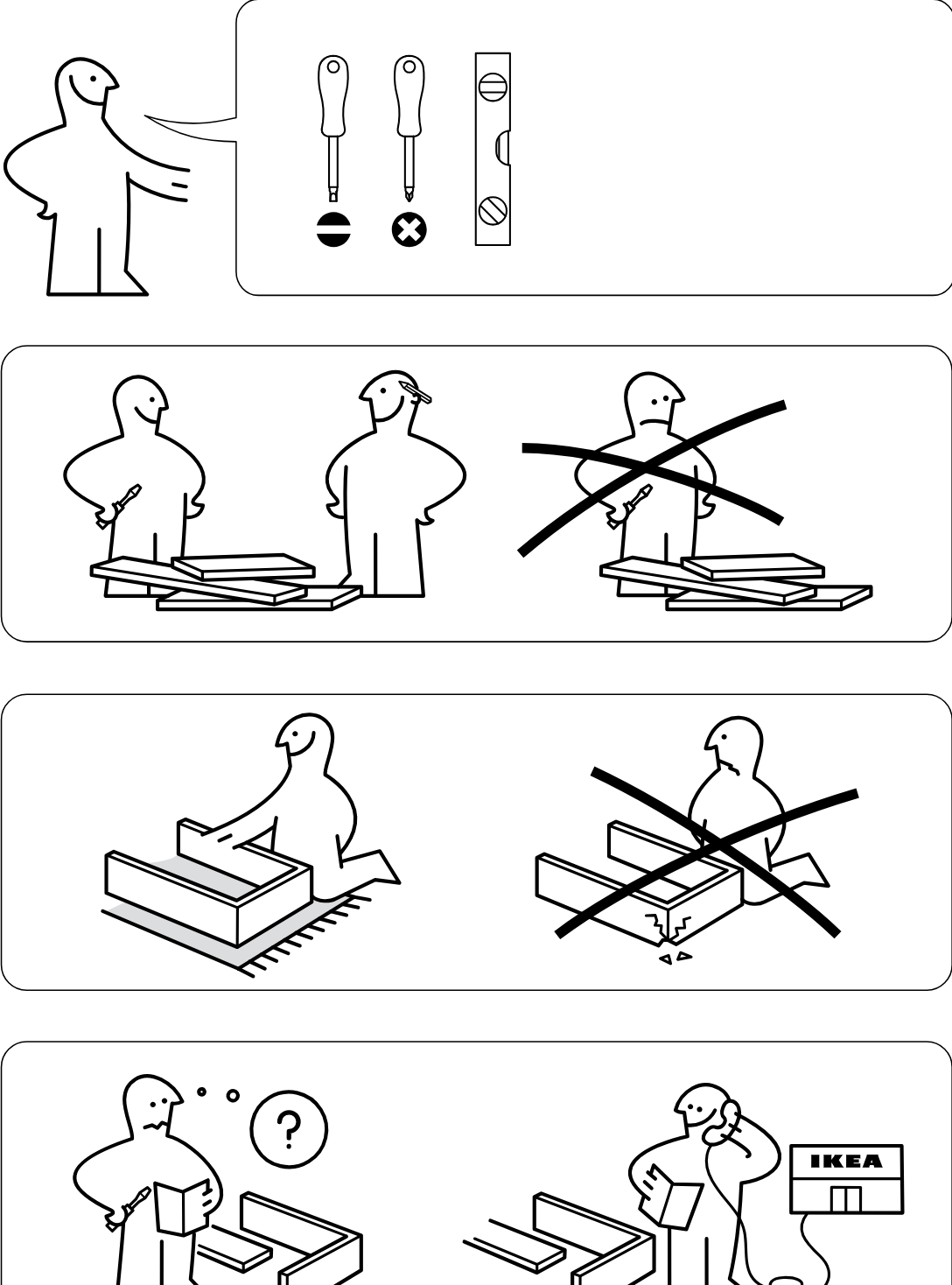
    Illustration for assembly note: Four large preparation and safety panels show required tools, two-person assembly guidance, assembling on a soft surface instead of directly on the floor, and reading the instructions or contacting IKEA if unsure.
  2. Step 1

    Install 8 cam fittings into the panel holes, check the panel edge orientations in the two zoom callouts, then fold one long side panel upward along the base.
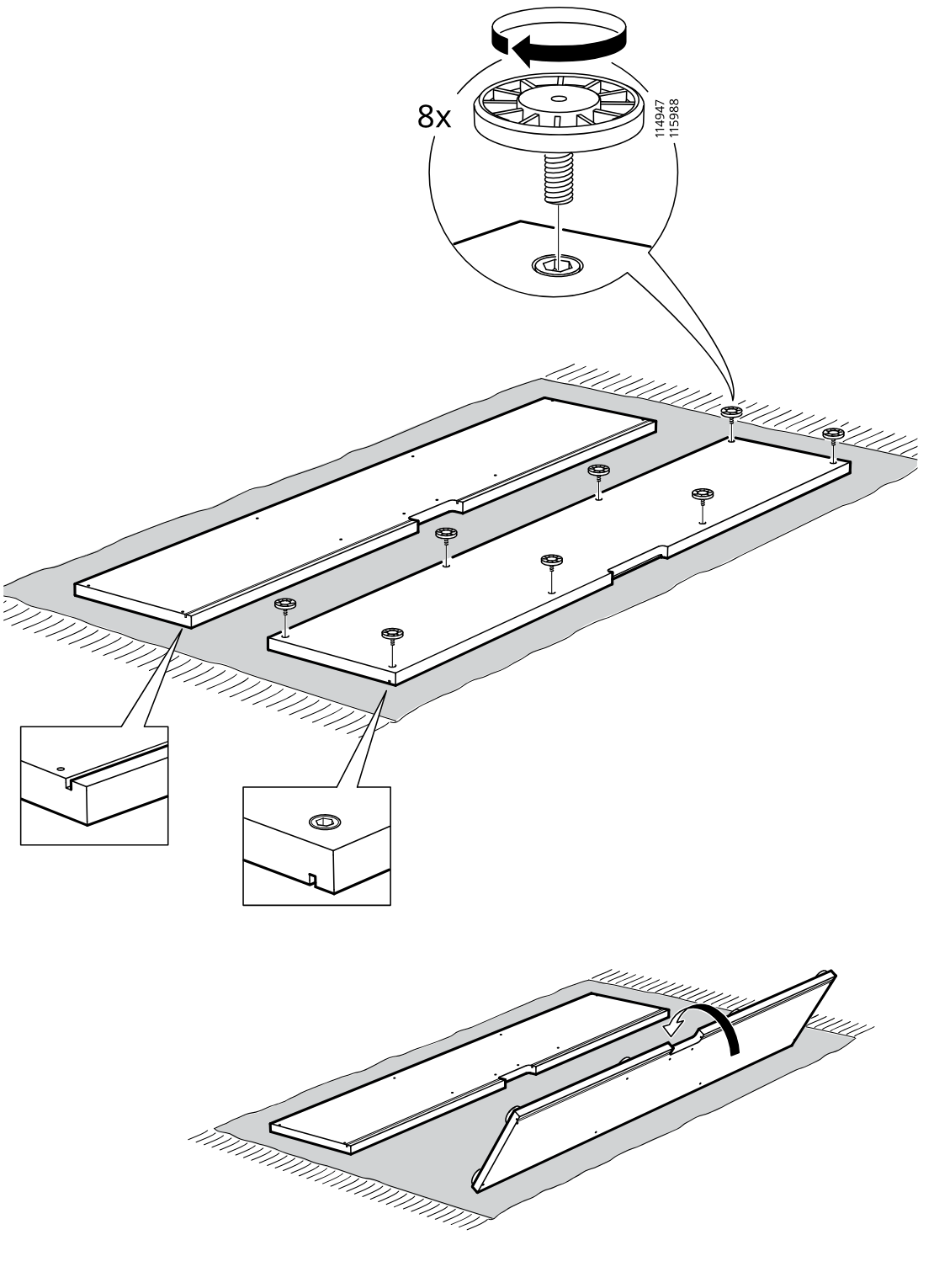
    Diagram for step 1: Install 8 cam fittings into the panel holes, check the panel edge orientations in the two zoom callouts, then fold one long side panel upward along the base.
  3. Step 2

    Sixteen cam screws are twisted into the predrilled holes of the two long base panels, with a zoom inset showing the screw orientation and installation.
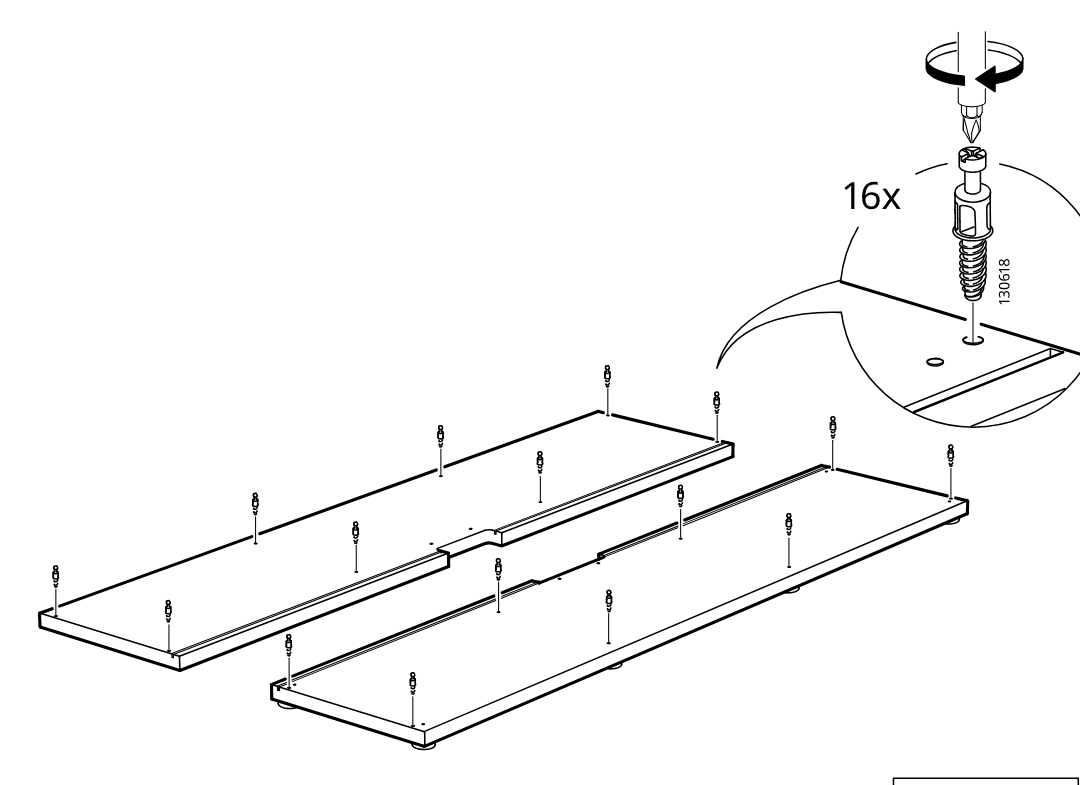
    Diagram for step 2: Sixteen cam screws are twisted into the predrilled holes of the two long base panels, with a zoom inset showing the screw orientation and installation.
  4. Step 3

    Two side panels are lowered onto the installed connectors on the two long base panels, with zoom callouts showing the correct top-edge orientation of each side panel.
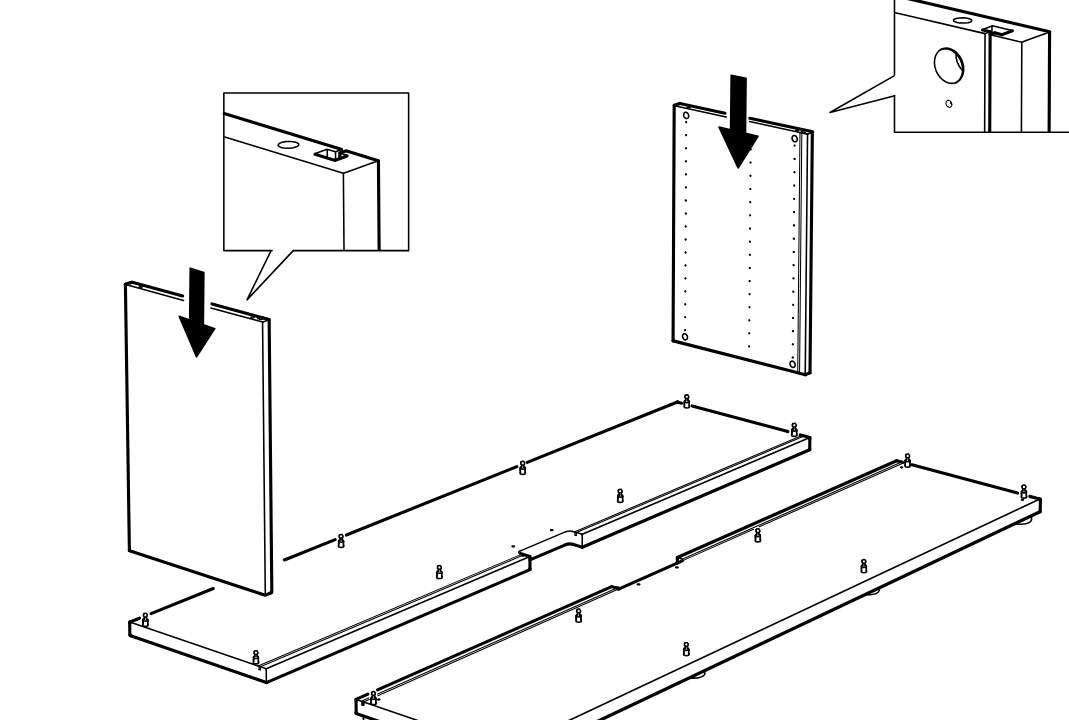
    Diagram for step 3: Two side panels are lowered onto the installed connectors on the two long base panels, with zoom callouts showing the correct top-edge orientation of each side panel.
  5. Step 4

    Insert and turn four cam locks into the side and bottom panels, following the allowed part-number panel and not using the crossed-out cam type.
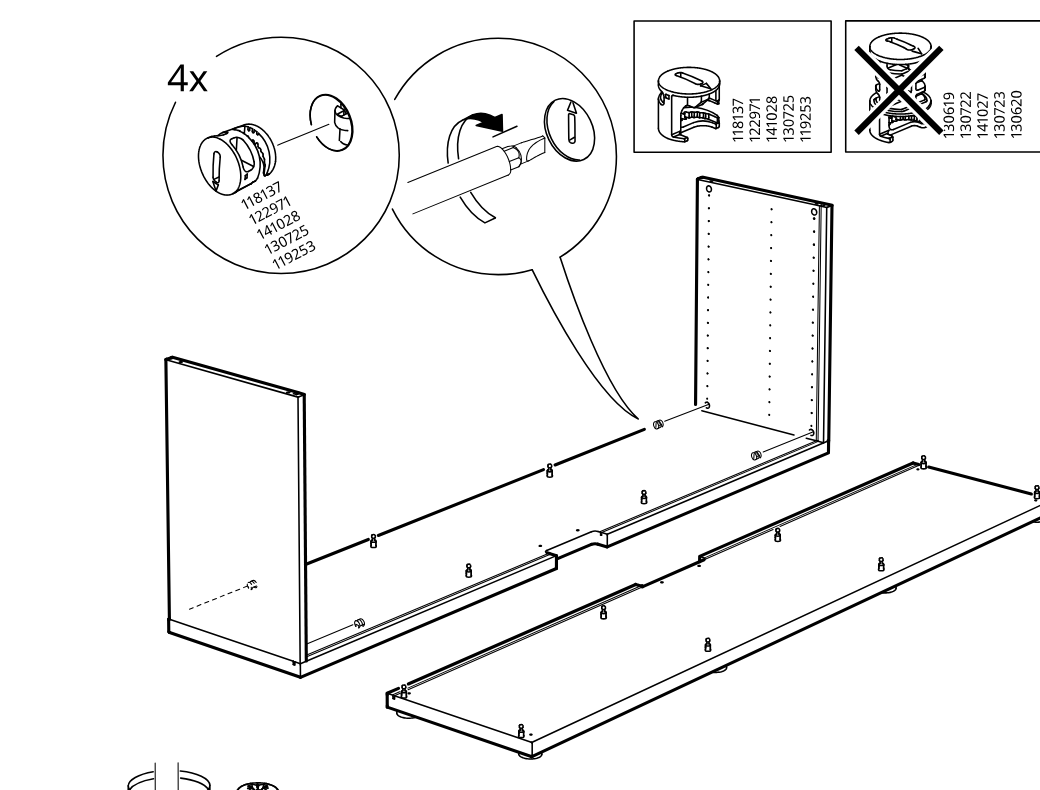
    Diagram for step 4: Insert and turn four cam locks into the side and bottom panels, following the allowed part-number panel and not using the crossed-out cam type.
  6. Step 5

    Screw two metal clip brackets onto the boards, then slide the assembled boards together until the clips engage as shown in the hand callouts.
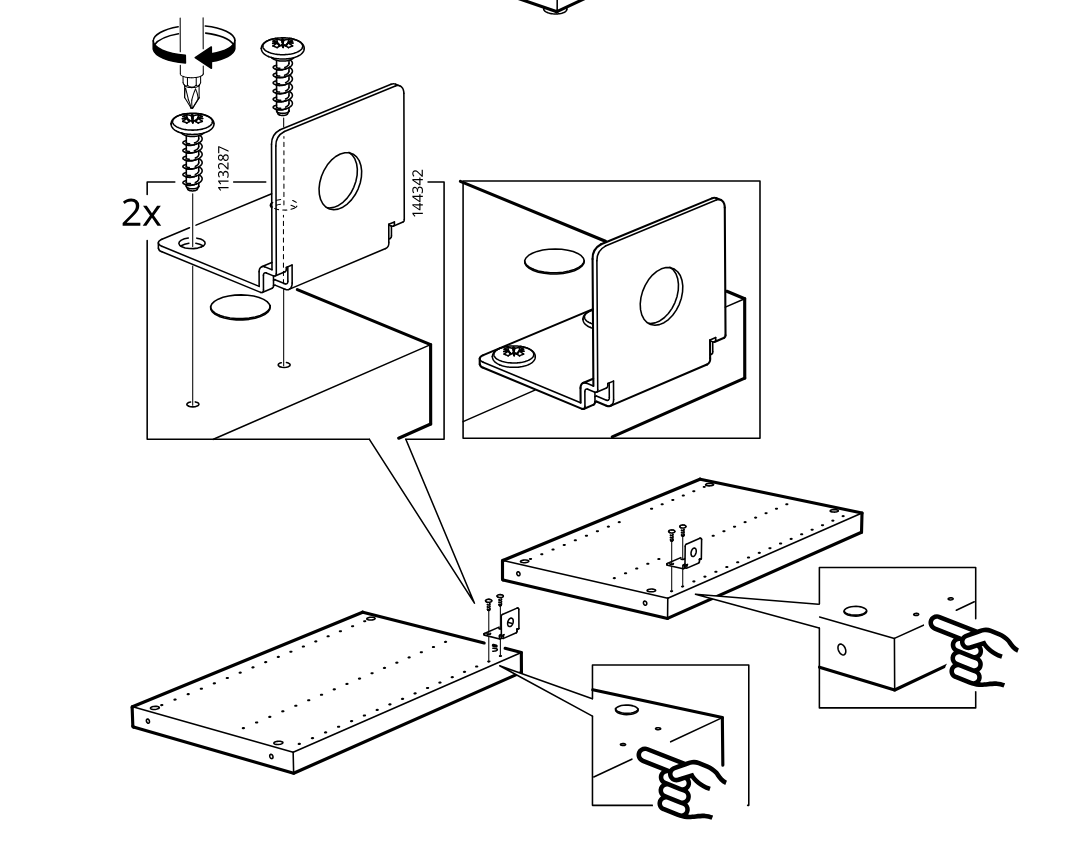
    Diagram for step 5: Screw two metal clip brackets onto the boards, then slide the assembled boards together until the clips engage as shown in the hand callouts.
  7. Step 6

    Two interior vertical panels are lowered onto the base between the side panels, aligning with the preinstalled fittings and holes.
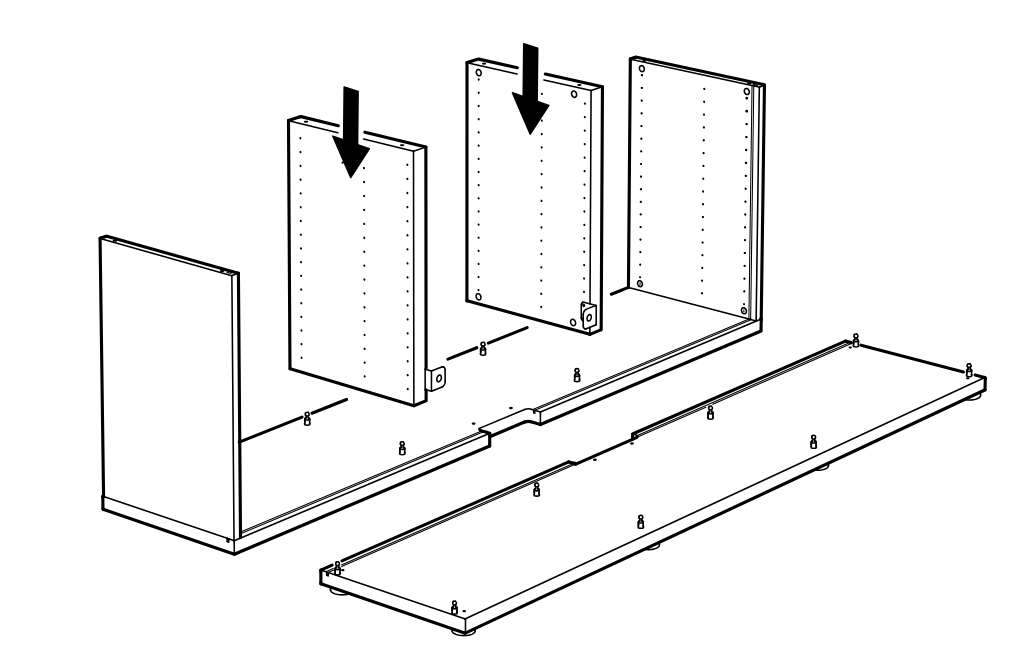
    Diagram for step 6: Two interior vertical panels are lowered onto the base between the side panels, aligning with the preinstalled fittings and holes.
  8. Step 7

    Four screw-in inserts are installed into the indicated holes of the center panel using a screwdriver, with callouts showing the correct insert type and orientation.
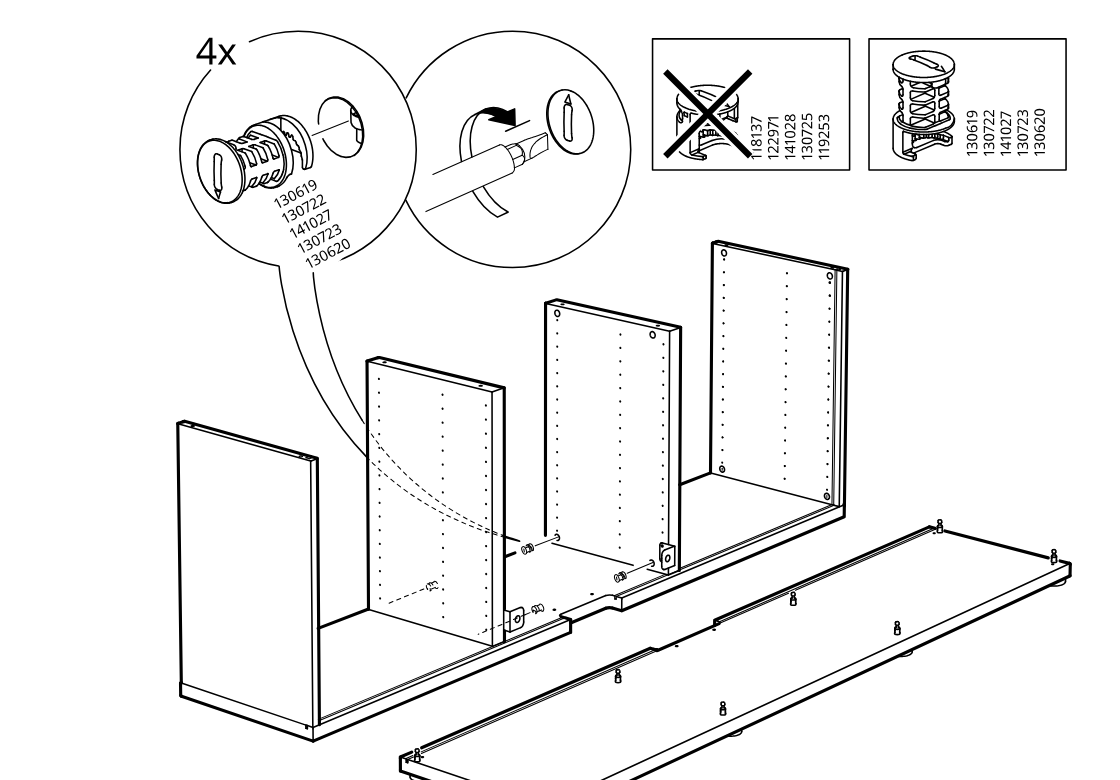
    Diagram for step 7: Four screw-in inserts are installed into the indicated holes of the center panel using a screwdriver, with callouts showing the correct insert type and orientation.
  9. Step 8

    The cabinet body panels are lowered into the base track and aligned, with detail callouts showing how the panel edges seat into the channel.
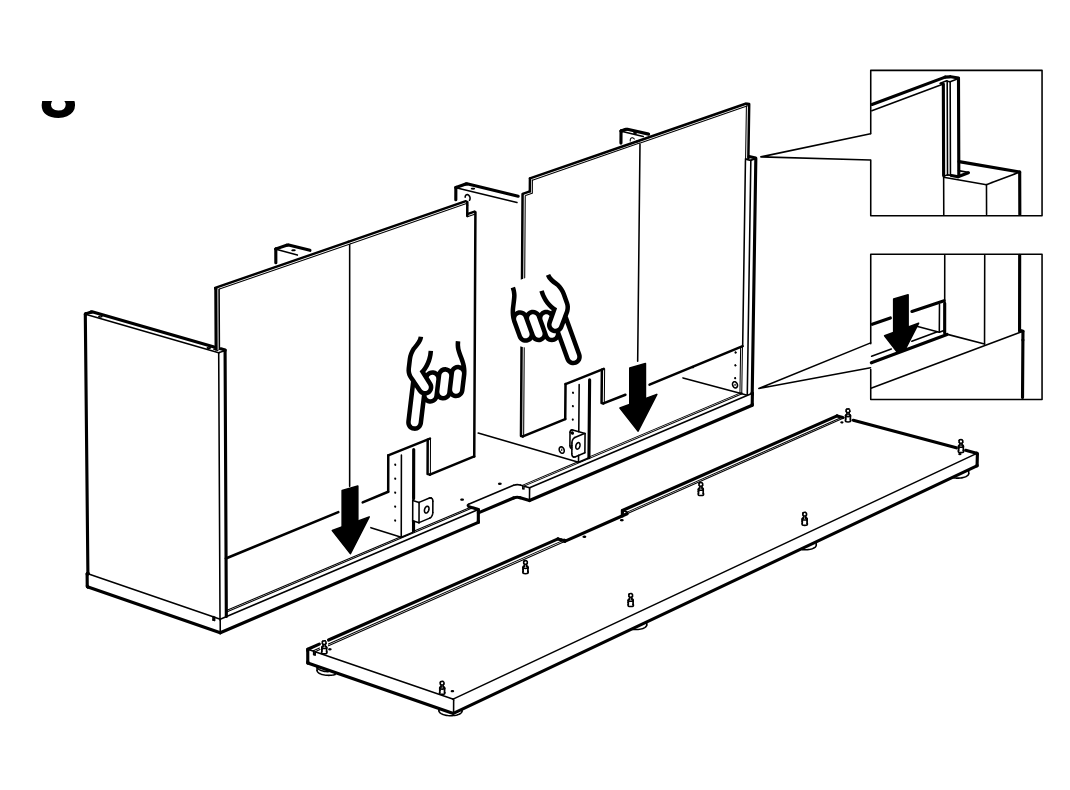
    Diagram for step 8: The cabinet body panels are lowered into the base track and aligned, with detail callouts showing how the panel edges seat into the channel.
  10. Step 9

    The top panel is lowered onto the cabinet assembly and seated into place, with detail callouts showing the upper edge fitting under the top piece.
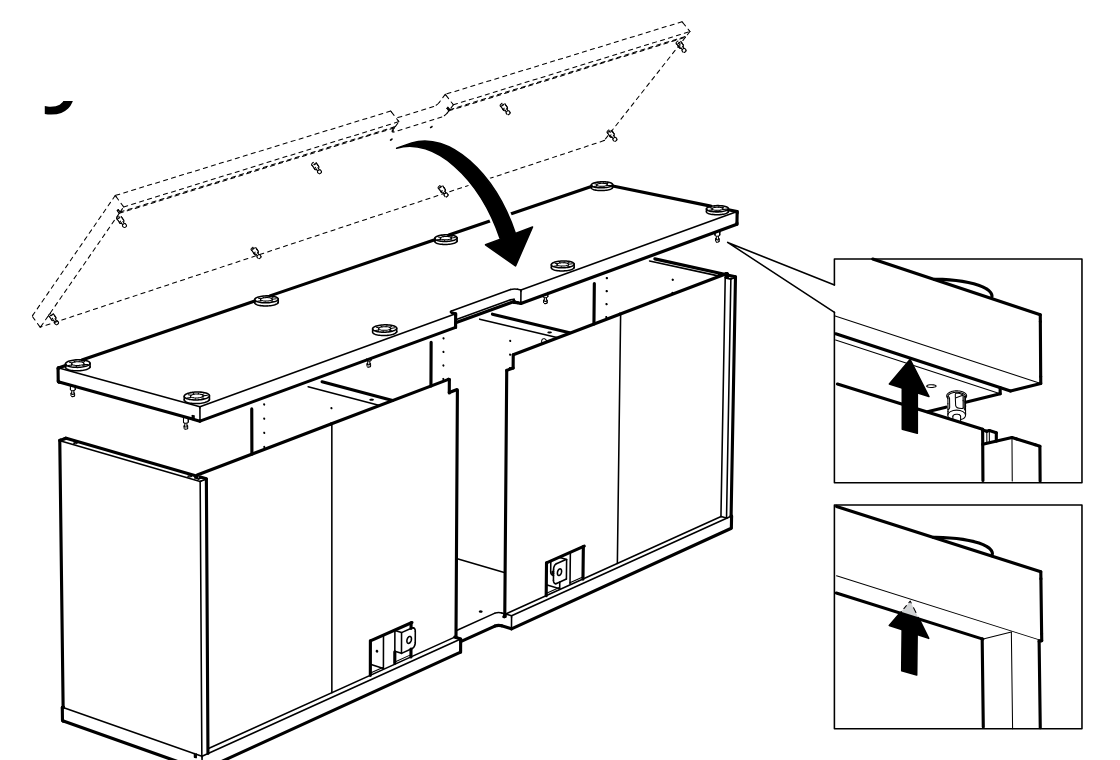
    Diagram for step 9: The top panel is lowered onto the cabinet assembly and seated into place, with detail callouts showing the upper edge fitting under the top piece.
  11. Step 10

    The cabinet is turned over and 4 cam locks are inserted and rotated into the top panel from both the left and right indicated positions.
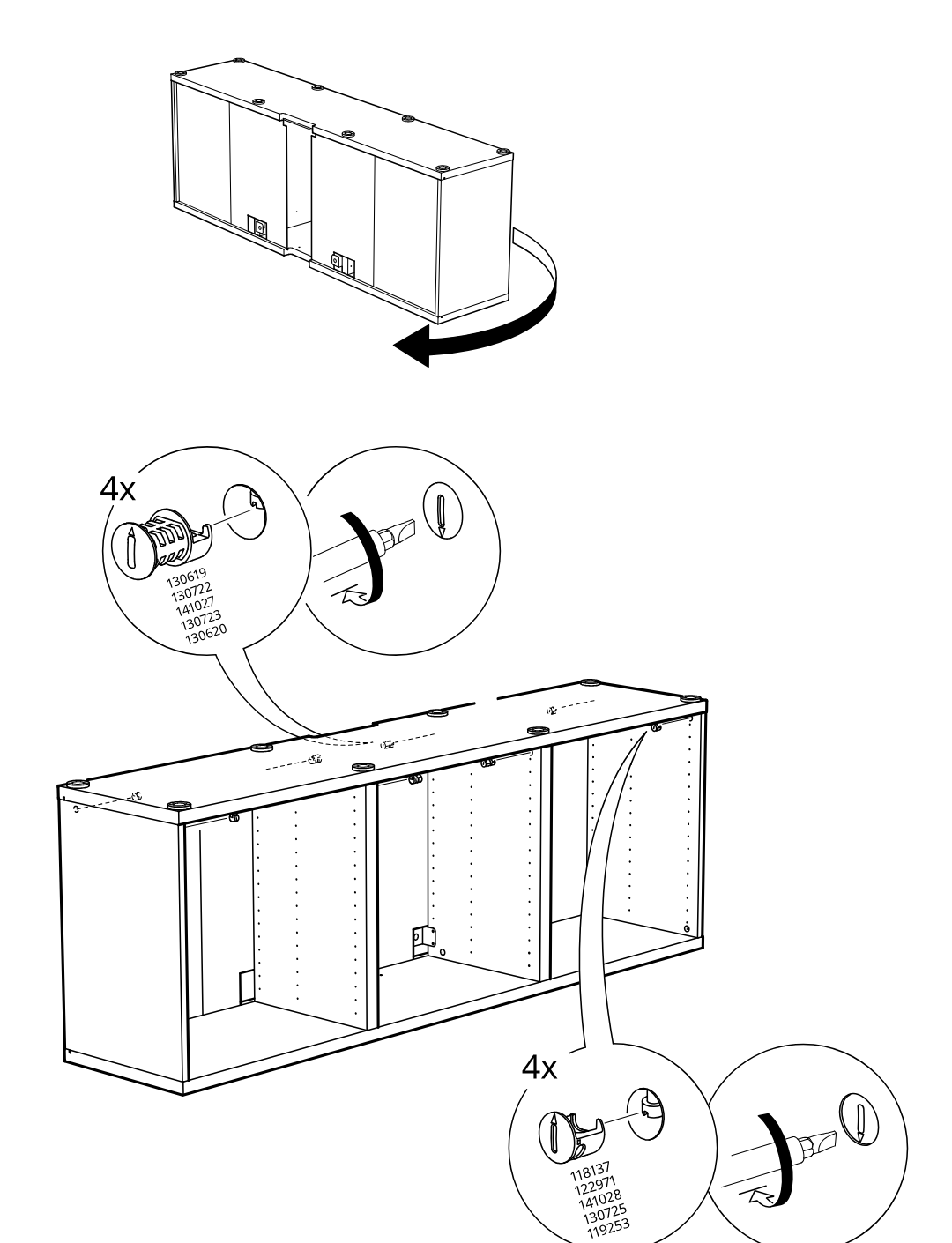
    Diagram for step 10: The cabinet is turned over and 4 cam locks are inserted and rotated into the top panel from both the left and right indicated positions.
  12. Step 11

    The partly assembled unit is folded closed and two slide pieces are inserted from the right into the center joint, with a zoom callout showing parts 144351, 144352, and 144353 used twice.
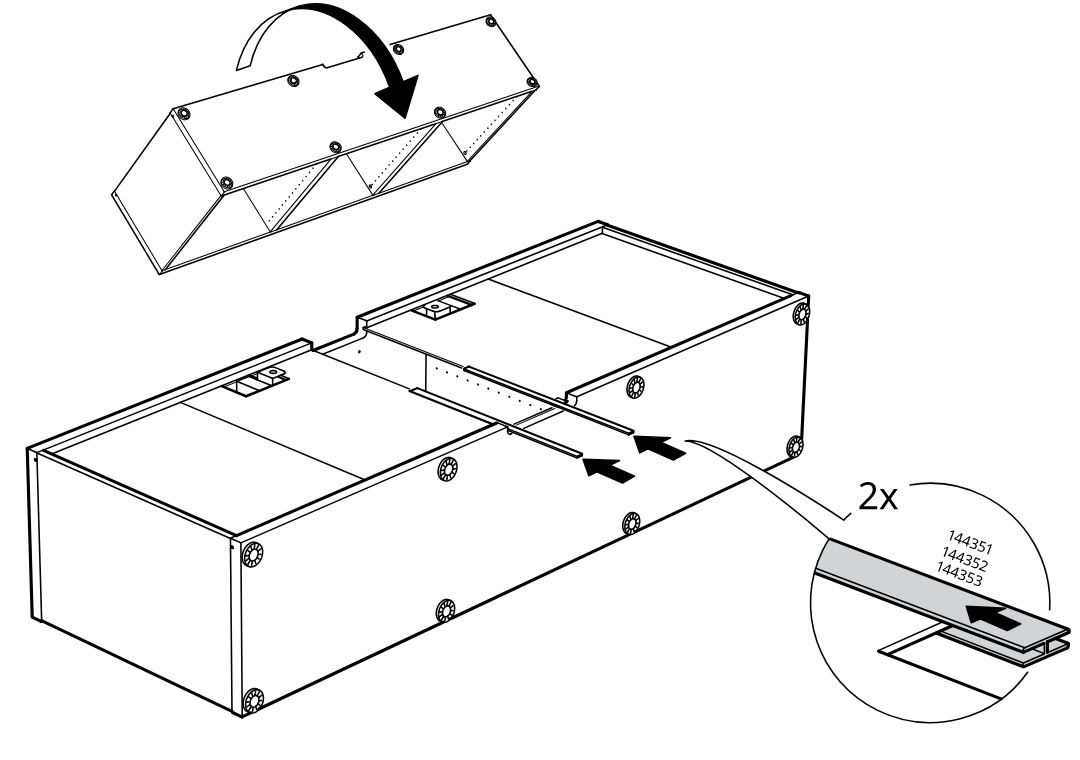
    Diagram for step 11: The partly assembled unit is folded closed and two slide pieces are inserted from the right into the center joint, with a zoom callout showing parts 144351, 144352, and 144353 used twice.
  13. Step 12

    A long panel is slid into the center opening from the right and pushed fully into place, with zoom callouts showing the fit and a hand pressing the piece inward.
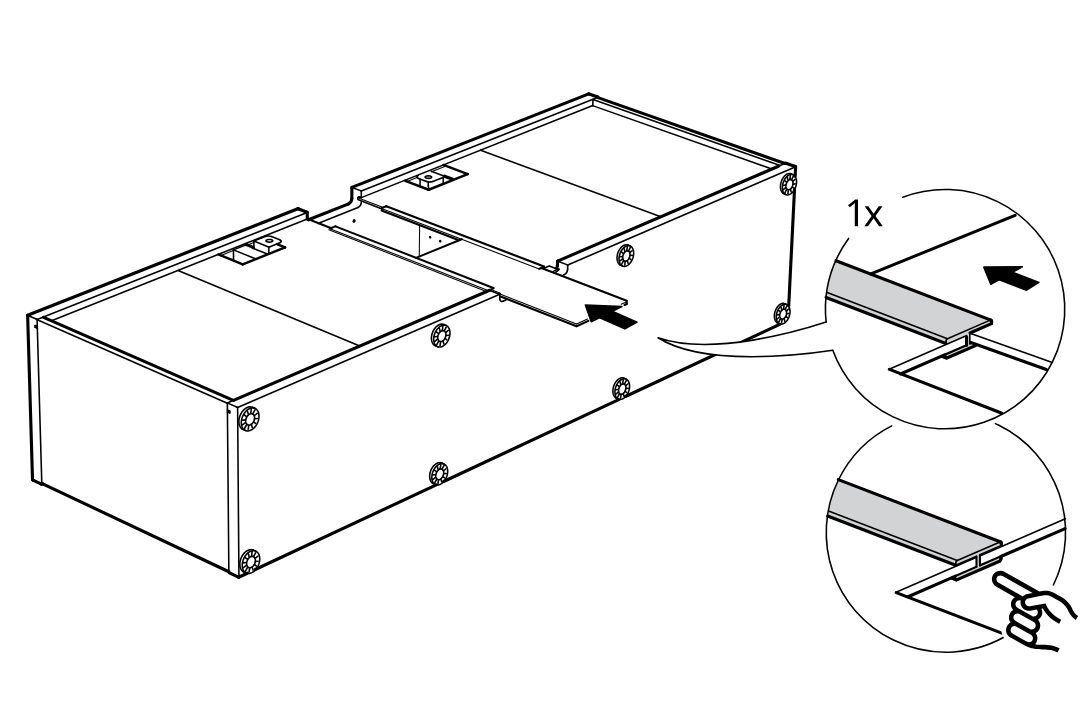
    Diagram for step 12: A long panel is slid into the center opening from the right and pushed fully into place, with zoom callouts showing the fit and a hand pressing the piece inward.
  14. Step 13

    Attach two metal joining brackets across the center seam and tighten the screws into the side rails, aligning the lower bracket with the groove as indicated by the hand.
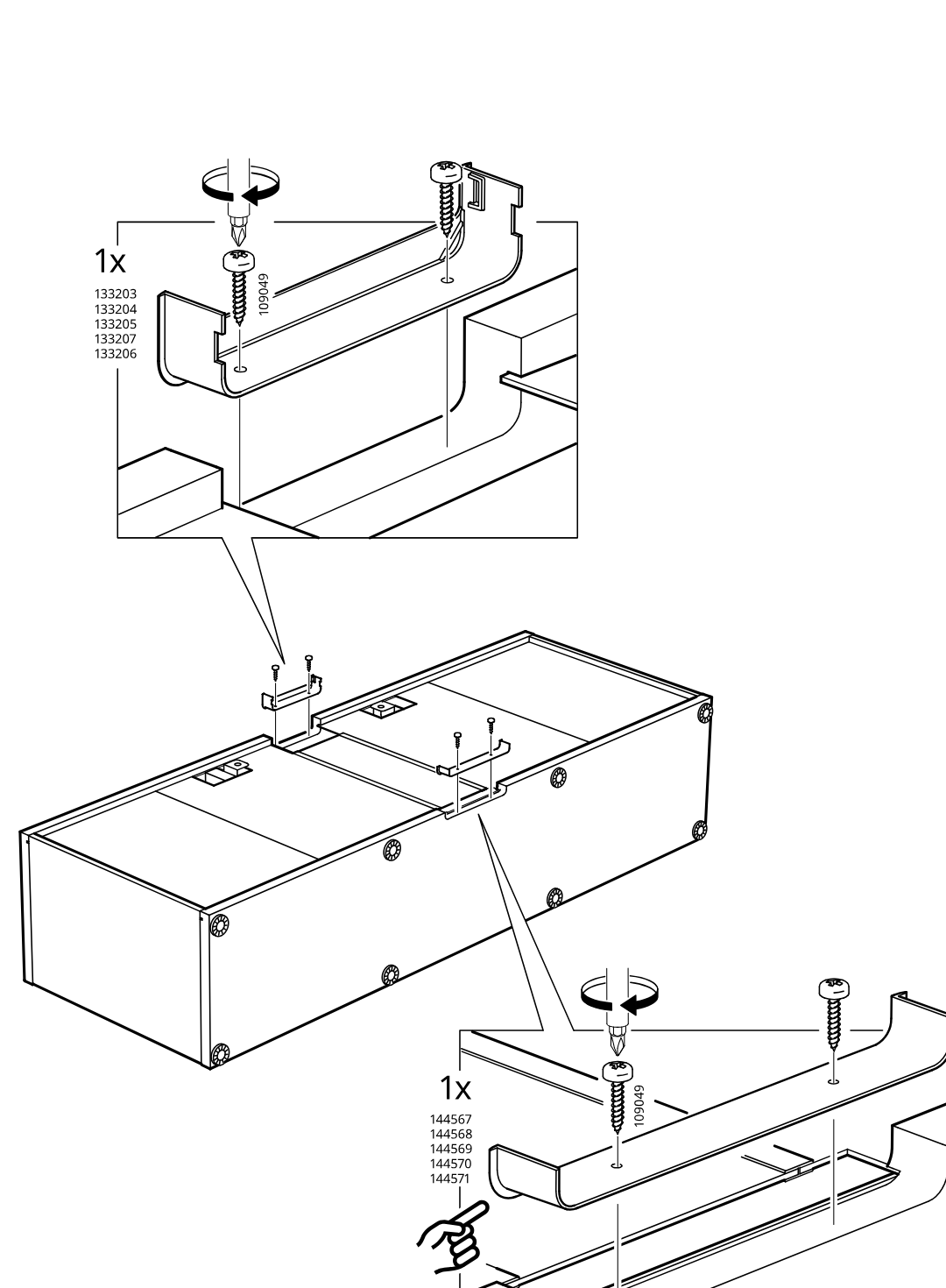
    Diagram for step 13: Attach two metal joining brackets across the center seam and tighten the screws into the side rails, aligning the lower bracket with the groove as indicated by the hand.
  15. Step 14

    Connect and route the electrical cables across the cabinet tops and down through the center cable guide between the two cabinet units.
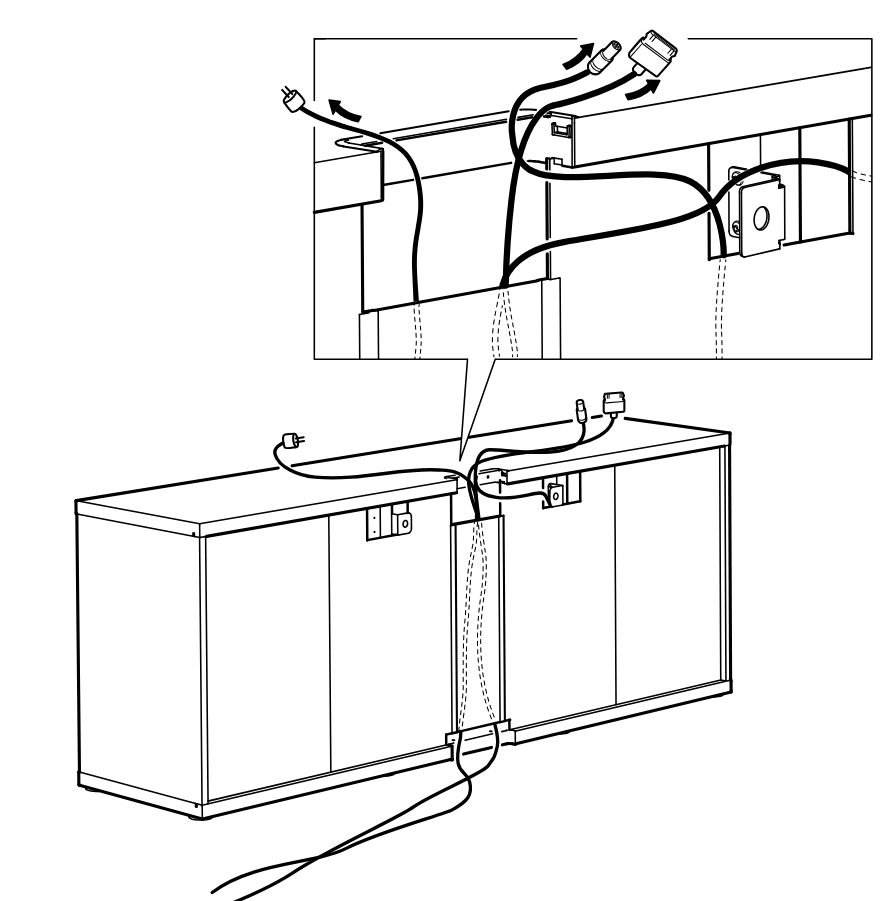
    Diagram for step 14: Connect and route the electrical cables across the cabinet tops and down through the center cable guide between the two cabinet units.
  16. Step 15

    Snap the top cable cover/rail into place over the routed wires, with inset details showing the cover hooking in and clicking down at both ends.
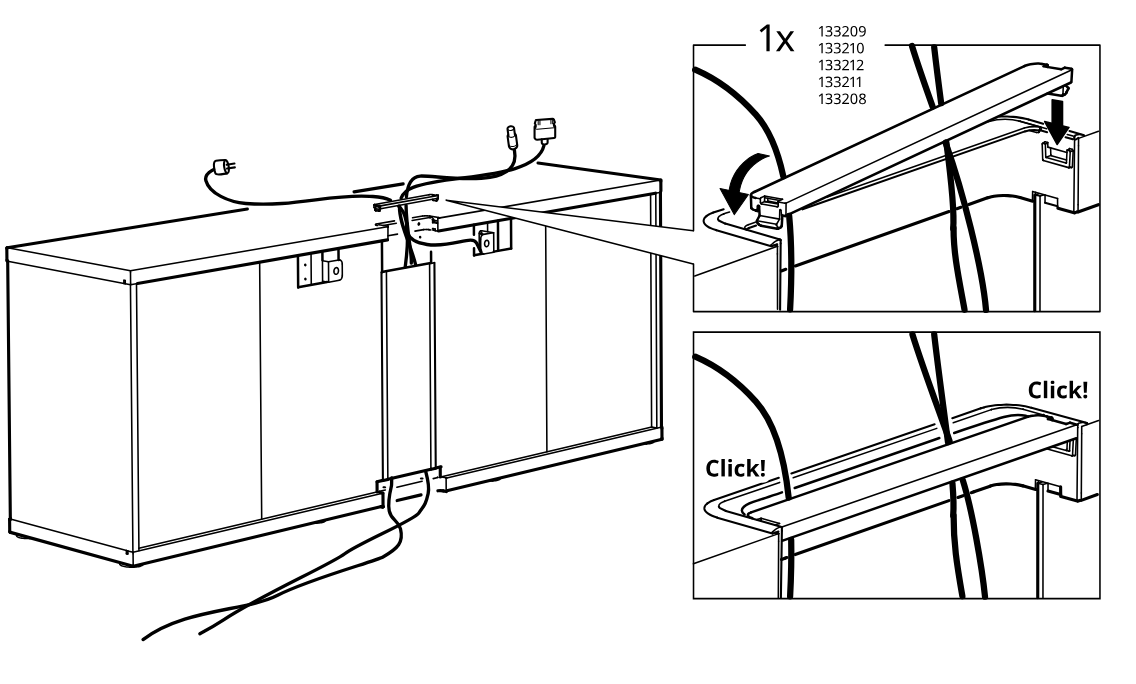
    Diagram for step 15: Snap the top cable cover/rail into place over the routed wires, with inset details showing the cover hooking in and clicking down at both ends.
  17. Step 16

    Use the hex key to adjust the four threaded feet and level the cabinet while checking interior and side positions.
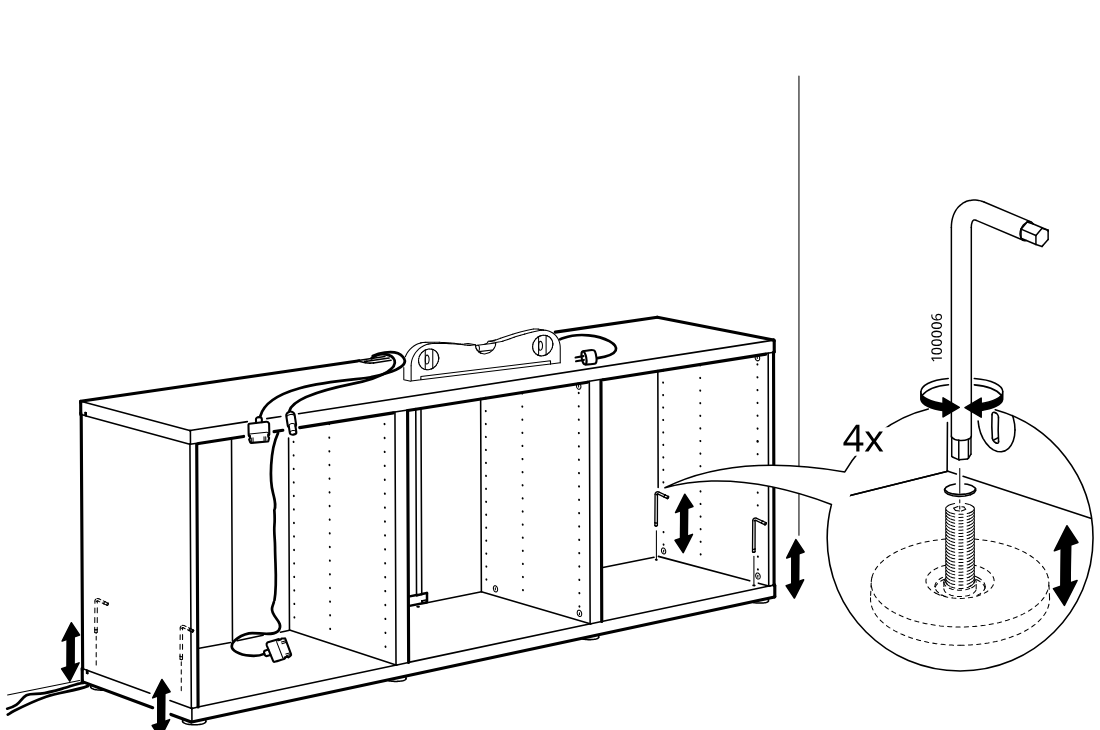
    Diagram for step 16: Use the hex key to adjust the four threaded feet and level the cabinet while checking interior and side positions.
  18. Step 17

    Fine-tune the cabinet level by turning the feet from underneath by hand while monitoring the cabinet's vertical alignment.
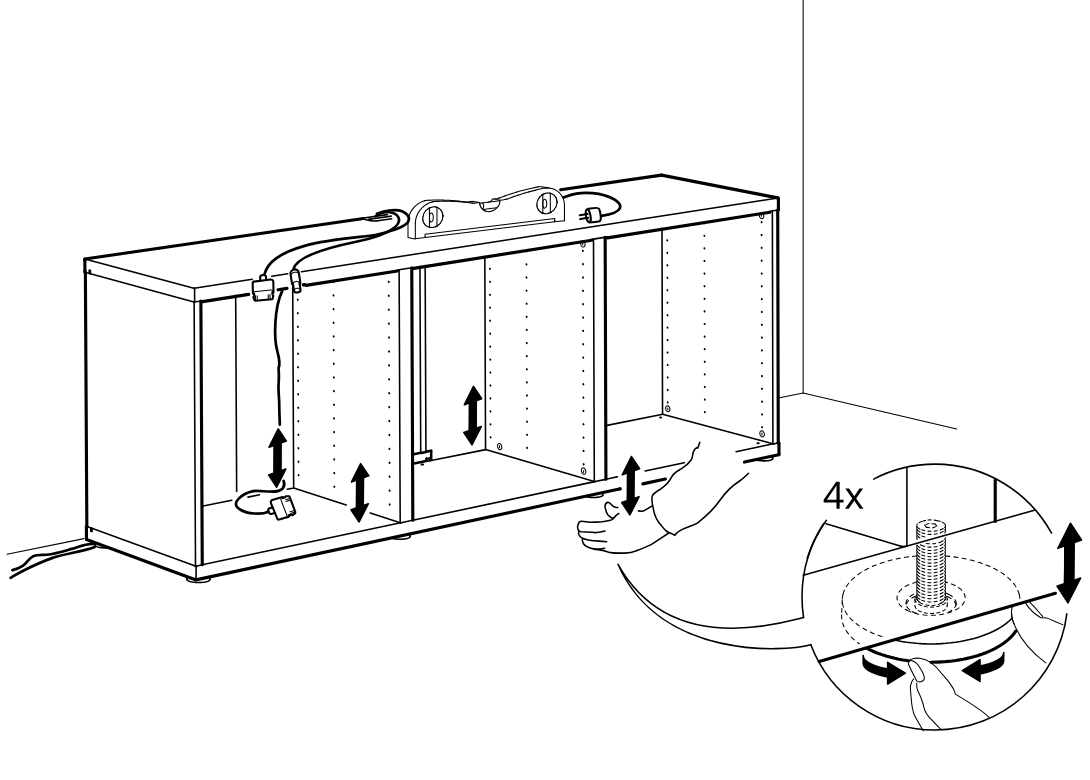
    Diagram for step 17: Fine-tune the cabinet level by turning the feet from underneath by hand while monitoring the cabinet's vertical alignment.
  19. Before you begin

    Safety panel showing the TV bench must be secured to the wall and not used unsupported or tipped forward.
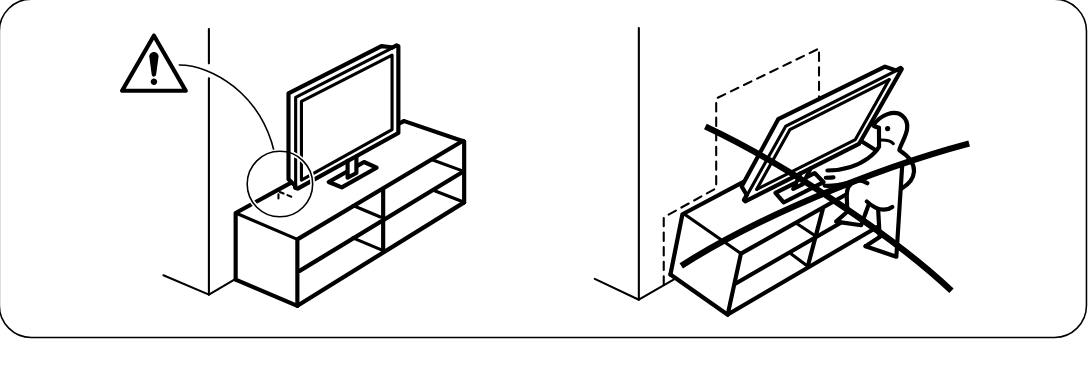
    Illustration for assembly note: Safety panel showing the TV bench must be secured to the wall and not used unsupported or tipped forward.
  20. Step 18

    Attach two wall-mount suspension fittings with screws, adjust the hanging bracket position, and click the cabinet onto the wall rail.
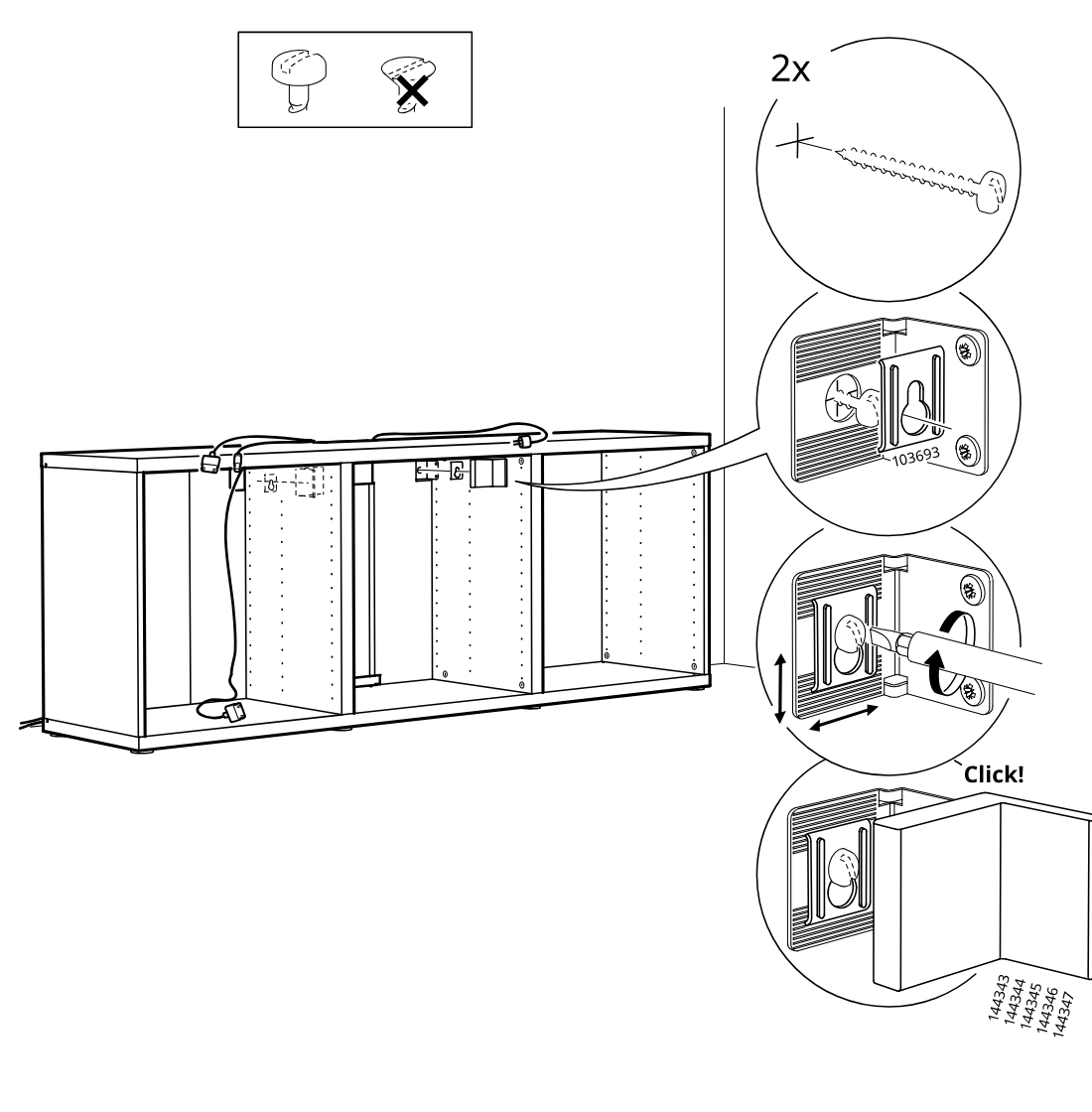
    Diagram for step 18: Attach two wall-mount suspension fittings with screws, adjust the hanging bracket position, and click the cabinet onto the wall rail.
  21. Before you begin

    Support page shows to consult the BESTÅ instruction sheet, install twelve shelf supports 115443 with screws 116637 inside the cabinet, then lower six shelves onto the supports.
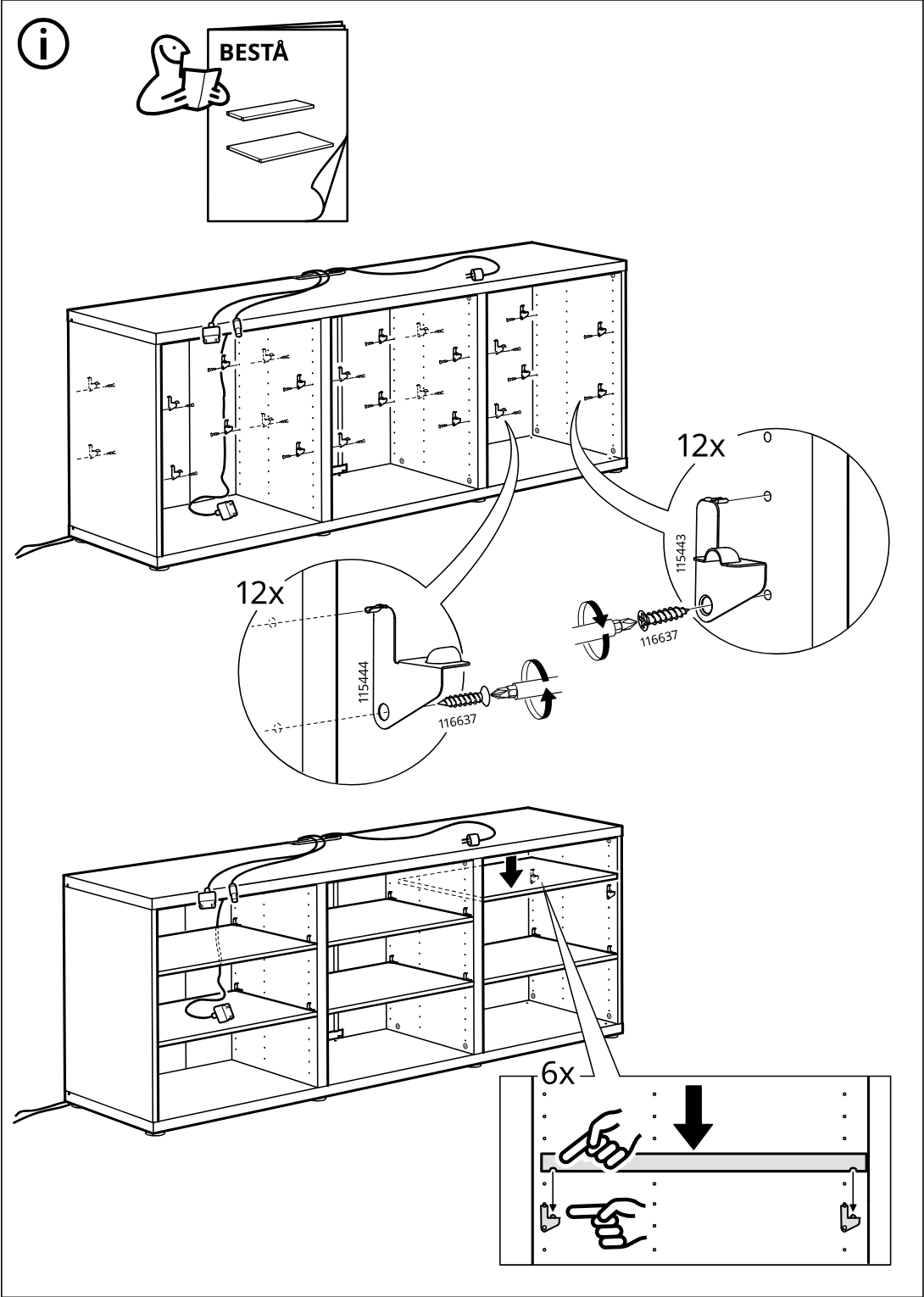
    Illustration for assembly note: Support page shows to consult the BESTÅ instruction sheet, install twelve shelf supports 115443 with screws 116637 inside the cabinet, then lower six shelves onto the supports.

Video guide