How to assemble IKEA BRIMNES bed frame with storage & headboard

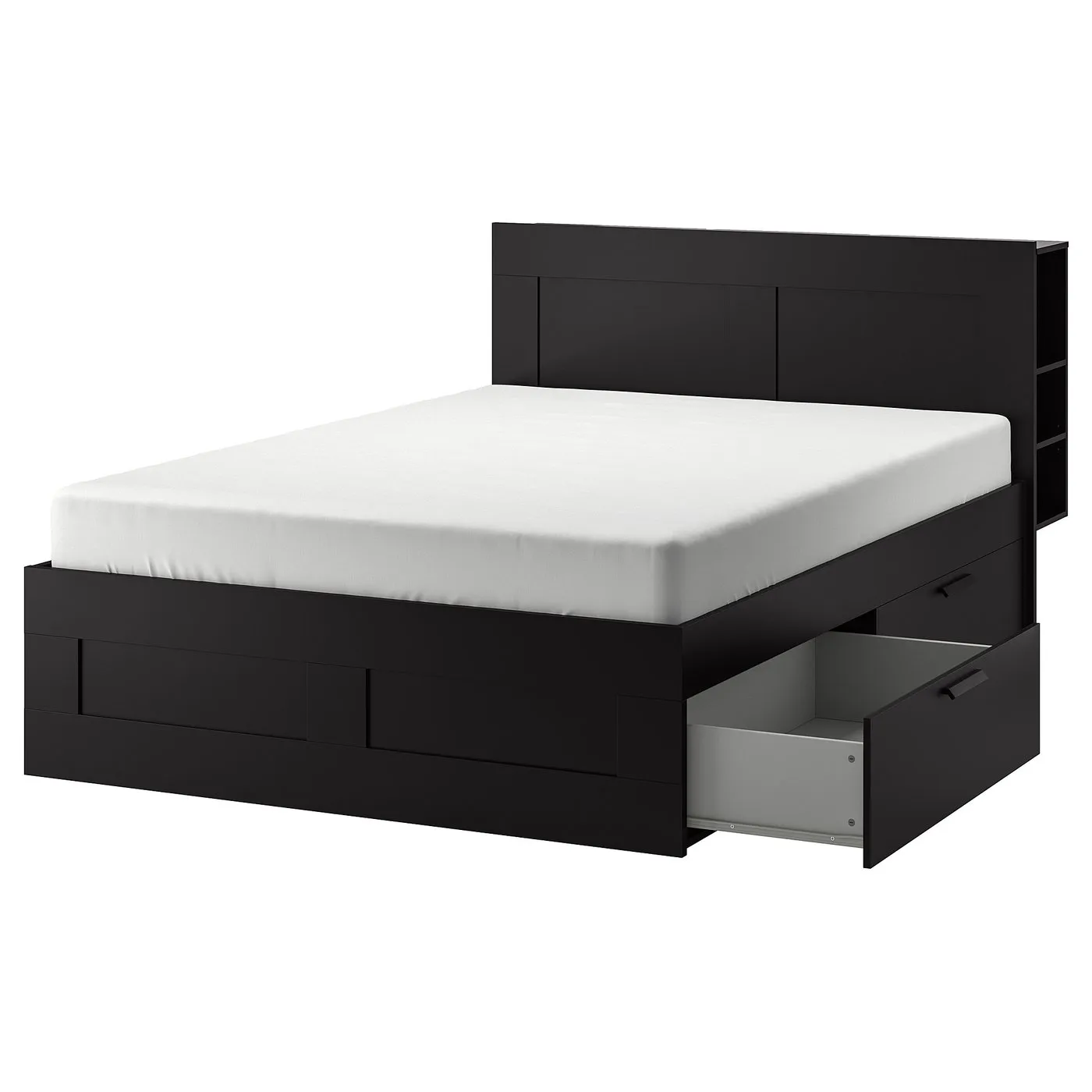
BRIMNES bed frame with storage & headboard, black/Luröy, Queen

This guide covers the Queen IKEA BRIMNES storage bed and headboard in black/LURÖY, combination 791.296.08. Choose the bed-frame or headboard section for its assembly diagrams and video.

View on IKEA
BRIMNES bed frame with storage & headboard

Interactive assembly guide

Step-by-Step Instructions

2 different parts, 2 boxes total — click on a package to see step-by-step assembly instructions

BRIMNES Bed frame with storage

902.737.84

x1

22 ¼ "

Width

2 ½ "

Height

82 ¼ "

Length

84 lb 14 oz

Weight

Start Assembly

BRIMNES Headboard with storage compartment

902.691.69

x1

22 ¼ "

Width

2 ¾ "

Height

78 "

Length

79 lb 2 oz

Weight

Start Assembly

Written guide

Step-by-step instructions with diagrams

Follow the numbered assembly steps below, or open the interactive guide above to track progress and zoom into each diagram. This guide includes 74 illustrated steps.

BRIMNES Bed frame with storage

  1. Before you begin

    Preparation and safety guidance: use correct screwdriver types and a hammer, do not assemble while impaired, assemble on a soft surface to avoid damage, and consult instructions or IKEA support if unsure.
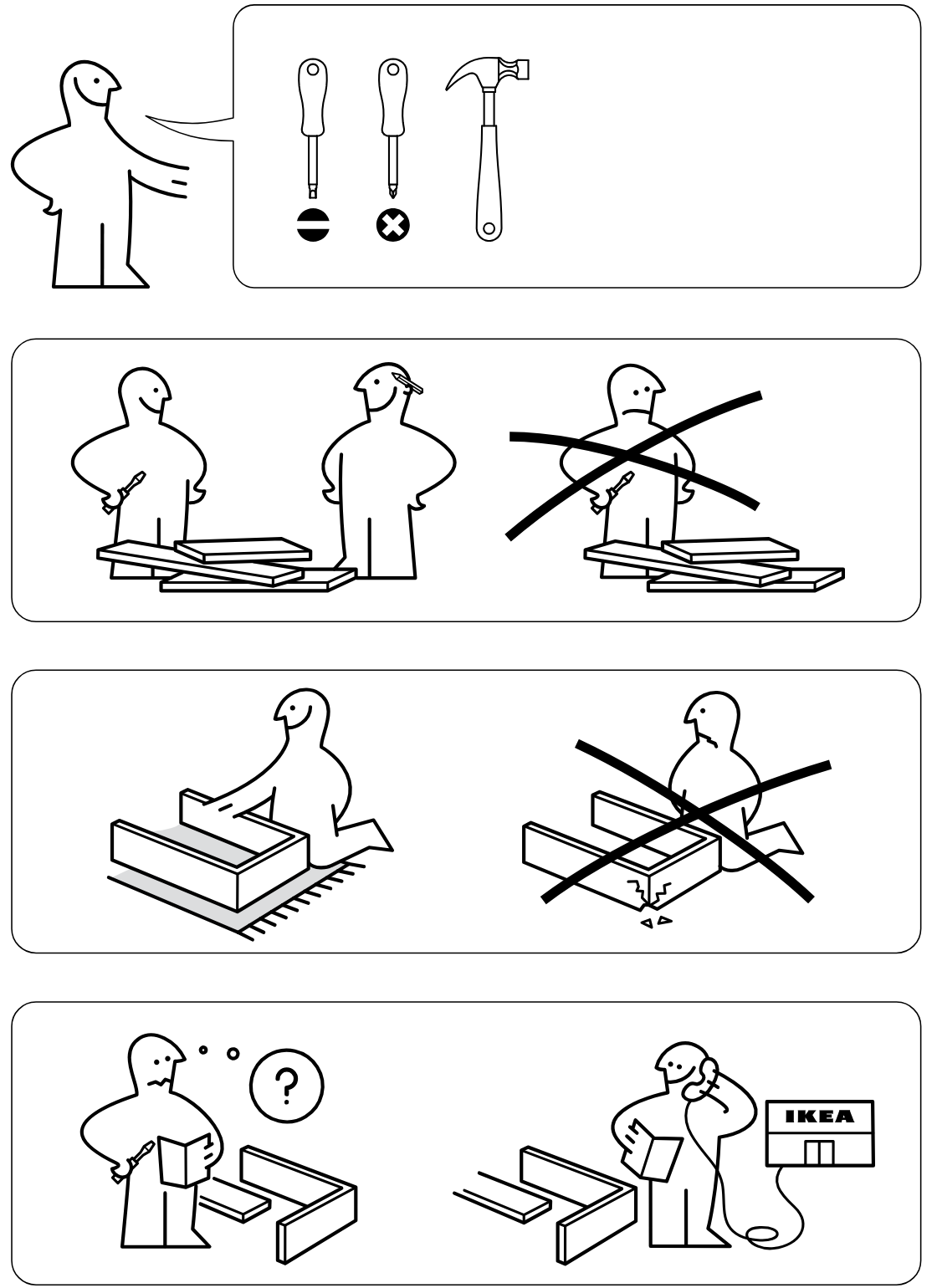
    Illustration for assembly note: Preparation and safety guidance: use correct screwdriver types and a hammer, do not assemble while impaired, assemble on a soft surface to avoid damage, and consult instructions or IKEA support if unsure.
  2. Before you begin

    Parts-bag panel labeled 2 showing four hardware items with part IDs 110789, 105163, 117327, and 191315 and quantities 20x, 8x, 12x, and 8x.
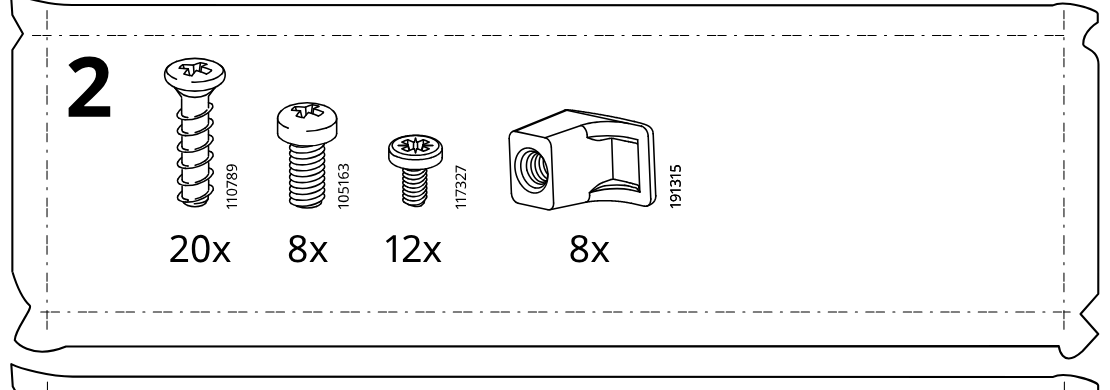
    Illustration for assembly note: Parts-bag panel labeled 2 showing four hardware items with part IDs 110789, 105163, 117327, and 191315 and quantities 20x, 8x, 12x, and 8x.
  3. Before you begin

    Parts-bag panel labeled 3 showing seven hardware items with part IDs 110519, 18331, 101345, 109567, 119030/118224, 100365, and 100359 with quantities 16x, 16x, 16x, 8x, 16x, 24x, and 8x.
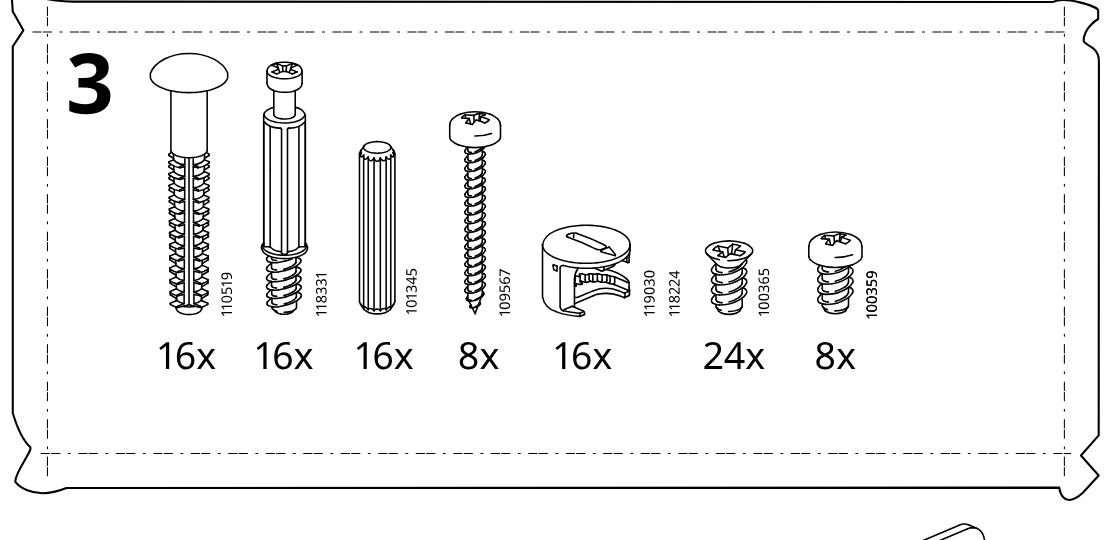
    Illustration for assembly note: Parts-bag panel labeled 3 showing seven hardware items with part IDs 110519, 18331, 101345, 109567, 119030/118224, 100365, and 100359 with quantities 16x, 16x, 16x, 8x, 16x, 24x, and 8x.
  4. Before you begin

    Standalone metal bracket part 121370 with quantity 2x.
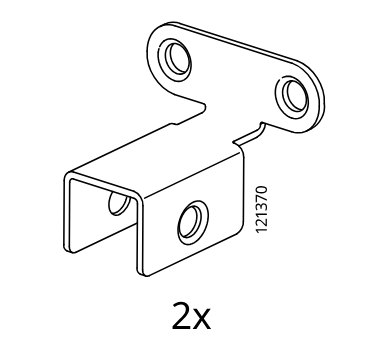
    Illustration for assembly note: Standalone metal bracket part 121370 with quantity 2x.
  5. Before you begin

    Standalone large metal bracket part 116791 with quantity 2x.
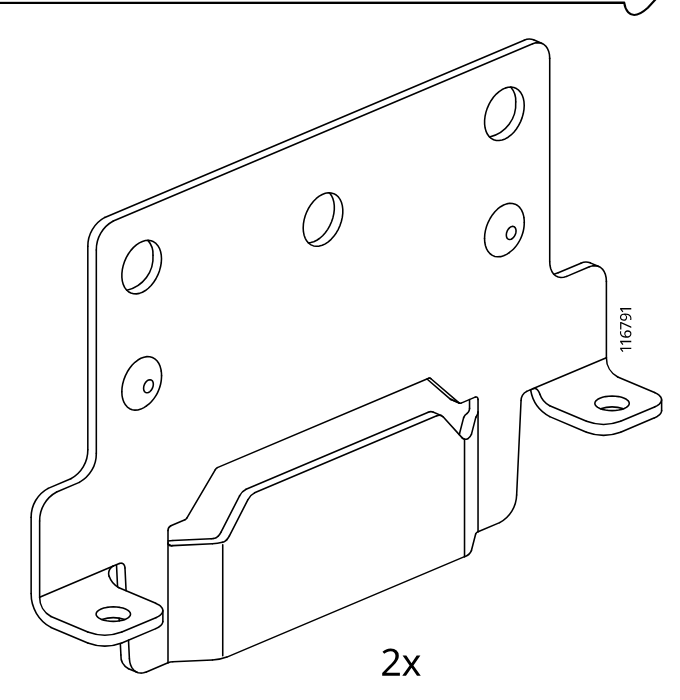
    Illustration for assembly note: Standalone large metal bracket part 116791 with quantity 2x.
  6. Before you begin

    Information panel shows the bed frame orientation and internal support placement before starting this step.
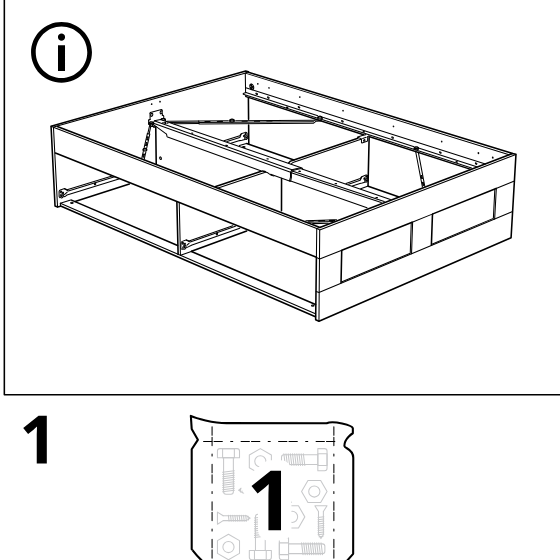
    Illustration for assembly note: Information panel shows the bed frame orientation and internal support placement before starting this step.
  7. Step 1

    The user places the four boards on the floor and installs 2 cam locks (110630) into each indicated board hole, using only the approved cam type and orienting/tightening as shown.
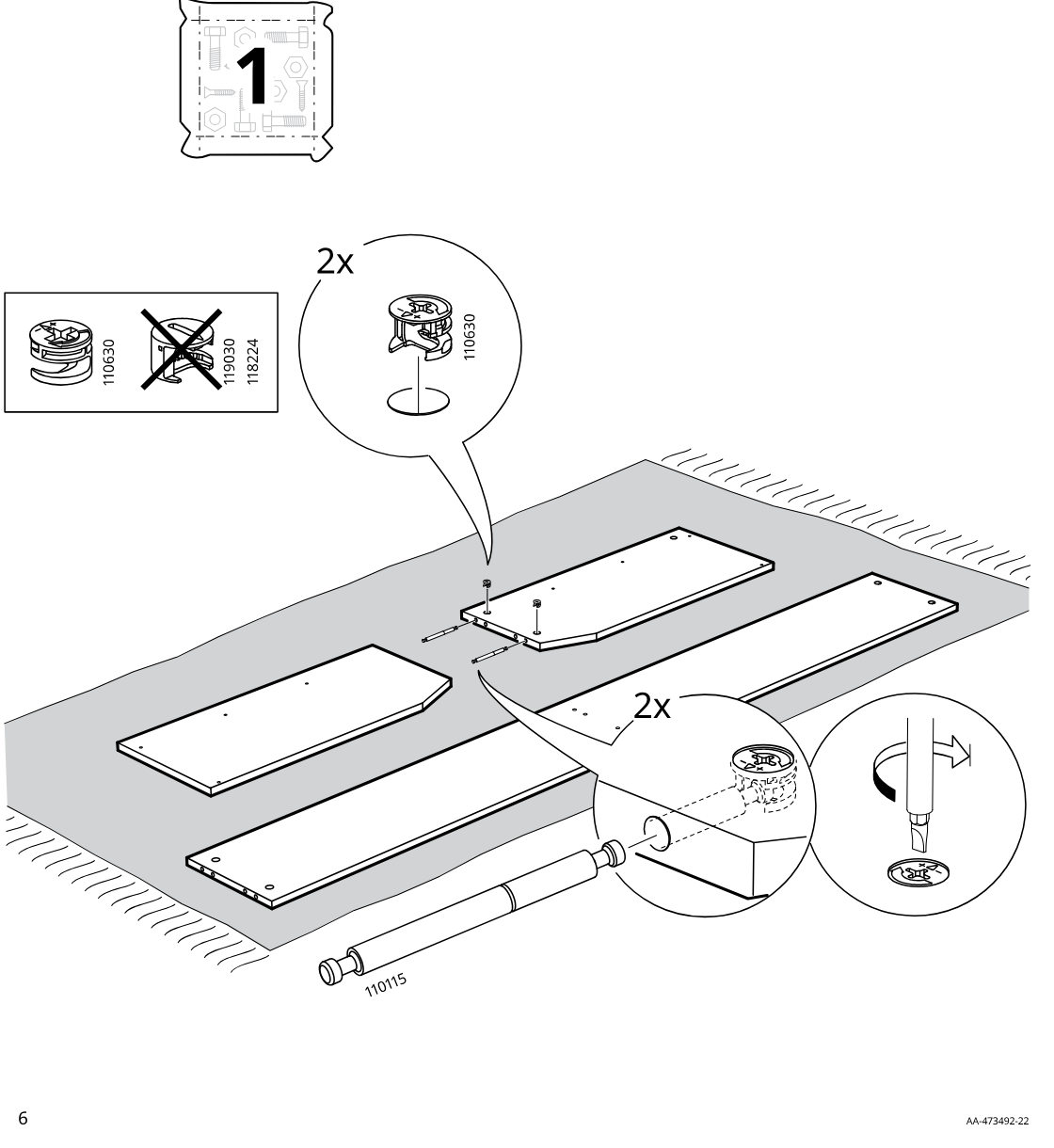
    Diagram for step 1: The user places the four boards on the floor and installs 2 cam locks (110630) into each indicated board hole, using only the approved cam type and orienting/tightening as shown.
  8. Step 2

    The two side panels labeled CR and CL each receive three 100365 screws into part 139505 on the rail side, then both panels are turned over and positioned with the long panel.
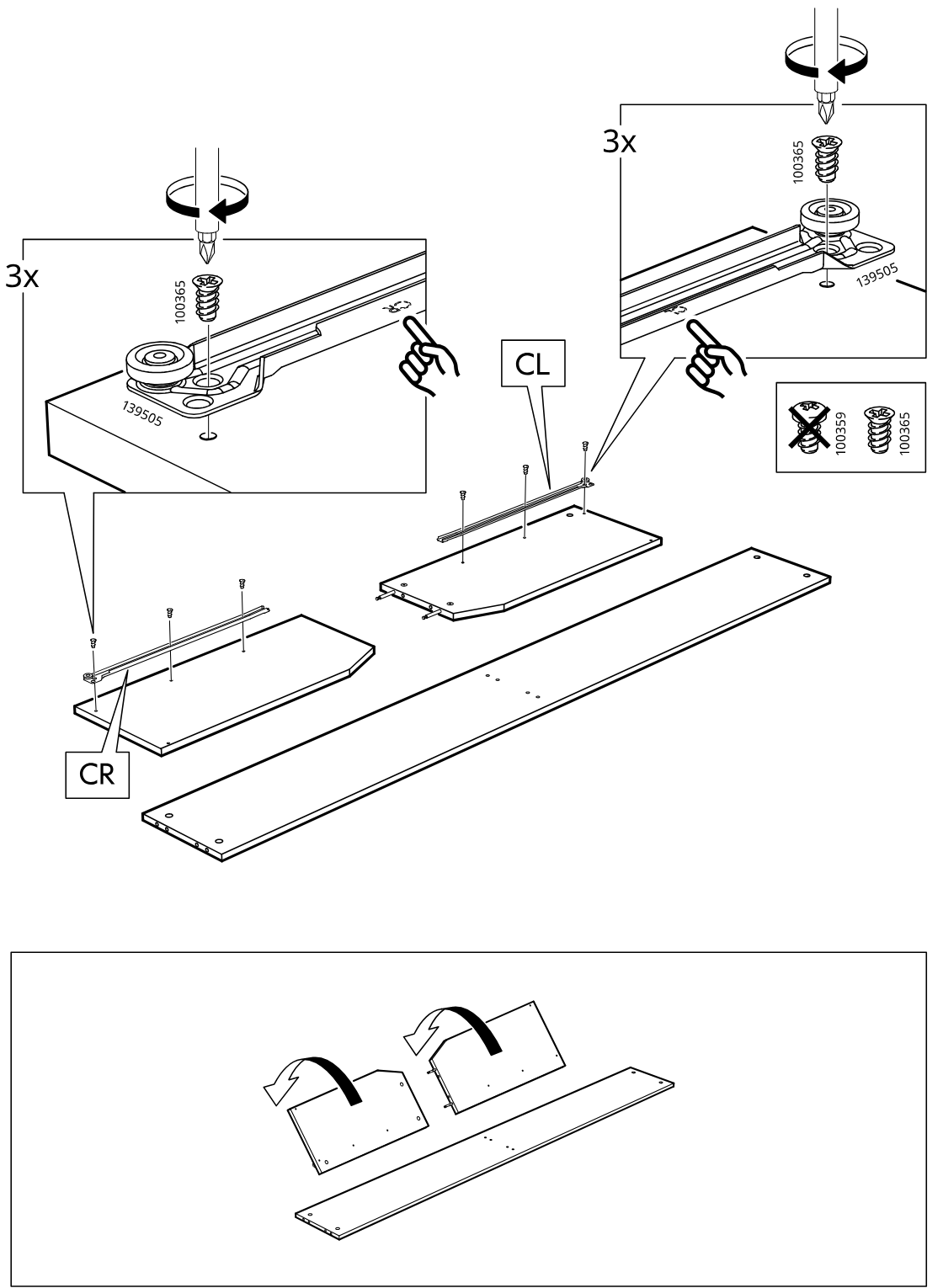
    Diagram for step 2: The two side panels labeled CR and CL each receive three 100365 screws into part 139505 on the rail side, then both panels are turned over and positioned with the long panel.
  9. Step 3

    The rails with wheel fittings are positioned on the two shorter boards and each rail is fastened with three screws while the callouts show the correct screw type and orientation.
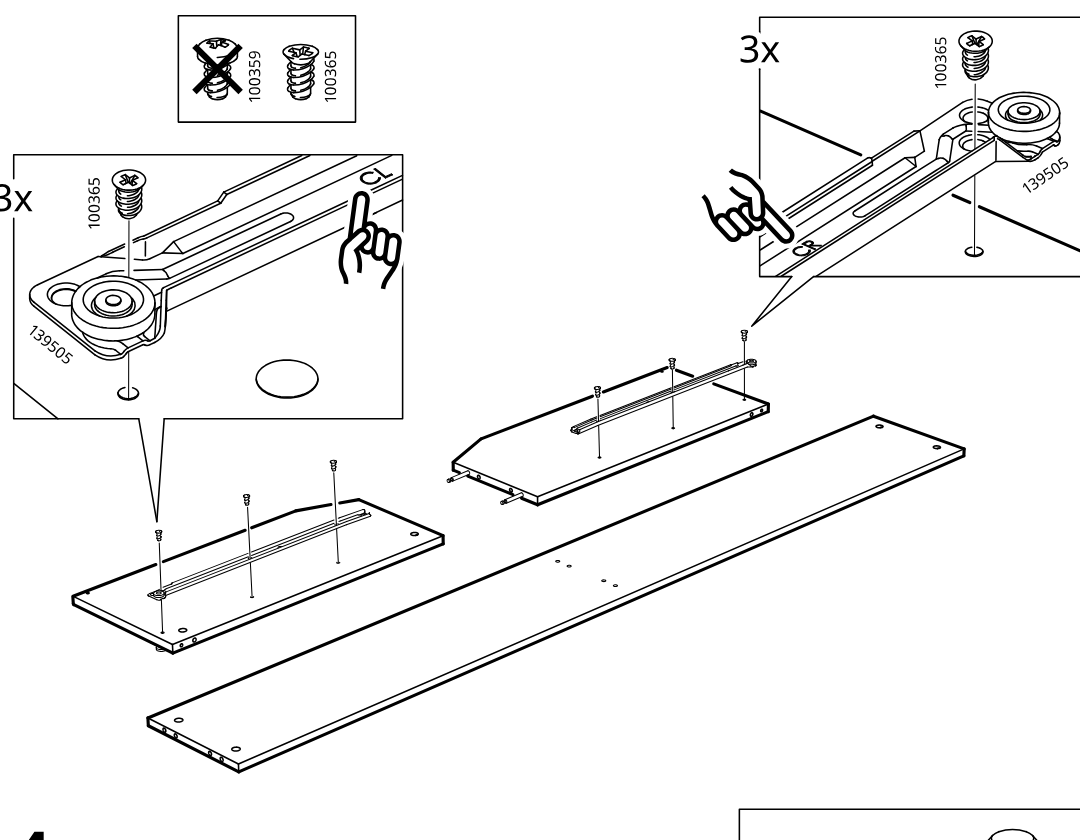
    Diagram for step 3: The rails with wheel fittings are positioned on the two shorter boards and each rail is fastened with three screws while the callouts show the correct screw type and orientation.
  10. Step 4

    Eight wooden dowels are inserted into the edge holes of the boards, with the zoom and comparison box indicating the correct dowel length to use.
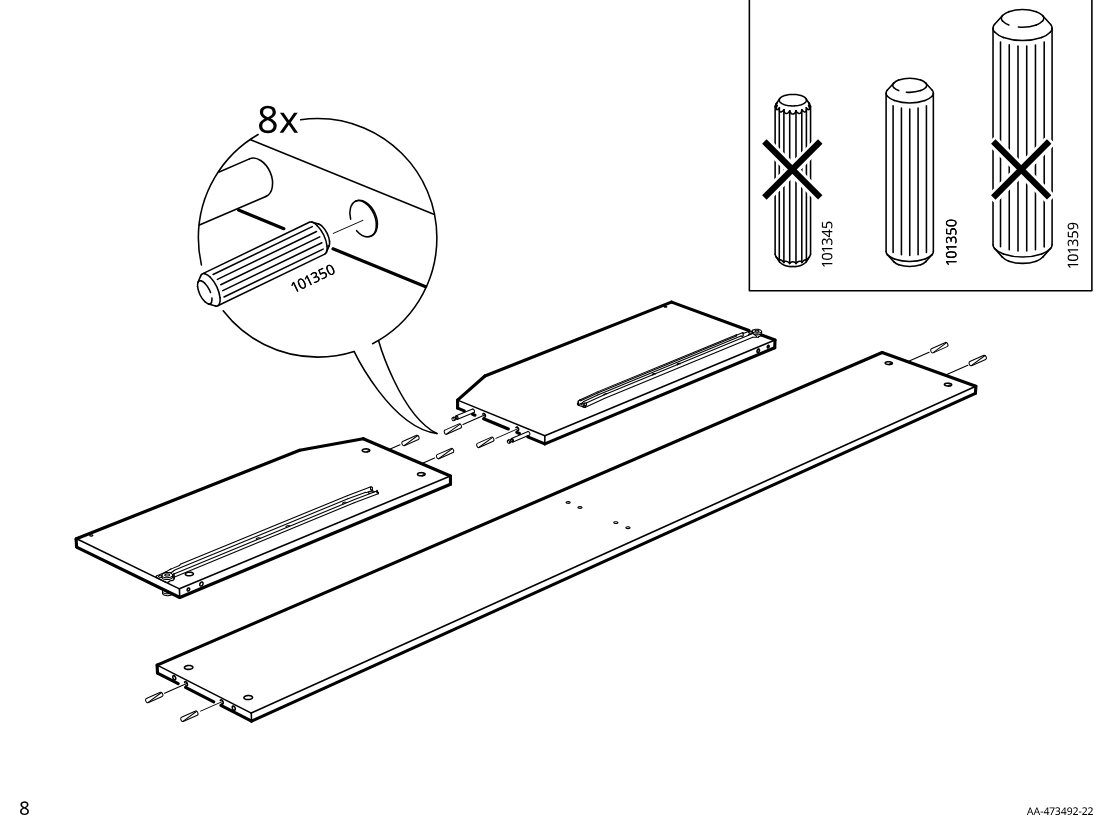
    Diagram for step 4: Eight wooden dowels are inserted into the edge holes of the boards, with the zoom and comparison box indicating the correct dowel length to use.
  11. Step 5

    The two side panels are slid inward onto the connector bolts while the close-up indicates the connector should be pushed in by hand, and the crossed-out icon indicates not to hammer or force it.
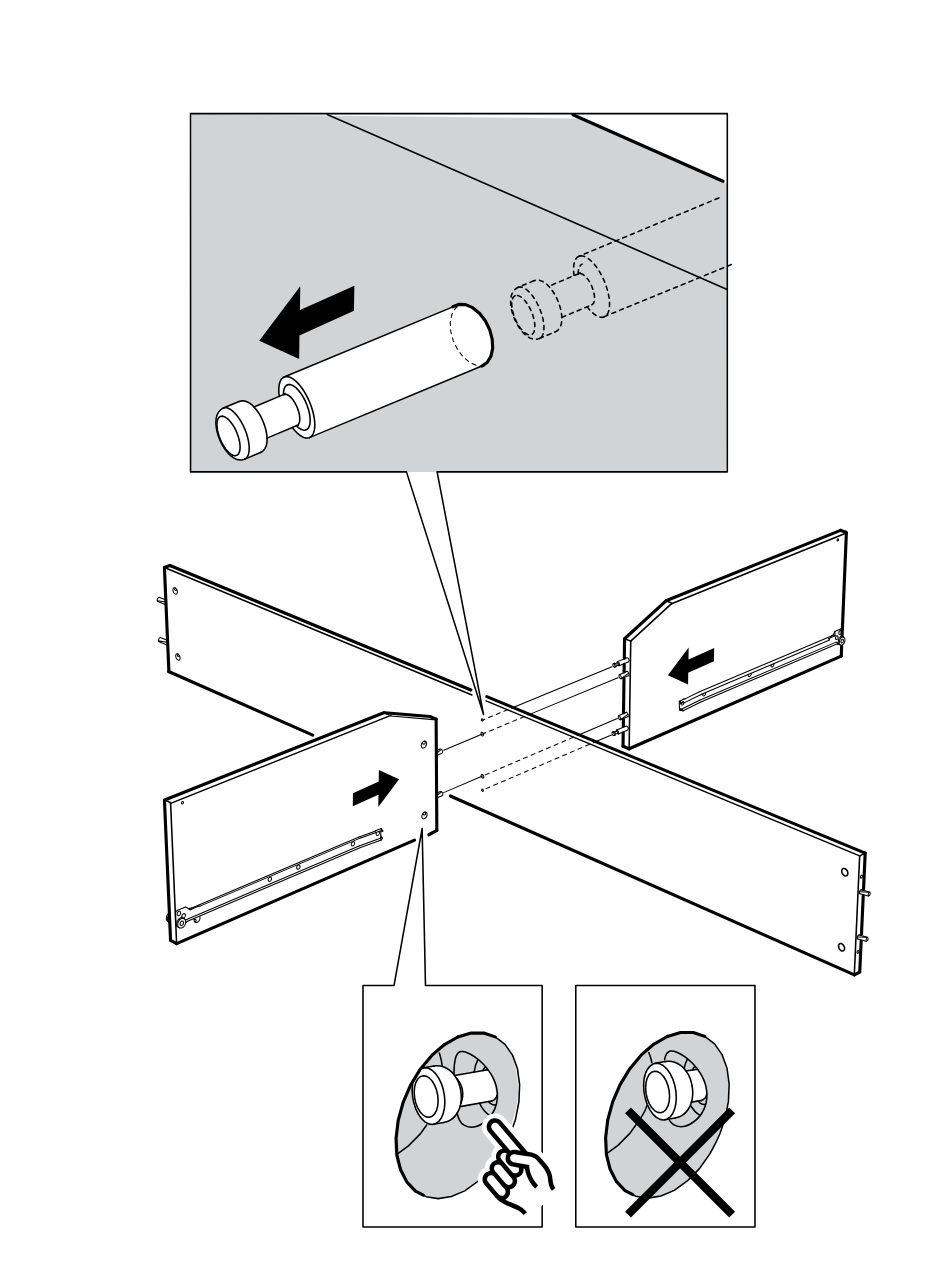
    Diagram for step 5: The two side panels are slid inward onto the connector bolts while the close-up indicates the connector should be pushed in by hand, and the crossed-out icon indicates not to hammer or force it.
  12. Step 6

    The four side panels are joined at the center and cam locks are inserted and tightened, with an inline box indicating to use part 110630 and not 119030 or 118224.
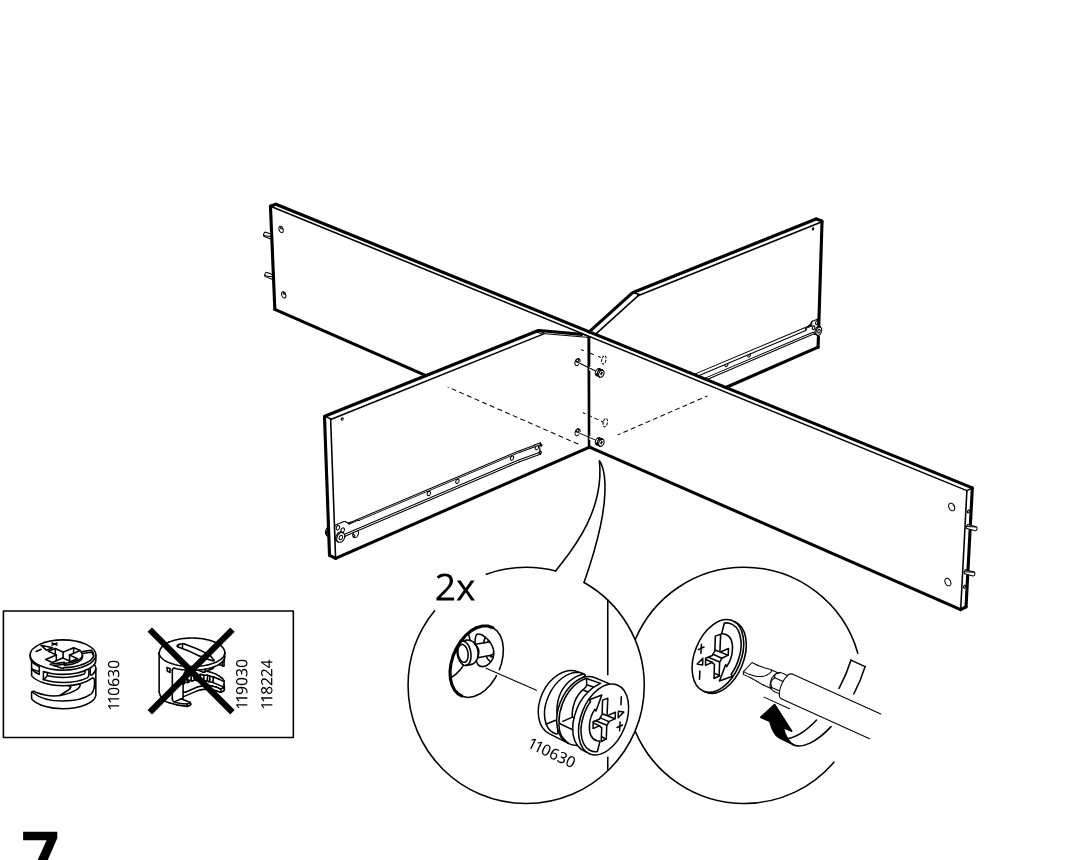
    Diagram for step 6: The four side panels are joined at the center and cam locks are inserted and tightened, with an inline box indicating to use part 110630 and not 119030 or 118224.
  13. Step 7

    Two long rails are shown and two pads (122628) are pressed into the marked holes, highlighted by a zoom callout.
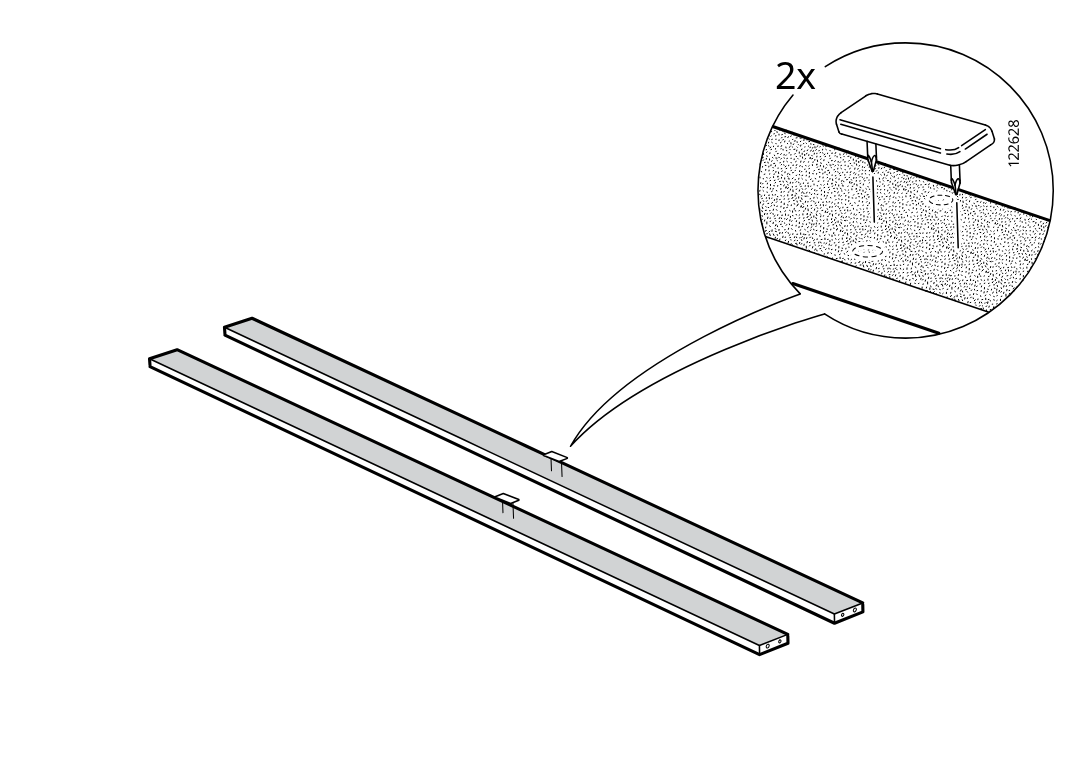
    Diagram for step 7: Two long rails are shown and two pads (122628) are pressed into the marked holes, highlighted by a zoom callout.
  14. Step 8

    Two screw fittings (118331) are inserted into the predrilled holes of the two long rails and tightened with a screwdriver.
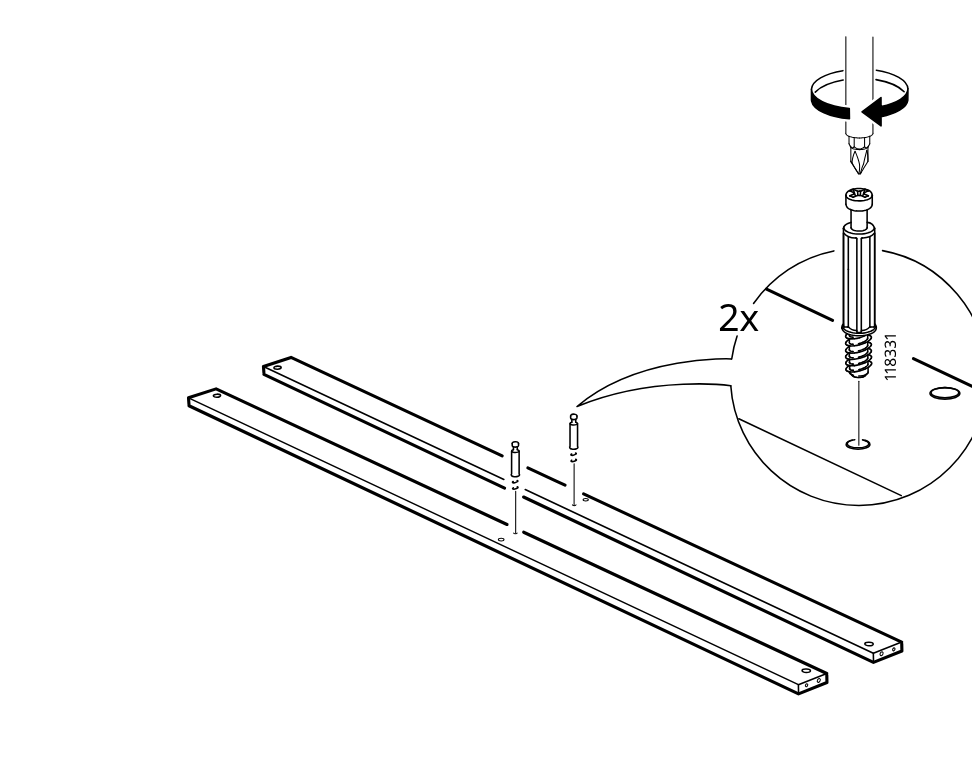
    Diagram for step 8: Two screw fittings (118331) are inserted into the predrilled holes of the two long rails and tightened with a screwdriver.
  15. Step 9

    Six dowels (101345) are pressed into the rail end and center holes while the previously installed screw fittings remain in place.
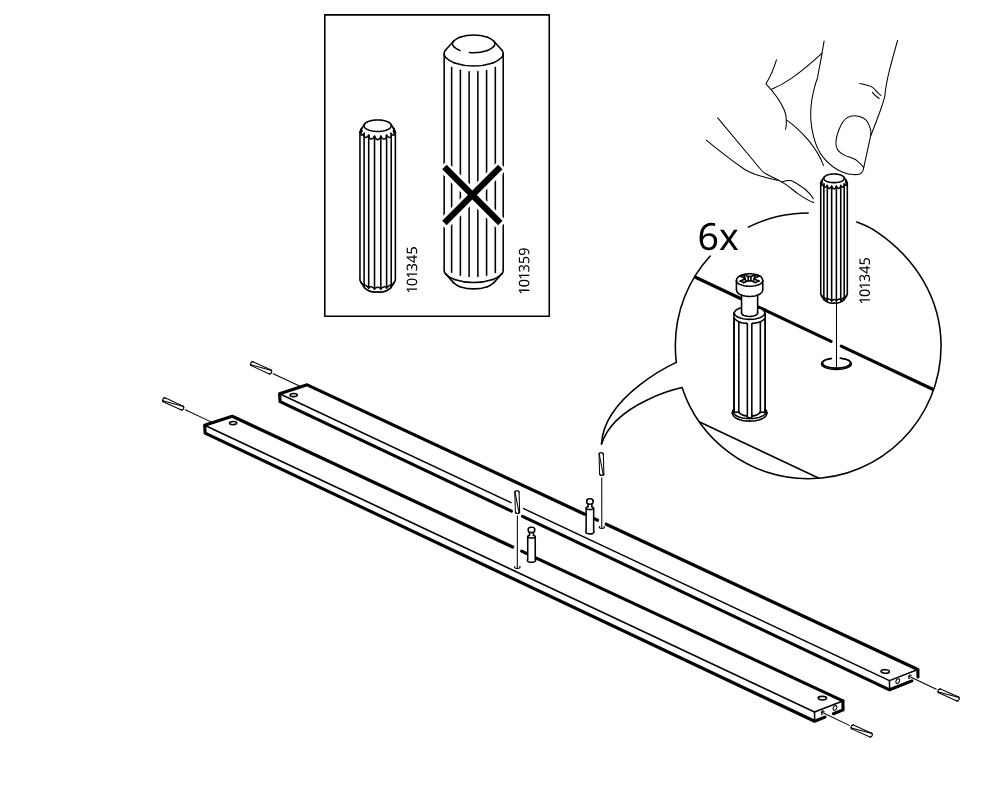
    Diagram for step 9: Six dowels (101345) are pressed into the rail end and center holes while the previously installed screw fittings remain in place.
  16. Step 10

    Two side panels are lowered into position onto the crossing frame while long rails remain aligned on both sides.
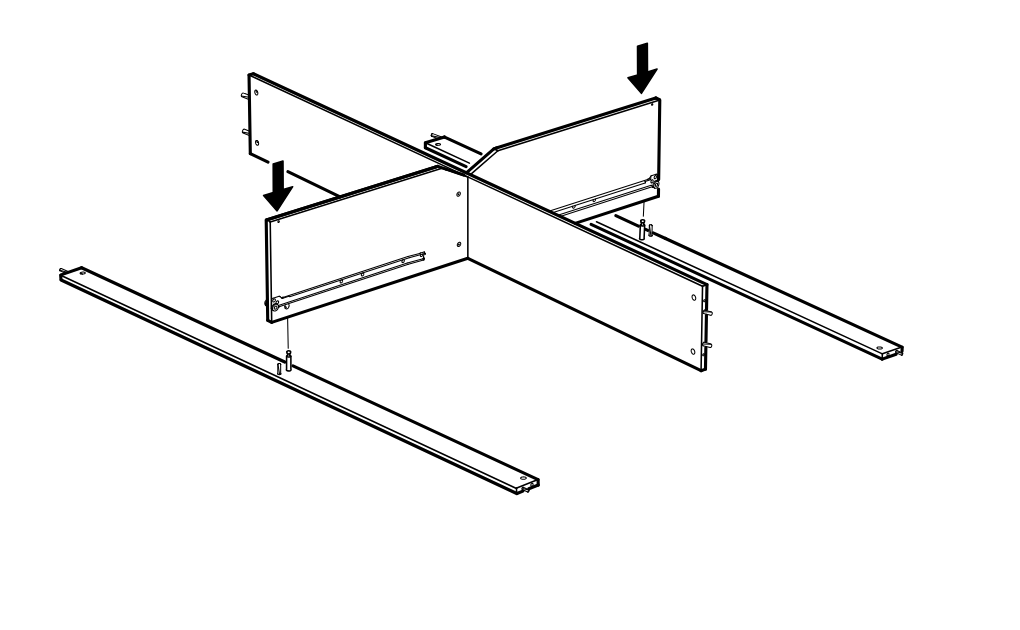
    Diagram for step 10: Two side panels are lowered into position onto the crossing frame while long rails remain aligned on both sides.
  17. Step 11

    The cam locks are inserted and tightened at the lower joint, with zoom callouts showing correct cam type and screwdriver turning direction.
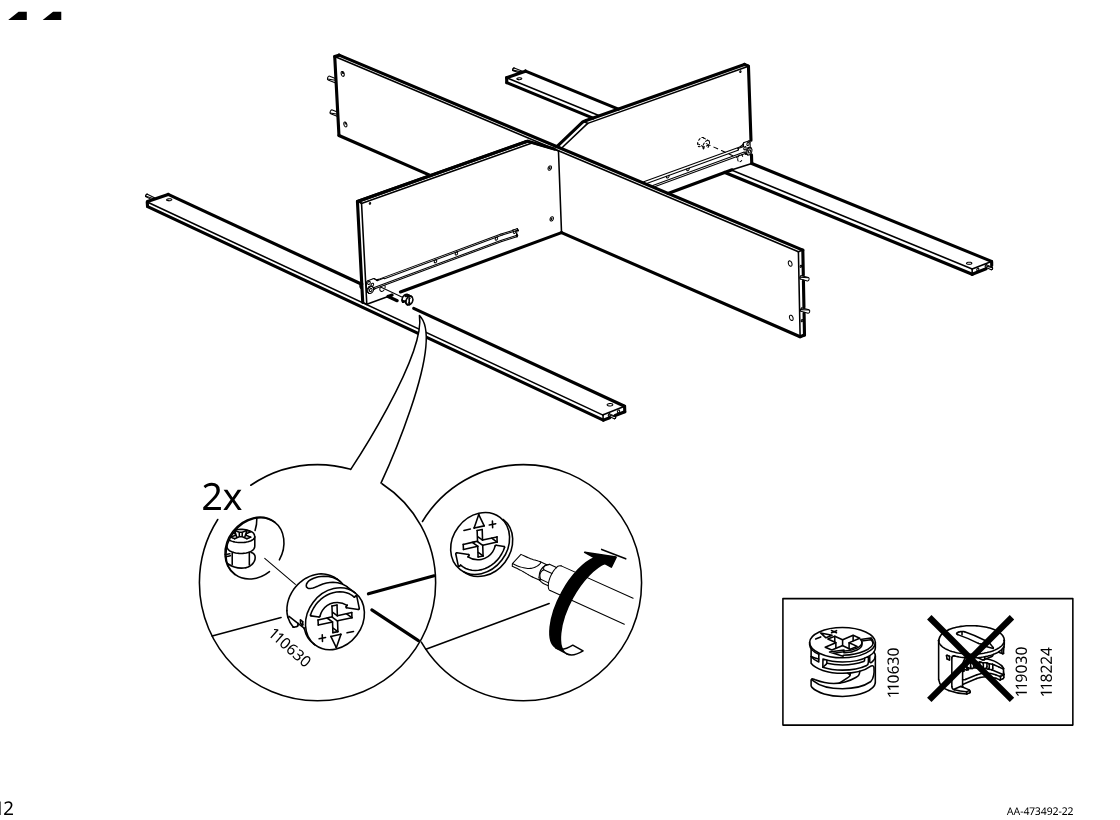
    Diagram for step 11: The cam locks are inserted and tightened at the lower joint, with zoom callouts showing correct cam type and screwdriver turning direction.
  18. Step 12

    The user places six rail assemblies on the two panels (CR and CL) and fastens each point with screw 102138 through washer 139505 and spacer 110646, with the rail orientation indicated by the finger icons.
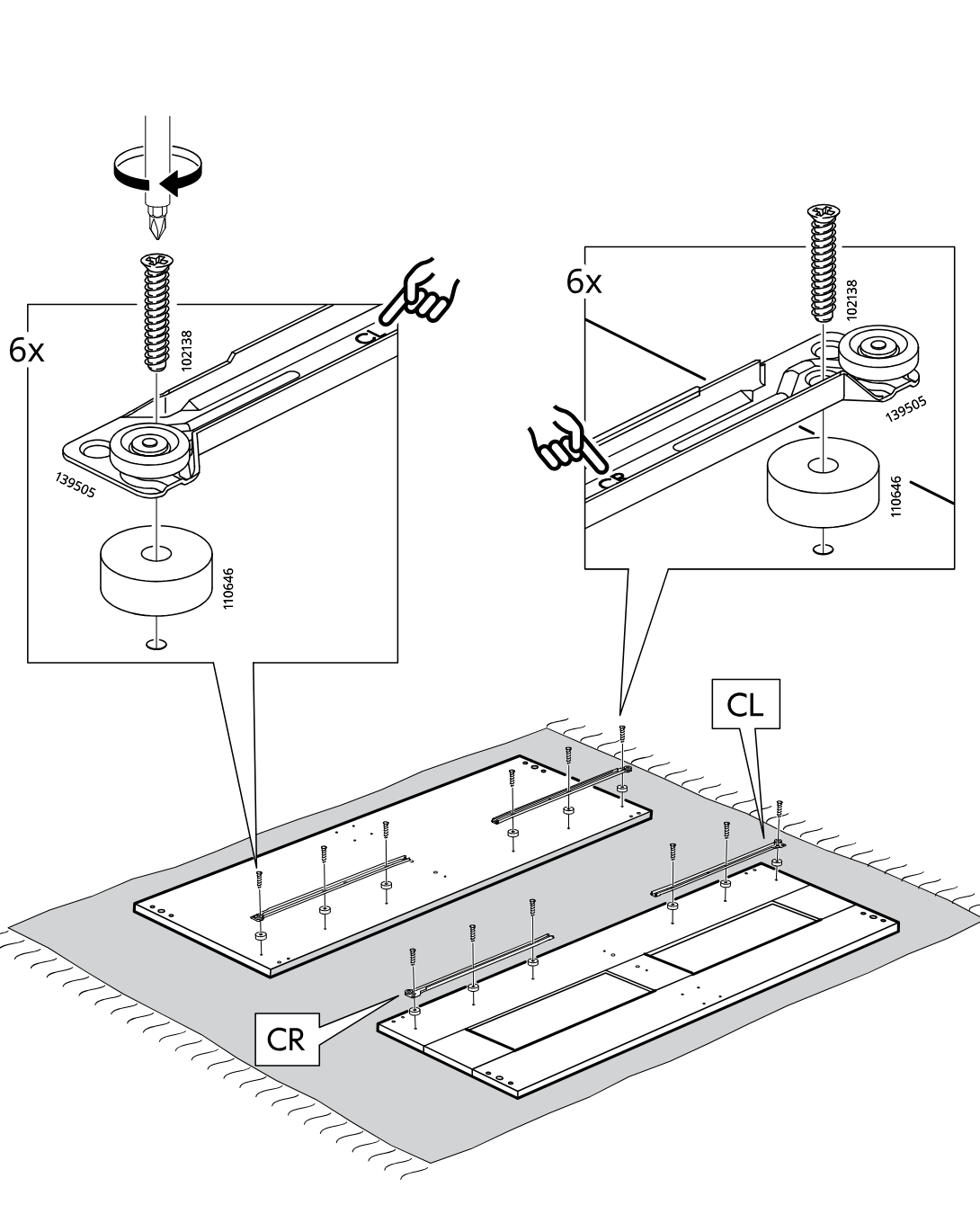
    Diagram for step 12: The user places six rail assemblies on the two panels (CR and CL) and fastens each point with screw 102138 through washer 139505 and spacer 110646, with the rail orientation indicated by the finger icons.
  19. Step 13

    The installer places four 122628 inserts into the edge holes of both long panels as shown in the zoom callout.
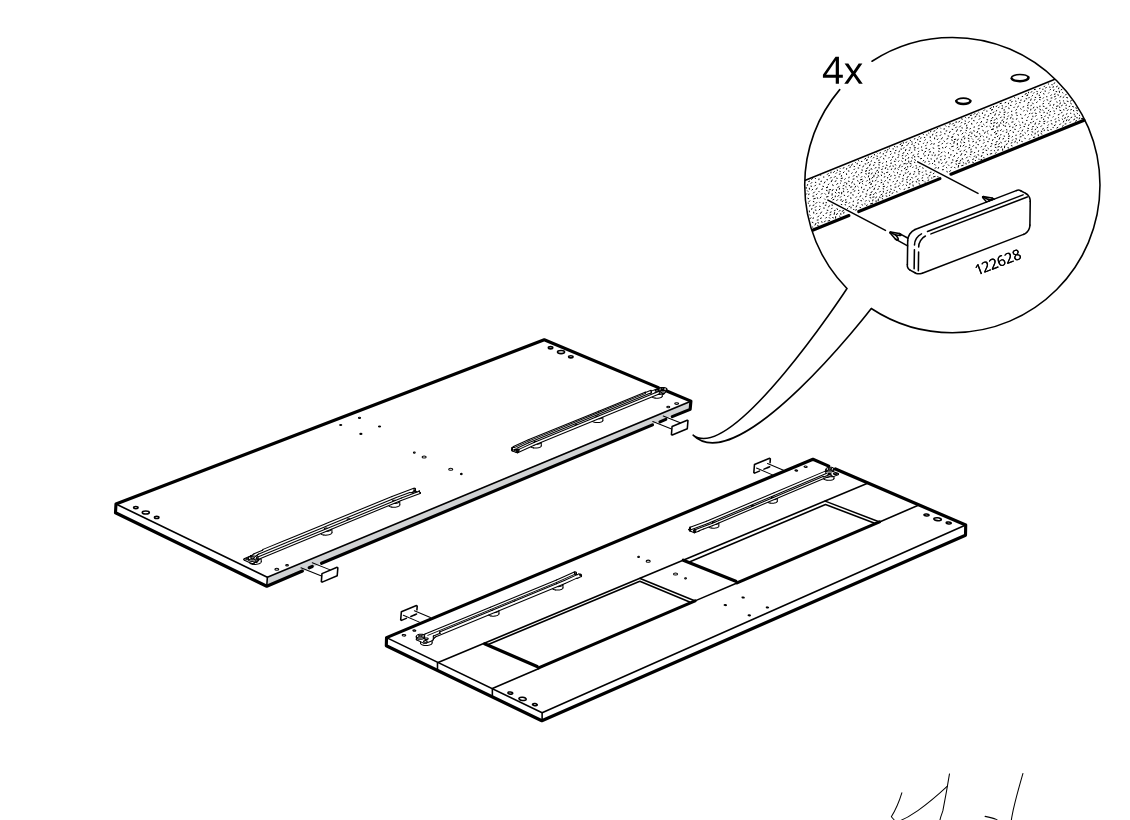
    Diagram for step 13: The installer places four 122628 inserts into the edge holes of both long panels as shown in the zoom callout.
  20. Step 14

    The installer hand-screws four 114671 threaded pins into the marked holes on the two panels, indicated by the rotation arrow in the zoom callout.
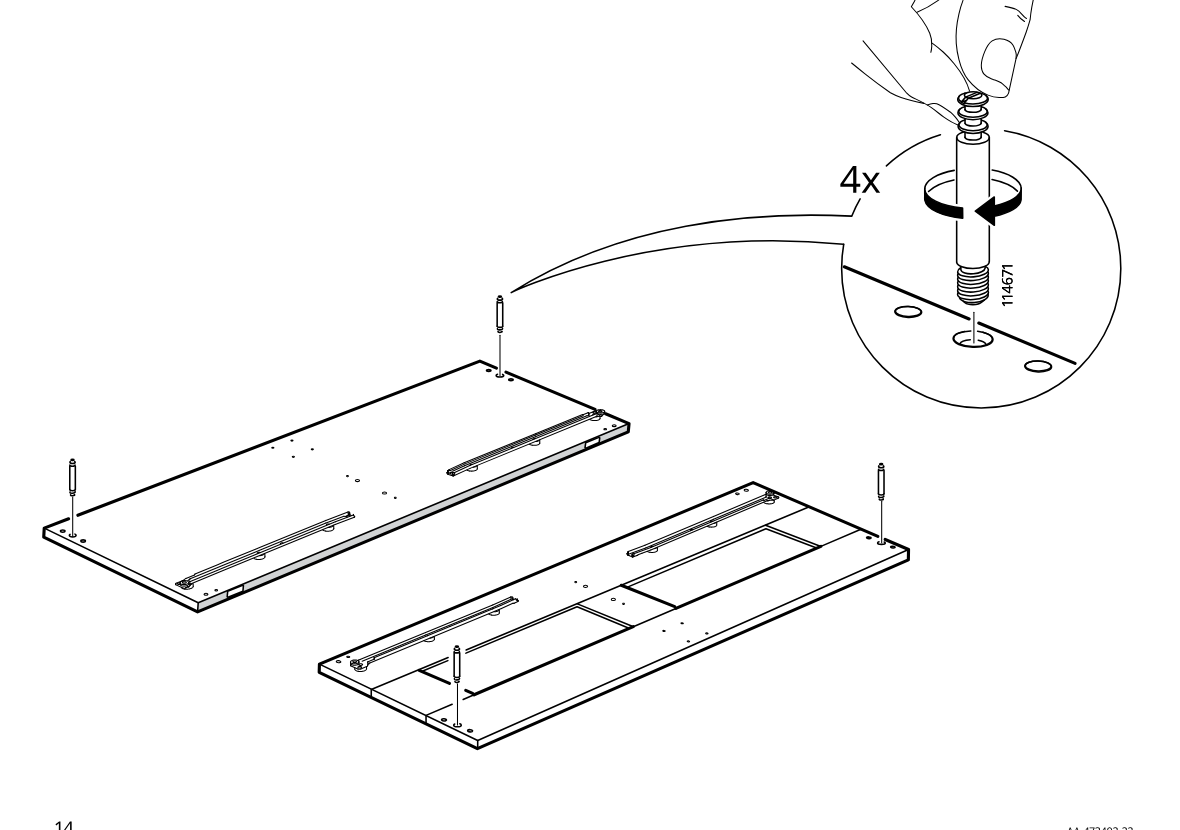
    Diagram for step 14: The installer hand-screws four 114671 threaded pins into the marked holes on the two panels, indicated by the rotation arrow in the zoom callout.
  21. Step 15

    Screw eight cam bolts into the indicated holes on the two large panels, using the inset rotation detail for direction.
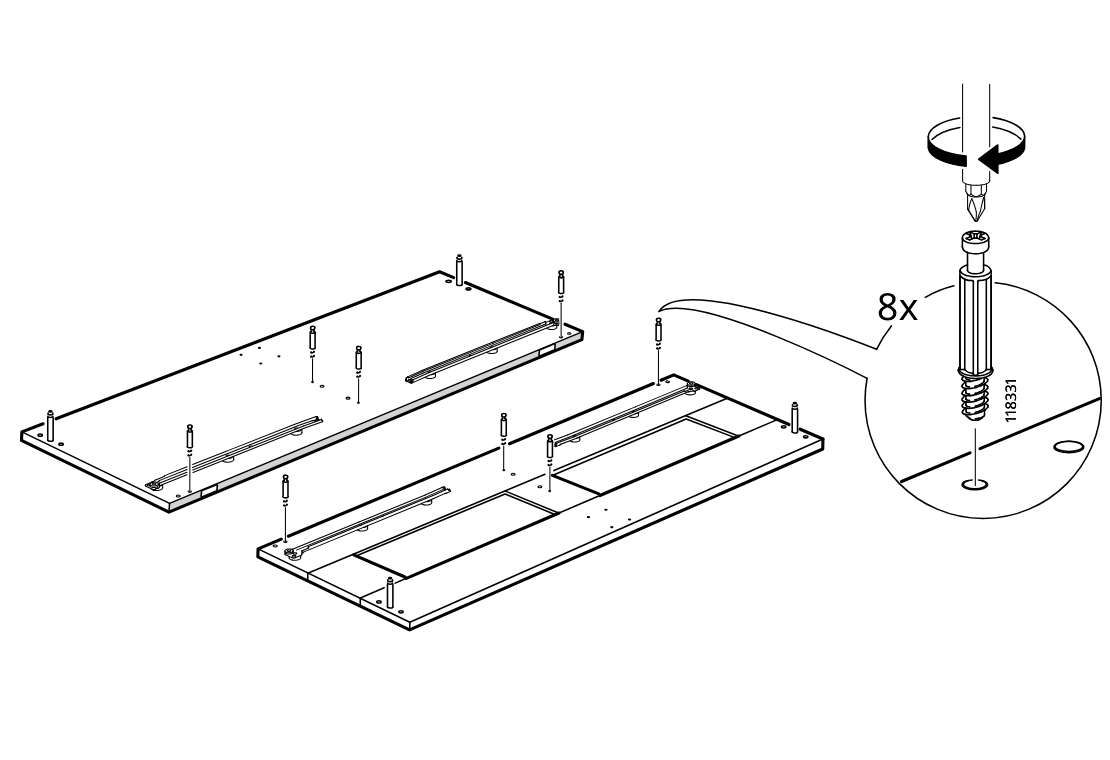
    Diagram for step 15: Screw eight cam bolts into the indicated holes on the two large panels, using the inset rotation detail for direction.
  22. Step 16

    Assemble the main frame by positioning the side and divider panels onto the base rails in the shown orientation.
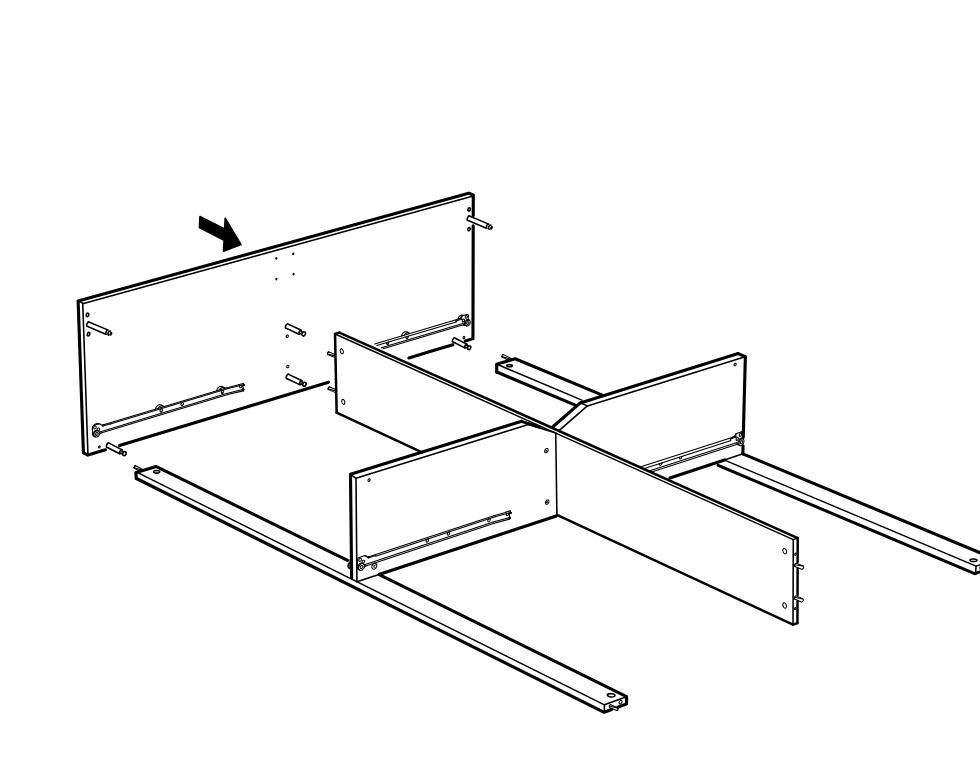
    Diagram for step 16: Assemble the main frame by positioning the side and divider panels onto the base rails in the shown orientation.
  23. Step 17

    The frame and divider panels are aligned, four cam locks 110630 are inserted into the top holes, and then tightened with a screwdriver while avoiding part 118224.
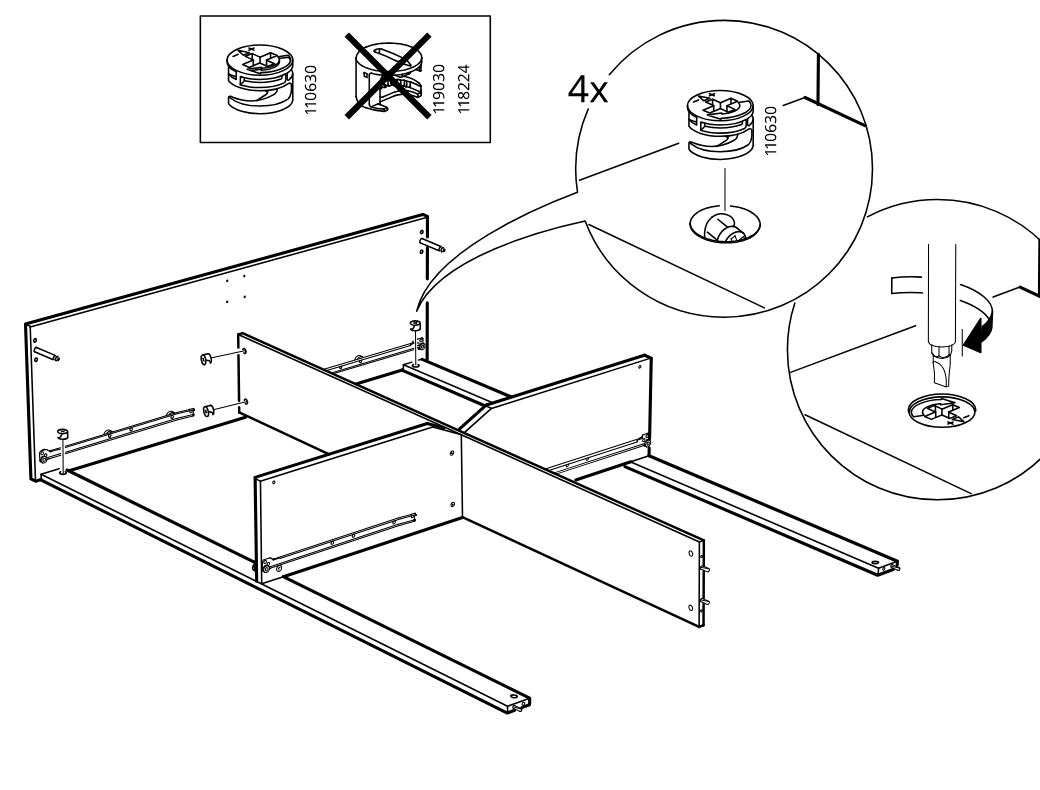
    Diagram for step 17: The frame and divider panels are aligned, four cam locks 110630 are inserted into the top holes, and then tightened with a screwdriver while avoiding part 118224.
  24. Step 18

    Two long boards each receive two cam locks 114670 inserted into the end holes and pressed into place by hand.
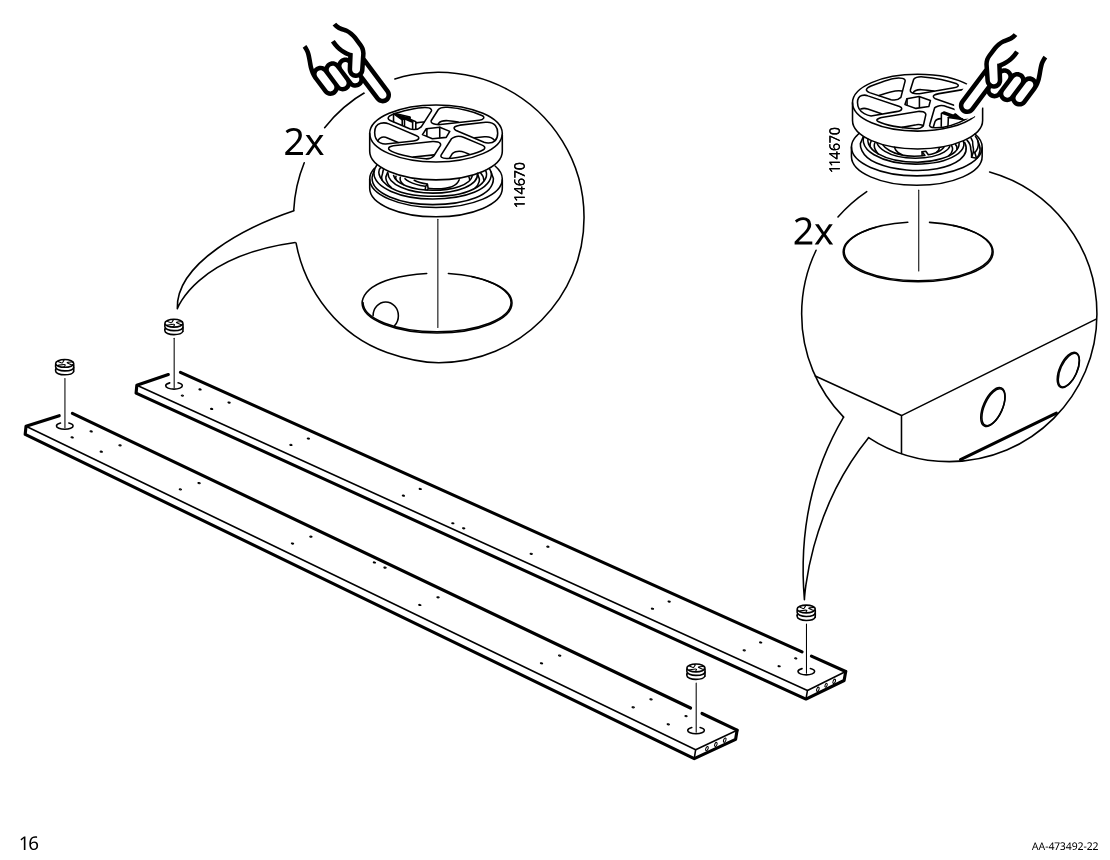
    Diagram for step 18: Two long boards each receive two cam locks 114670 inserted into the end holes and pressed into place by hand.
  25. Step 19

    Insert four 101359 dowels into the indicated holes on the two long rails, with the inset showing the correct dowel type versus the crossed-out alternative.
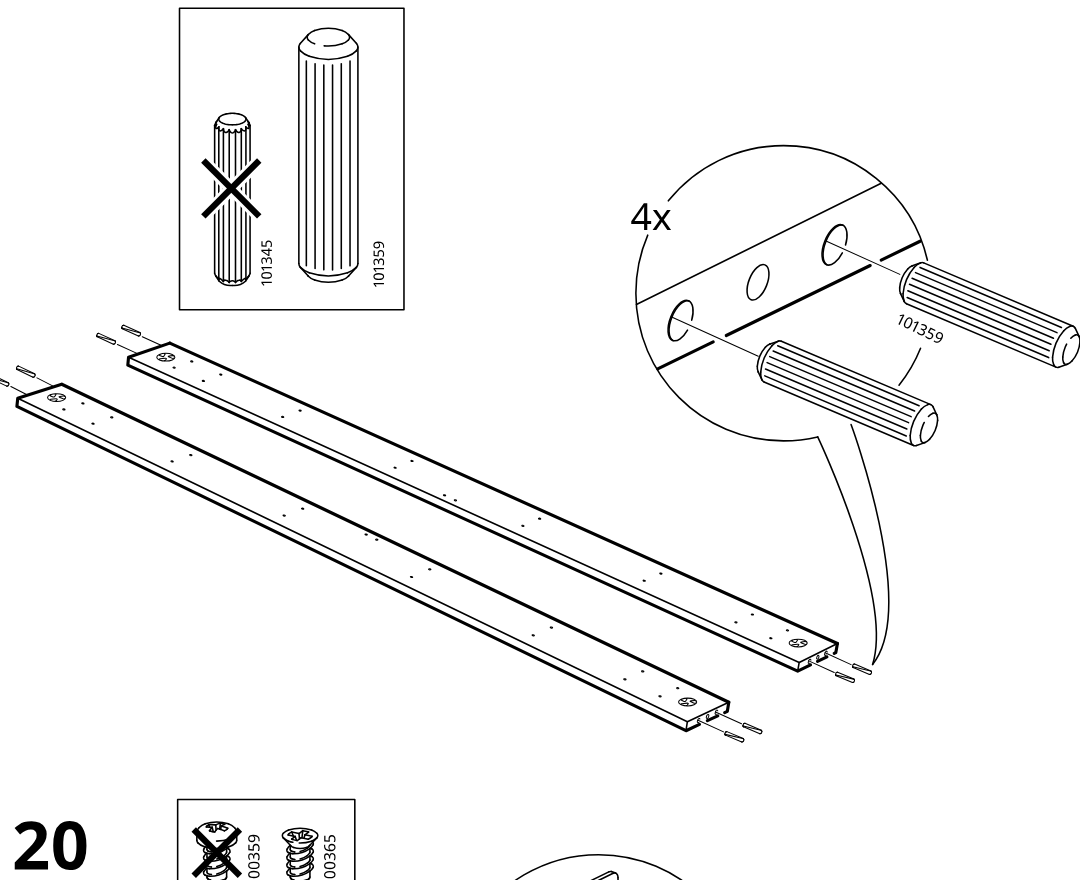
    Diagram for step 19: Insert four 101359 dowels into the indicated holes on the two long rails, with the inset showing the correct dowel type versus the crossed-out alternative.
  26. Step 20

    Attach bracket 121370 to the two rails using two 100365 screws, with the inset indicating to use 100365 and not the crossed-out screw type.
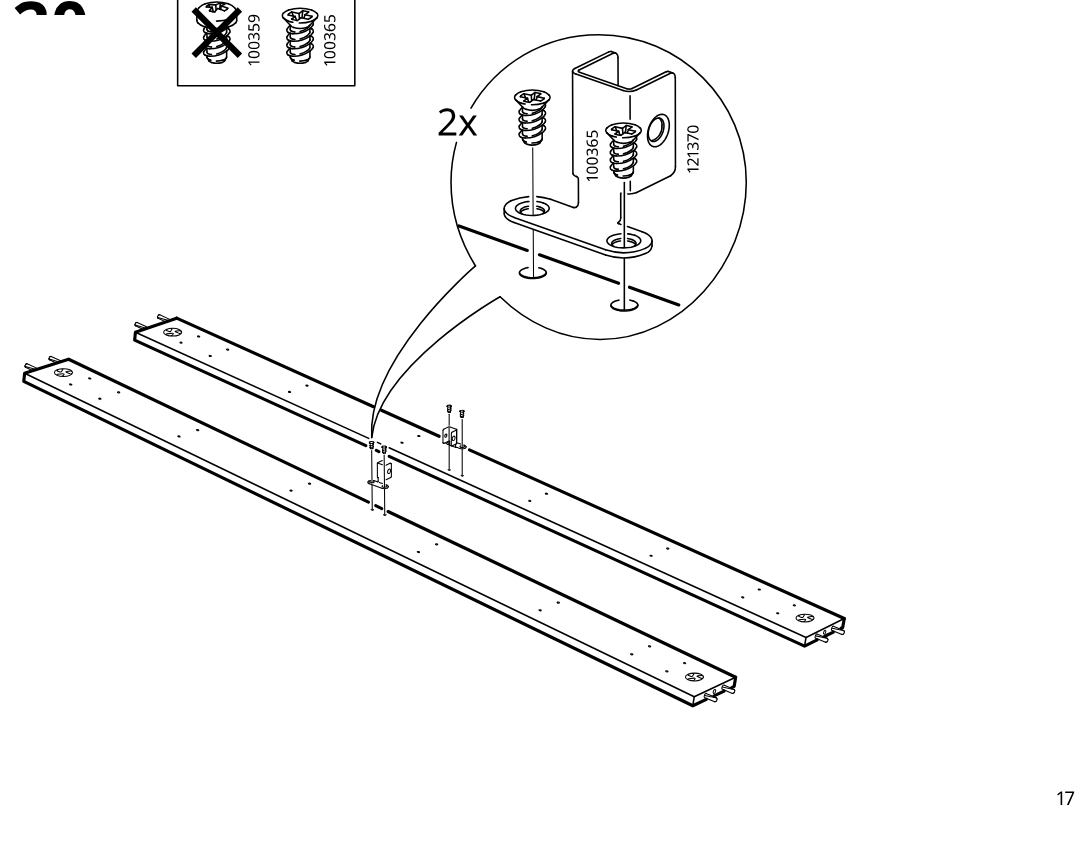
    Diagram for step 20: Attach bracket 121370 to the two rails using two 100365 screws, with the inset indicating to use 100365 and not the crossed-out screw type.
  27. Step 21

    The assembler aligns and attaches the long side panel onto the partially assembled frame with internal divider panels and rails.
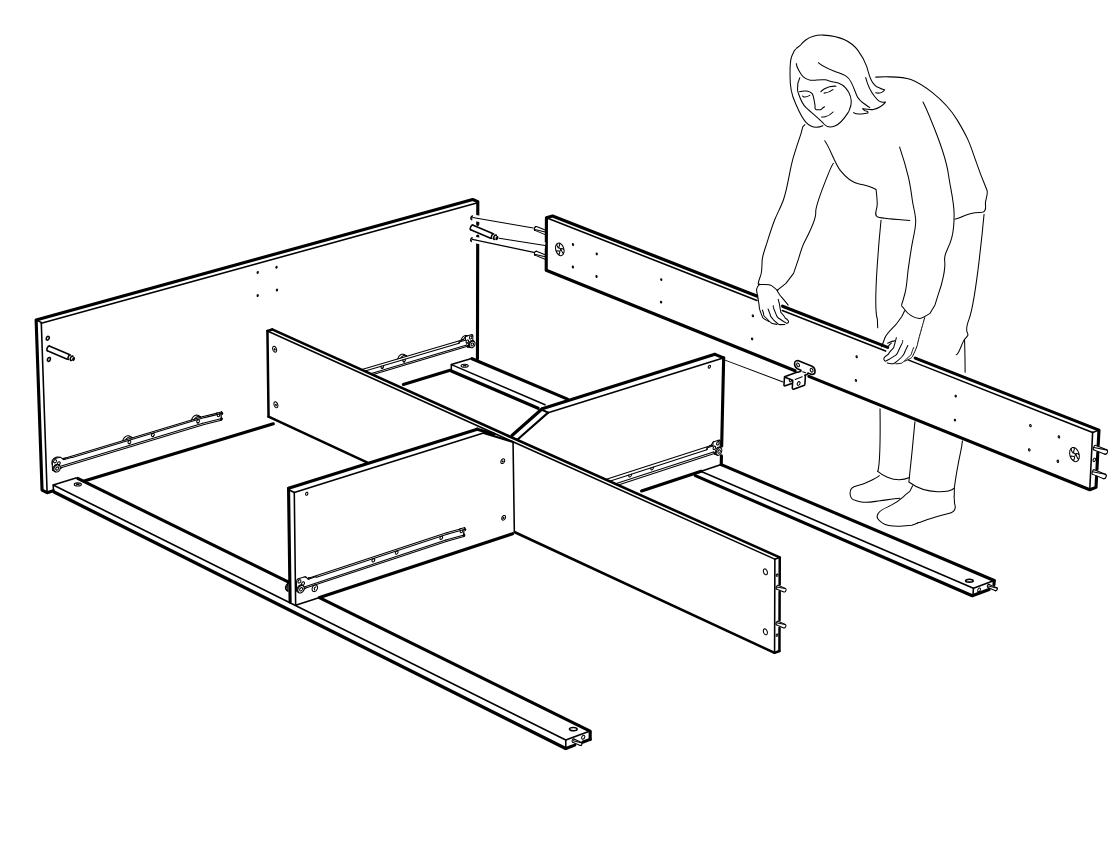
    Diagram for step 21: The assembler aligns and attaches the long side panel onto the partially assembled frame with internal divider panels and rails.
  28. Step 22

    Two people position and join a long side panel onto the cabinet base and internal dividers, then tighten the cam lock with the included hex key as shown in the zoom callouts.
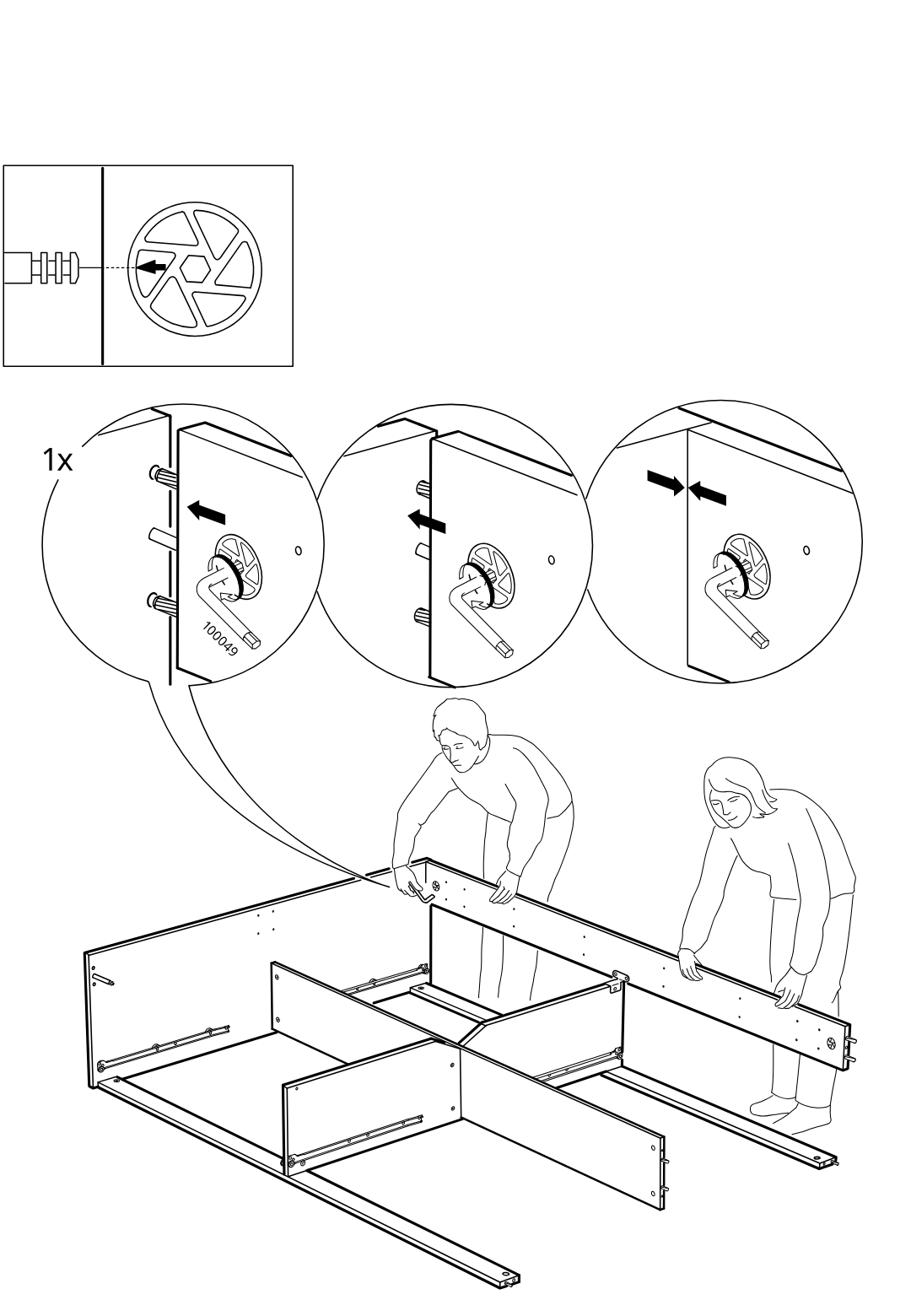
    Diagram for step 22: Two people position and join a long side panel onto the cabinet base and internal dividers, then tighten the cam lock with the included hex key as shown in the zoom callouts.
  29. Step 23

    The person positions and aligns the long side panel onto the frame, with a zoom callout specifying to use screw 100365 (1x) and not 100359.
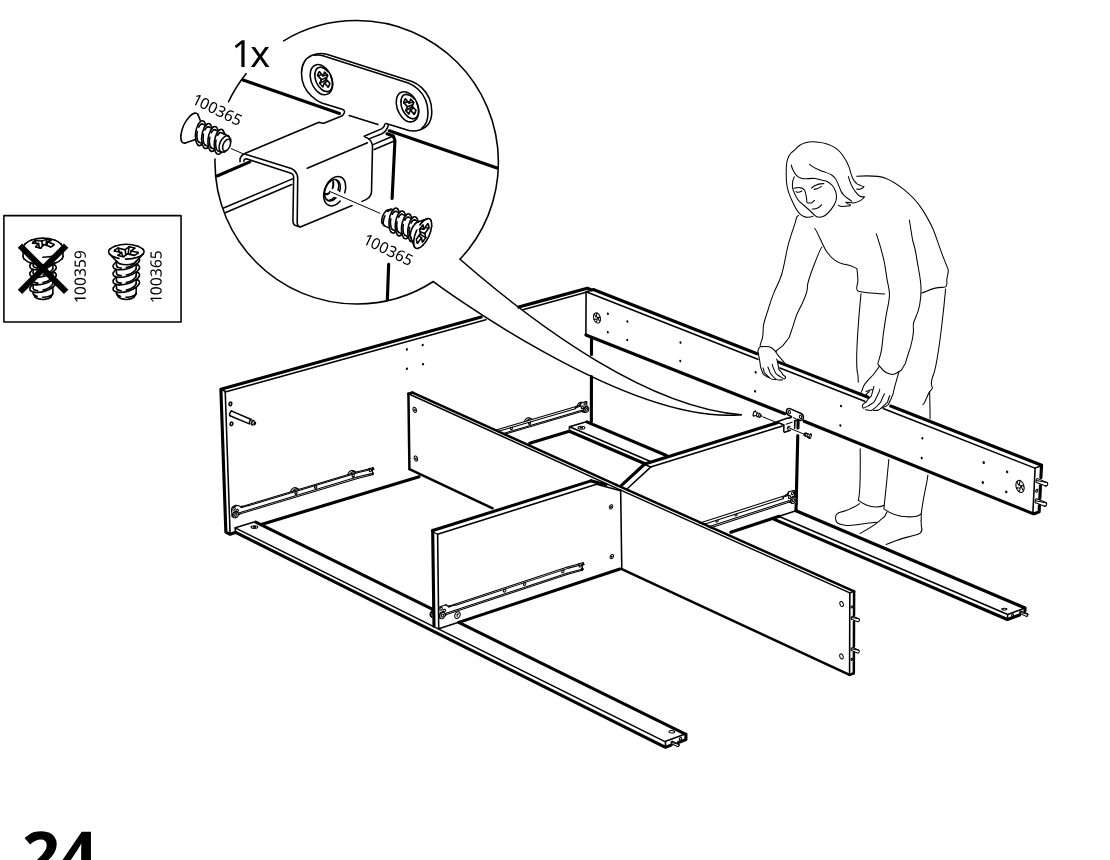
    Diagram for step 23: The person positions and aligns the long side panel onto the frame, with a zoom callout specifying to use screw 100365 (1x) and not 100359.
  30. Step 24

    The person lowers and aligns the remaining long panel into place on the partially assembled frame.
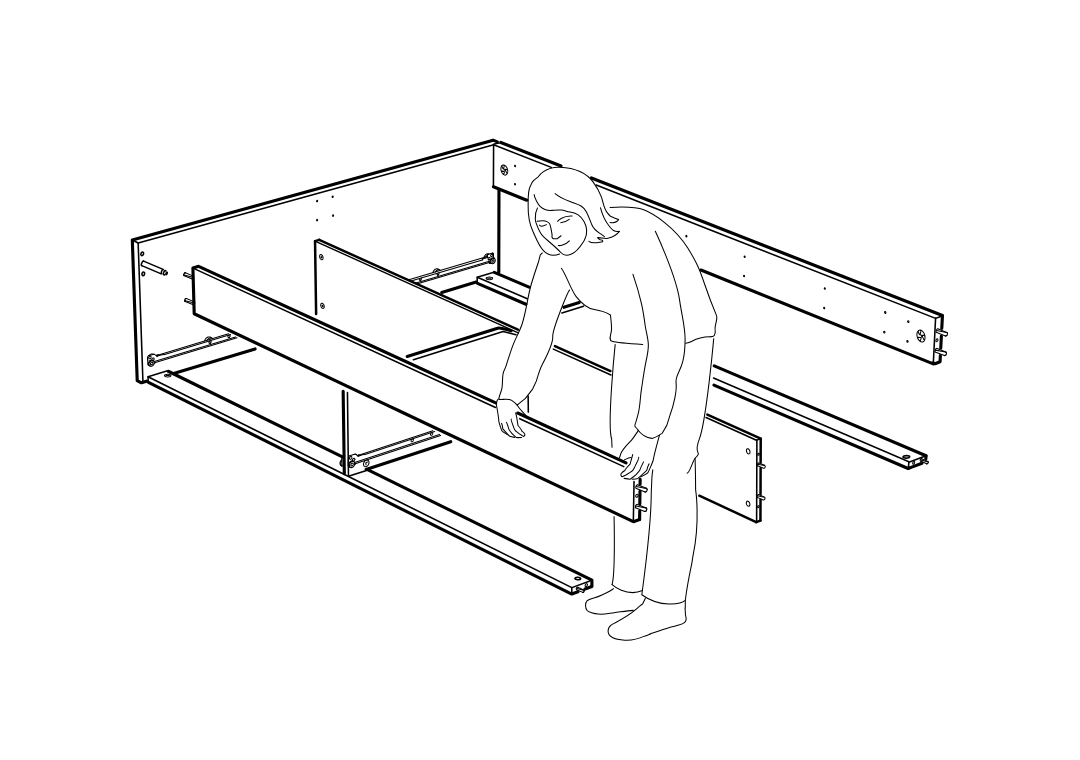
    Diagram for step 24: The person lowers and aligns the remaining long panel into place on the partially assembled frame.
  31. Step 25

    The frame sections are drawn together and locked by turning one cam lock with the included hex key, as shown in the three zoom callouts and the cam-orientation inset.
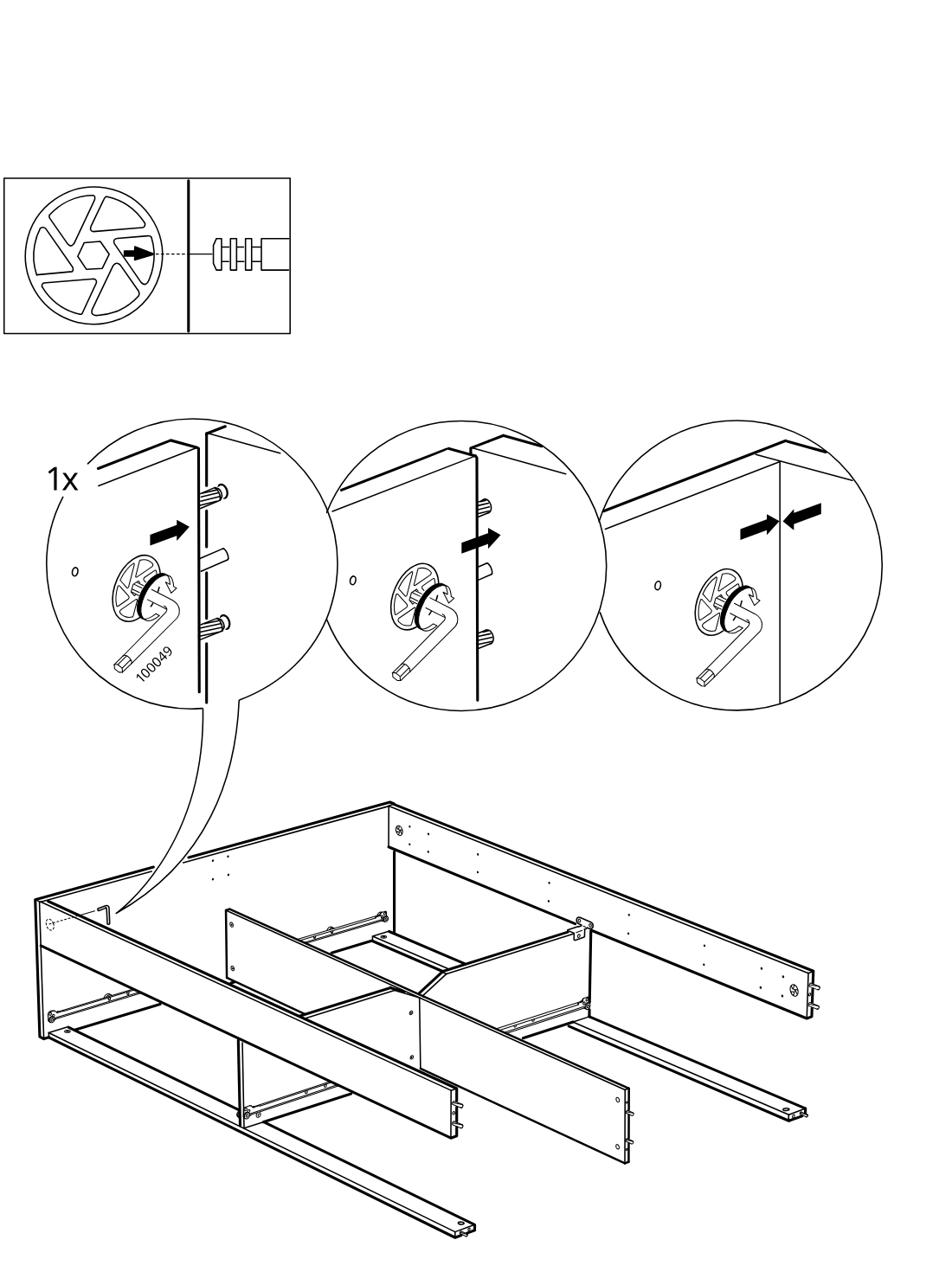
    Diagram for step 25: The frame sections are drawn together and locked by turning one cam lock with the included hex key, as shown in the three zoom callouts and the cam-orientation inset.
  32. Step 26

    One screw type is selected and driven into the bracketed side rail connection, as shown in the zoom callout, to secure the frame section.
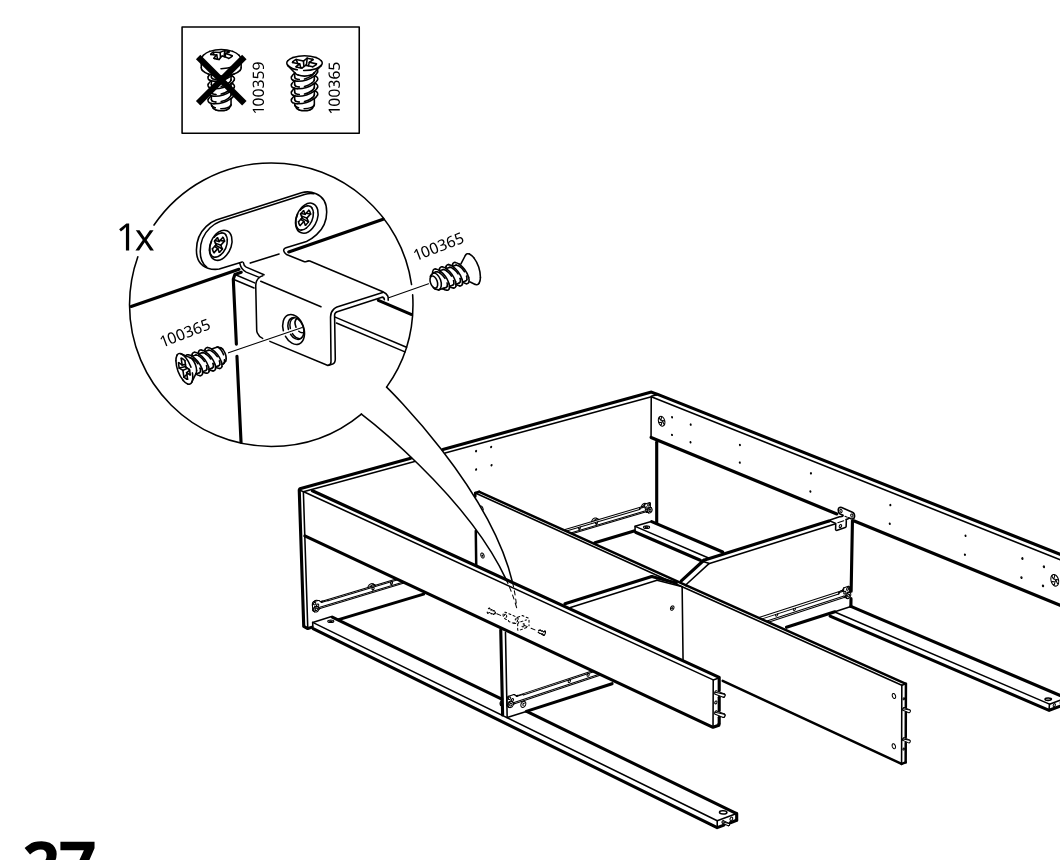
    Diagram for step 26: One screw type is selected and driven into the bracketed side rail connection, as shown in the zoom callout, to secure the frame section.
  33. Step 27

    The front panel is aligned and slid into position onto the assembled frame in the indicated direction.
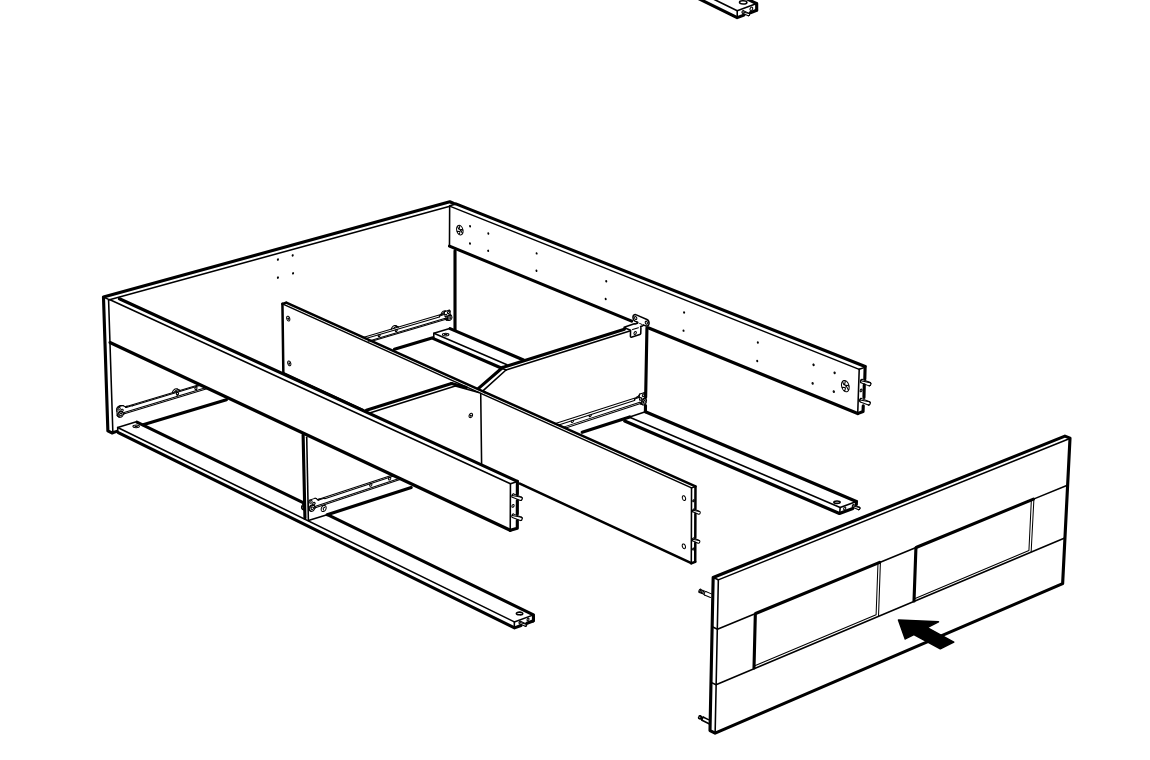
    Diagram for step 27: The front panel is aligned and slid into position onto the assembled frame in the indicated direction.
  34. Step 28

    The cam locks are tightened in two places to pull the side panel tightly together, as shown in the zoom sequence and applied to the frame below.
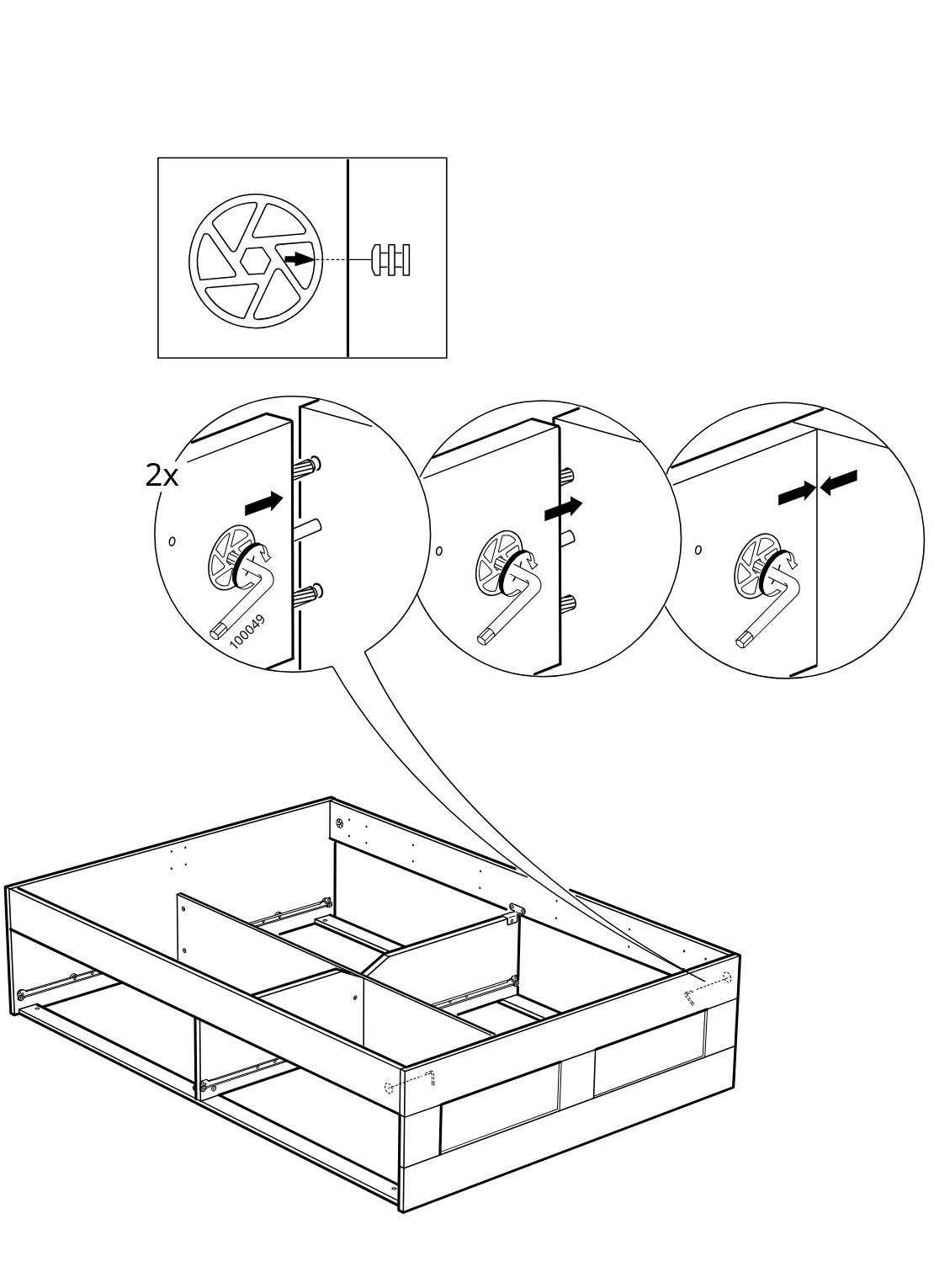
    Diagram for step 28: The cam locks are tightened in two places to pull the side panel tightly together, as shown in the zoom sequence and applied to the frame below.
  35. Step 29

    The cam locks are inserted and then turned to secure the frame, shown with two zoom callouts for placement and rotation.
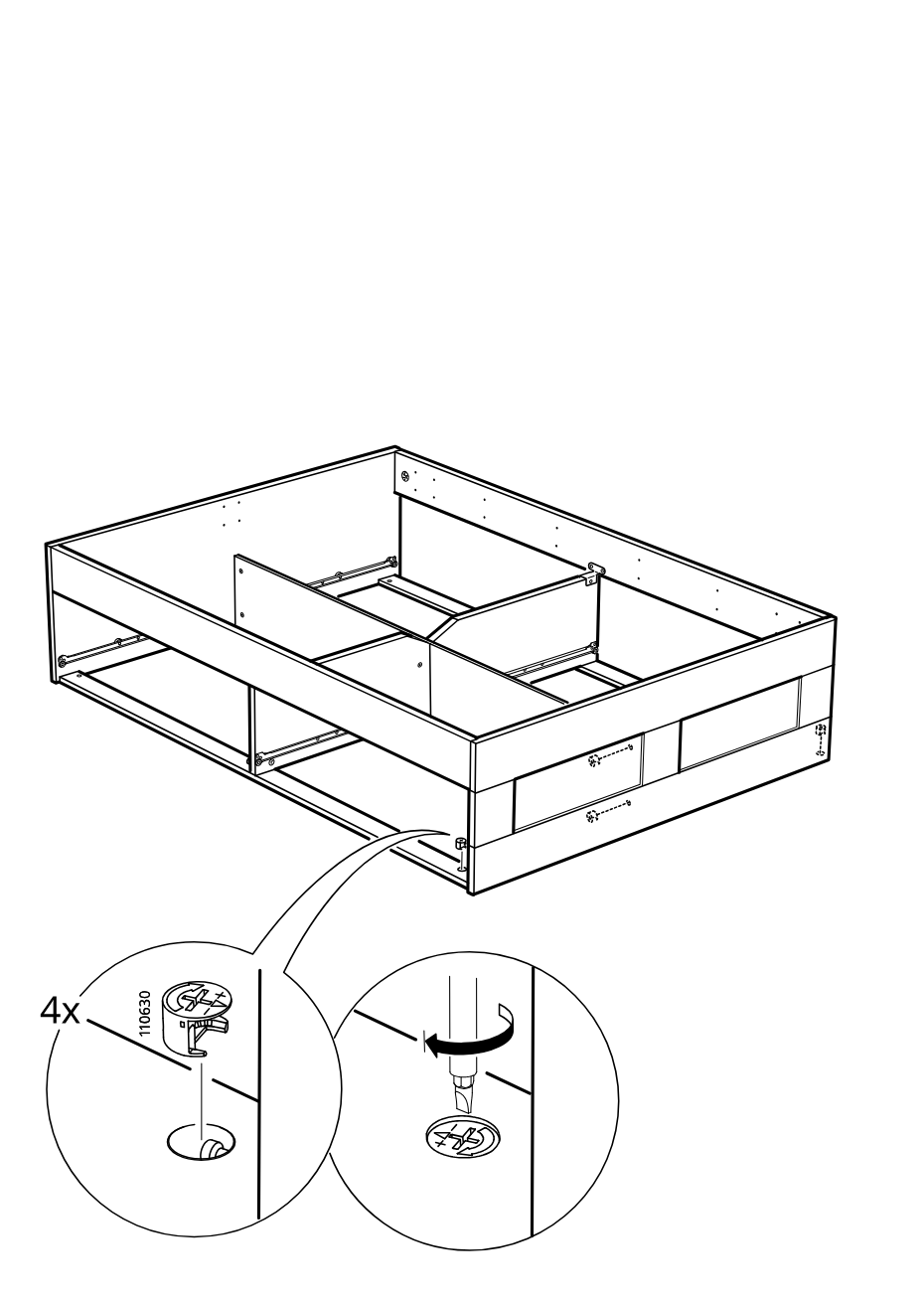
    Diagram for step 29: The cam locks are inserted and then turned to secure the frame, shown with two zoom callouts for placement and rotation.
  36. Before you begin

    Information panel shows correct mattress orientation with the dashed edge aligned one way and the opposite orientation crossed out.
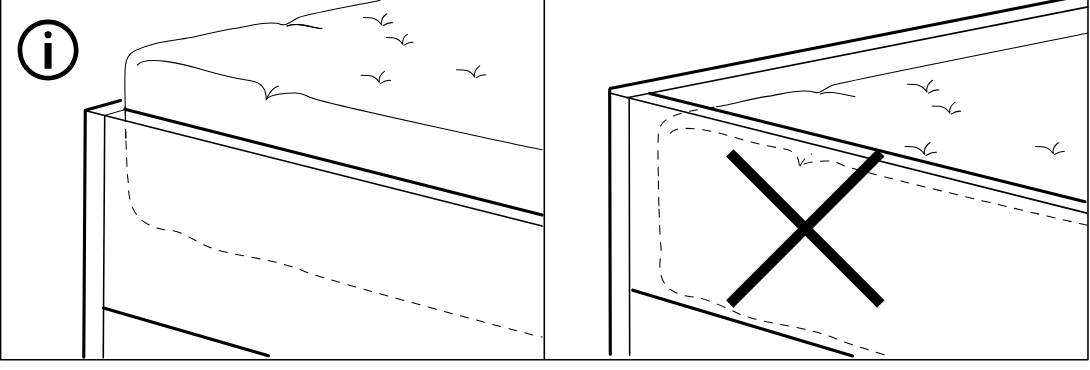
    Illustration for assembly note: Information panel shows correct mattress orientation with the dashed edge aligned one way and the opposite orientation crossed out.
  37. Step 30

    Insert and tighten sixteen 110789 screws into the inner frame rails using a screwdriver, as shown in the zoom callout, while avoiding screw type 105163.
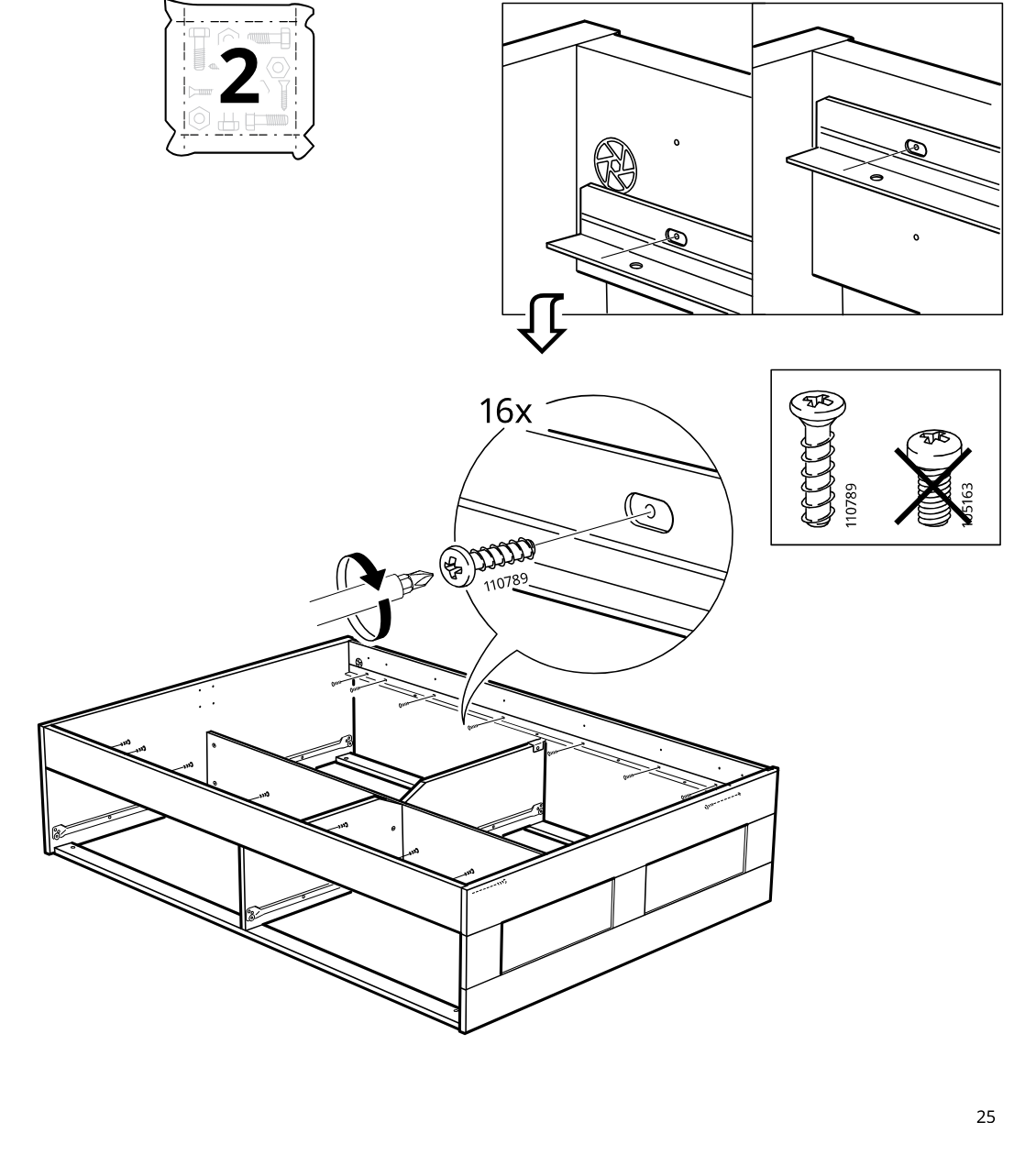
    Diagram for step 30: Insert and tighten sixteen 110789 screws into the inner frame rails using a screwdriver, as shown in the zoom callout, while avoiding screw type 105163.
  38. Step 31

    Secure the metal bracket to the inner frame using two screws, following the shown orientation and using the correct screw type.
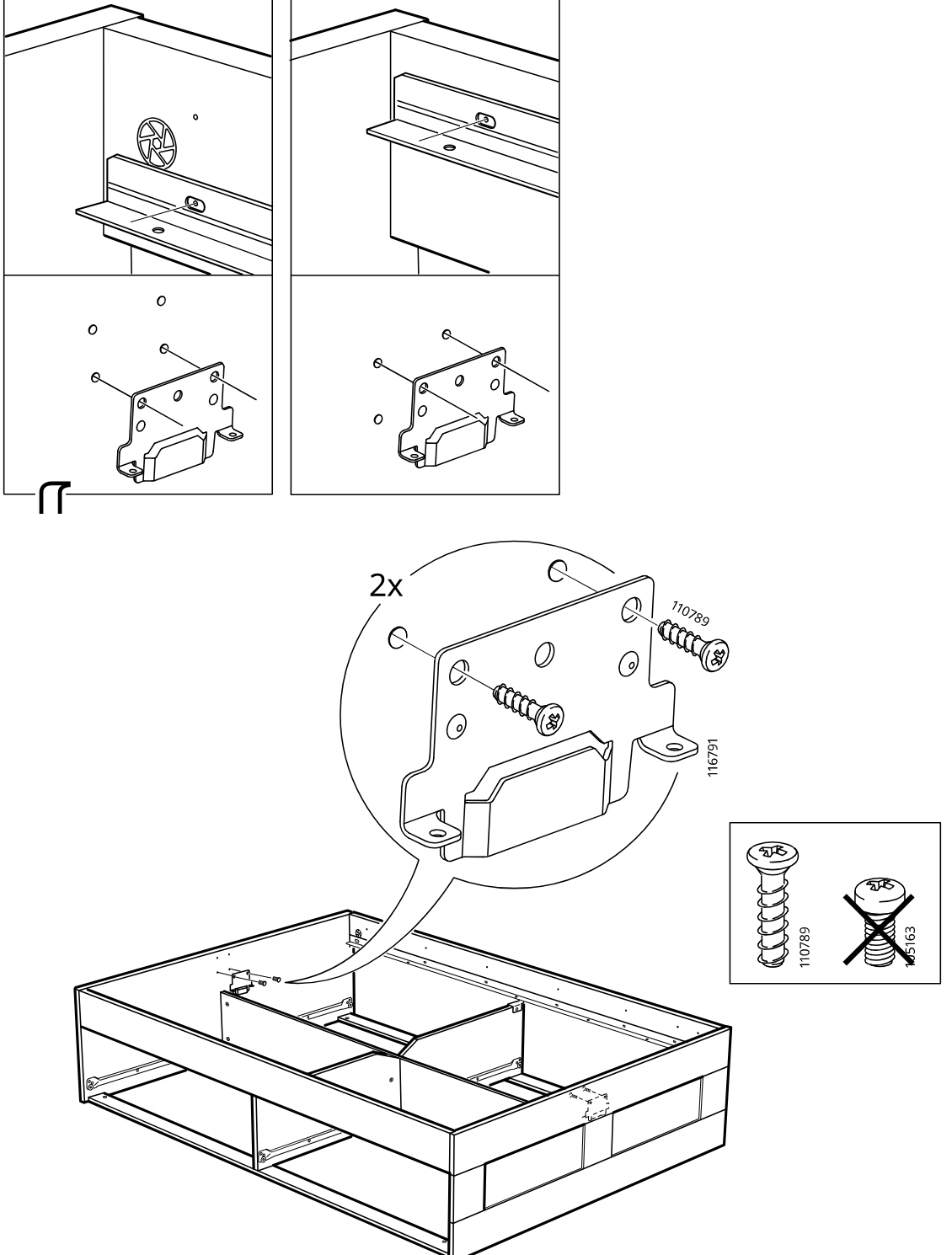
    Diagram for step 31: Secure the metal bracket to the inner frame using two screws, following the shown orientation and using the correct screw type.
  39. Step 32

    Attach part 117228 to the bed frame using four screws 117327, with two zoom callouts showing the screw positions and fastening detail.
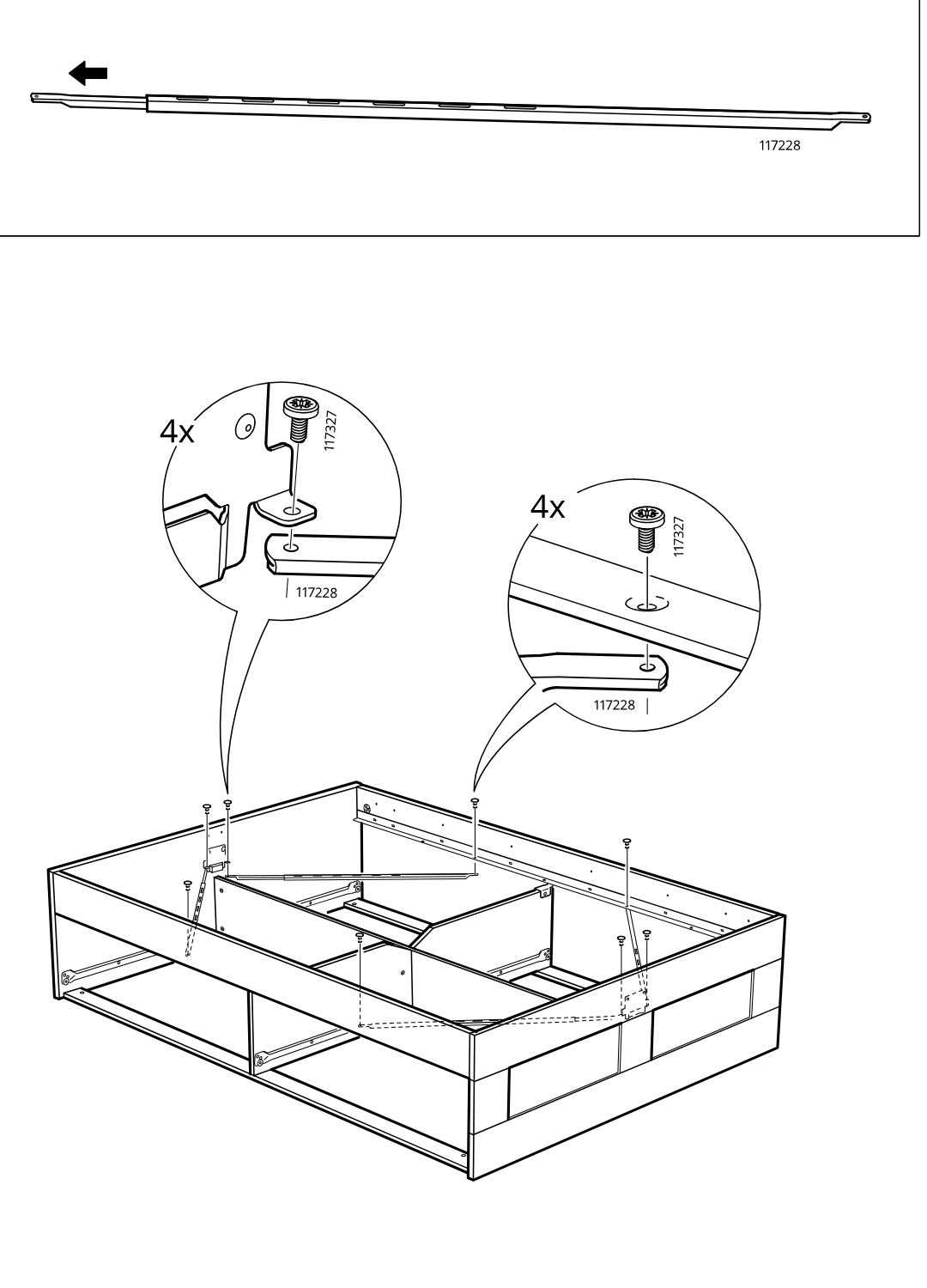
    Diagram for step 32: Attach part 117228 to the bed frame using four screws 117327, with two zoom callouts showing the screw positions and fastening detail.
  40. Before you begin

    Top reference panel shows acceptable straight alignment and two incorrect bowed/twisted frame shapes marked with X.
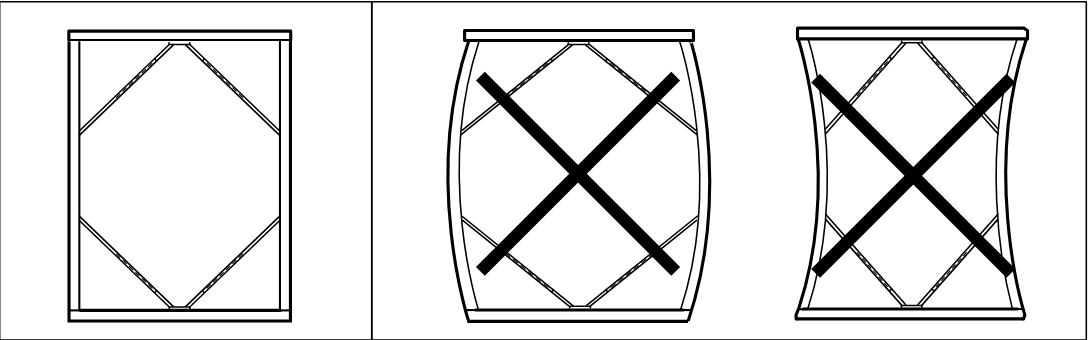
    Illustration for assembly note: Top reference panel shows acceptable straight alignment and two incorrect bowed/twisted frame shapes marked with X.
  41. Step 33

    Insert and tighten four screws (117327) into the frame corners while keeping the frame square, as shown by the zoomed detail and guide arrows.
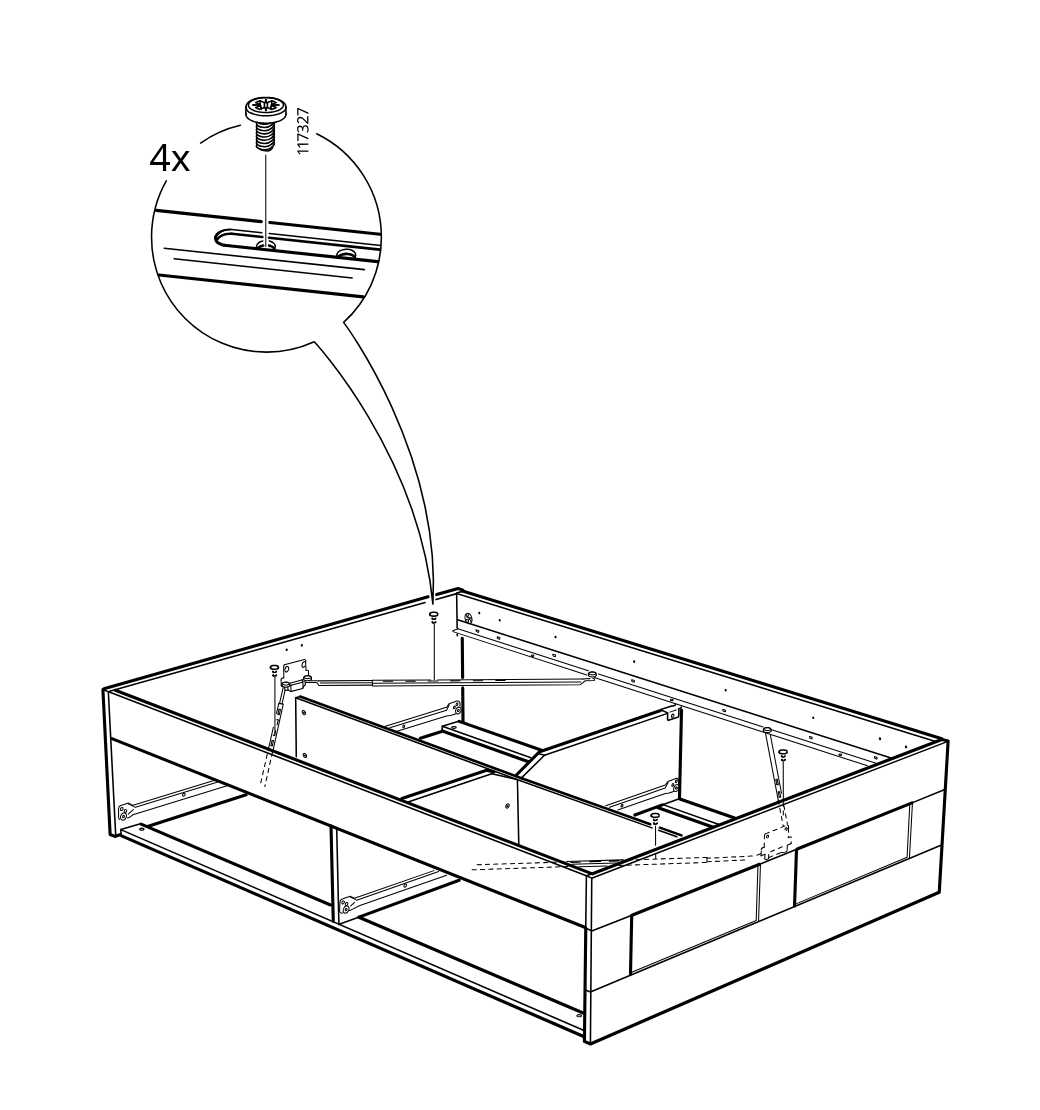
    Diagram for step 33: Insert and tighten four screws (117327) into the frame corners while keeping the frame square, as shown by the zoomed detail and guide arrows.
  42. Step 34

    The gas lift mechanism is positioned and lowered onto the left-side mounting point inside the bed frame.
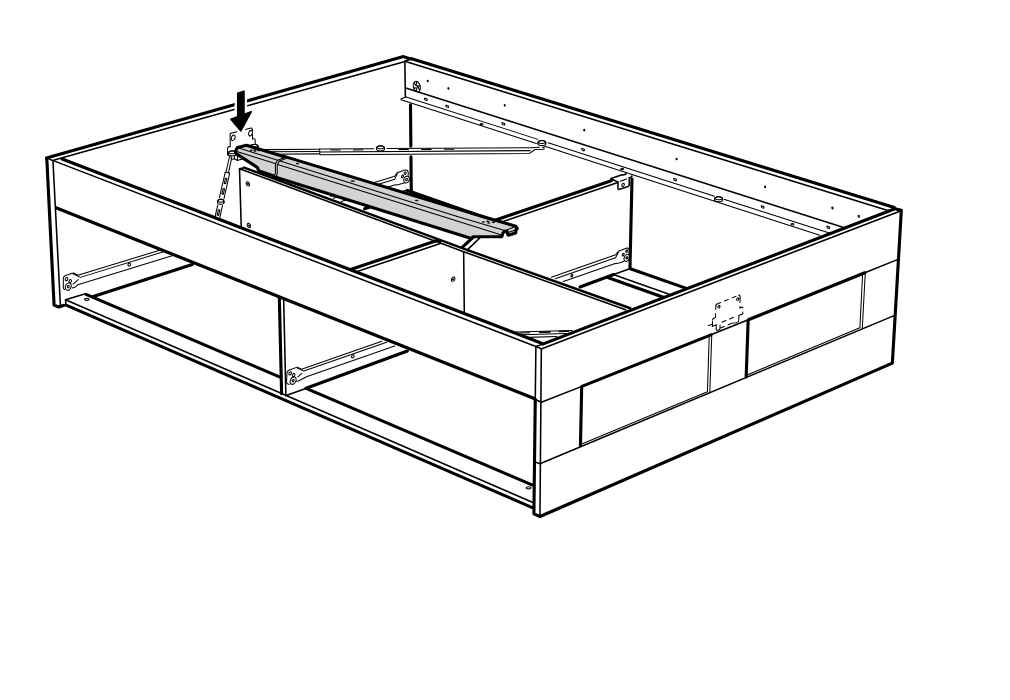
    Diagram for step 34: The gas lift mechanism is positioned and lowered onto the left-side mounting point inside the bed frame.
  43. Step 35

    The mechanism arm is pulled and guided down toward the right side to align it into place inside the frame.
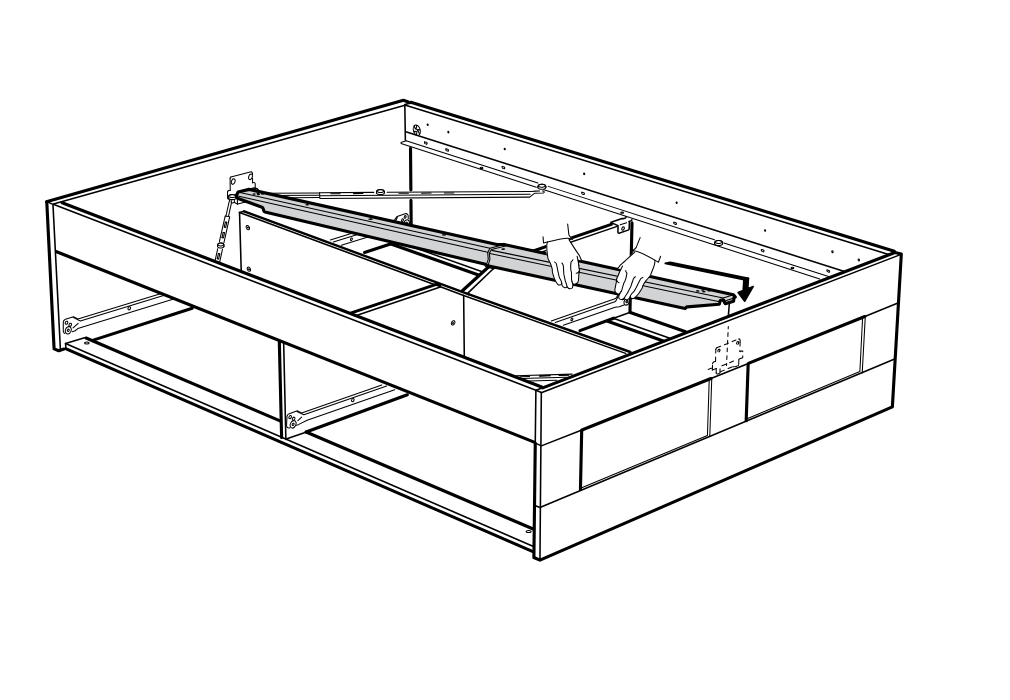
    Diagram for step 35: The mechanism arm is pulled and guided down toward the right side to align it into place inside the frame.
  44. Before you begin

    An information panel shows the slatted base being placed onto the bed frame and indicates that parts 105163 and 191315 must not be used in this operation.
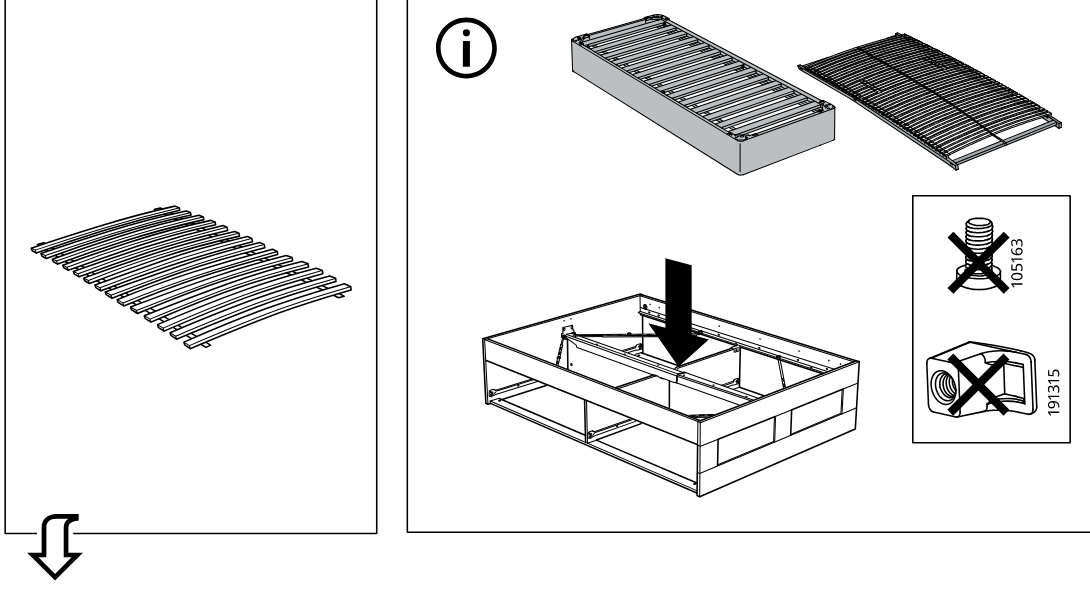
    Illustration for assembly note: An information panel shows the slatted base being placed onto the bed frame and indicates that parts 105163 and 191315 must not be used in this operation.
  45. Step 36

    Install eight 191315 clips onto the frame posts and insert 105163 threaded fasteners at the indicated points around the bed frame.
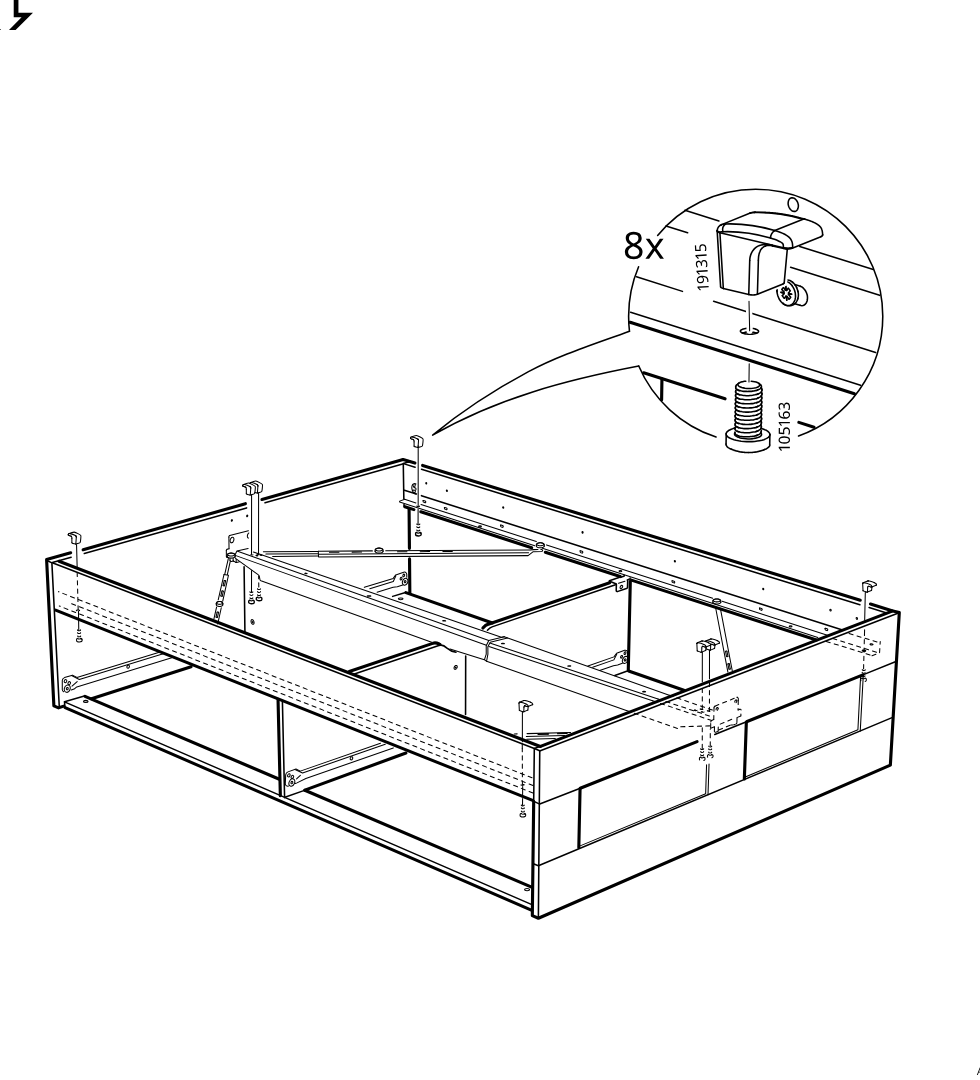
    Diagram for step 36: Install eight 191315 clips onto the frame posts and insert 105163 threaded fasteners at the indicated points around the bed frame.
  46. Step 37

    The slatted bed base is unrolled and positioned onto the bed frame, with the inset indicating alignment at the corner.
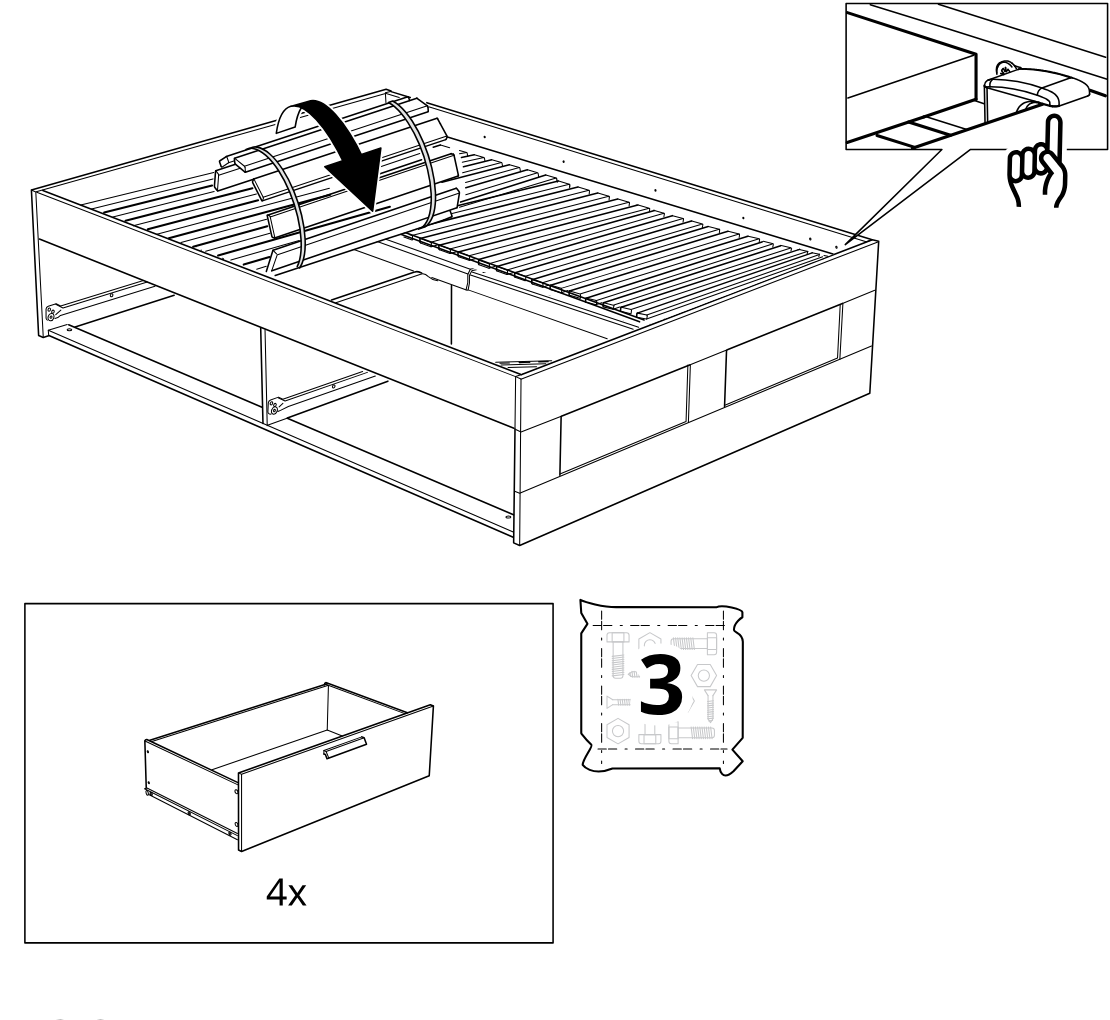
    Diagram for step 37: The slatted bed base is unrolled and positioned onto the bed frame, with the inset indicating alignment at the corner.
  47. Step 38

    Four dowels (part 101345) are inserted into the panel edge holes while the drawer components are laid out on a soft surface.
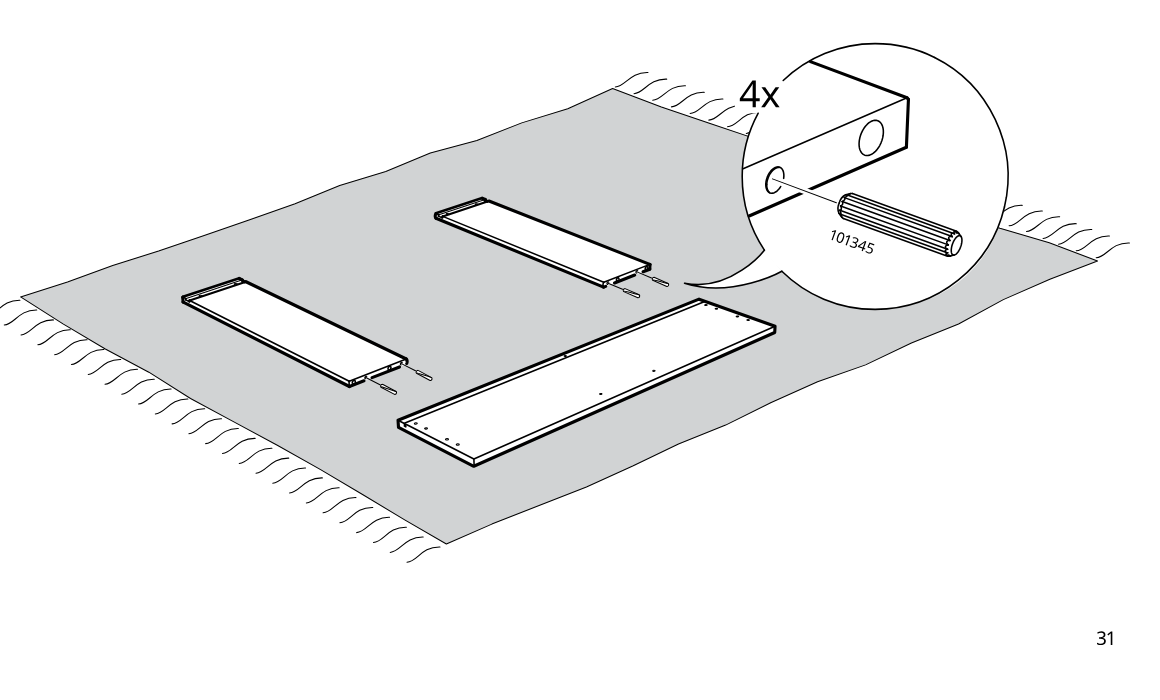
    Diagram for step 38: Four dowels (part 101345) are inserted into the panel edge holes while the drawer components are laid out on a soft surface.
  48. Step 39

    The user screws four 118331 fasteners into the base panel and positions the two side panels for assembly.
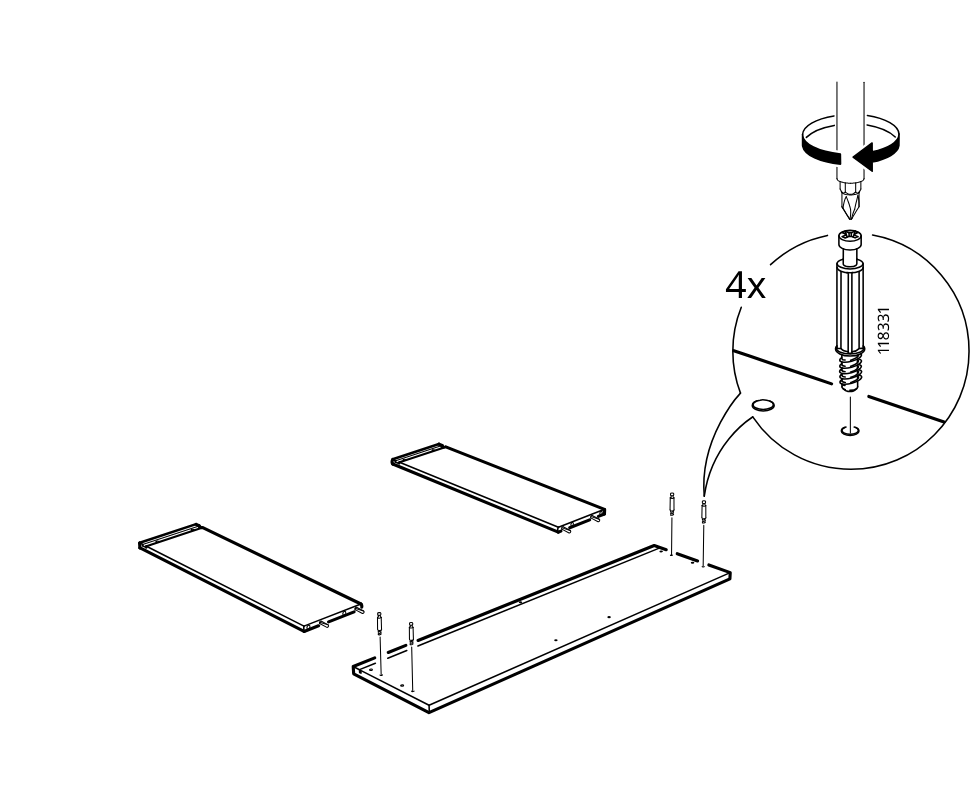
    Diagram for step 39: The user screws four 118331 fasteners into the base panel and positions the two side panels for assembly.
  49. Step 40

    The two upright side panels are lowered onto the installed fasteners on the base, aligning with the indicated orientation.
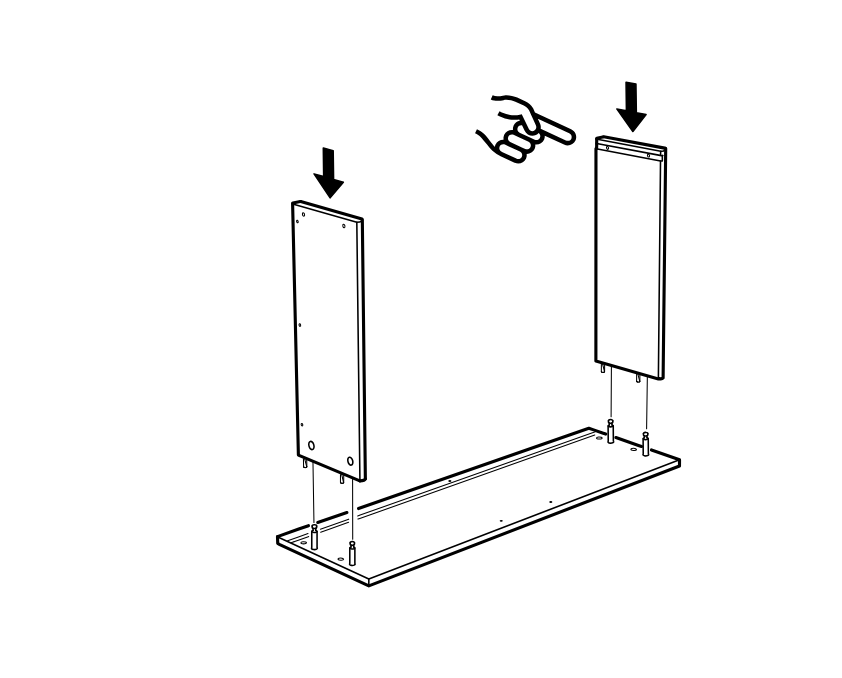
    Diagram for step 40: The two upright side panels are lowered onto the installed fasteners on the base, aligning with the indicated orientation.
  50. Step 41

    Insert and lock four cam fittings into the side panels on the base, following the orientation shown in the zoom callouts.
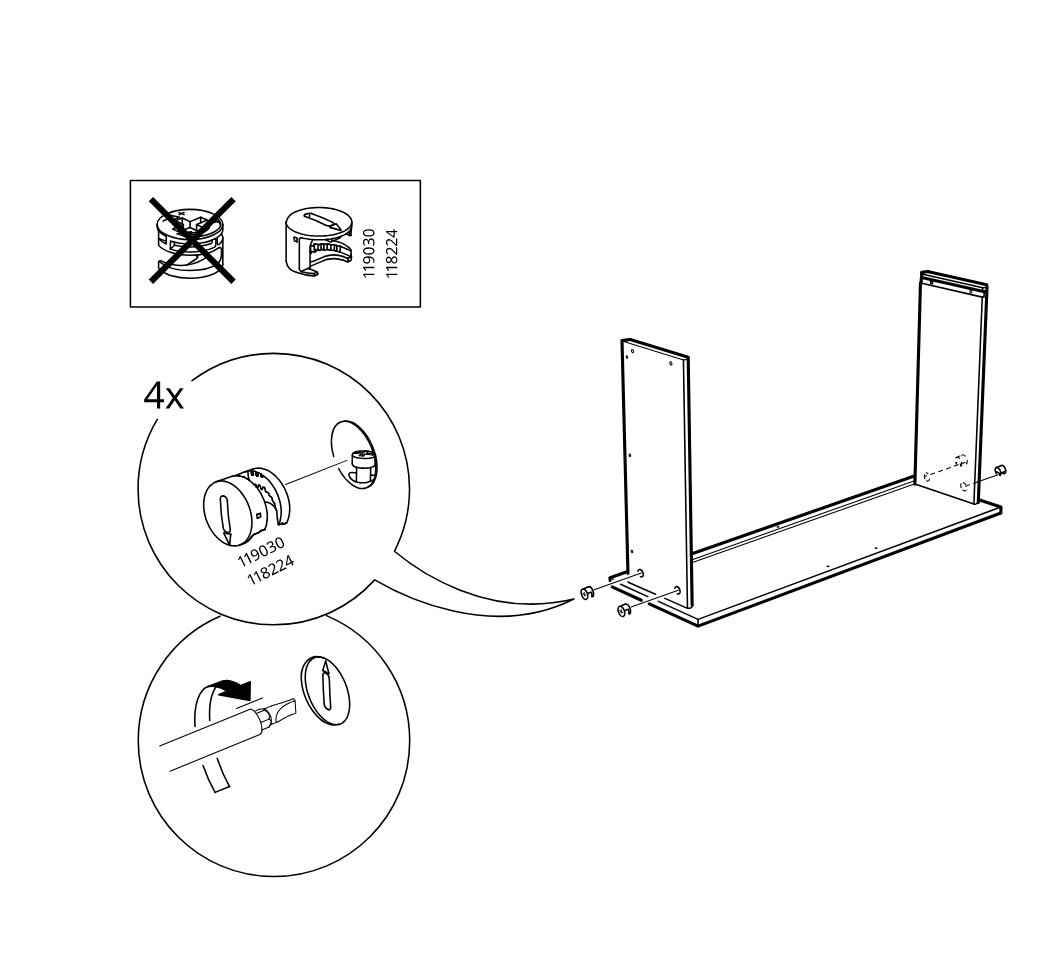
    Diagram for step 41: Insert and lock four cam fittings into the side panels on the base, following the orientation shown in the zoom callouts.
  51. Step 42

    Slide the large back panel downward into the grooves between the two side panels and base.
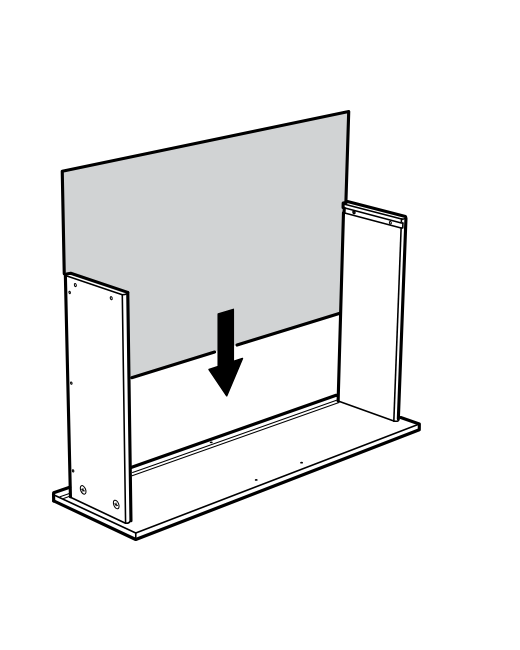
    Diagram for step 42: Slide the large back panel downward into the grooves between the two side panels and base.
  52. Step 43

    Place the top panel onto the assembly, aligning it with the side panels as indicated by the curved arrow.
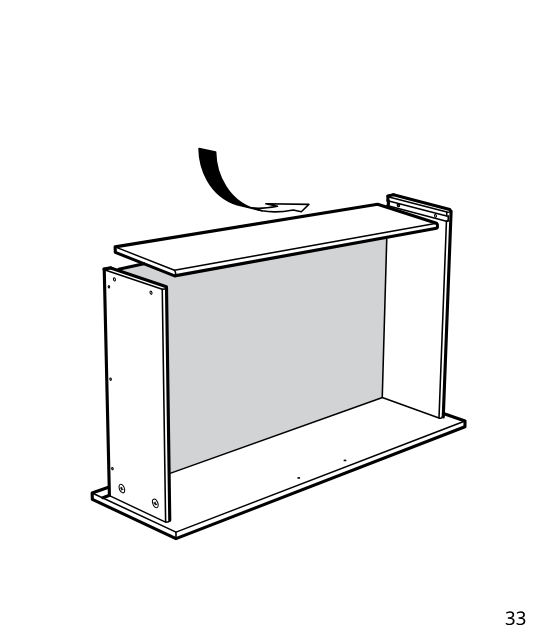
    Diagram for step 43: Place the top panel onto the assembly, aligning it with the side panels as indicated by the curved arrow.
  53. Step 44

    The screws 110519 are inserted into the side panel holes and tightened with a hammer-assisted fit, four times, to secure the cabinet frame.
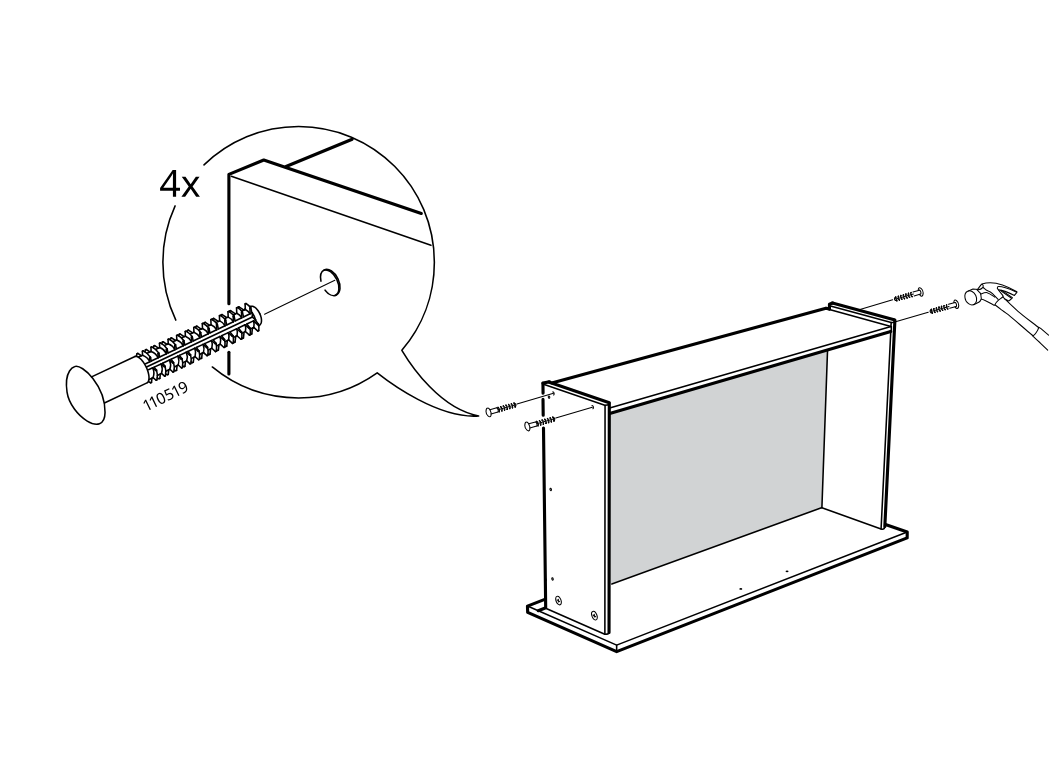
    Diagram for step 44: The screws 110519 are inserted into the side panel holes and tightened with a hammer-assisted fit, four times, to secure the cabinet frame.
  54. Step 45

    The drawer is aligned onto the rails and lowered into place, then six screws 100365 are used (with 100359 excluded and 100365 confirmed) to fasten the drawer slide connection.
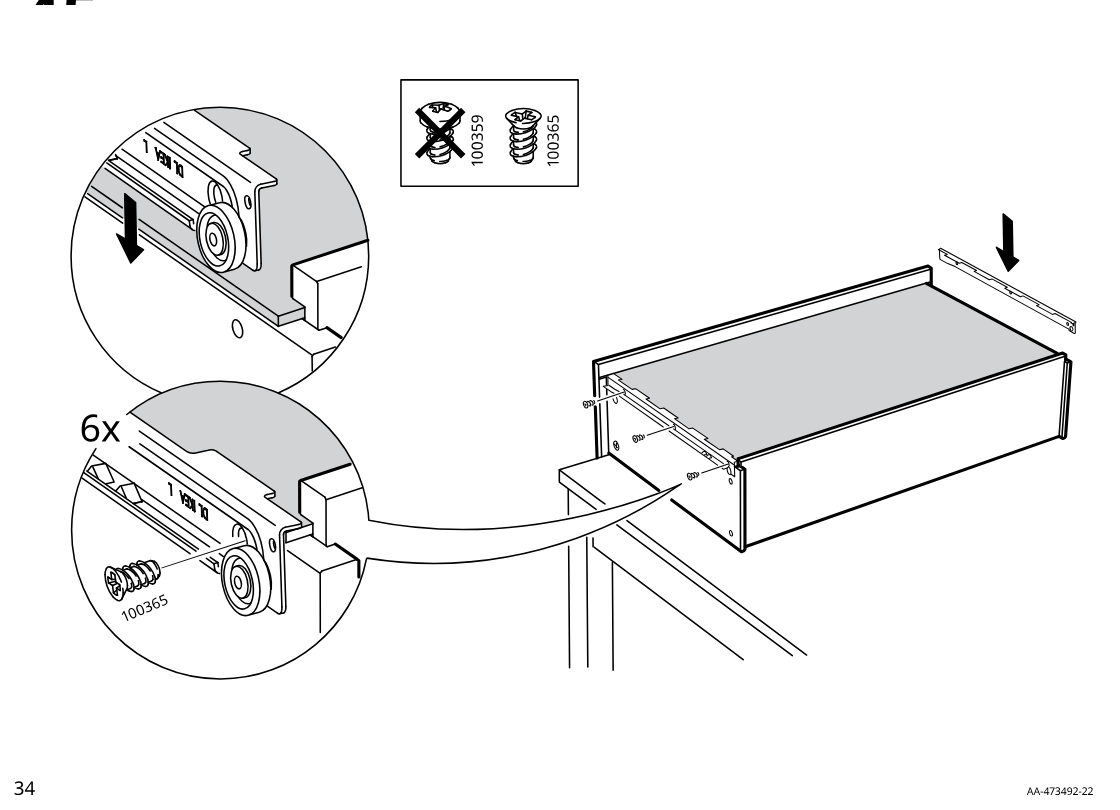
    Diagram for step 45: The drawer is aligned onto the rails and lowered into place, then six screws 100365 are used (with 100359 excluded and 100365 confirmed) to fasten the drawer slide connection.
  55. Step 46

    The drawer base is fitted with the rail/bracket piece and secured with one screw on each side as shown in the sequence of zoomed callouts.
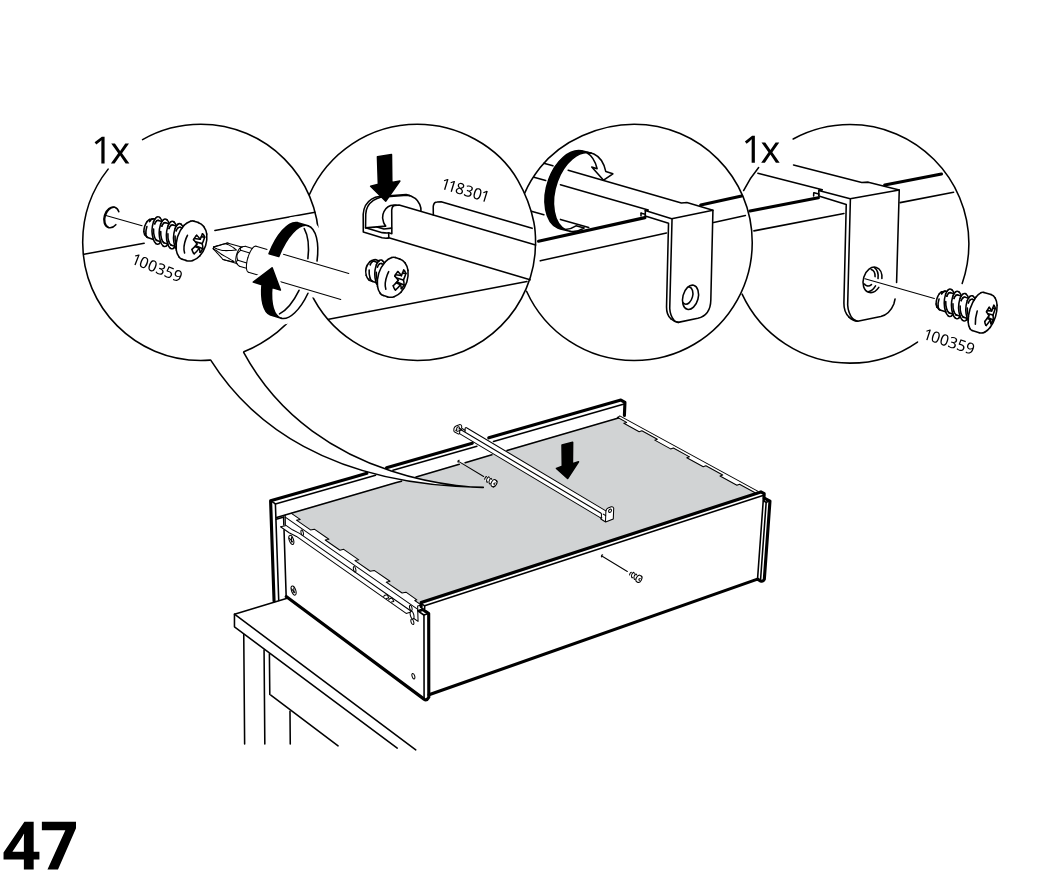
    Diagram for step 46: The drawer base is fitted with the rail/bracket piece and secured with one screw on each side as shown in the sequence of zoomed callouts.
  56. Step 47

    Two screws are driven through the drawer front area into the side/front connection points, with the screw orientation and target edge shown in the zoom callout.
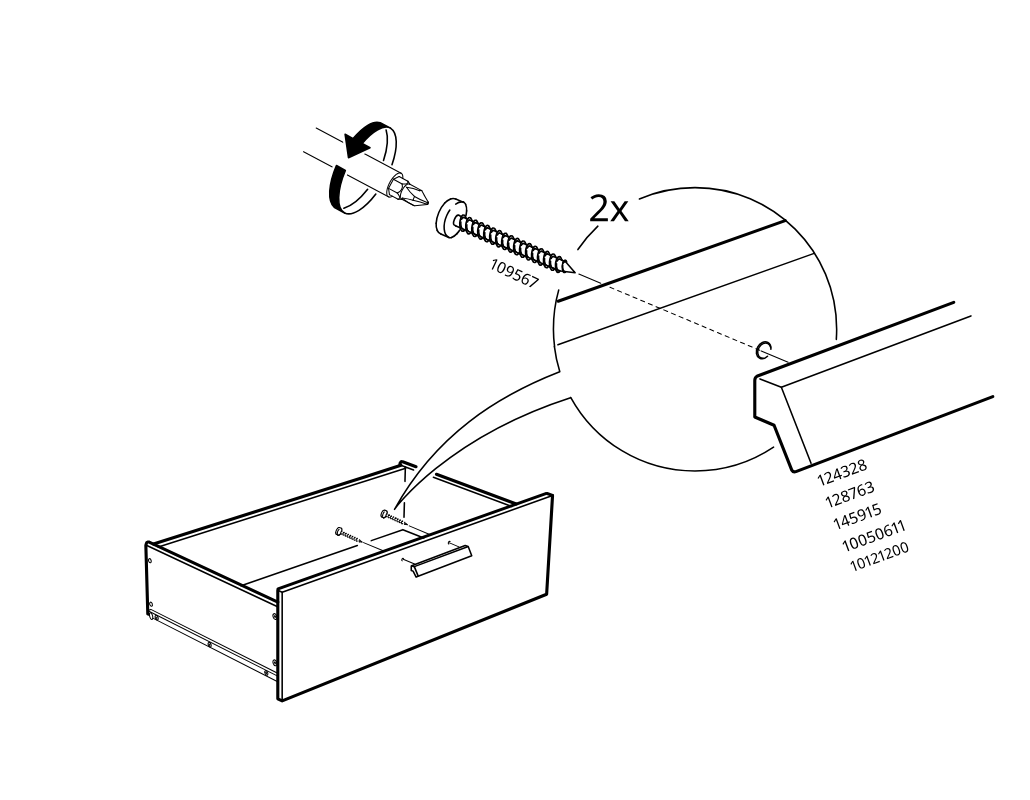
    Diagram for step 47: Two screws are driven through the drawer front area into the side/front connection points, with the screw orientation and target edge shown in the zoom callout.
  57. Step 48

    The drawer is shown being pulled out from the bed base.
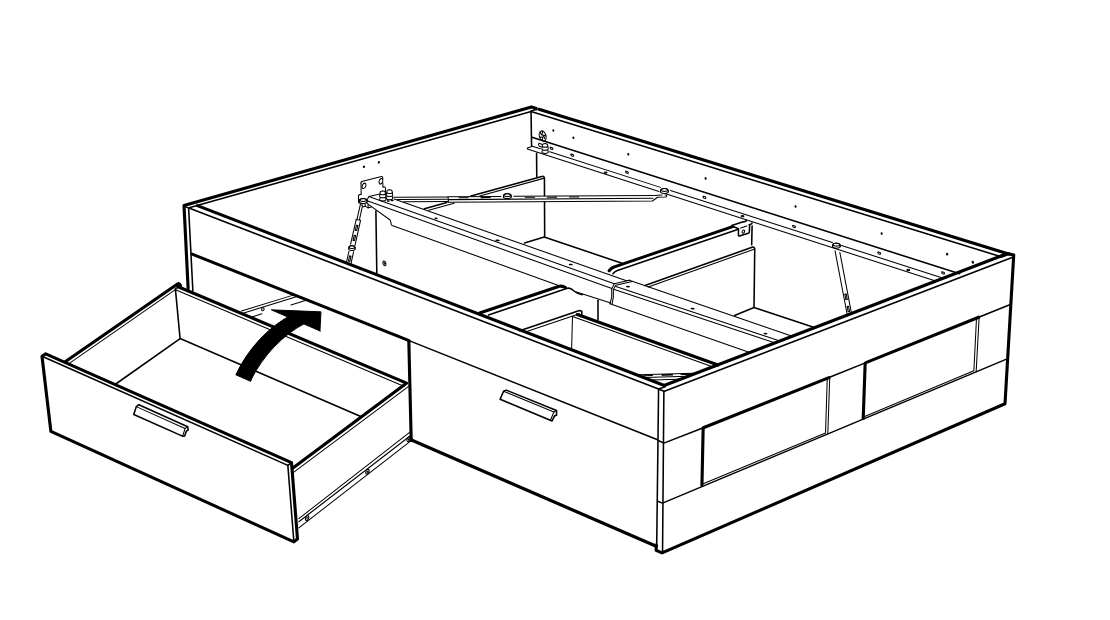
    Diagram for step 48: The drawer is shown being pulled out from the bed base.
  58. Before you begin

    A caution panel shows that stepping into or onto the open drawer is not allowed.
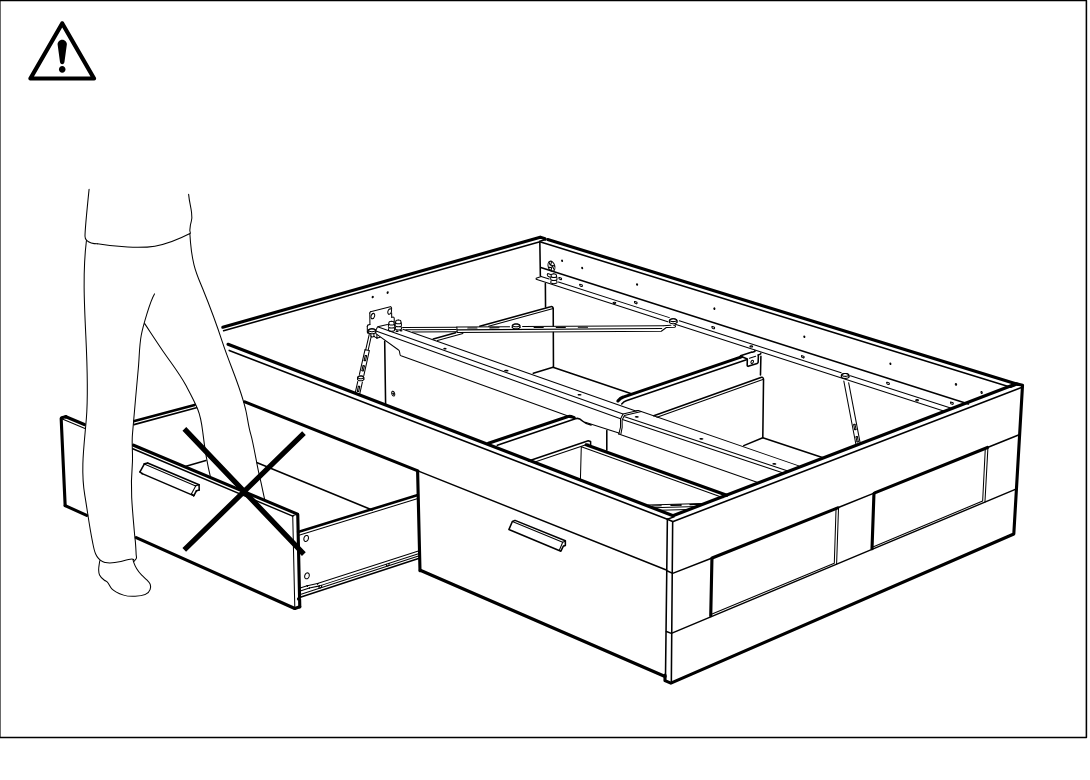
    Illustration for assembly note: A caution panel shows that stepping into or onto the open drawer is not allowed.
BRIMNES Headboard with storage compartment

  1. Before you begin

    Full-page multilingual anti-tip-over safety warning stating that furniture must be fixed to the wall and that wall screws/plugs are not included.

    Illustration for assembly note: Full-page multilingual anti-tip-over safety warning stating that furniture must be fixed to the wall and that wall screws/plugs are not included.
  2. Before you begin

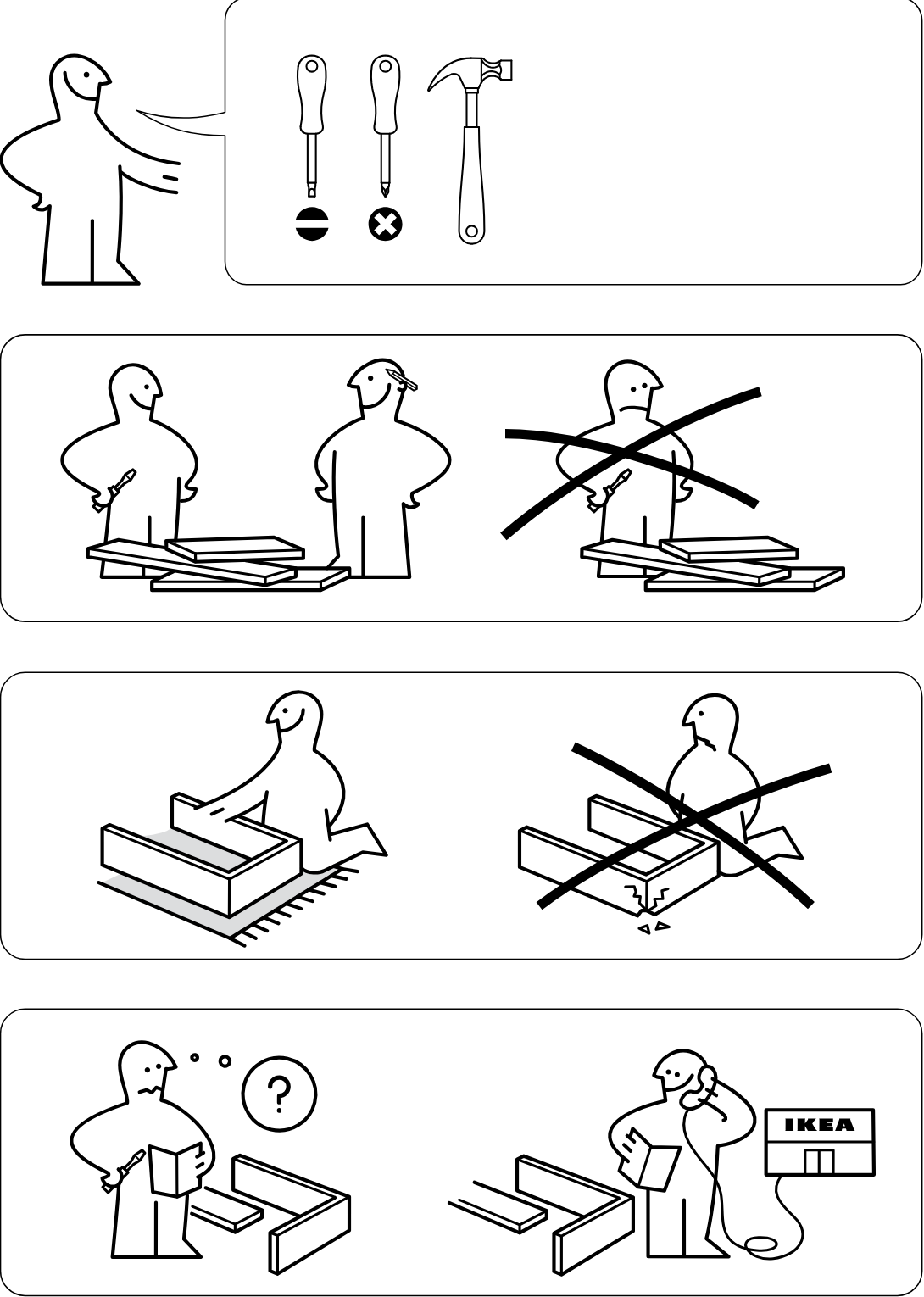
    Preparation and safety guidance panels show required tools, recommended two-person assembly, assembling on a soft surface, and consulting instructions or contacting IKEA support if unsure.

    Illustration for assembly note: Preparation and safety guidance panels show required tools, recommended two-person assembly, assembling on a soft surface, and consulting instructions or contacting IKEA support if unsure.
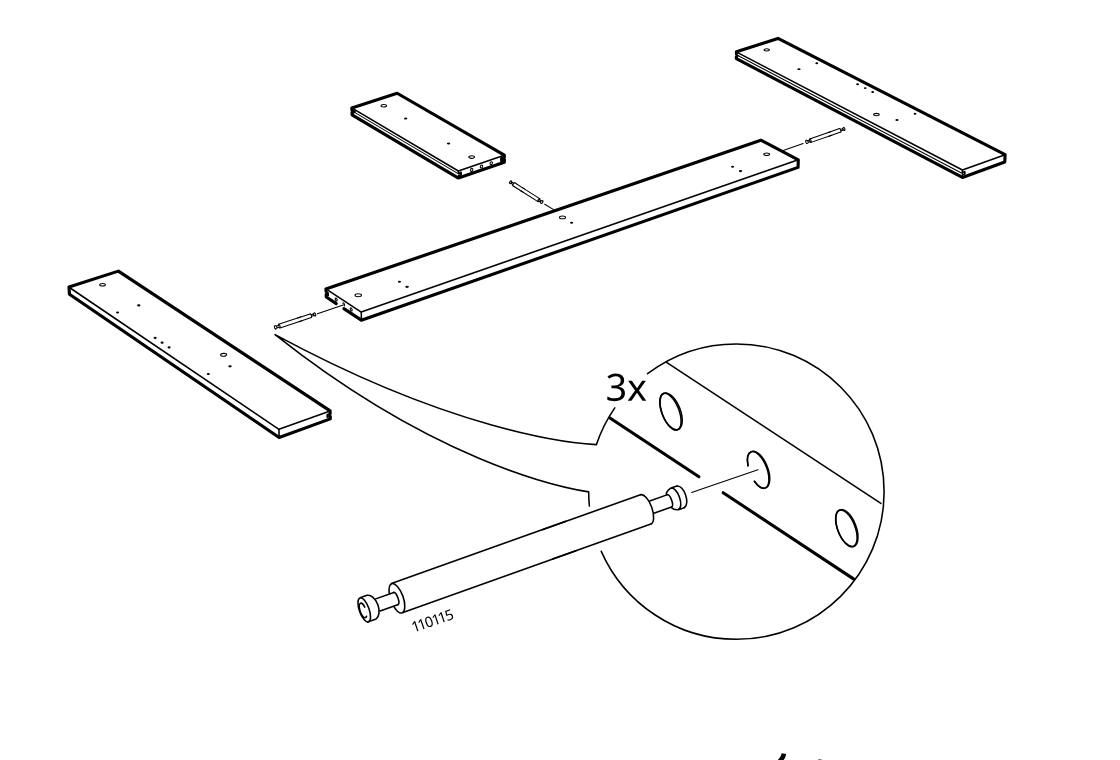
  3. Step 1

    Three connector bolts (110115) are inserted into the center long panel, then the side boards are aligned for joining as shown in the zoom detail.

    Diagram for step 1: Three connector bolts (110115) are inserted into the center long panel, then the side boards are aligned for joining as shown in the zoom detail.
  4. Step 2

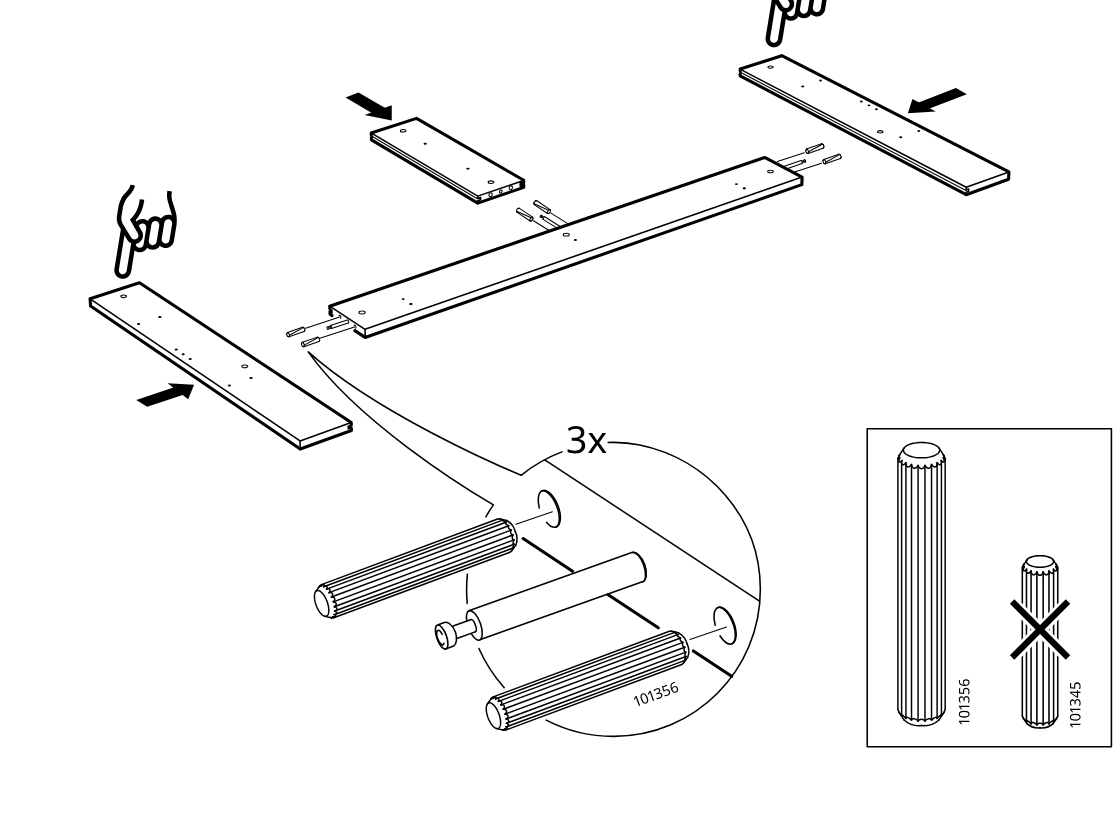
    Three ribbed dowels (101356) and one connector bolt are placed at each joint, and the side boards are pushed inward onto the center panel in the indicated orientation.

    Diagram for step 2: Three ribbed dowels (101356) and one connector bolt are placed at each joint, and the side boards are pushed inward onto the center panel in the indicated orientation.
  5. Step 3

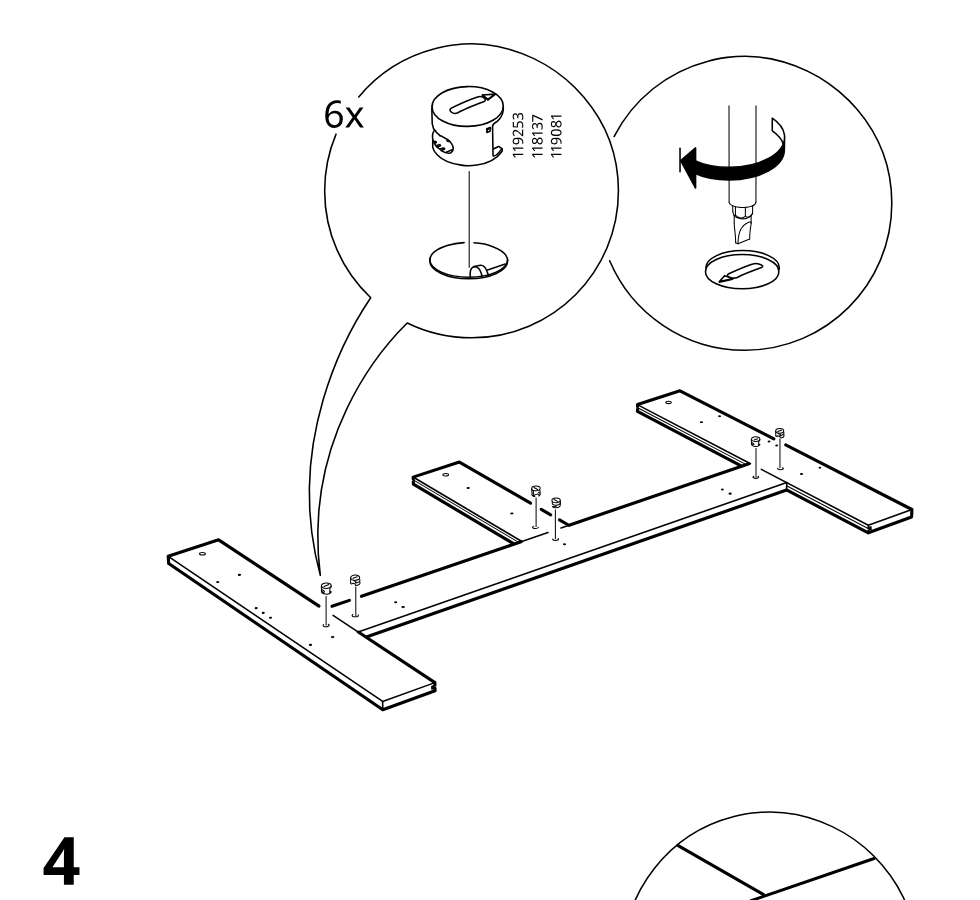
    Six cam locks are inserted into the predrilled holes and then tightened with a screwdriver to secure the cross pieces to the long board.

    Diagram for step 3: Six cam locks are inserted into the predrilled holes and then tightened with a screwdriver to secure the cross pieces to the long board.
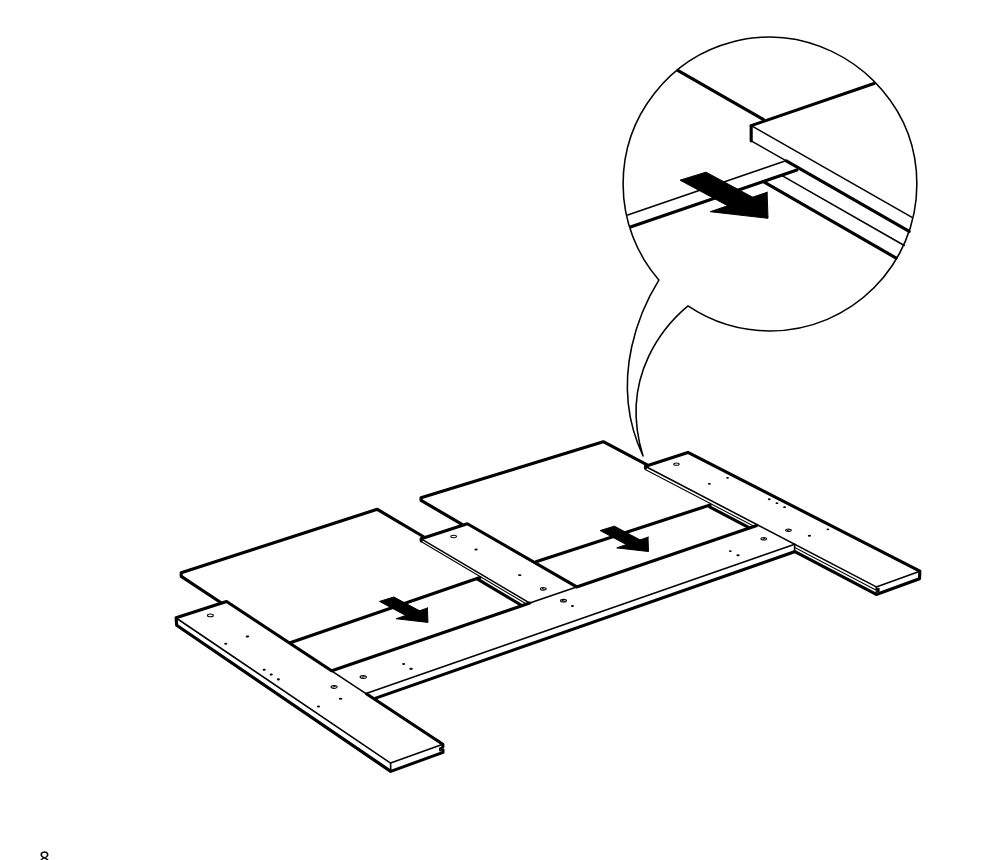
  6. Step 4

    The panel sections are slid inward along the grooves between the frame boards, as indicated by the arrows and the zoom detail.

    Diagram for step 4: The panel sections are slid inward along the grooves between the frame boards, as indicated by the arrows and the zoom detail.
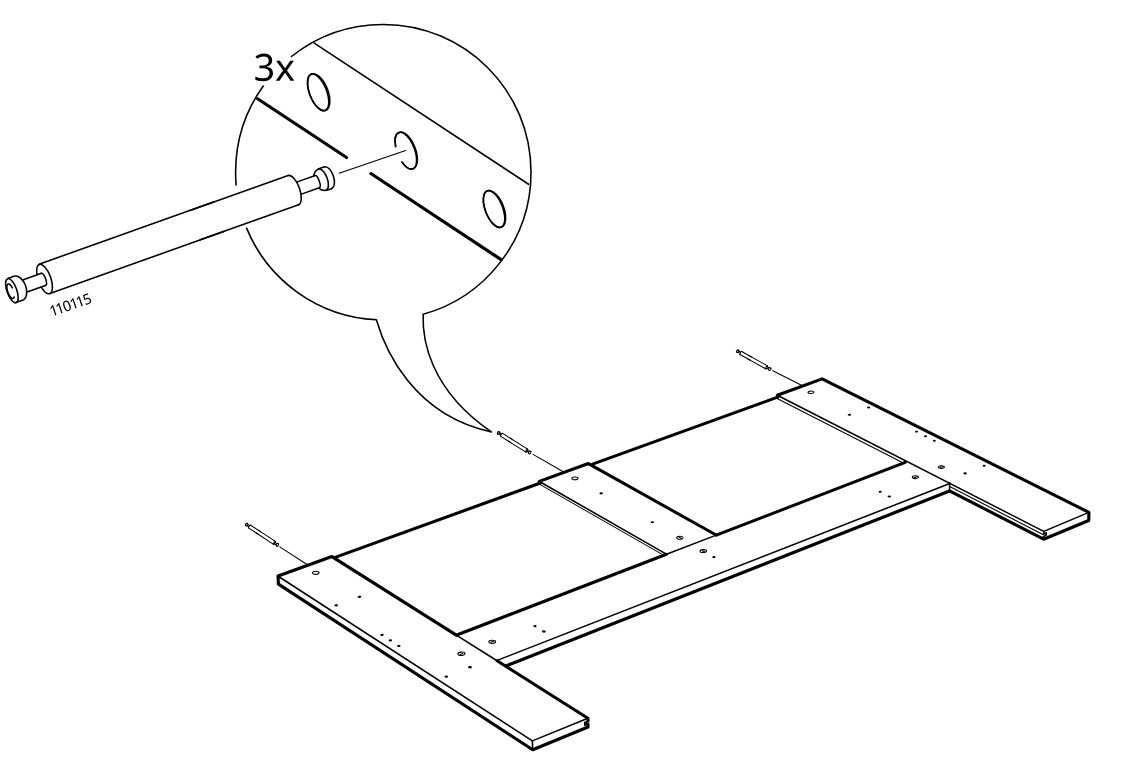
  7. Step 5

    Insert three cam pins (110115) into the predrilled holes of the frame assembly as shown in the zoom callout.

    Diagram for step 5: Insert three cam pins (110115) into the predrilled holes of the frame assembly as shown in the zoom callout.
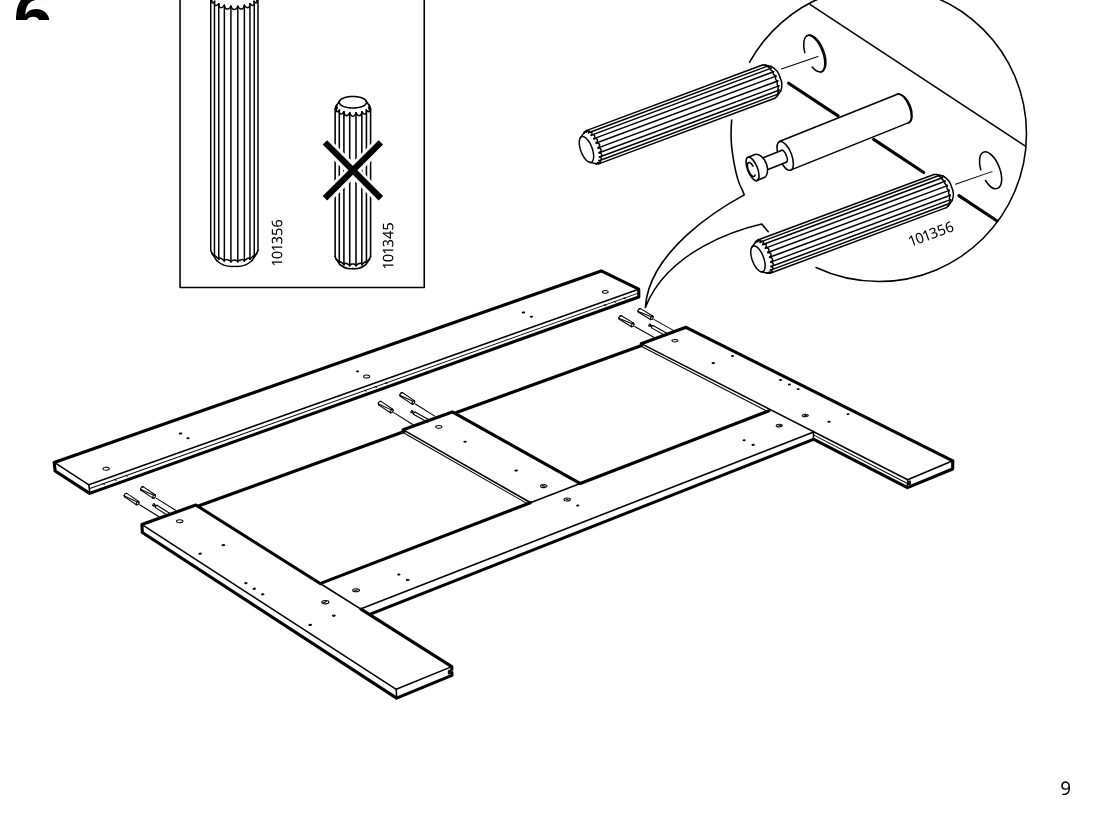
  8. Step 6

    Place the long rail onto the assembly and insert three long dowels (101356), not the short dowels (101345), into the indicated holes with the cam pin in the center.

    Diagram for step 6: Place the long rail onto the assembly and insert three long dowels (101356), not the short dowels (101345), into the indicated holes with the cam pin in the center.
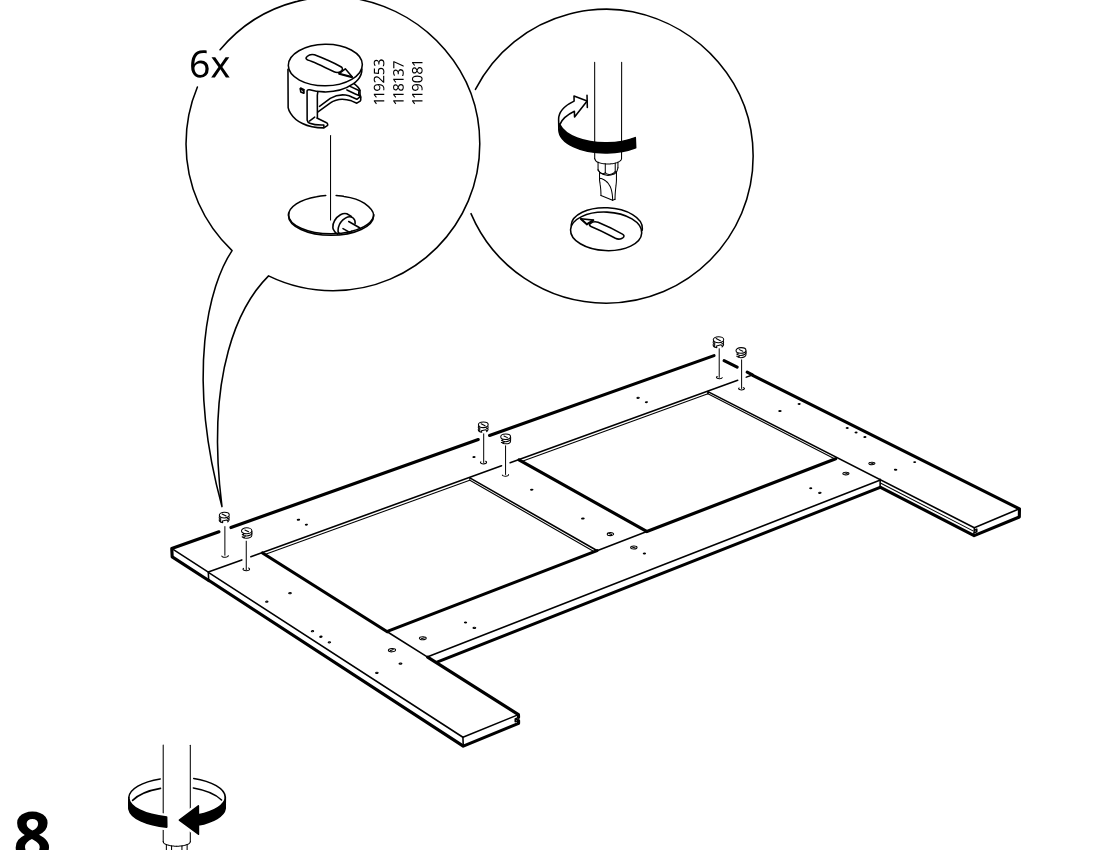
  9. Step 7

    The cam locks are inserted into the predrilled holes and turned with a screwdriver to lock them into the panel.

    Diagram for step 7: The cam locks are inserted into the predrilled holes and turned with a screwdriver to lock them into the panel.
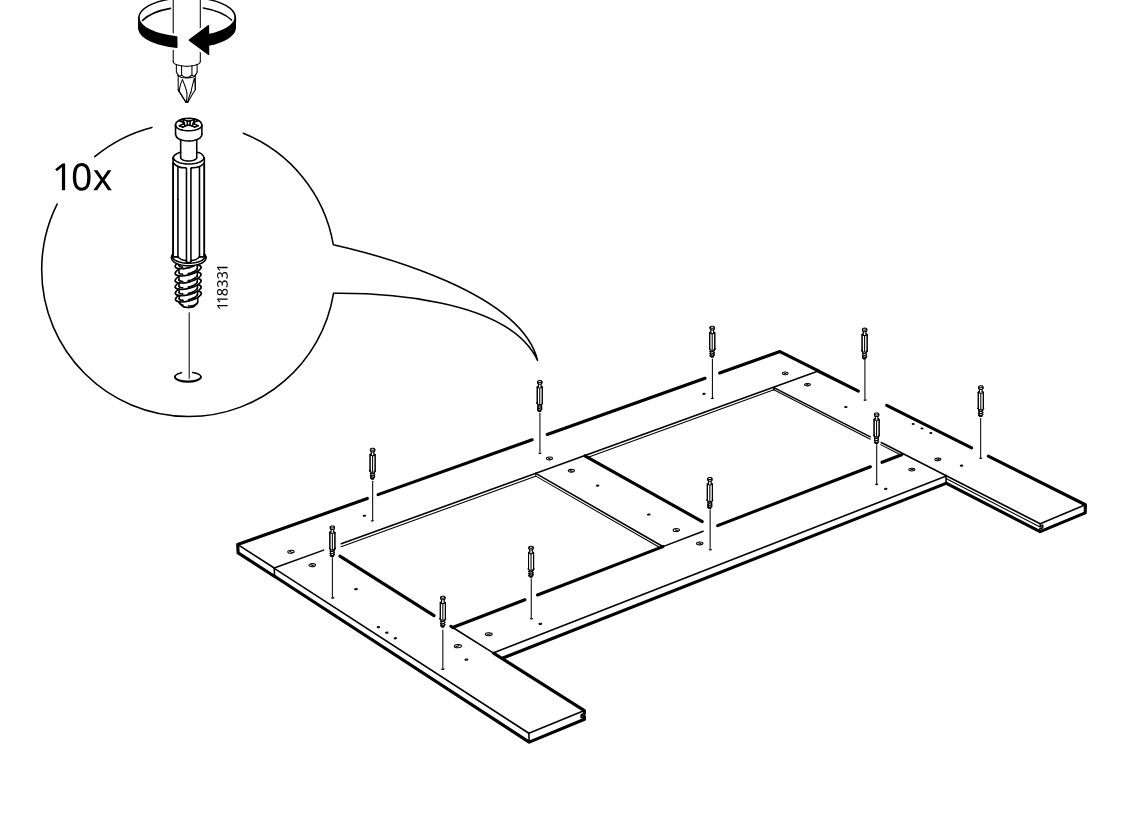
  10. Step 8

    Ten threaded connector bolts are screwed into the marked holes across the panel using a screwdriver.

    Diagram for step 8: Ten threaded connector bolts are screwed into the marked holes across the panel using a screwdriver.
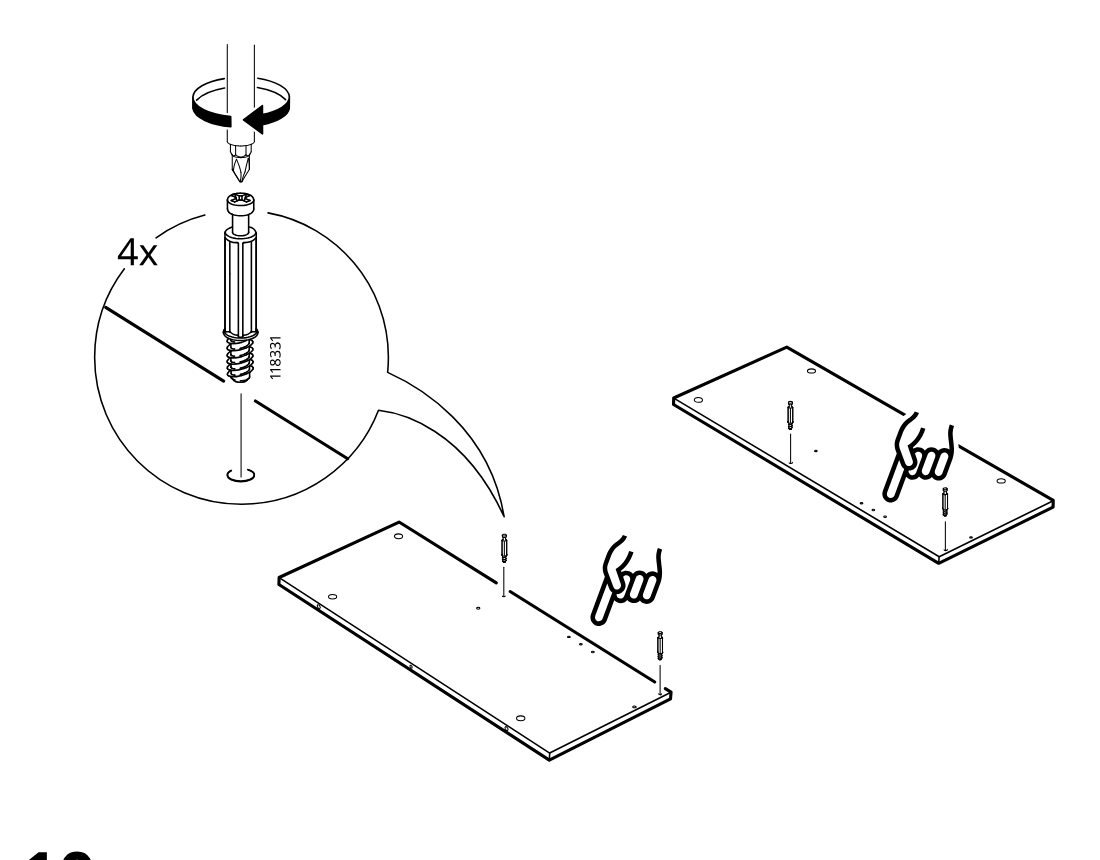
  11. Step 9

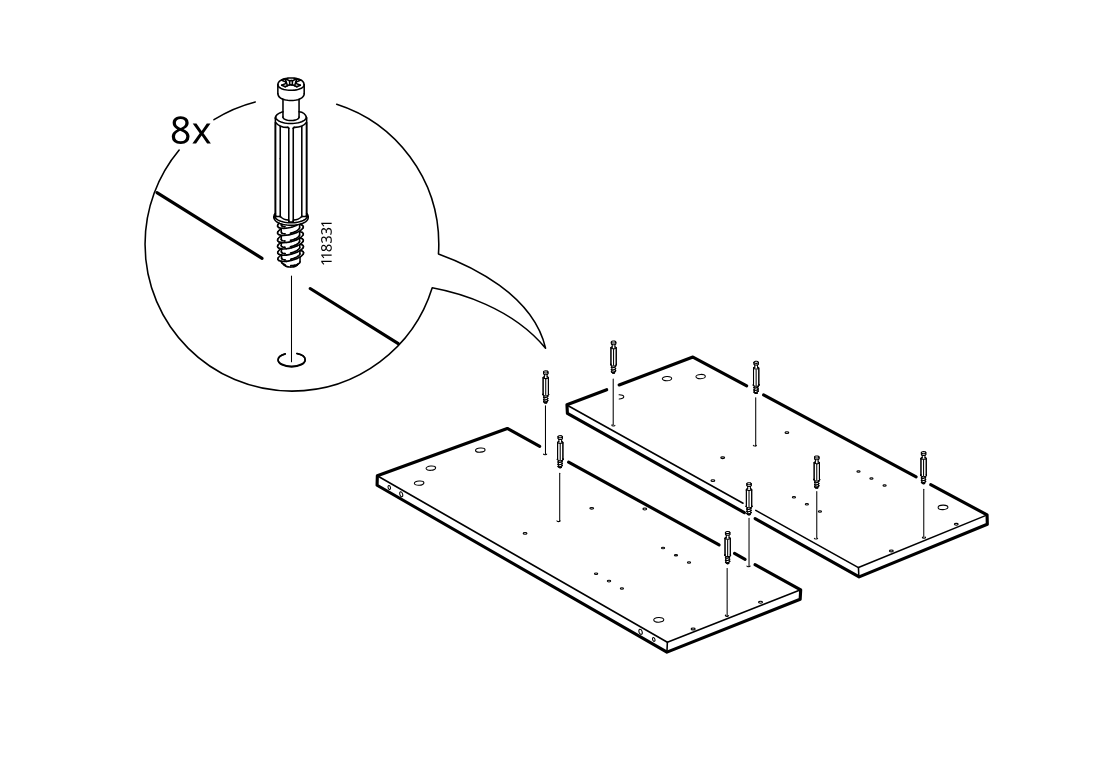
    The user screws four cam bolts (118331) into the marked holes on the large panel, using the finger-indicated positions shown in the two board views.

    Diagram for step 9: The user screws four cam bolts (118331) into the marked holes on the large panel, using the finger-indicated positions shown in the two board views.
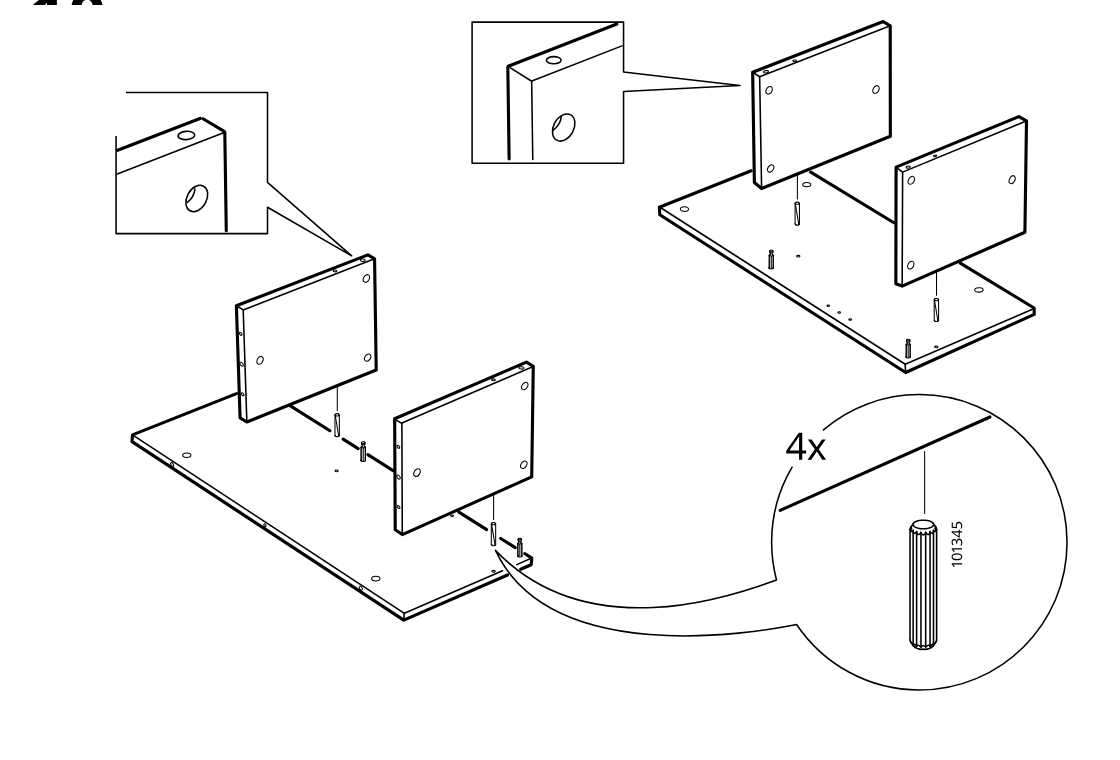
  12. Step 10

    The user inserts four wooden dowels (101345) and positions two vertical side panels onto the base panel, aligning edges and hole orientation as shown in the zoom callouts.

    Diagram for step 10: The user inserts four wooden dowels (101345) and positions two vertical side panels onto the base panel, aligning edges and hole orientation as shown in the zoom callouts.
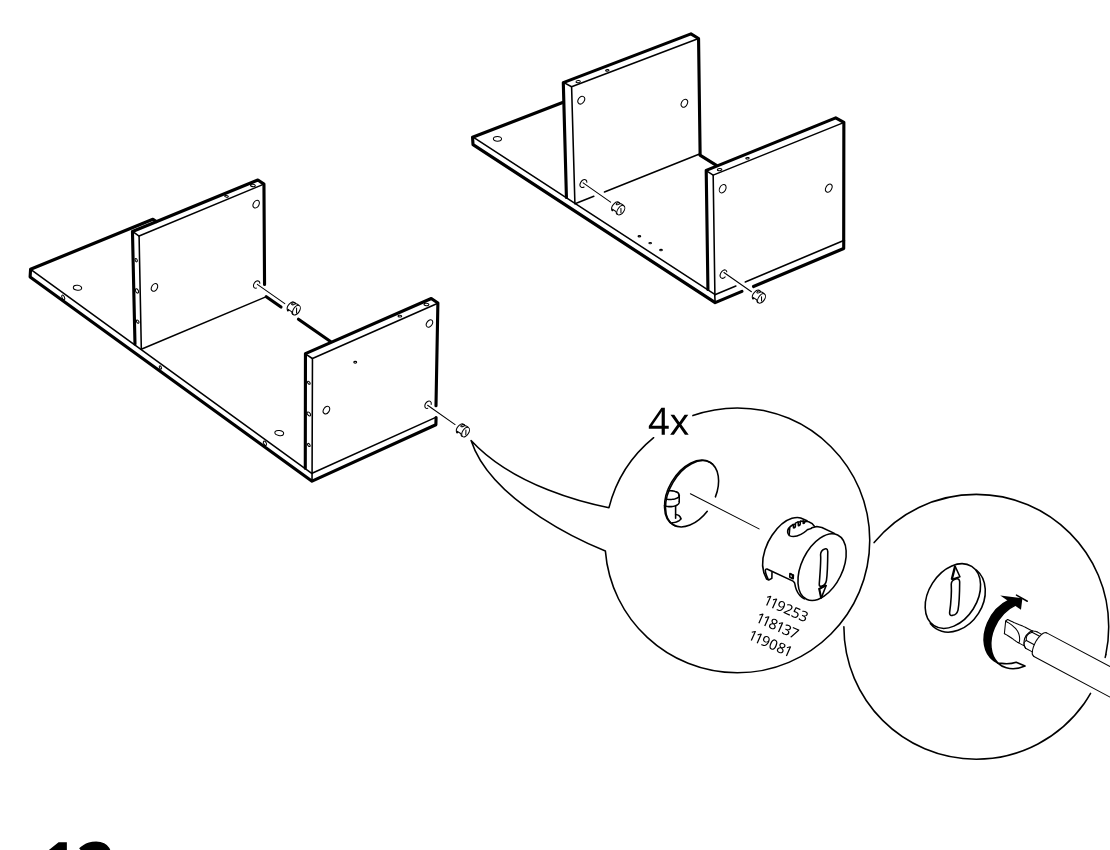
  13. Step 11

    Two side panels are positioned onto the base panel and four cam locks are inserted and tightened as shown in the zoom callouts.

    Diagram for step 11: Two side panels are positioned onto the base panel and four cam locks are inserted and tightened as shown in the zoom callouts.
  14. Step 12

    Eight screws are installed into the indicated holes across the two large panels, with the screw type shown in the zoom inset.

    Diagram for step 12: Eight screws are installed into the indicated holes across the two large panels, with the screw type shown in the zoom inset.
  15. Step 13

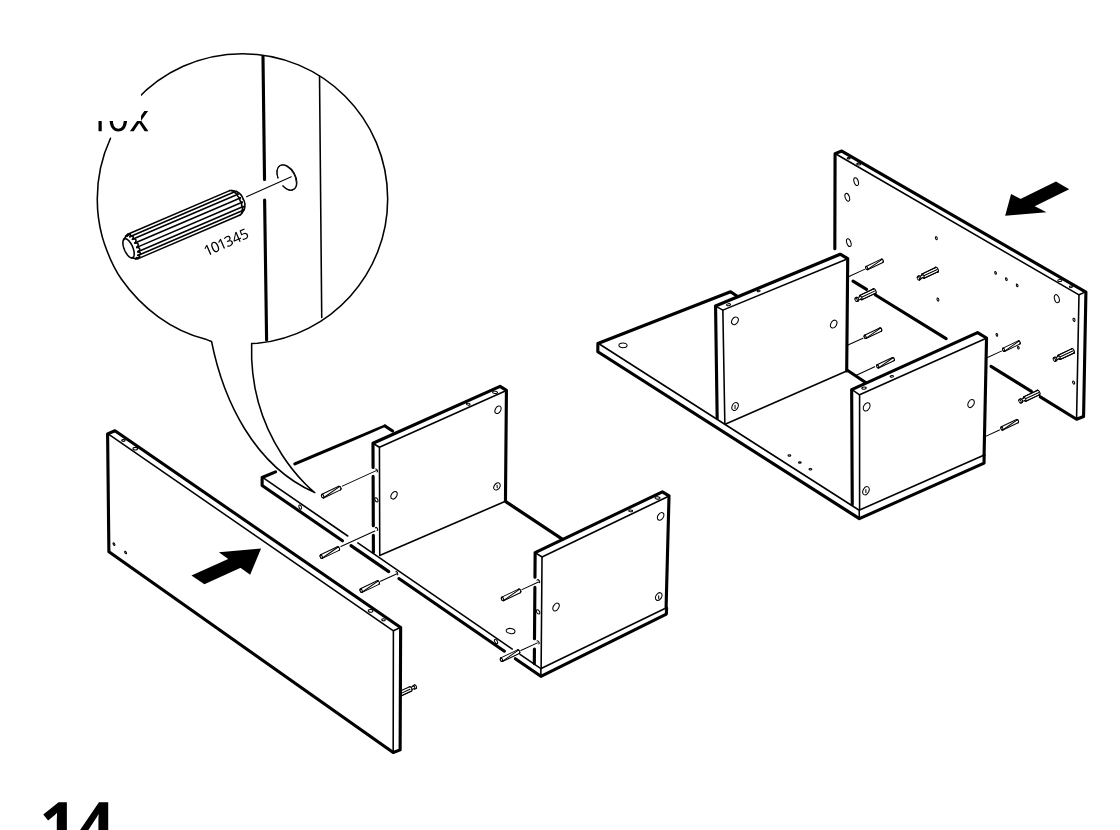
    Insert ten dowels into the side and divider panels, then slide on the outer side panels from both left and right as shown.

    Diagram for step 13: Insert ten dowels into the side and divider panels, then slide on the outer side panels from both left and right as shown.
  16. Step 14

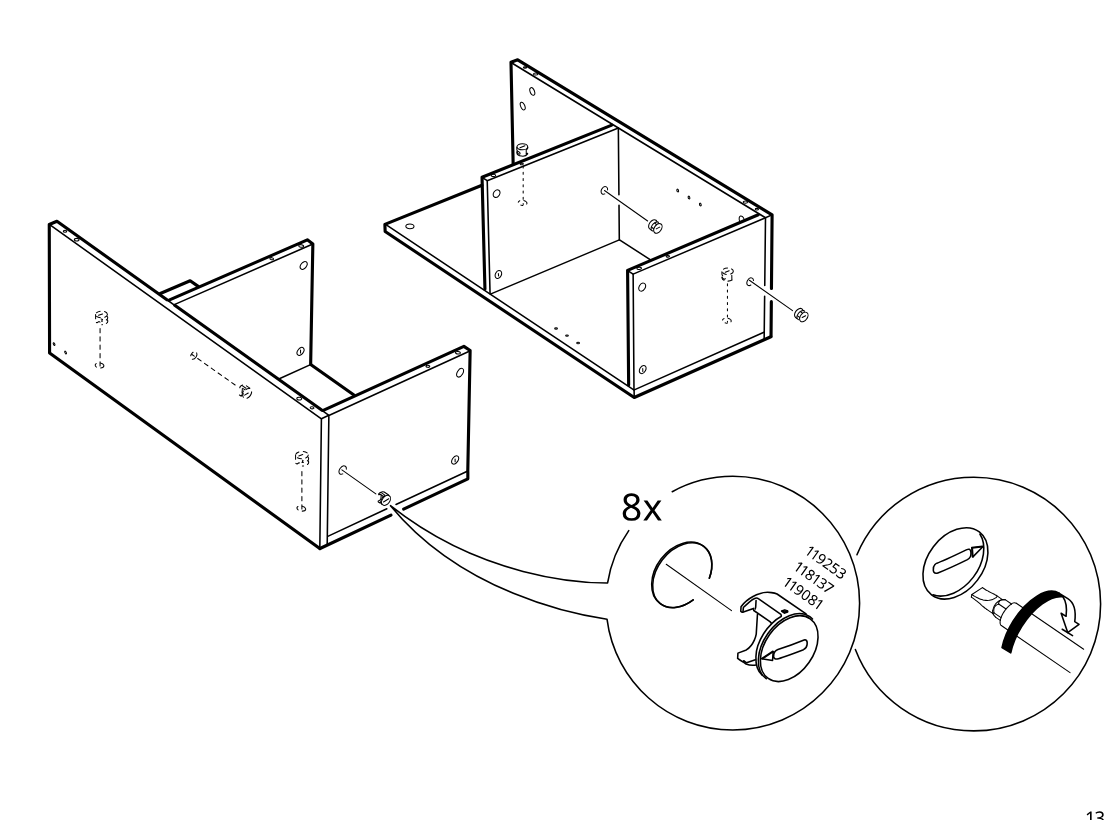
    Install and turn eight cam locks into the predrilled holes to secure the joined panels.

    Diagram for step 14: Install and turn eight cam locks into the predrilled holes to secure the joined panels.
  17. Step 15

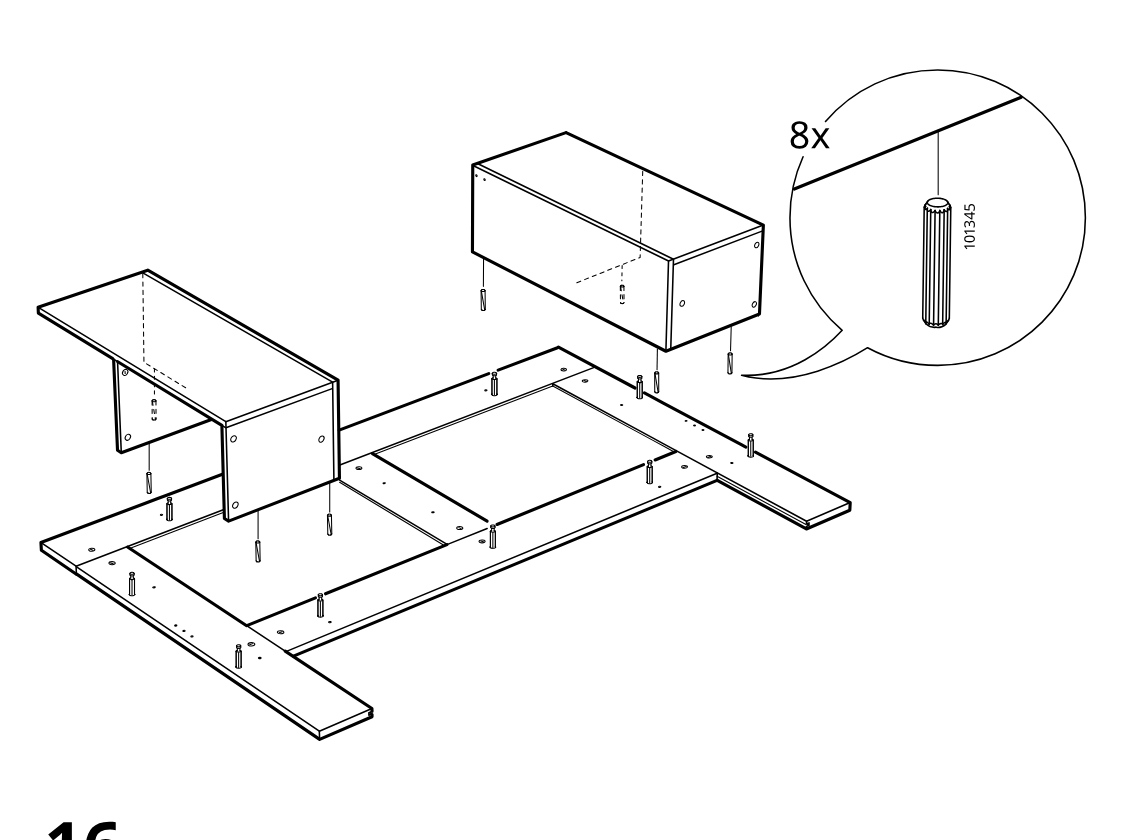
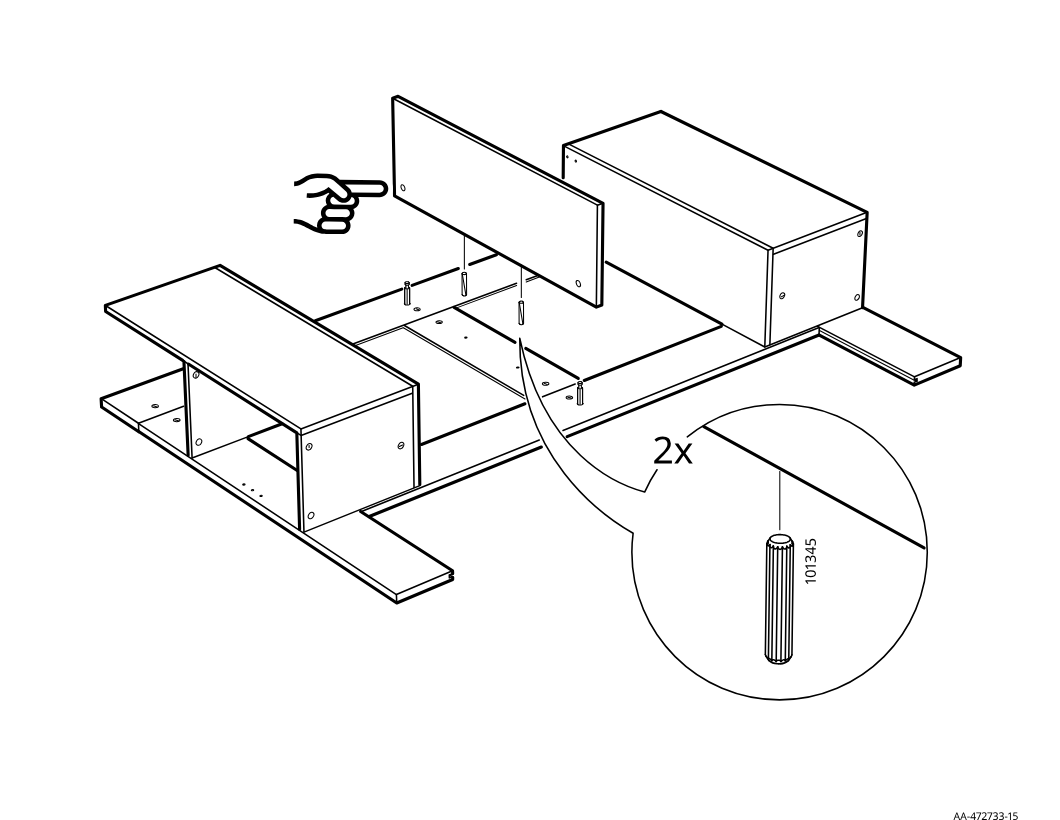
    The side assemblies are positioned onto the base panels and eight dowels (101345) are inserted as indicated in the zoom callout.

    Diagram for step 15: The side assemblies are positioned onto the base panels and eight dowels (101345) are inserted as indicated in the zoom callout.
  18. Step 16

    A central vertical panel is aligned and lowered onto the dowels between the two side assemblies, with two additional dowels (101345) highlighted in the zoom callout.

    Diagram for step 16: A central vertical panel is aligned and lowered onto the dowels between the two side assemblies, with two additional dowels (101345) highlighted in the zoom callout.
  19. Step 17

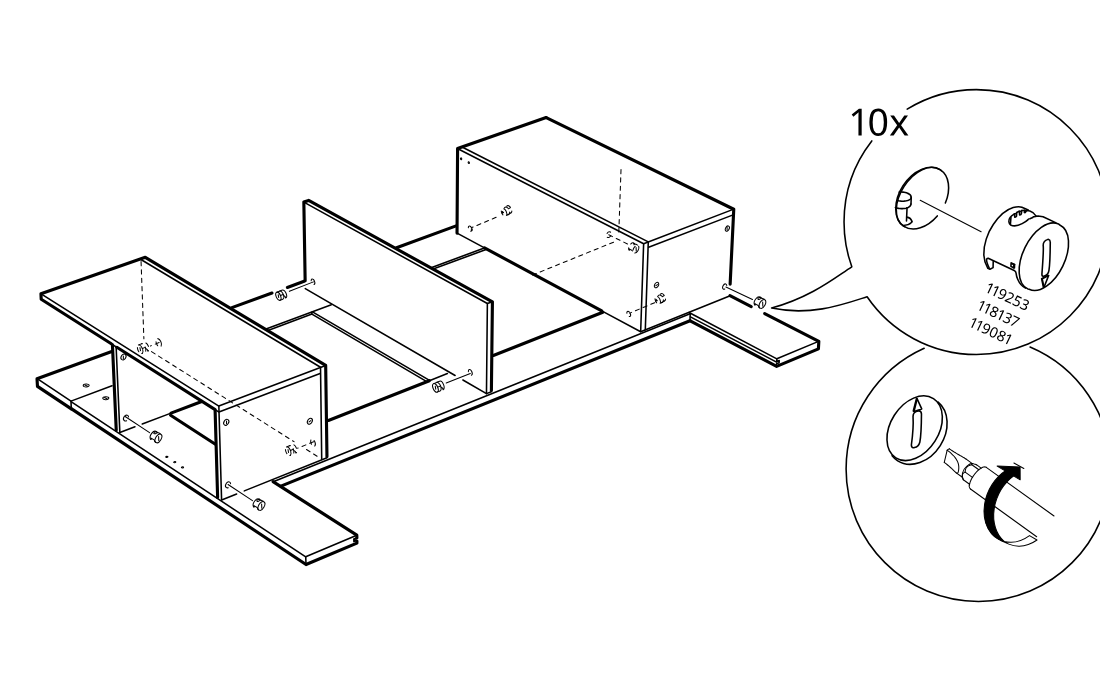
    The cam locks are inserted and turned to secure the upright panels and box section onto the base assembly.

    Diagram for step 17: The cam locks are inserted and turned to secure the upright panels and box section onto the base assembly.
  20. Step 18

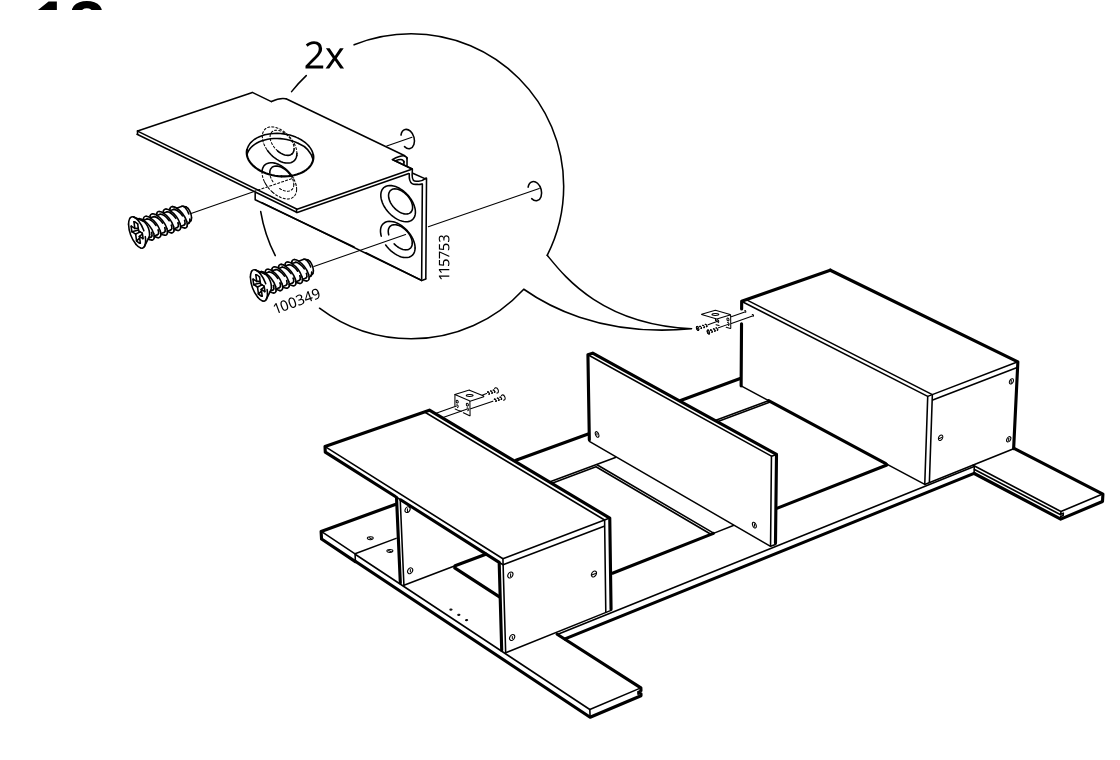
    Two small corner brackets are fixed with screws to the side panel tops and then positioned onto the assembly.

    Diagram for step 18: Two small corner brackets are fixed with screws to the side panel tops and then positioned onto the assembly.
  21. Step 19

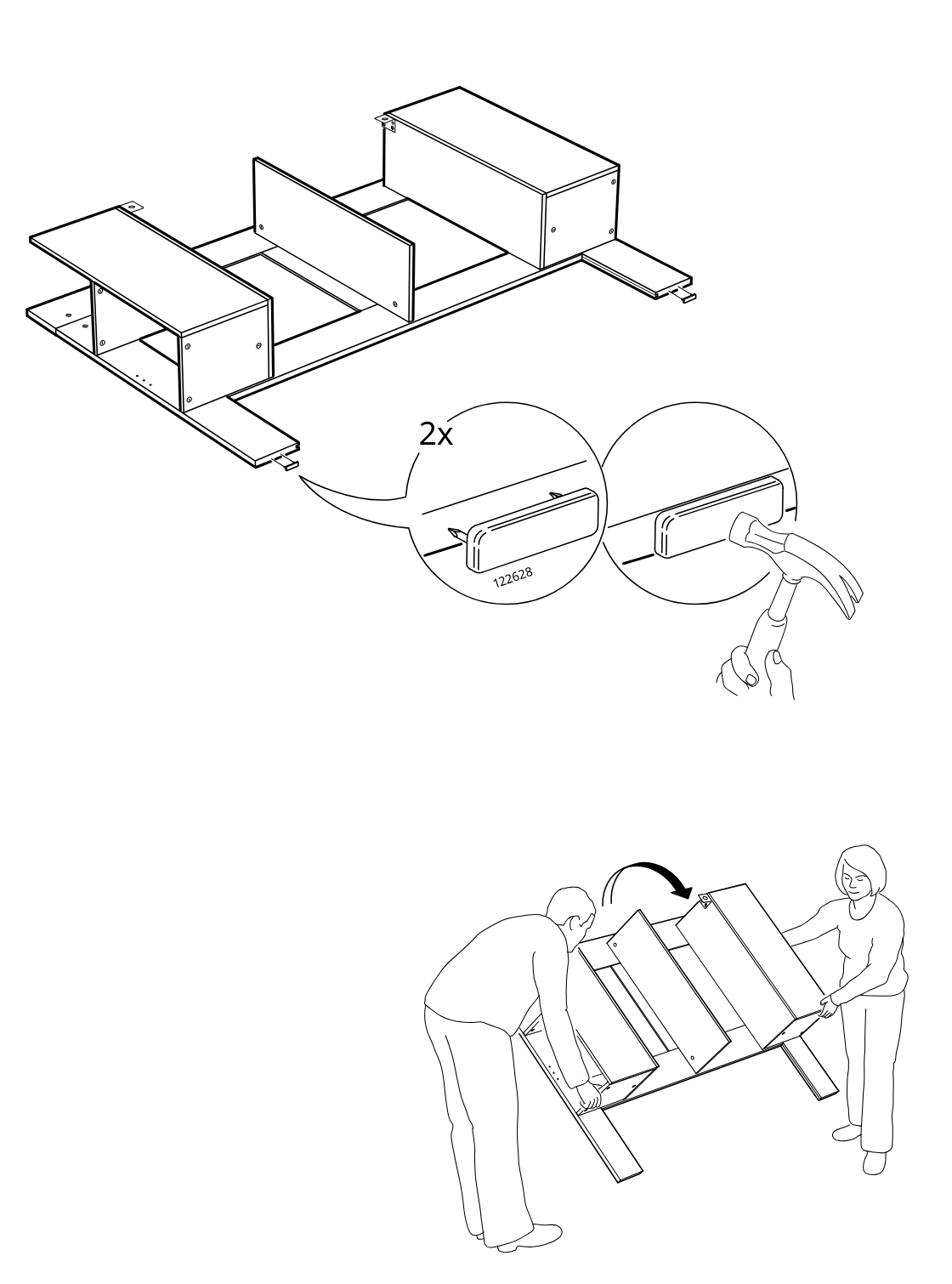
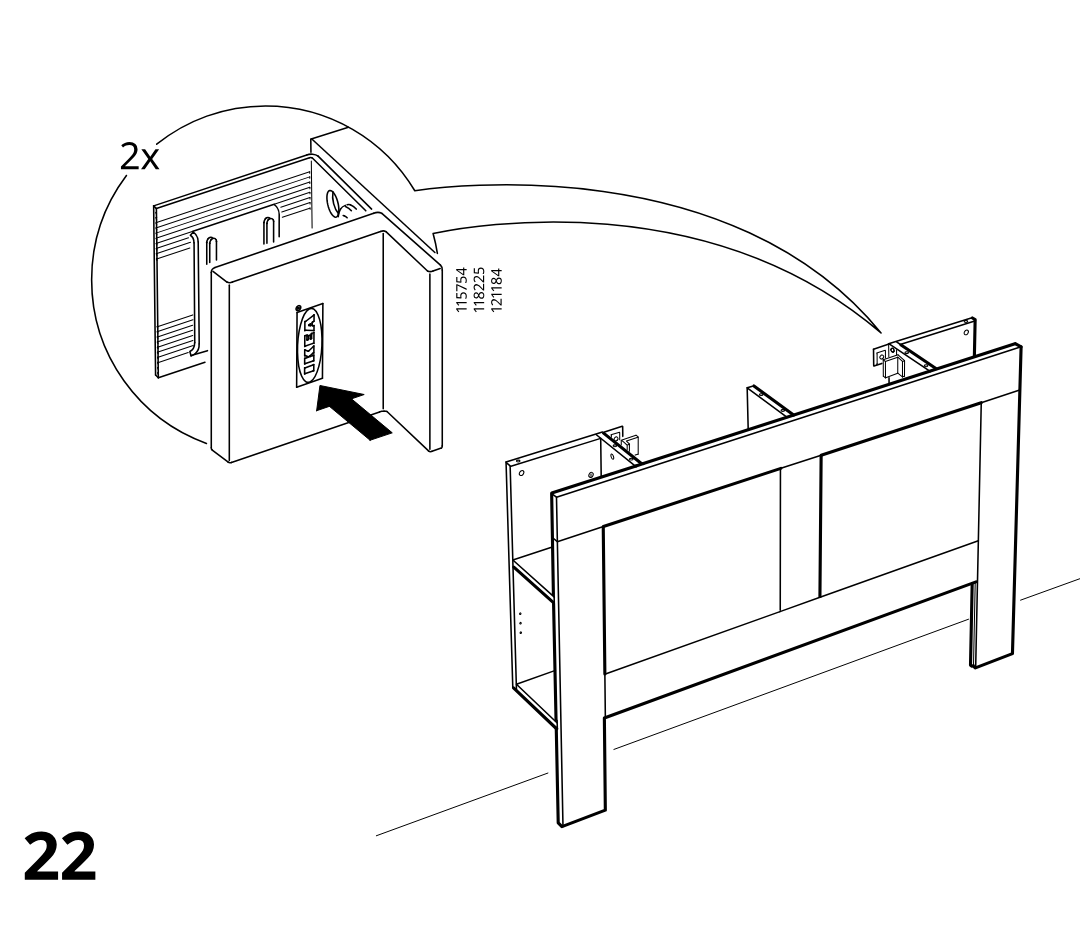
    Two people tilt the assembly upright after tapping in two 122628 edge pieces with a hammer, as shown in the zoom callouts.

    Diagram for step 19: Two people tilt the assembly upright after tapping in two 122628 edge pieces with a hammer, as shown in the zoom callouts.
  22. Step 20

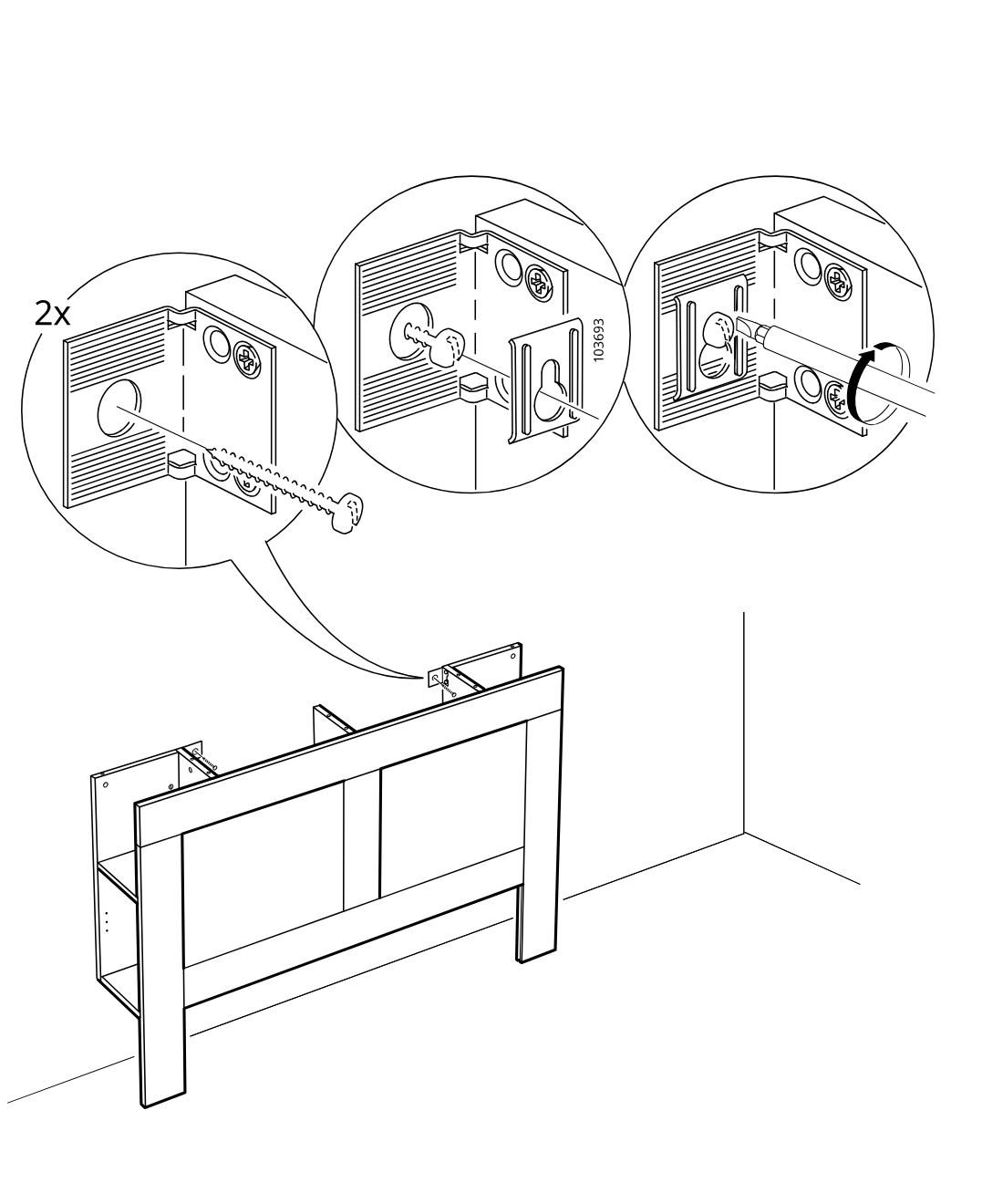
    You secure two cam fittings in the side panels, tighten them with a screwdriver as shown in the zoom callouts, and position the frame against the wall.

    Diagram for step 20: You secure two cam fittings in the side panels, tighten them with a screwdriver as shown in the zoom callouts, and position the frame against the wall.
  23. Step 21

    Two drawer-front pieces are positioned and aligned to the frame, with the callout showing the correct part orientation and insertion direction.

    Diagram for step 21: Two drawer-front pieces are positioned and aligned to the frame, with the callout showing the correct part orientation and insertion direction.
  24. Step 22

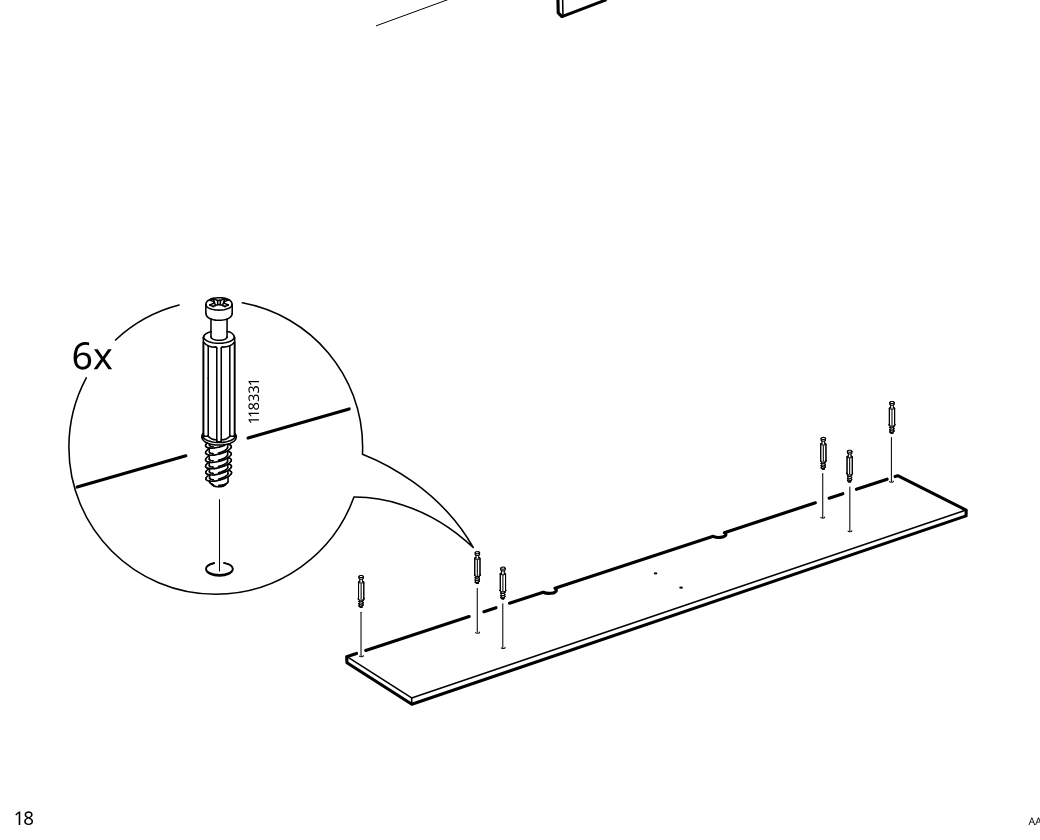
    Six cam screws (118331) are threaded into the marked holes along the long panel, as shown in the zoom callout.

    Diagram for step 22: Six cam screws (118331) are threaded into the marked holes along the long panel, as shown in the zoom callout.
  25. Step 23

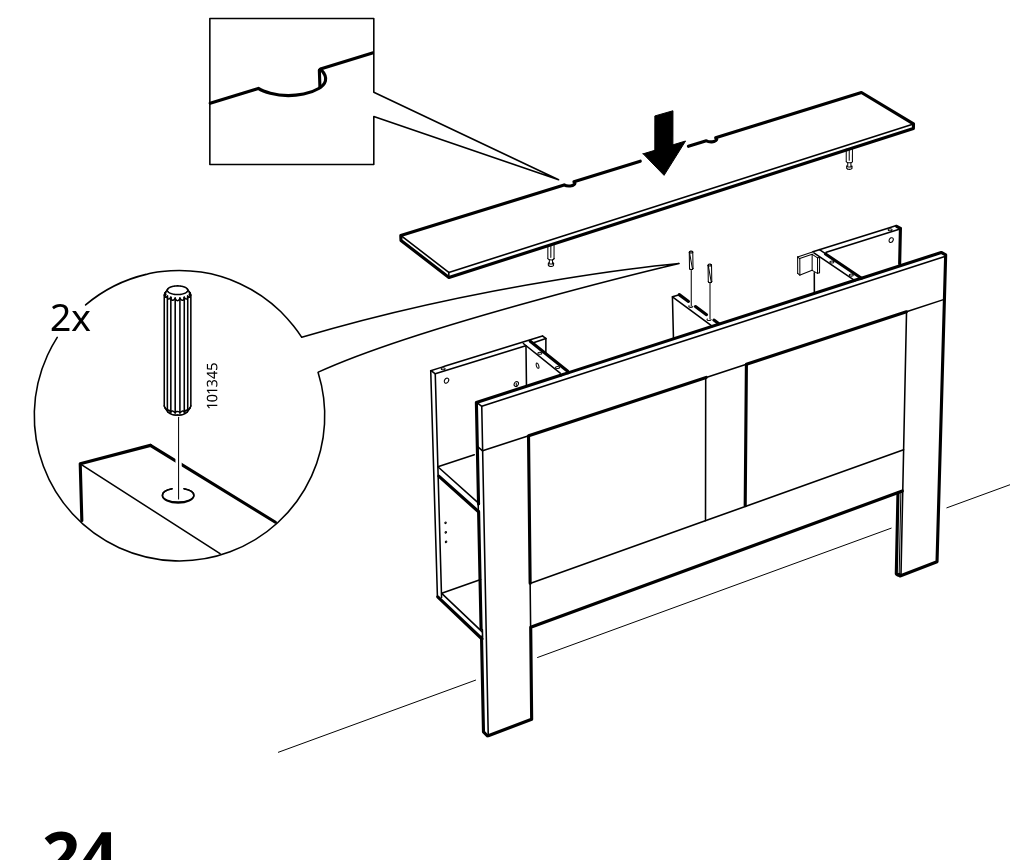
    The top panel is lowered onto the frame onto two dowels, with a zoom detail showing the edge notch orientation and a callout indicating two pins (101345).

    Diagram for step 23: The top panel is lowered onto the frame onto two dowels, with a zoom detail showing the edge notch orientation and a callout indicating two pins (101345).
  26. Step 24

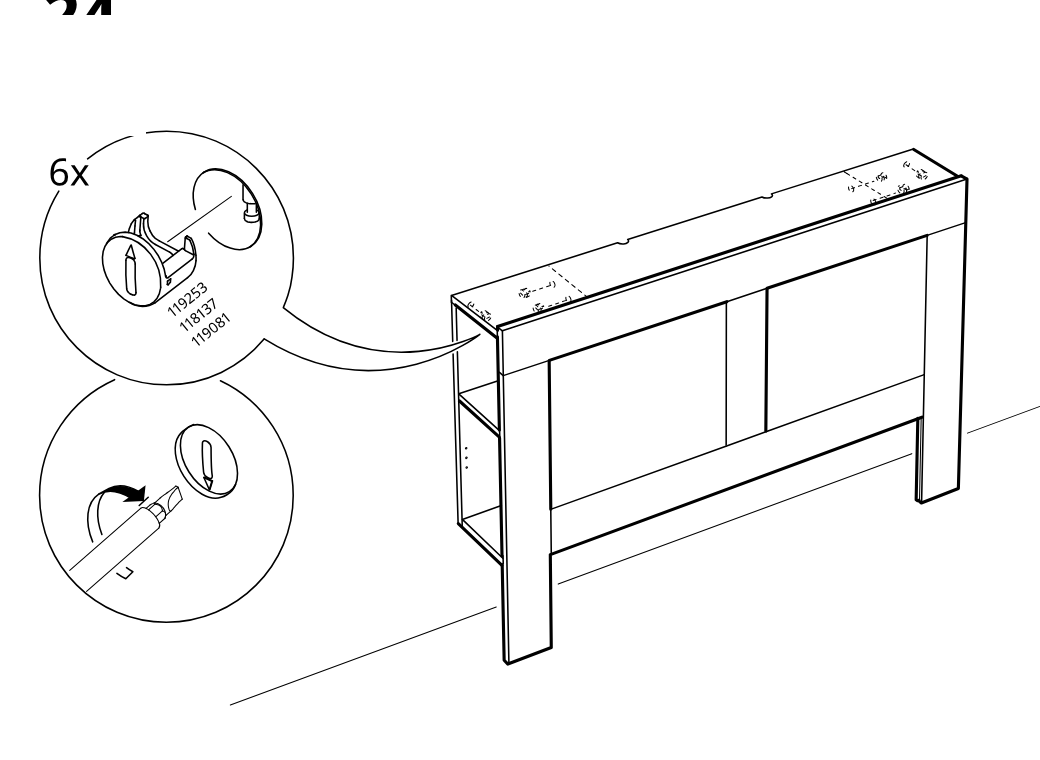
    Six cam locks are inserted into the top panel and then turned with a screwdriver to secure the panel to the frame.

    Diagram for step 24: Six cam locks are inserted into the top panel and then turned with a screwdriver to secure the panel to the frame.
  27. Step 25

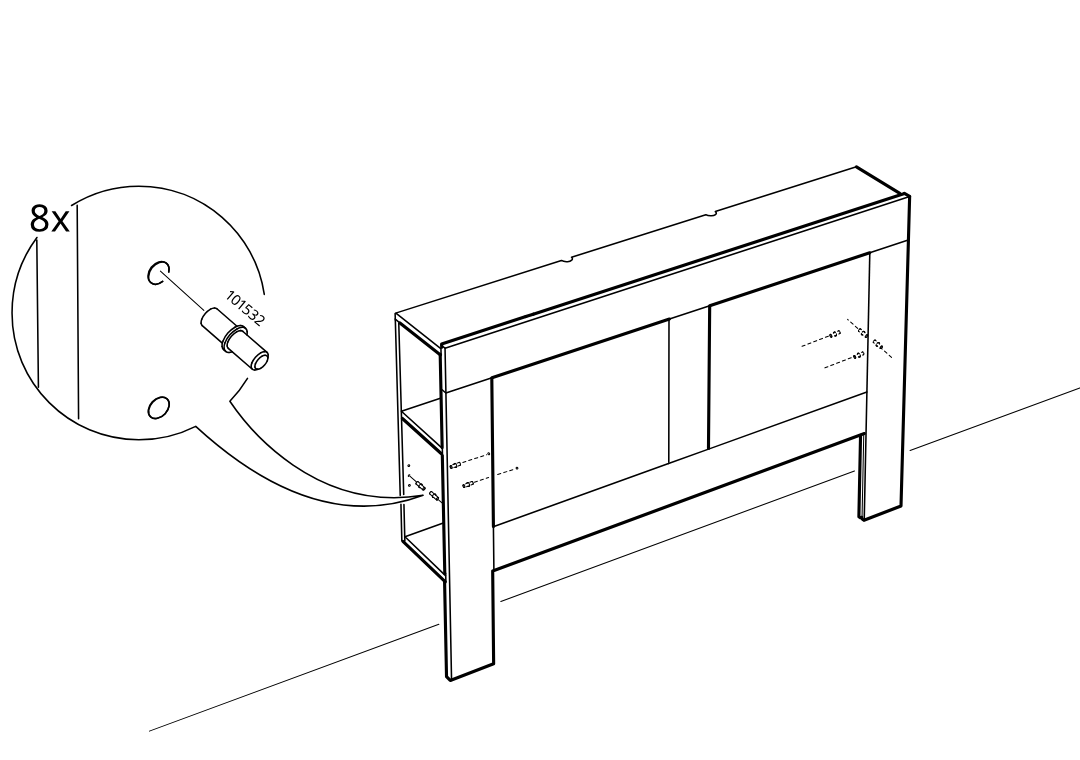
    The installer inserts eight cam pins (part 101532) into the side holes of the frame.

    Diagram for step 25: The installer inserts eight cam pins (part 101532) into the side holes of the frame.
  28. Step 26

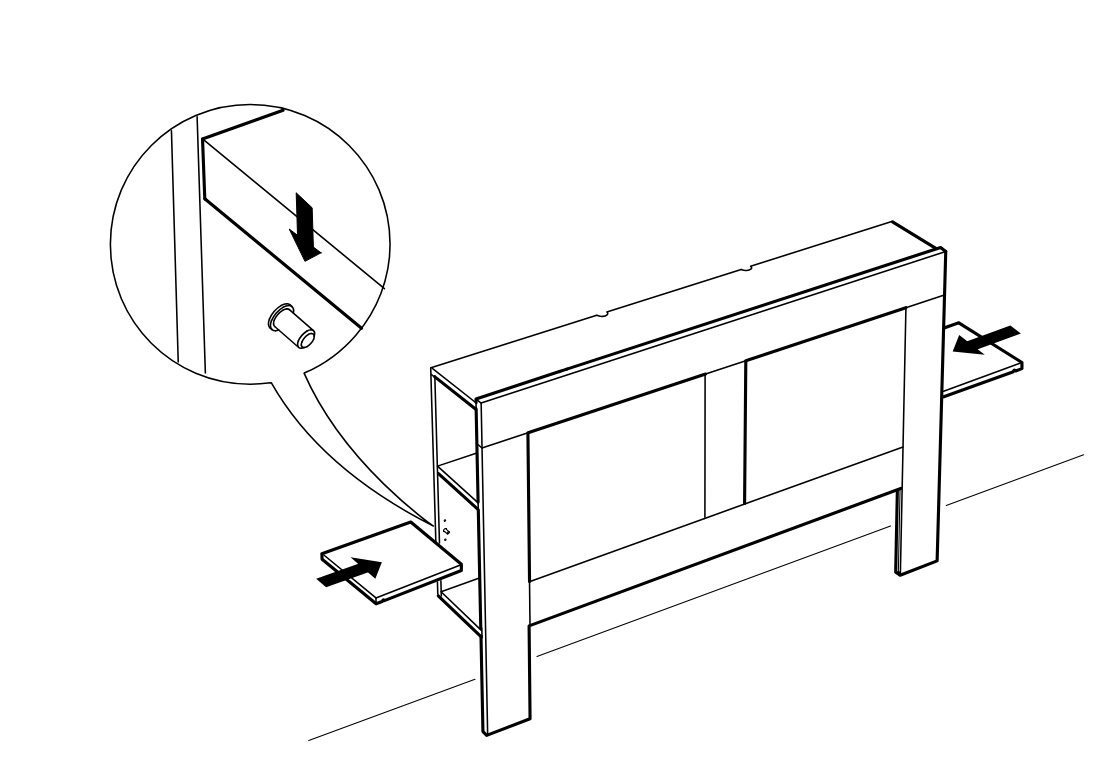
    The installer lowers the side panel onto the installed pin and slides the lower shelves inward from both sides.

    Diagram for step 26: The installer lowers the side panel onto the installed pin and slides the lower shelves inward from both sides.

Video guide