
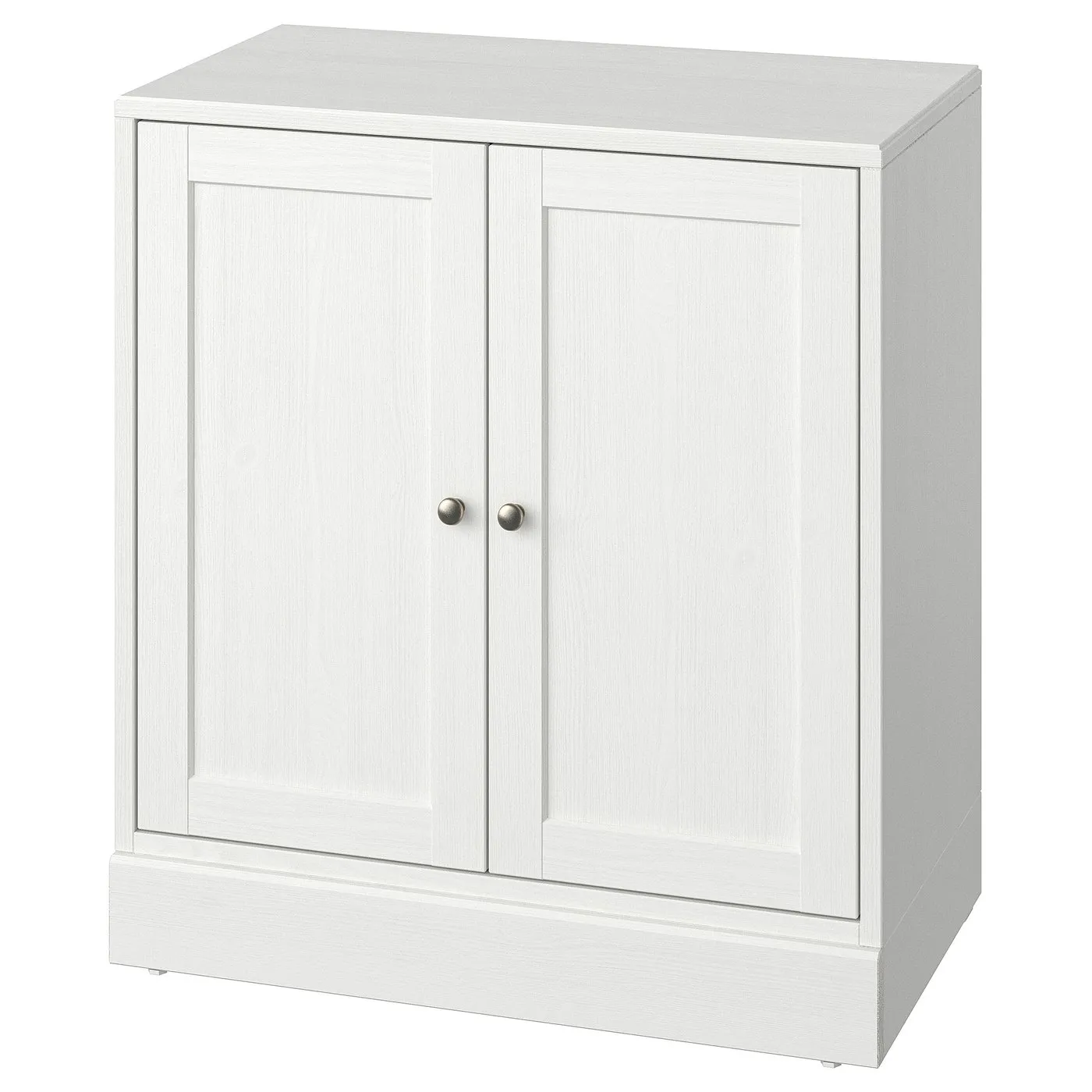
How to assemble IKEA HAVSTA cabinet with base

HAVSTA cabinet with base, white, 317/8x181/2x35"

This guide covers the white IKEA HAVSTA cabinet with base, article 005.292.42. Follow the cabinet-with-base assembly diagrams and video in the guide below.

View on IKEA
HAVSTA cabinet with base

Interactive assembly guide

Step-by-Step Instructions

1 different parts, 1 boxes total — click on a package to see step-by-step assembly instructions

HAVSTA Cabinet with base

005.292.42

x1

19 ½ "

Width

7 ¼ "

Height

36 ¾ "

Length

62 lb 6 oz

Weight

Start Assembly

Written guide

Step-by-step instructions with diagrams

Follow the numbered assembly steps below, or open the interactive guide above to track progress and zoom into each diagram. This guide includes 34 illustrated steps.

HAVSTA Cabinet with base

  1. Before you begin

    Preparation and safety guidance panels show using correct tools, assembling with two people, avoiding floor damage by working on a soft surface, and contacting IKEA support if unsure.
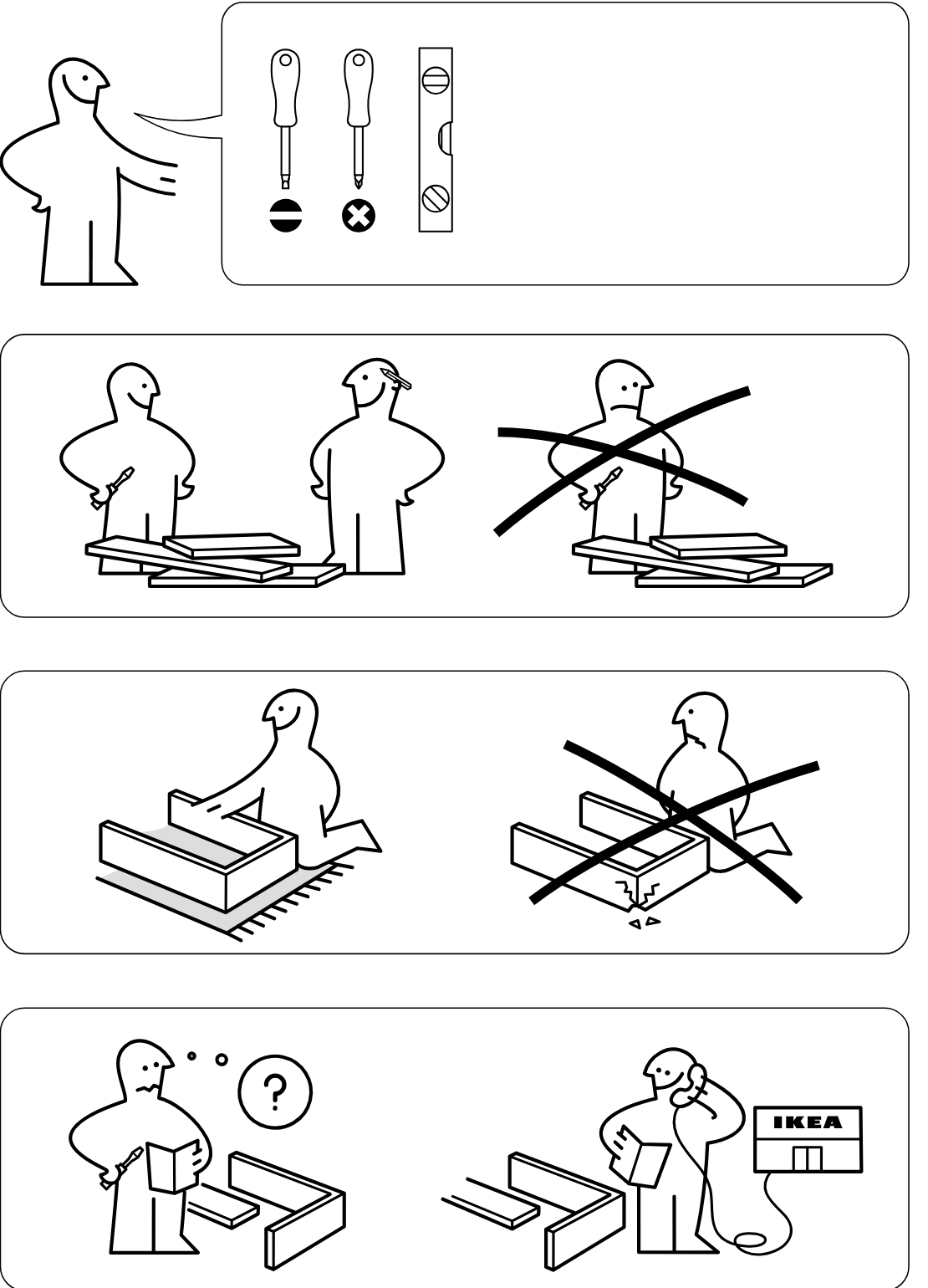
    Illustration for assembly note: Preparation and safety guidance panels show using correct tools, assembling with two people, avoiding floor damage by working on a soft surface, and contacting IKEA support if unsure.
  2. Before you begin

    Two safety panels show cabinet stability cautions: ensure proper setup/alignment and do not let the unit tip while being handled.
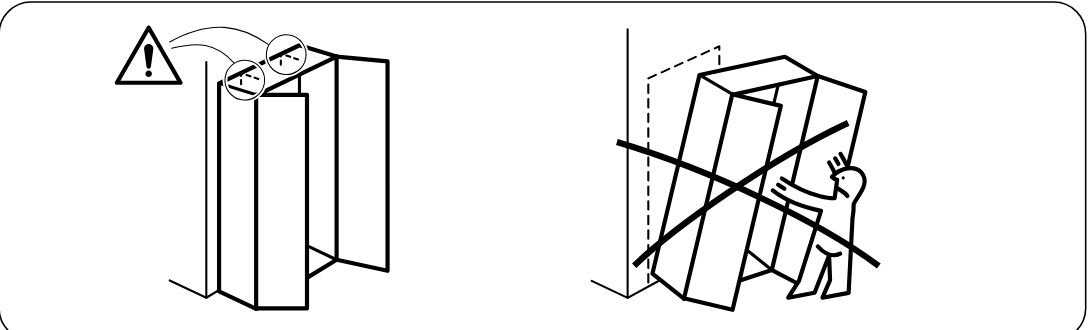
    Illustration for assembly note: Two safety panels show cabinet stability cautions: ensure proper setup/alignment and do not let the unit tip while being handled.
  3. Step 1

    The side panels are aligned and connected while the lower edge detail is shown in three zoom circles indicating hook alignment, lateral sliding engagement, and a downward press to lock.
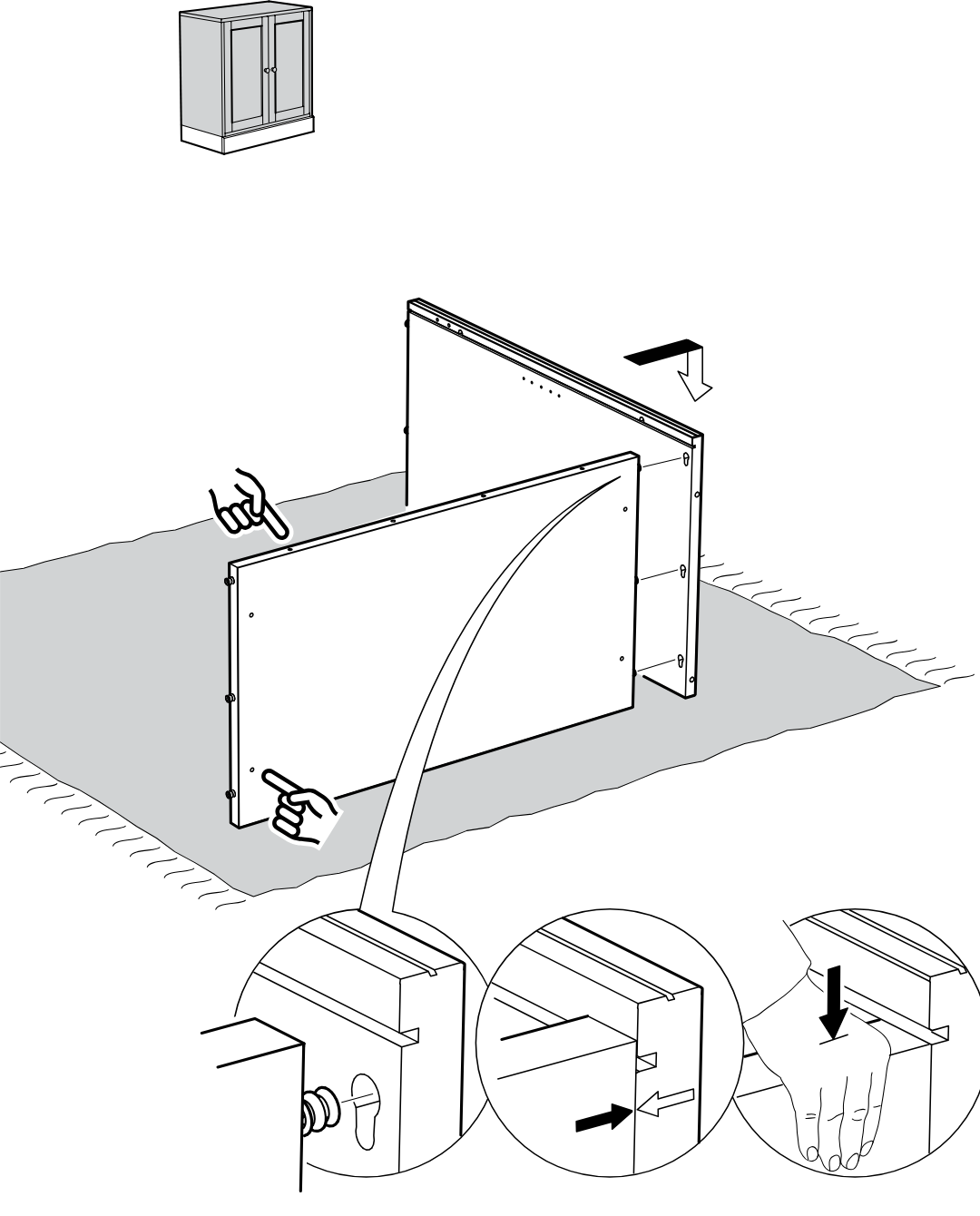
    Diagram for step 1: The side panels are aligned and connected while the lower edge detail is shown in three zoom circles indicating hook alignment, lateral sliding engagement, and a downward press to lock.
  4. Step 2

    The left side panel is moved inward and aligned to connect with the front edge fasteners of the partially assembled frame.
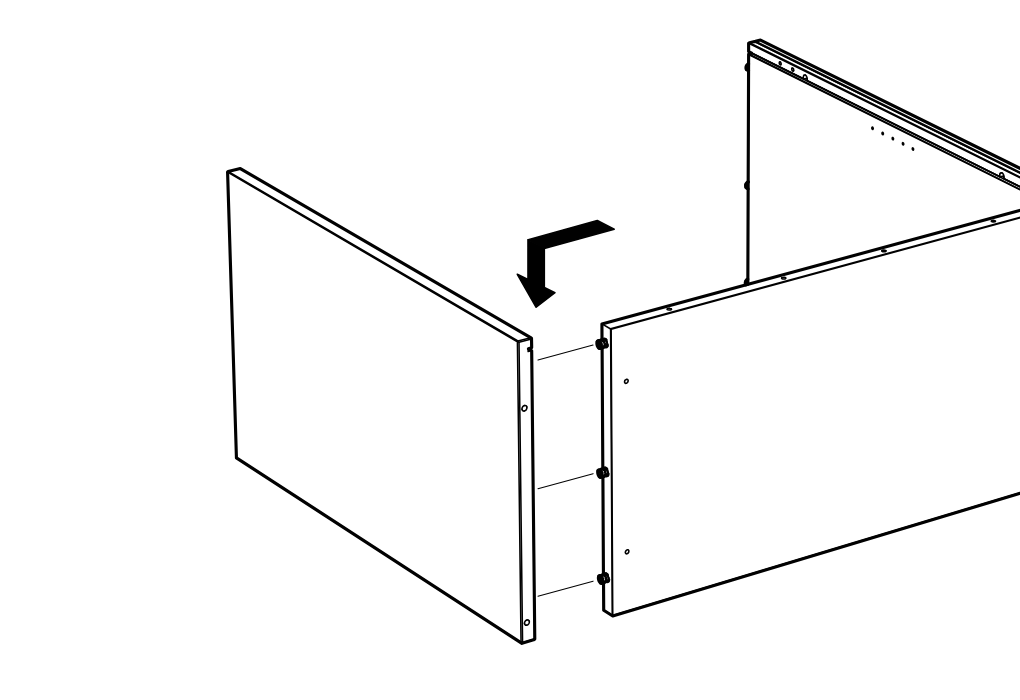
    Diagram for step 2: The left side panel is moved inward and aligned to connect with the front edge fasteners of the partially assembled frame.
  5. Step 3

    The top panel is lowered from above and hooked onto the side and rear panel connectors to form the upper structure.
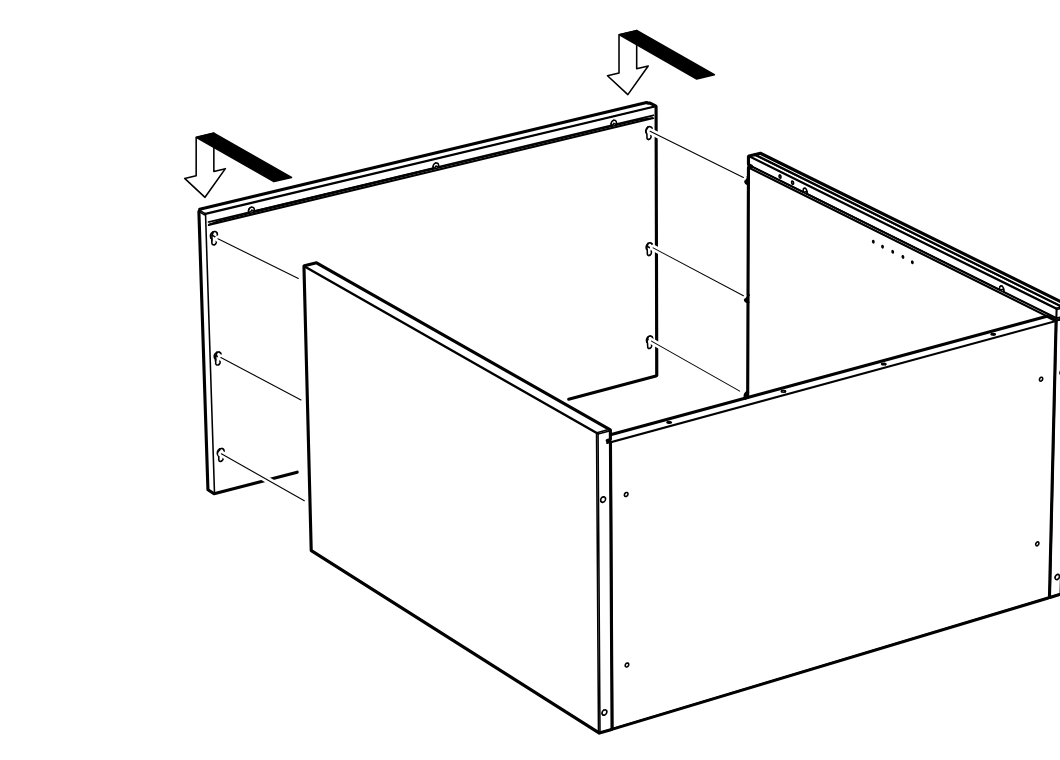
    Diagram for step 3: The top panel is lowered from above and hooked onto the side and rear panel connectors to form the upper structure.
  6. Step 4

    The cabinet is rotated and the large back panel is slid into the rear groove, with a zoom inset showing the panel edge alignment.
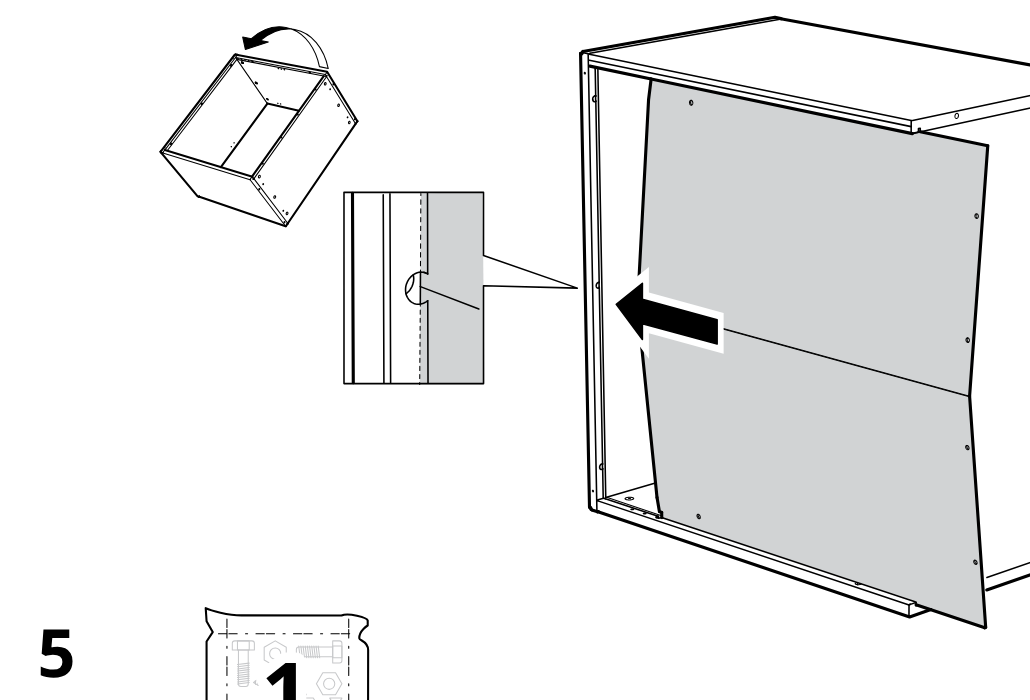
    Diagram for step 4: The cabinet is rotated and the large back panel is slid into the rear groove, with a zoom inset showing the panel edge alignment.
  7. Step 5

    Four fasteners are installed along the panel edge, with zoom callouts showing two hardware orientations (144575 and 144574).
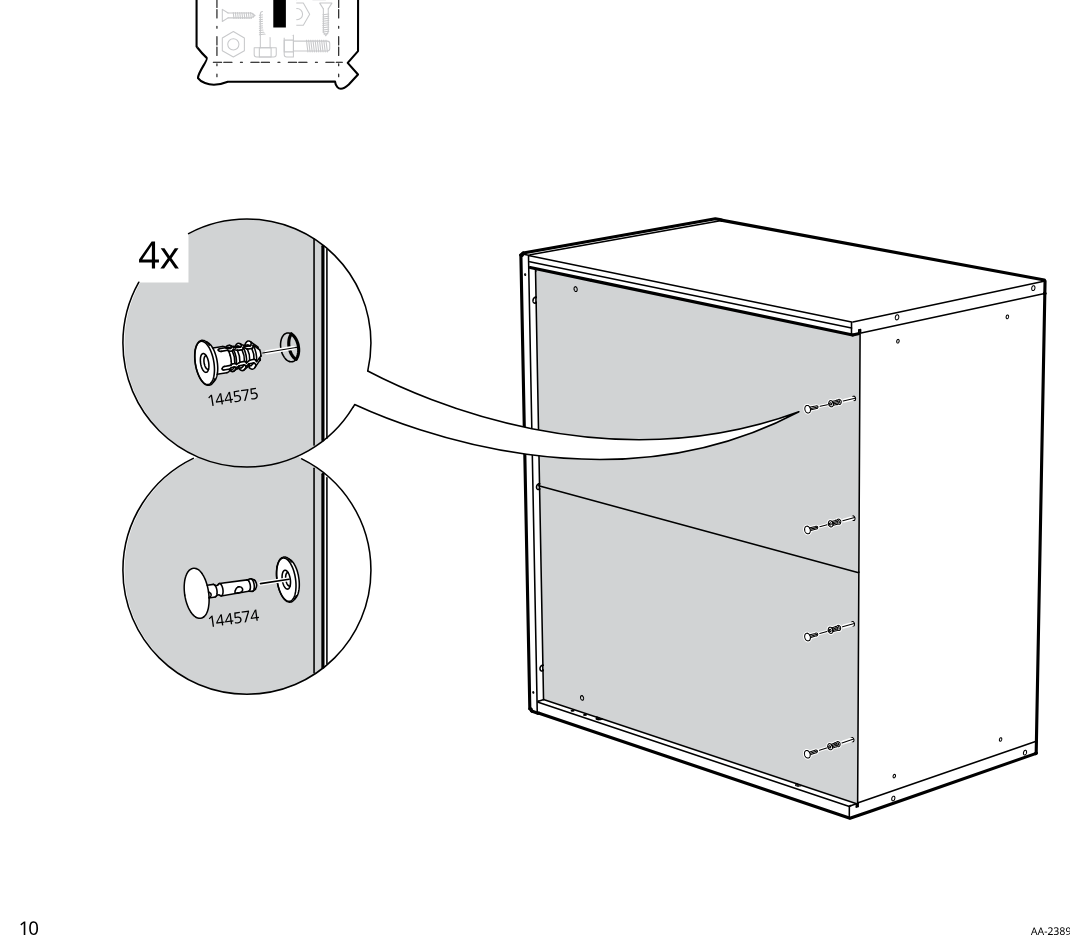
    Diagram for step 5: Four fasteners are installed along the panel edge, with zoom callouts showing two hardware orientations (144575 and 144574).
  8. Step 6

    The installer inserts and turns seven cam-lock fasteners into the side holes while the zoom callouts show insertion orientation and finger-turn locking.
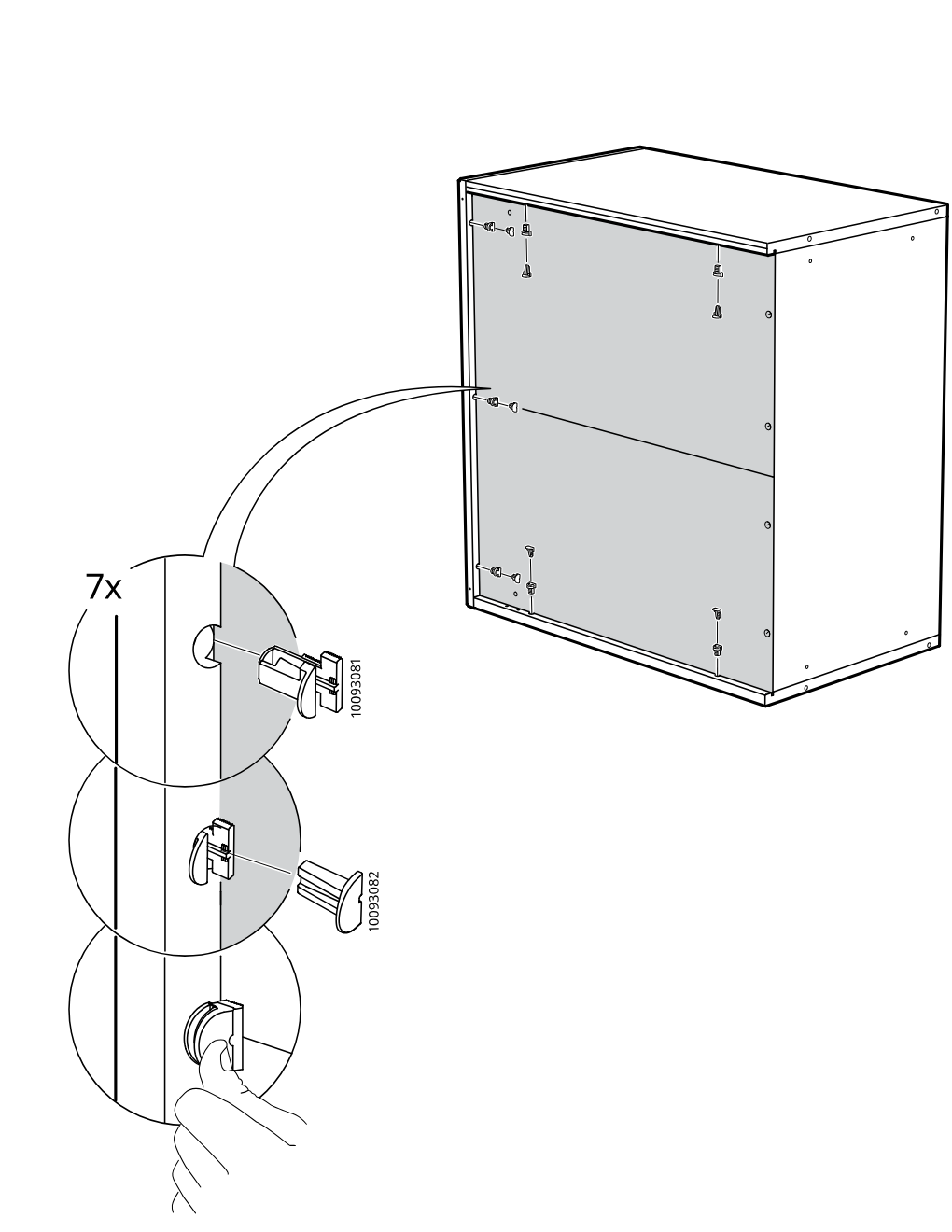
    Diagram for step 6: The installer inserts and turns seven cam-lock fasteners into the side holes while the zoom callouts show insertion orientation and finger-turn locking.
  9. Step 7

    The user inserts four 101350 dowels into the indicated side panel holes while orienting the boards correctly as shown in the hand-pointed detail.
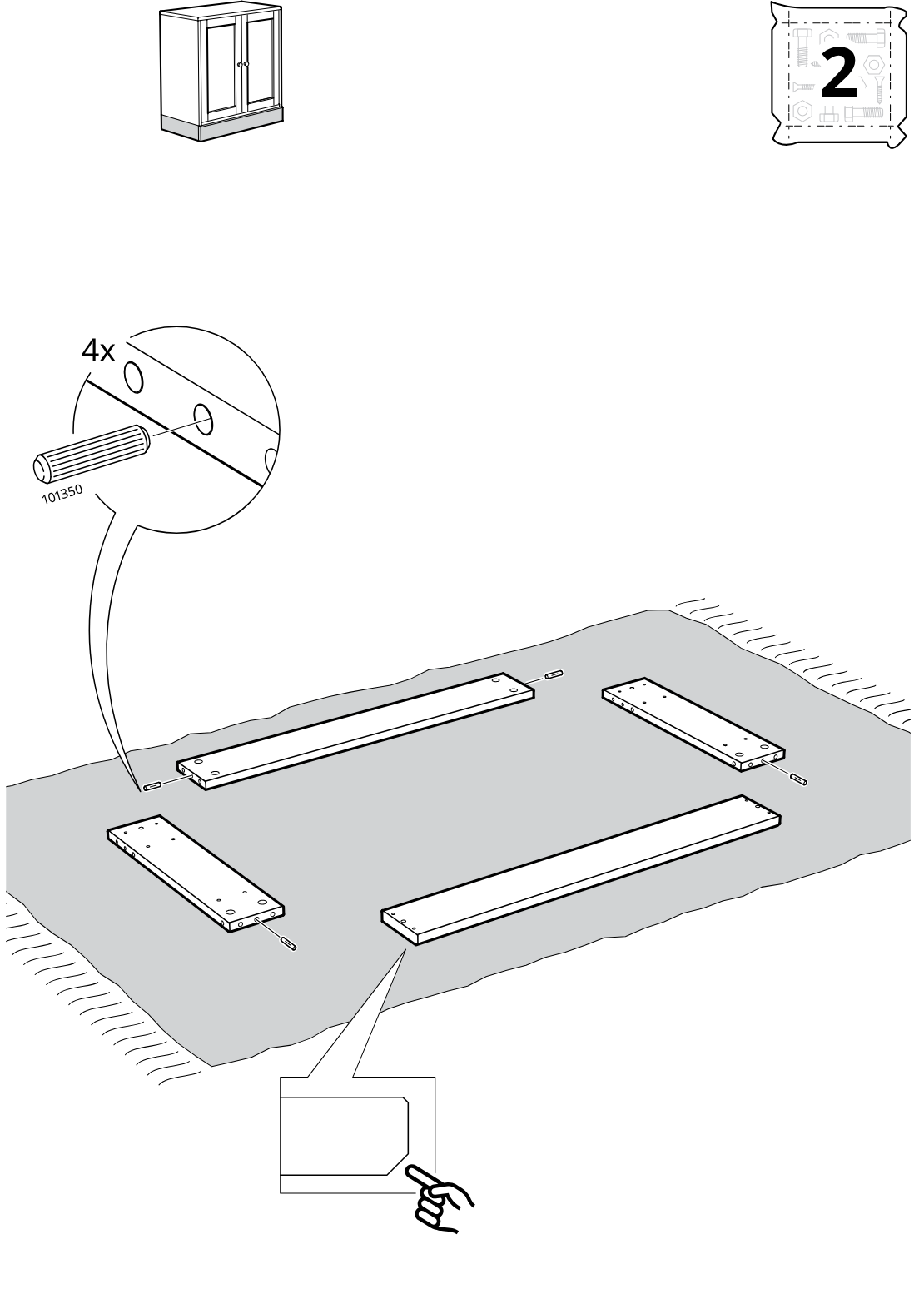
    Diagram for step 7: The user inserts four 101350 dowels into the indicated side panel holes while orienting the boards correctly as shown in the hand-pointed detail.
  10. Step 8

    The assembler inserts eight cam bolts into the indicated holes on four panels, with the callout showing the correct bolt orientation and warning against using the wrong threaded variant.
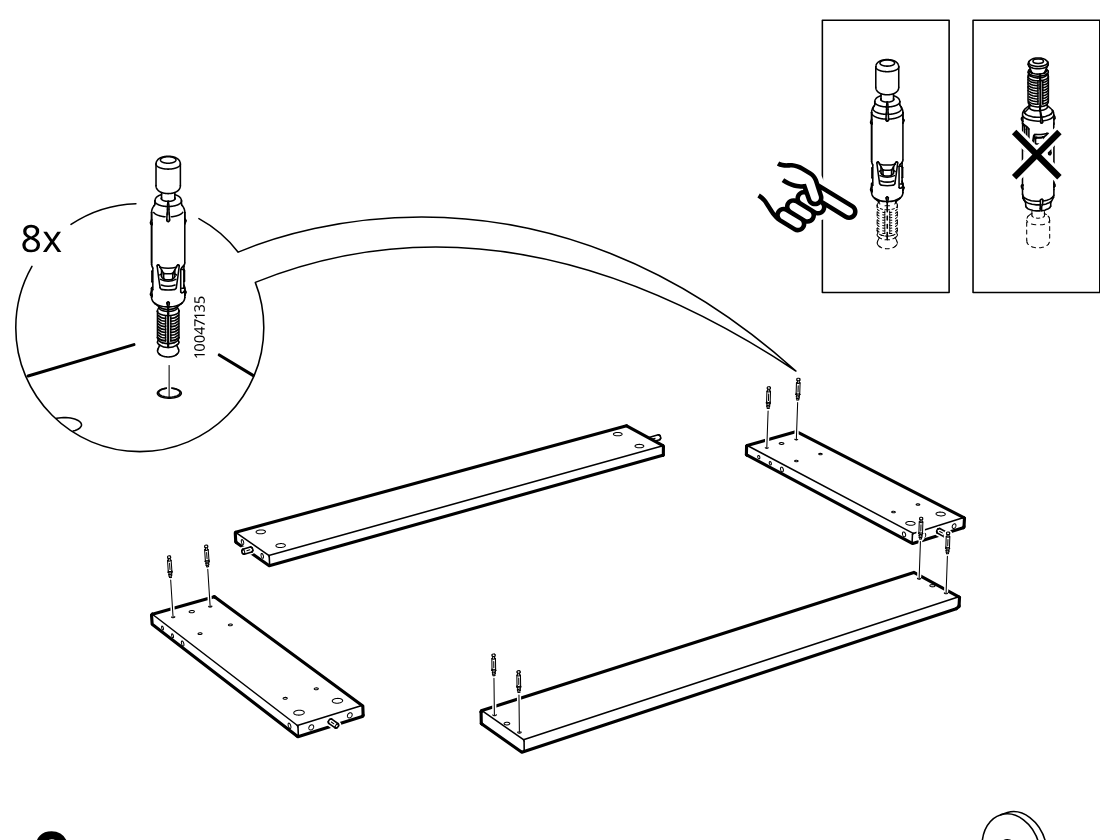
    Diagram for step 8: The assembler inserts eight cam bolts into the indicated holes on four panels, with the callout showing the correct bolt orientation and warning against using the wrong threaded variant.
  11. Step 9

    The assembler mounts four metal L-brackets onto the predrilled holes of two short panels using four screws, as shown in the enlarged bracket-and-screw callout.
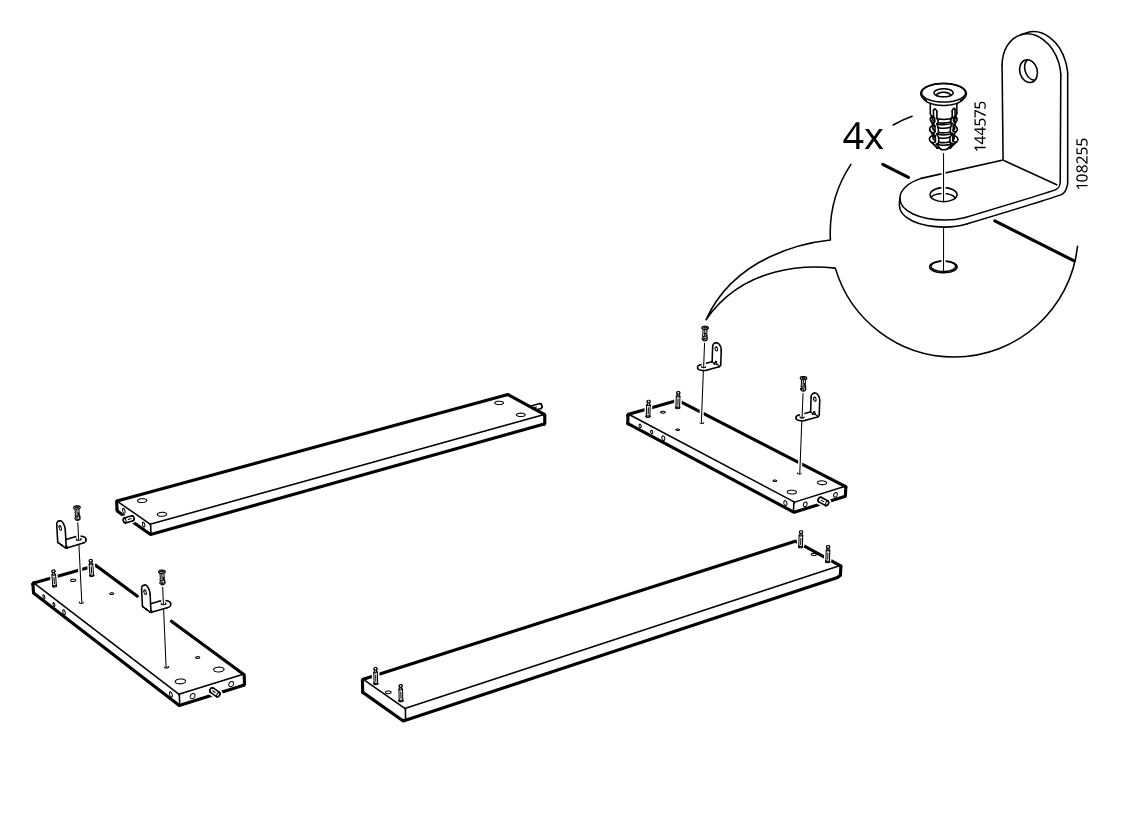
    Diagram for step 9: The assembler mounts four metal L-brackets onto the predrilled holes of two short panels using four screws, as shown in the enlarged bracket-and-screw callout.
  12. Step 10

    The side panels are prepared by inserting four fasteners into the metal brackets and preinstalled holes, with the hardware detail shown in a zoom callout.
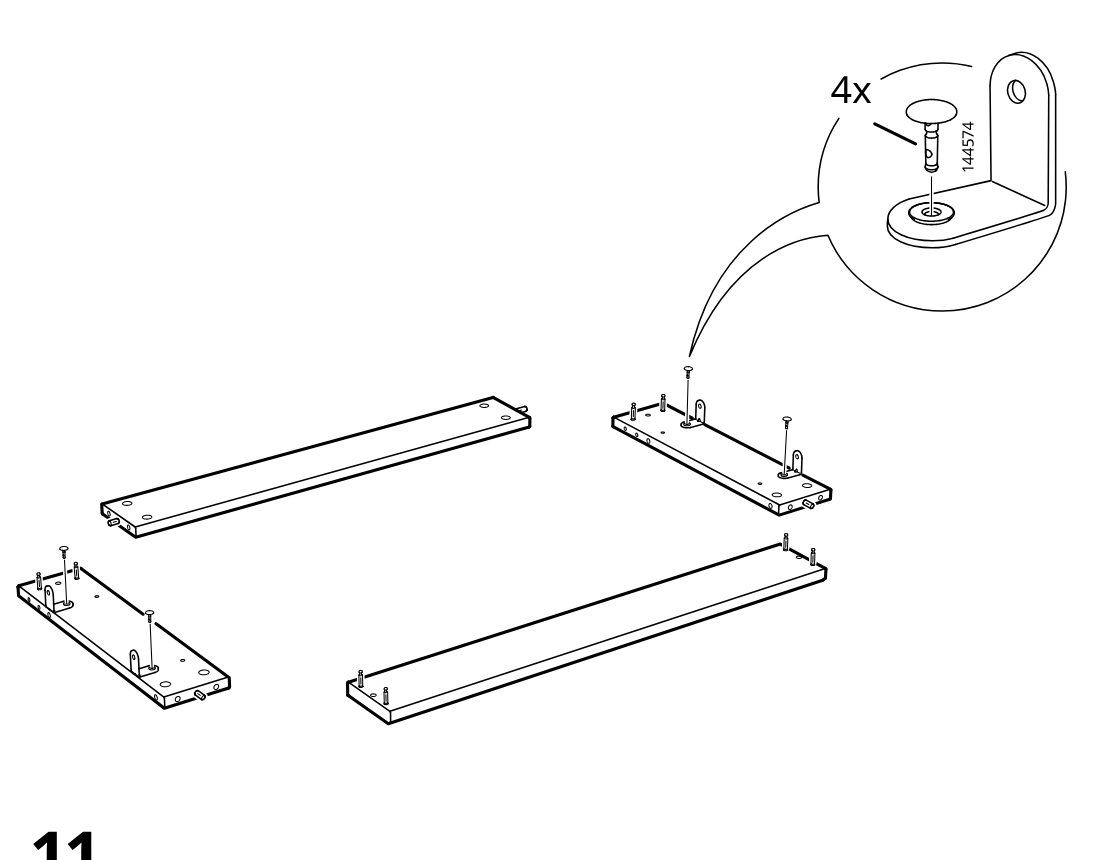
    Diagram for step 10: The side panels are prepared by inserting four fasteners into the metal brackets and preinstalled holes, with the hardware detail shown in a zoom callout.
  13. Step 11

    The two side panels are rotated upright and aligned toward the long panel/base so the corner joints can be connected.
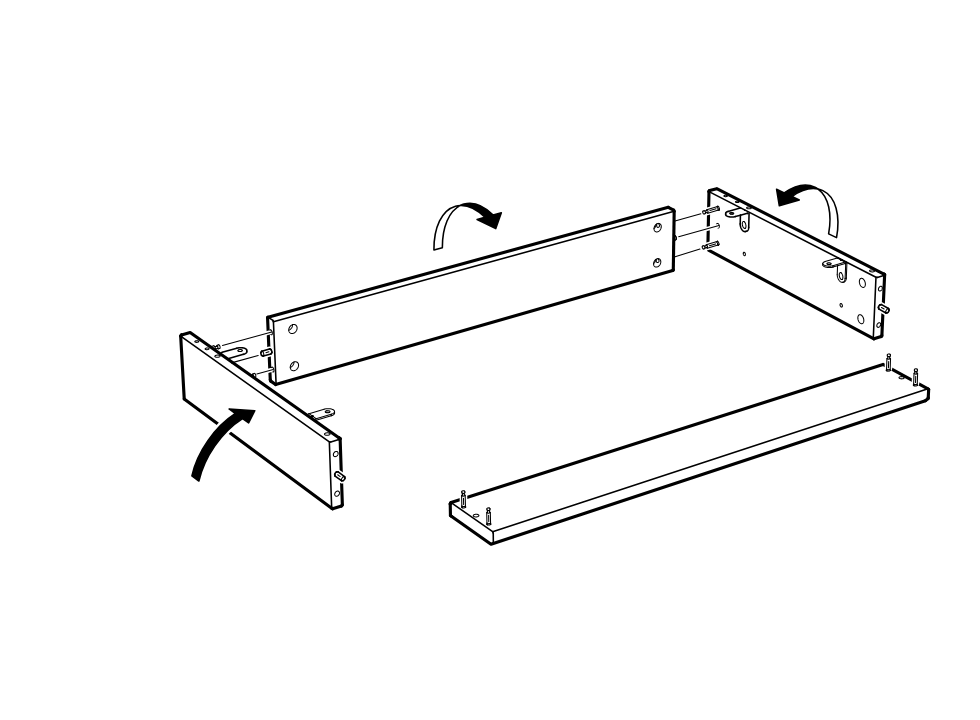
    Diagram for step 11: The two side panels are rotated upright and aligned toward the long panel/base so the corner joints can be connected.
  14. Step 12

    The cam locks are turned and tightened (4x, part 1069936) while aligning and securing the drawer frame pieces with the front panel positioned for assembly.
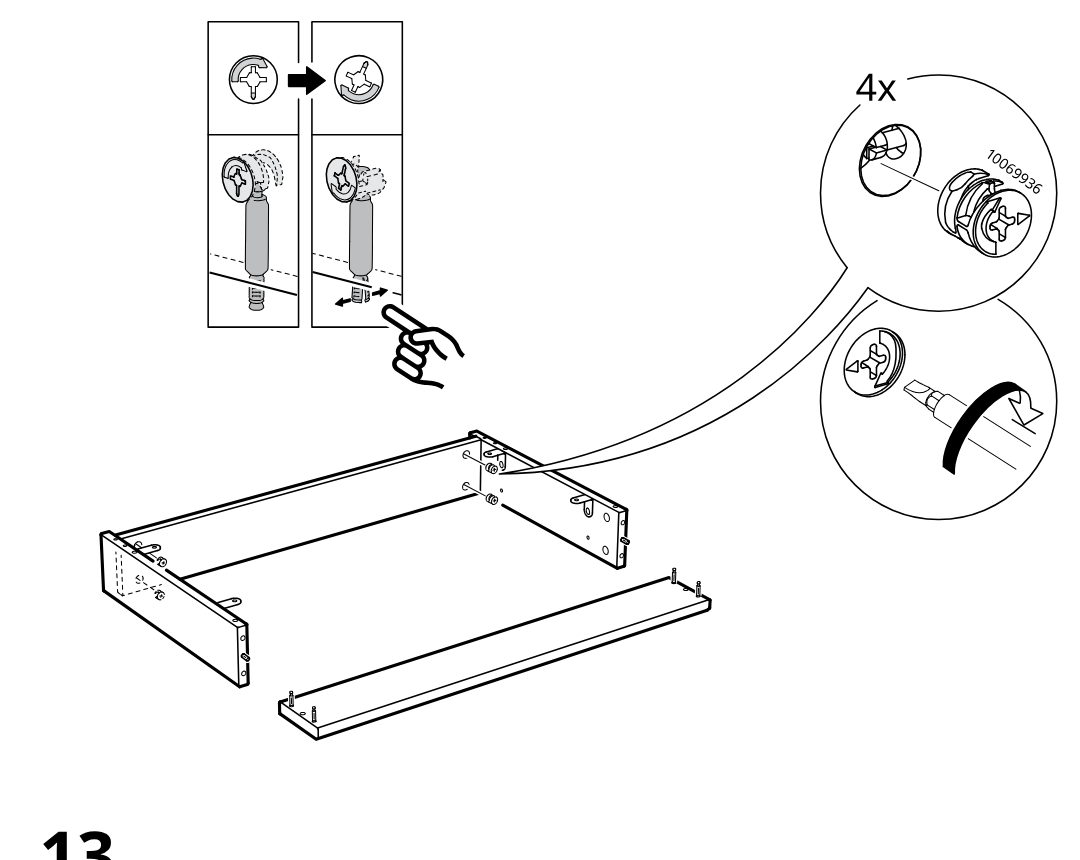
    Diagram for step 12: The cam locks are turned and tightened (4x, part 1069936) while aligning and securing the drawer frame pieces with the front panel positioned for assembly.
  15. Step 13

    The long front board is lifted and rotated upward into place to close the rectangular drawer frame.
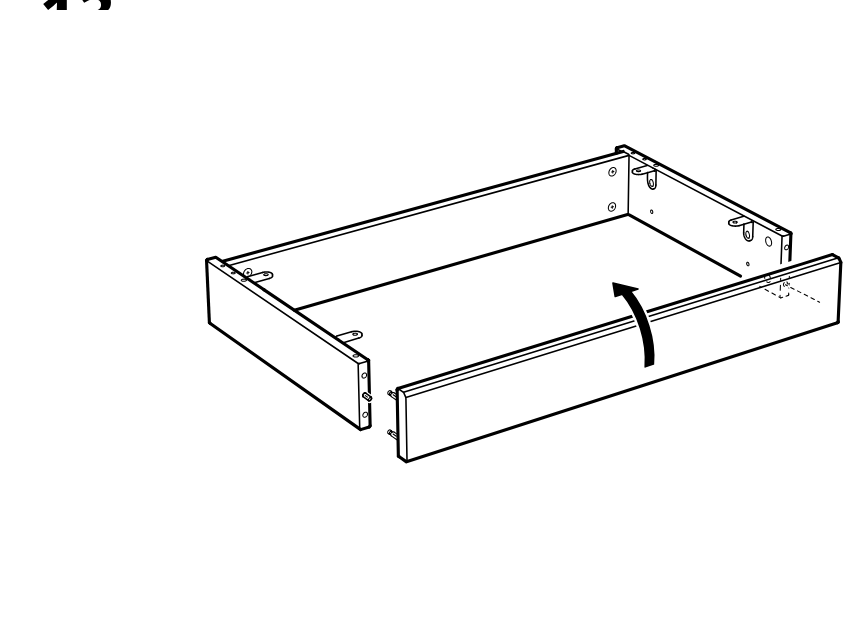
    Diagram for step 13: The long front board is lifted and rotated upward into place to close the rectangular drawer frame.
  16. Step 14

    Insert and turn four cam locks (10075889) to secure the side connections of the rectangular frame.
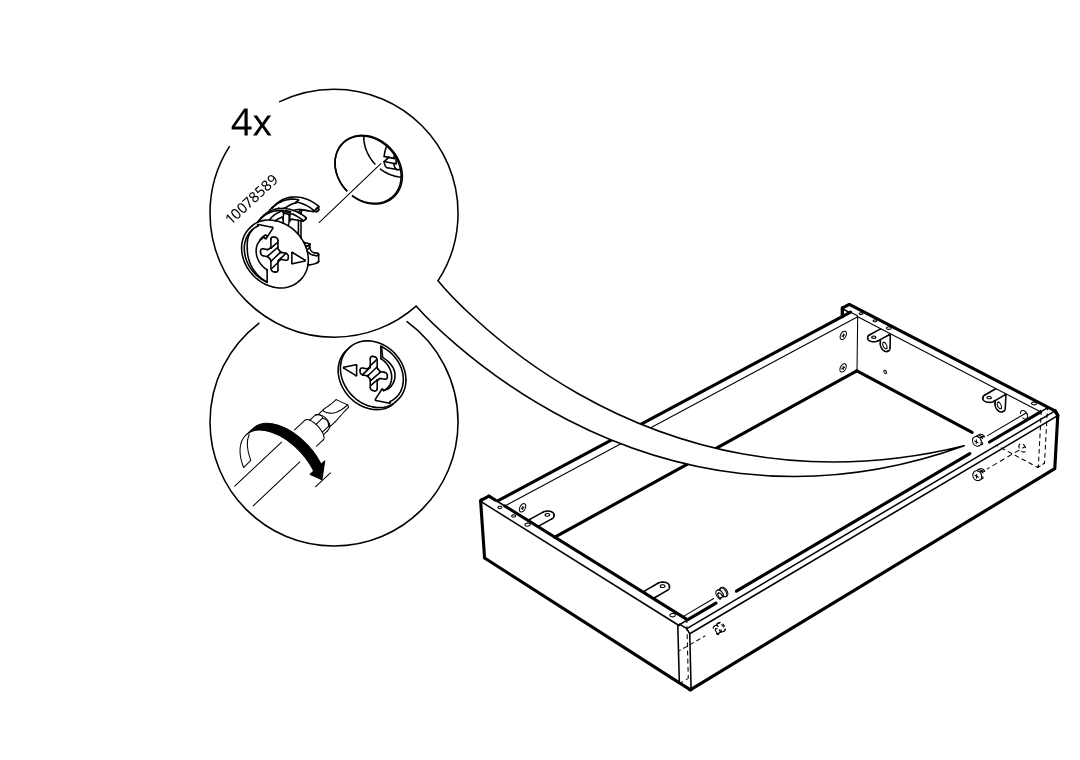
    Diagram for step 14: Insert and turn four cam locks (10075889) to secure the side connections of the rectangular frame.
  17. Step 15

    Insert four wooden dowels (101350) into the top corner holes of the assembled frame.
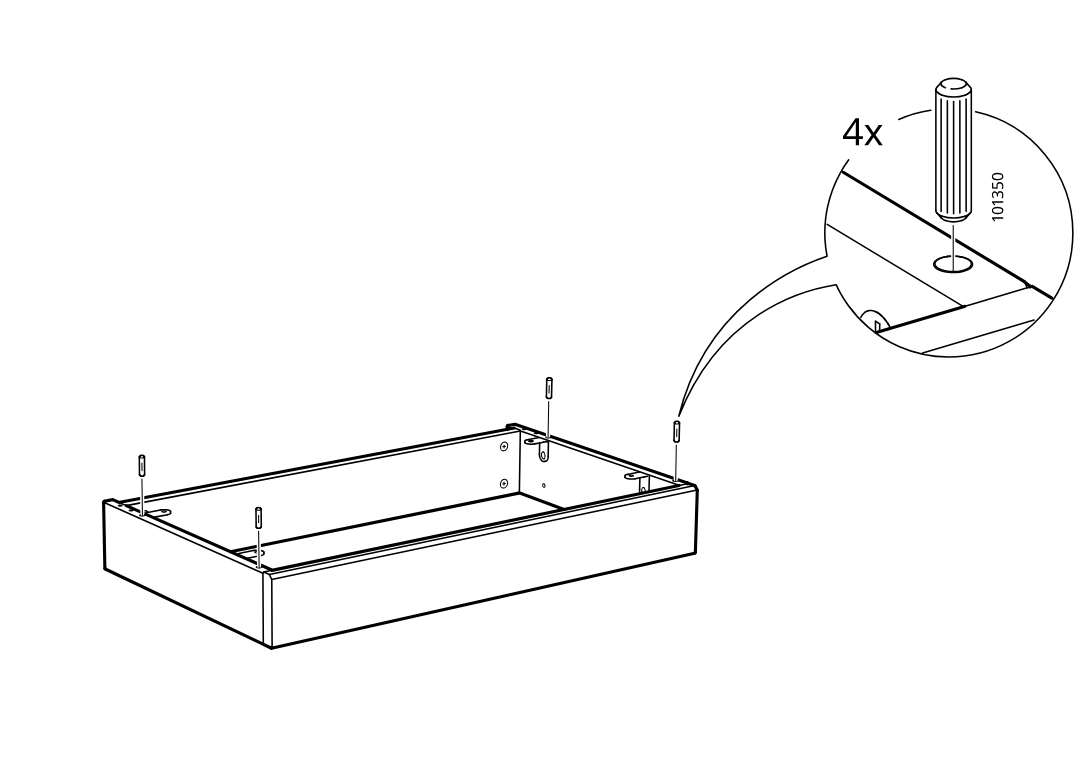
    Diagram for step 15: Insert four wooden dowels (101350) into the top corner holes of the assembled frame.
  18. Step 16

    The side cabinet frame is slid inward from the right and joined to the main cabinet body as shown by the left-pointing arrows.
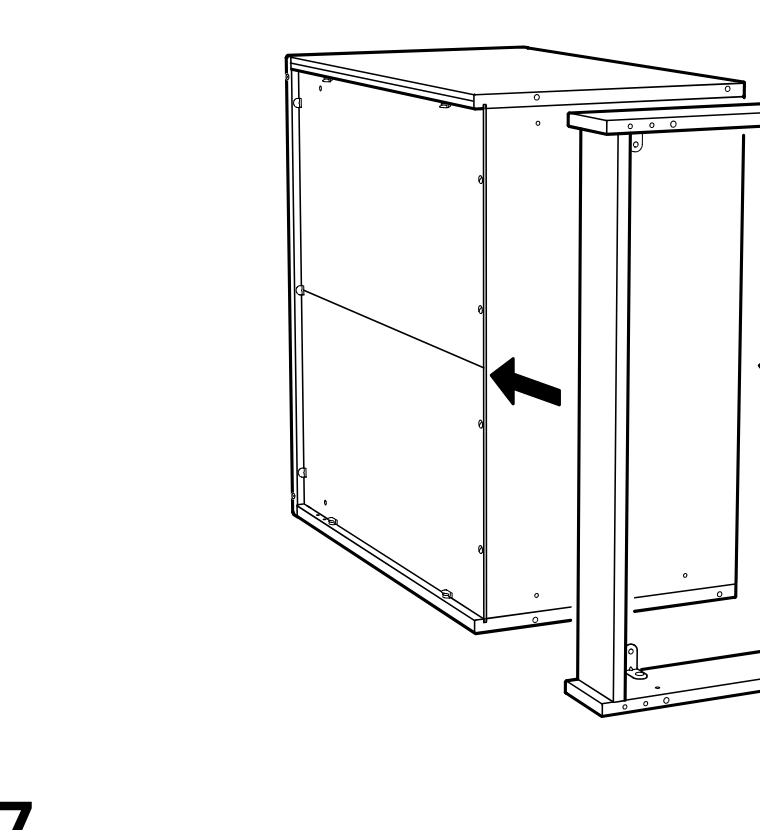
    Diagram for step 16: The side cabinet frame is slid inward from the right and joined to the main cabinet body as shown by the left-pointing arrows.
  19. Step 17

    Four screws (part 144575) are fastened into the interior corner brackets to secure the joined cabinet structure.
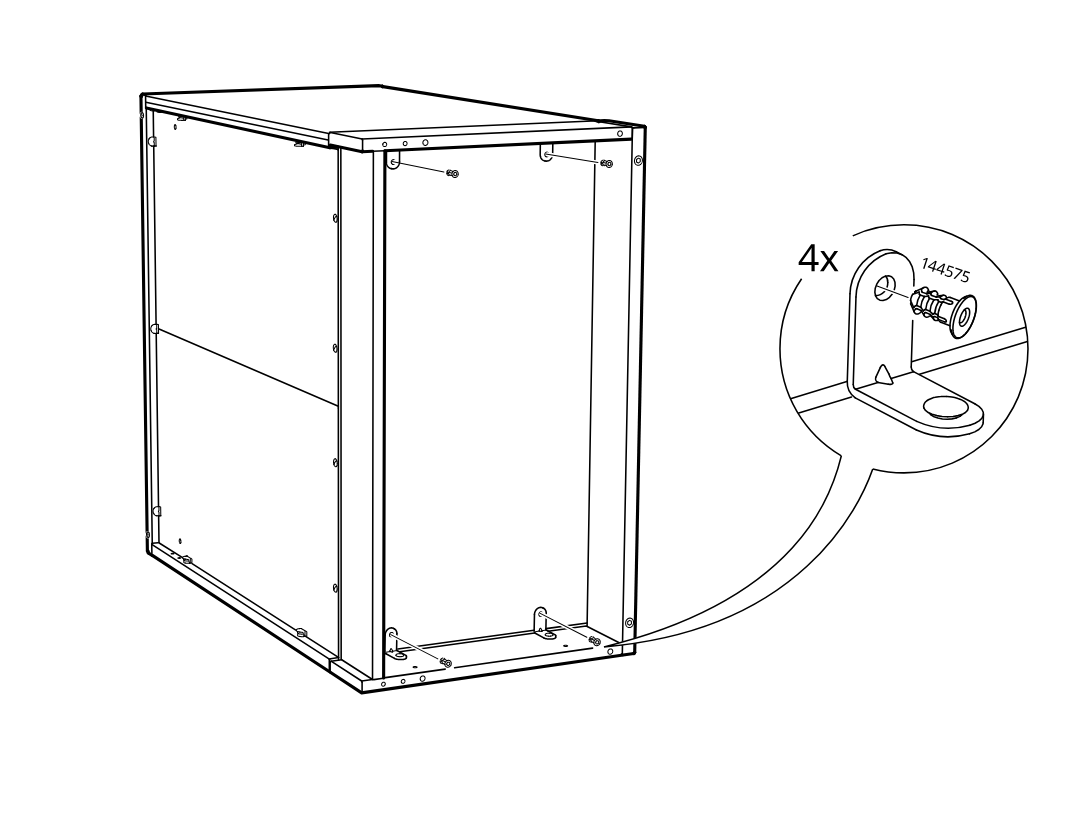
    Diagram for step 17: Four screws (part 144575) are fastened into the interior corner brackets to secure the joined cabinet structure.
  20. Step 18

    The frame is secured with four angle brackets using cam-lock fasteners, shown with a zoomed detail of part 144574.
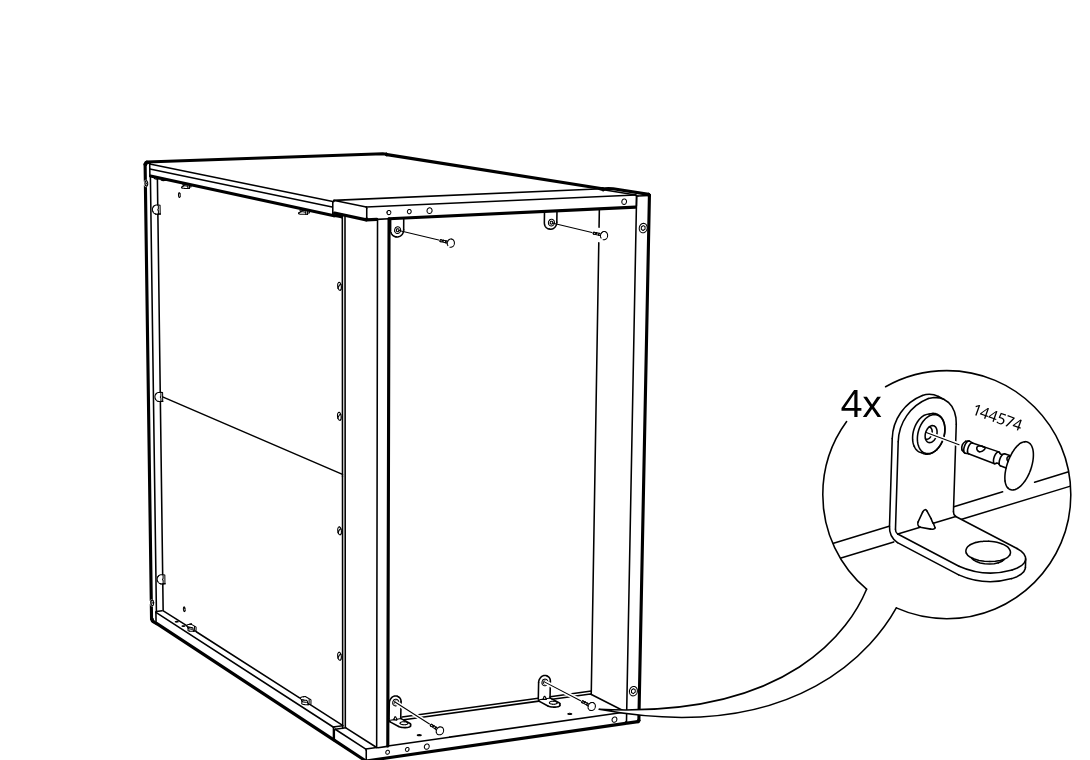
    Diagram for step 18: The frame is secured with four angle brackets using cam-lock fasteners, shown with a zoomed detail of part 144574.
  21. Step 19

    Two cover caps (part 153549) are pressed into side holes on the frame, with a zoomed inset showing the insertion points.
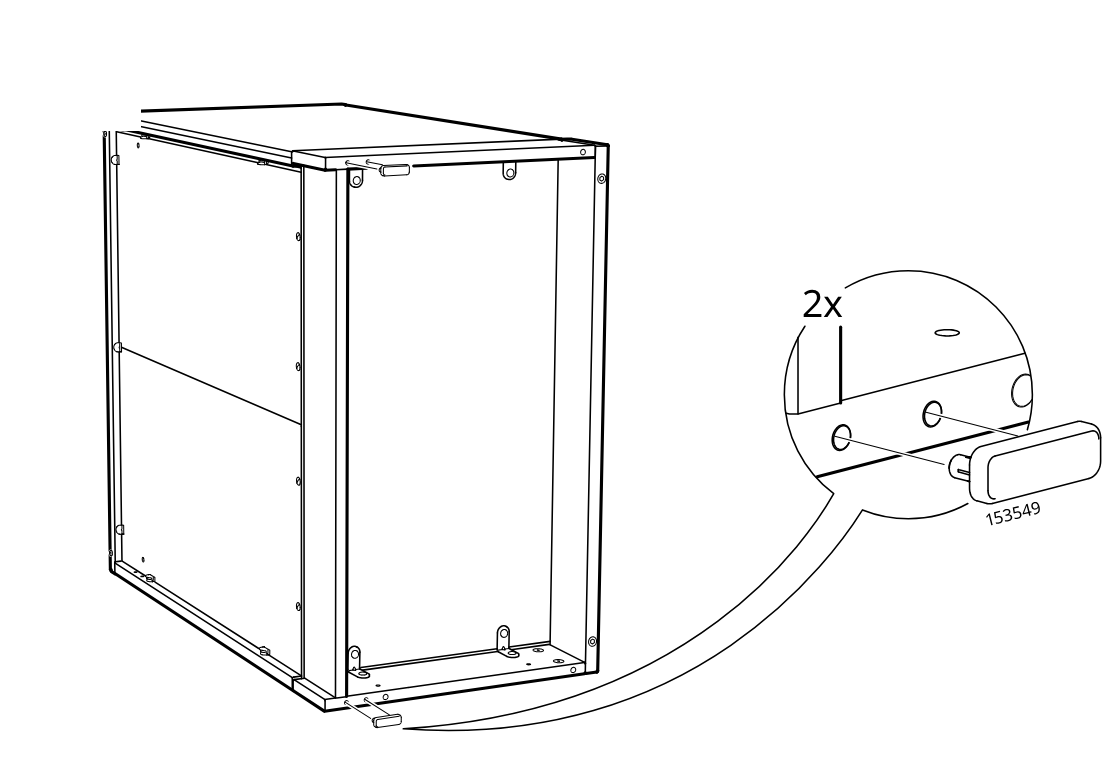
    Diagram for step 19: Two cover caps (part 153549) are pressed into side holes on the frame, with a zoomed inset showing the insertion points.
  22. Step 20

    The cabinet frame is secured with two cam-lock fasteners and then rotated as indicated.
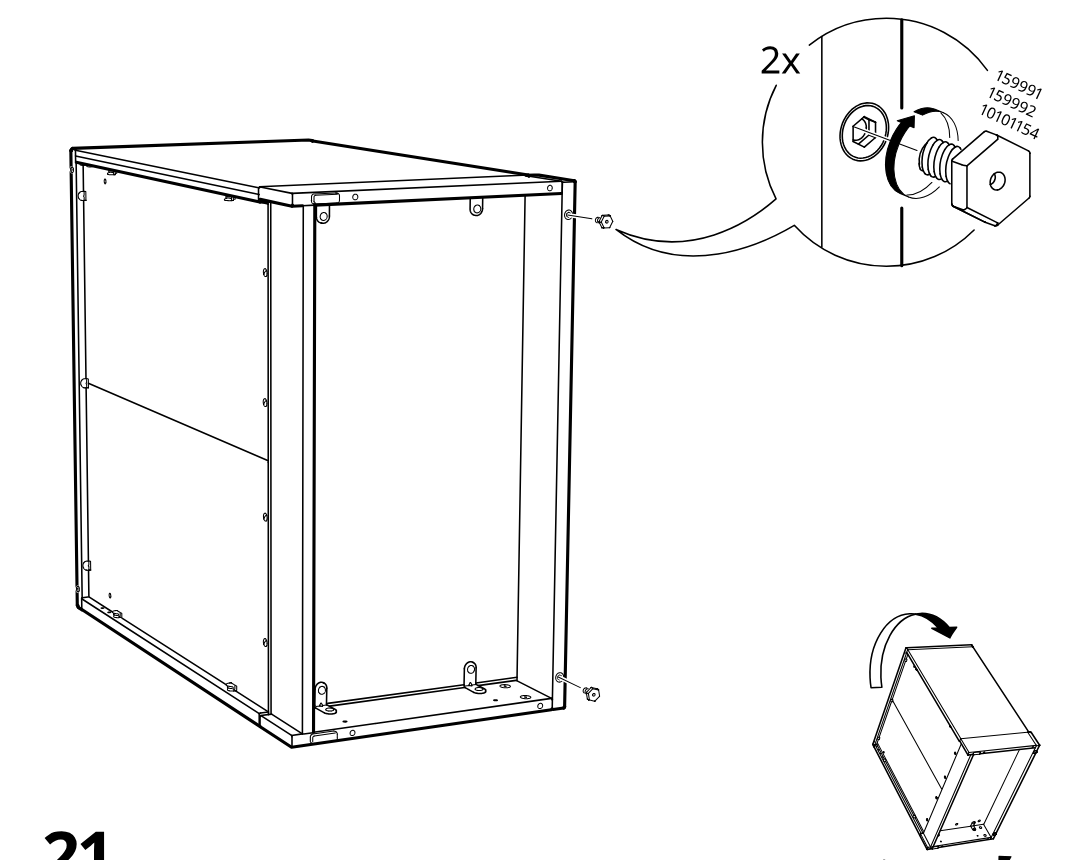
    Diagram for step 20: The cabinet frame is secured with two cam-lock fasteners and then rotated as indicated.
  23. Step 21

    Two 141413 latch parts are mounted on the cabinet side using screws in the marked positions.
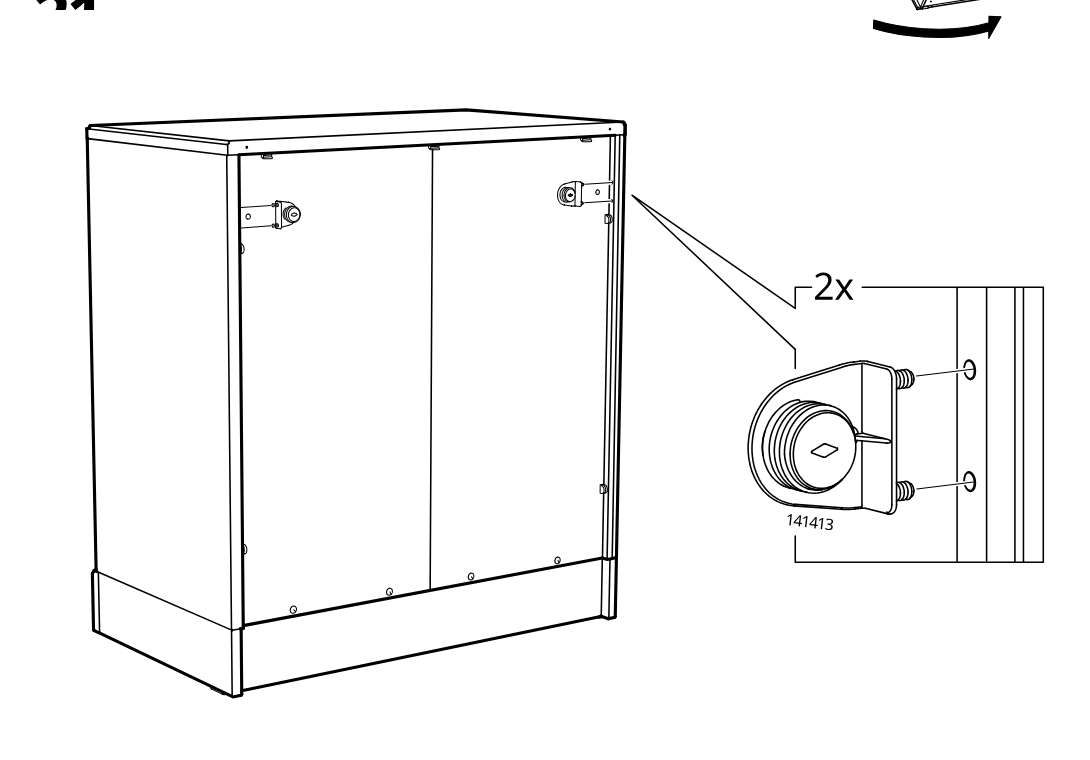
    Diagram for step 21: Two 141413 latch parts are mounted on the cabinet side using screws in the marked positions.
  24. Step 22

    The cabinet is turned to access the back, two fasteners are installed and tightened (2x), and the cap is rotated correctly by hand with examples of correct and incorrect orientation.
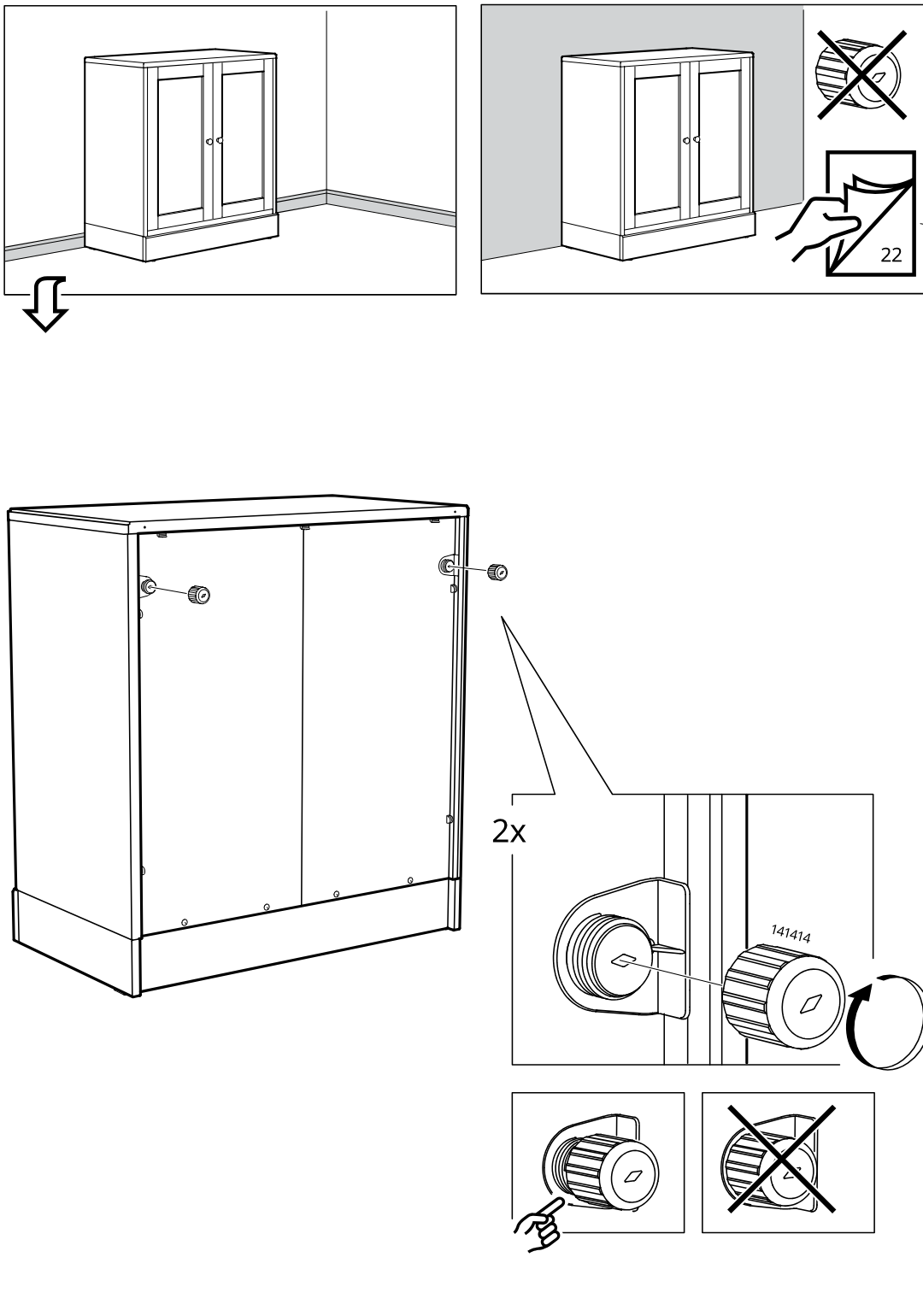
    Diagram for step 22: The cabinet is turned to access the back, two fasteners are installed and tightened (2x), and the cap is rotated correctly by hand with examples of correct and incorrect orientation.
  25. Step 23

    The installer presses and twists two locking cams at the top edge, then pushes side and bottom clips fully inward to secure the cabinet frame.
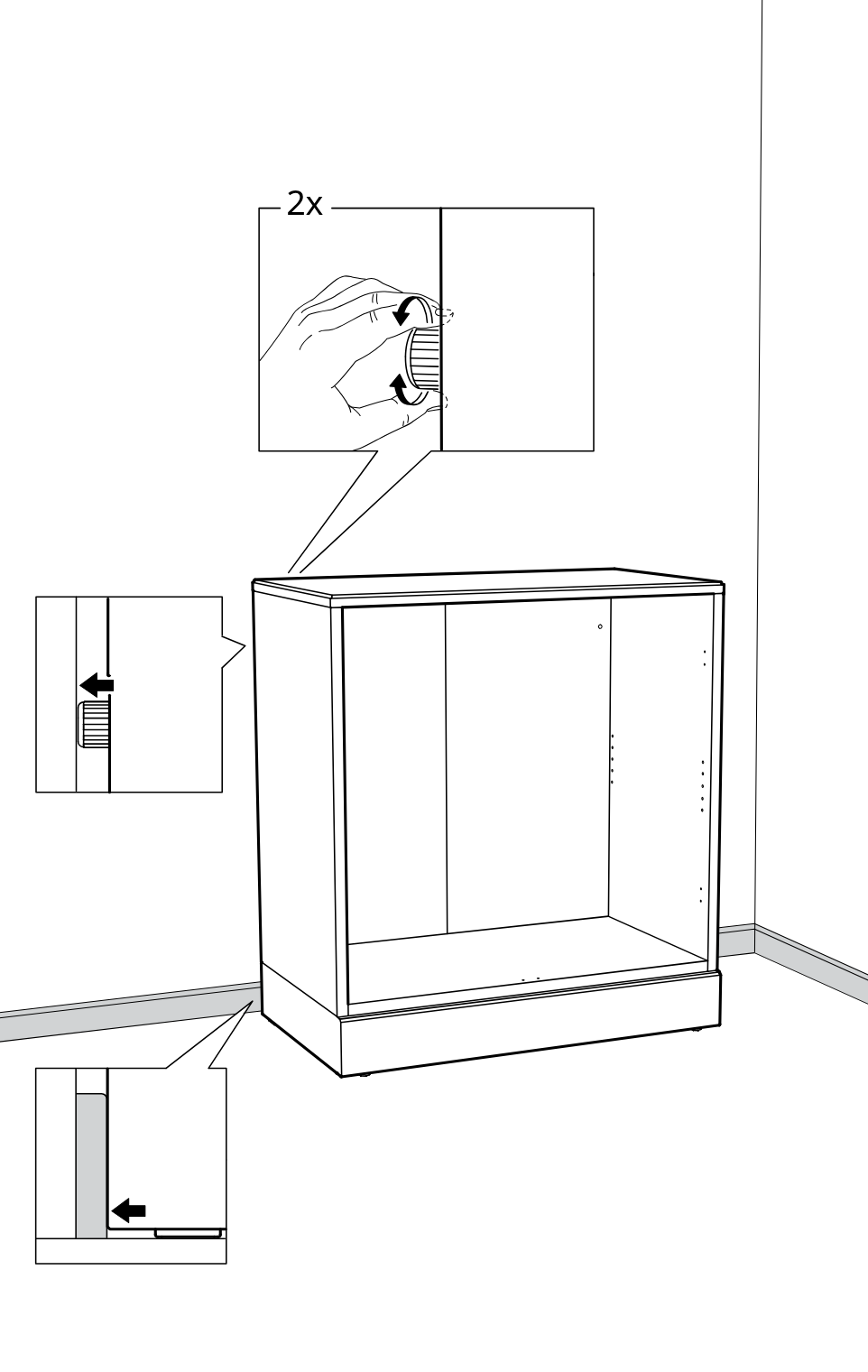
    Diagram for step 23: The installer presses and twists two locking cams at the top edge, then pushes side and bottom clips fully inward to secure the cabinet frame.
  26. Step 24

    The cabinet is leveled against the wall by adjusting the base feet up or down using the included wrench.
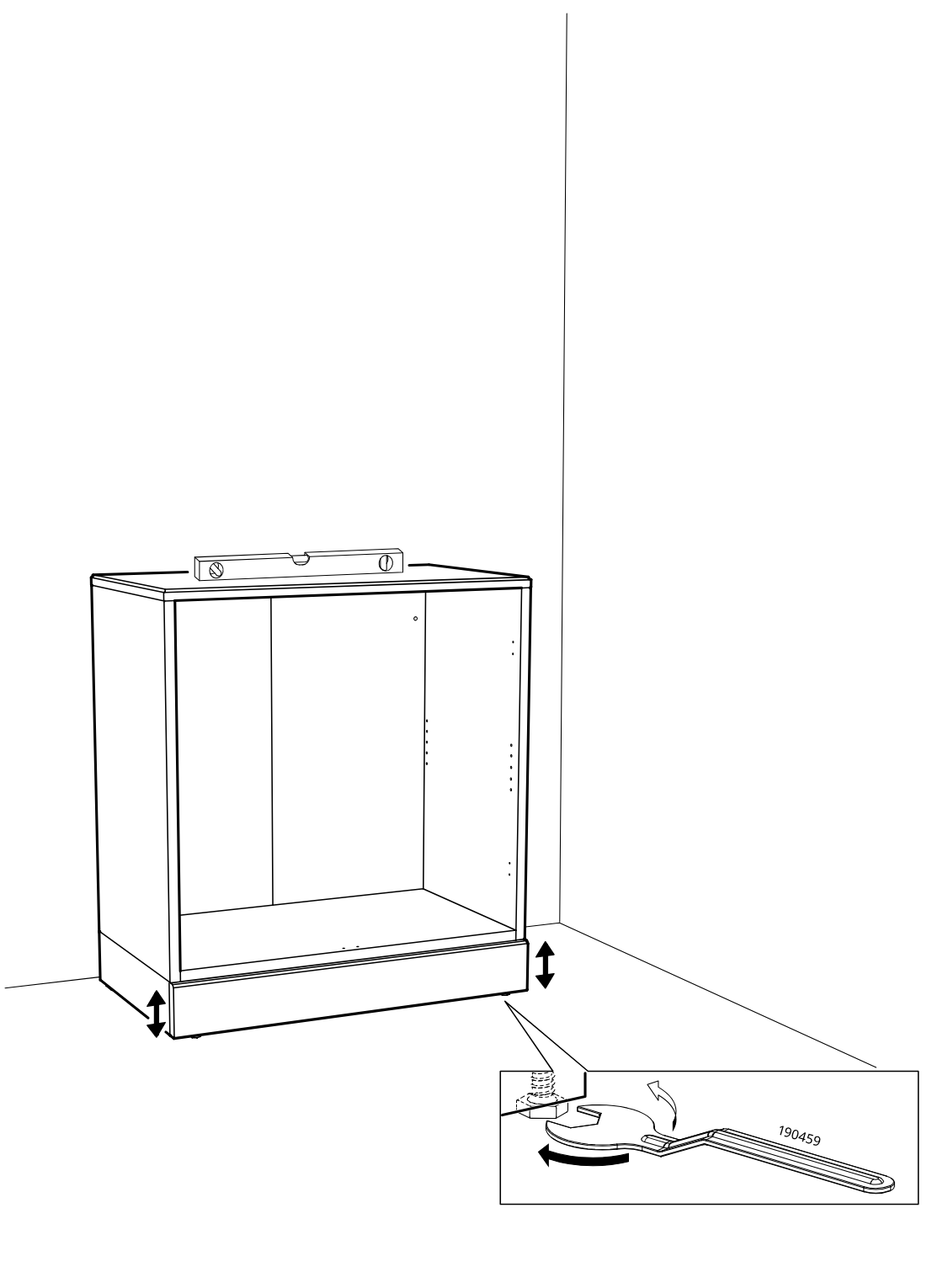
    Diagram for step 24: The cabinet is leveled against the wall by adjusting the base feet up or down using the included wrench.
  27. Before you begin

    Safety panel shows the cabinet must be fixed to the wall and must not be pulled forward or tipped.
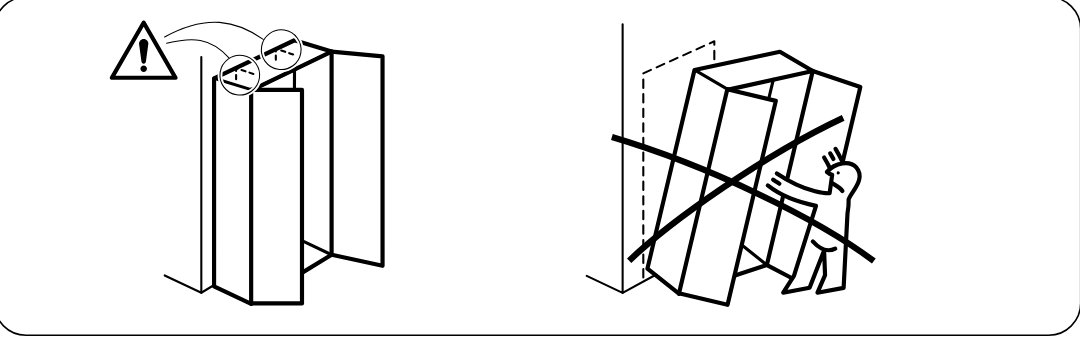
    Illustration for assembly note: Safety panel shows the cabinet must be fixed to the wall and must not be pulled forward or tipped.
  28. Step 25

    Insert the wall-fixing insert into the cabinet side and drive the screw through it until it clicks into place, using the shown insert orientation.
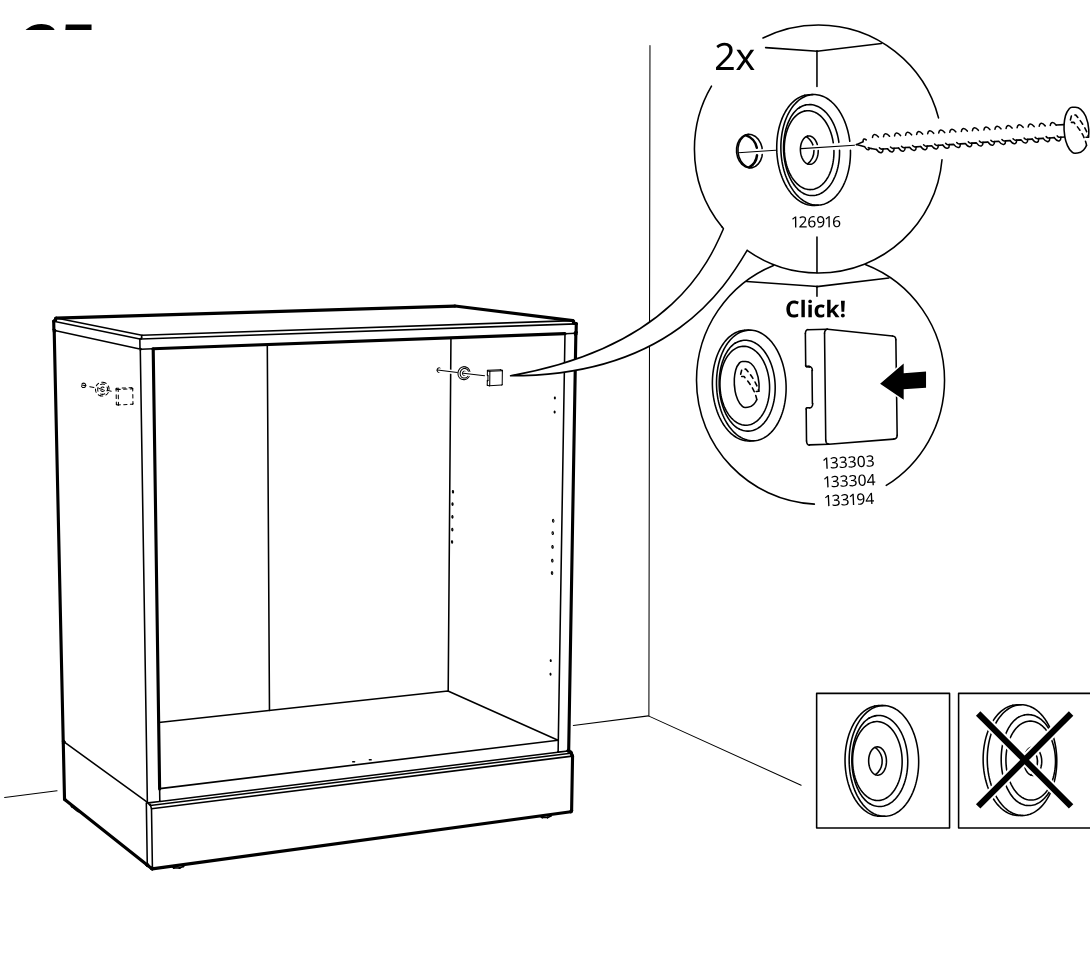
    Diagram for step 25: Insert the wall-fixing insert into the cabinet side and drive the screw through it until it clicks into place, using the shown insert orientation.
  29. Step 26

    Install one cam screw pair (101560) into the cabinet base from inside, tightening both with a screwdriver as shown in the zoom callout.
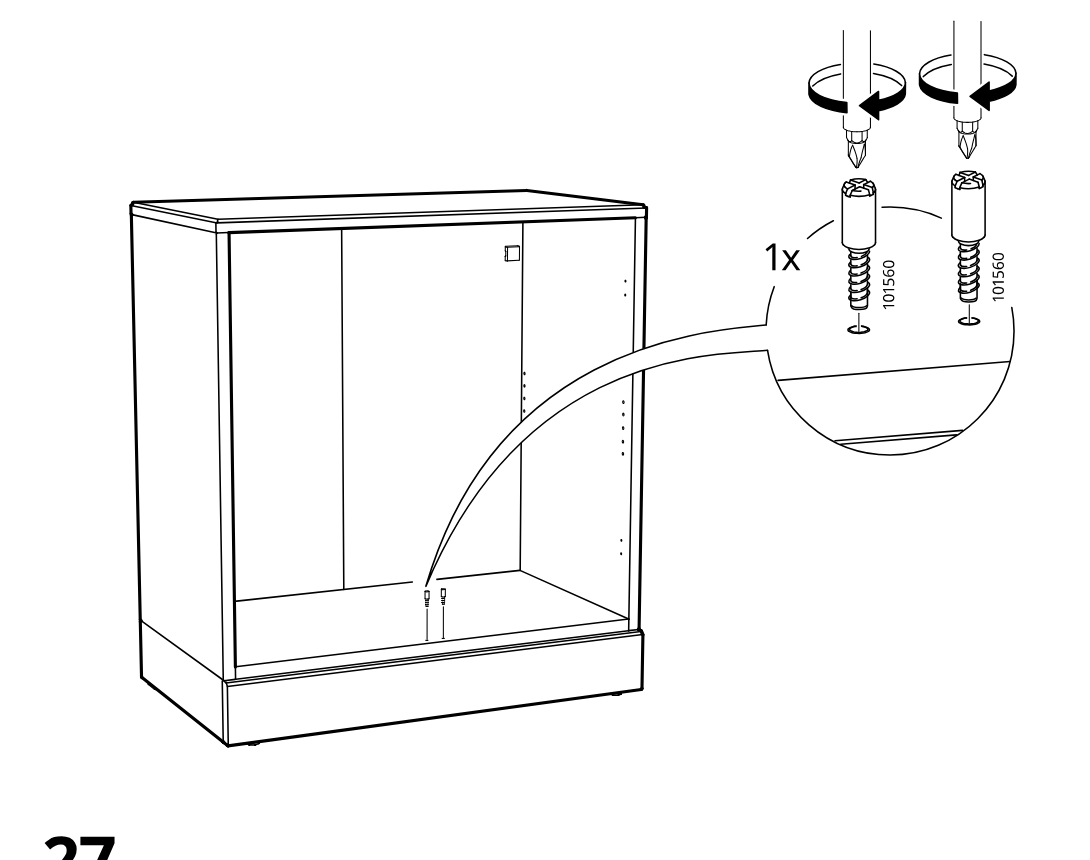
    Diagram for step 26: Install one cam screw pair (101560) into the cabinet base from inside, tightening both with a screwdriver as shown in the zoom callout.
  30. Step 27

    Attach one bracket pair (109734) at the top inside area using two screws (109049), tightening both screws with a screwdriver as indicated.
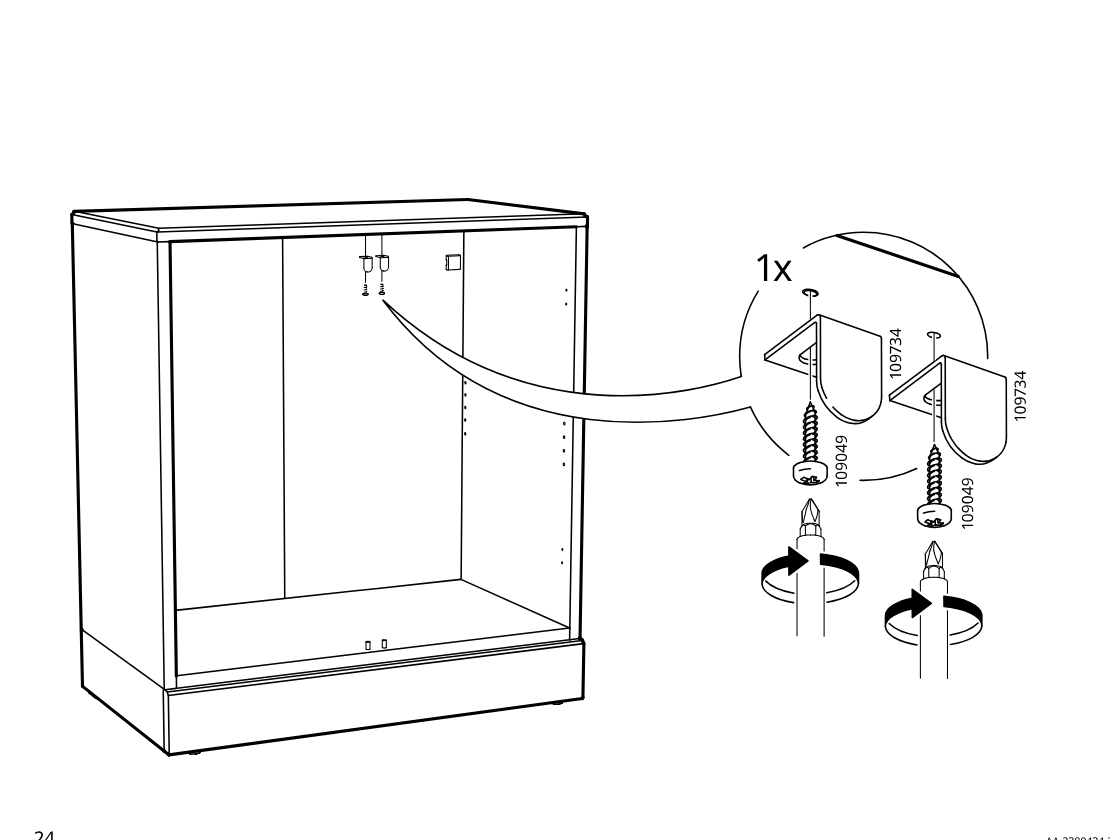
    Diagram for step 27: Attach one bracket pair (109734) at the top inside area using two screws (109049), tightening both screws with a screwdriver as indicated.
  31. Step 28

    Presses 1 adhesive pad part 102384 onto the inside of the cabinet top area as indicated by the zoom callout.
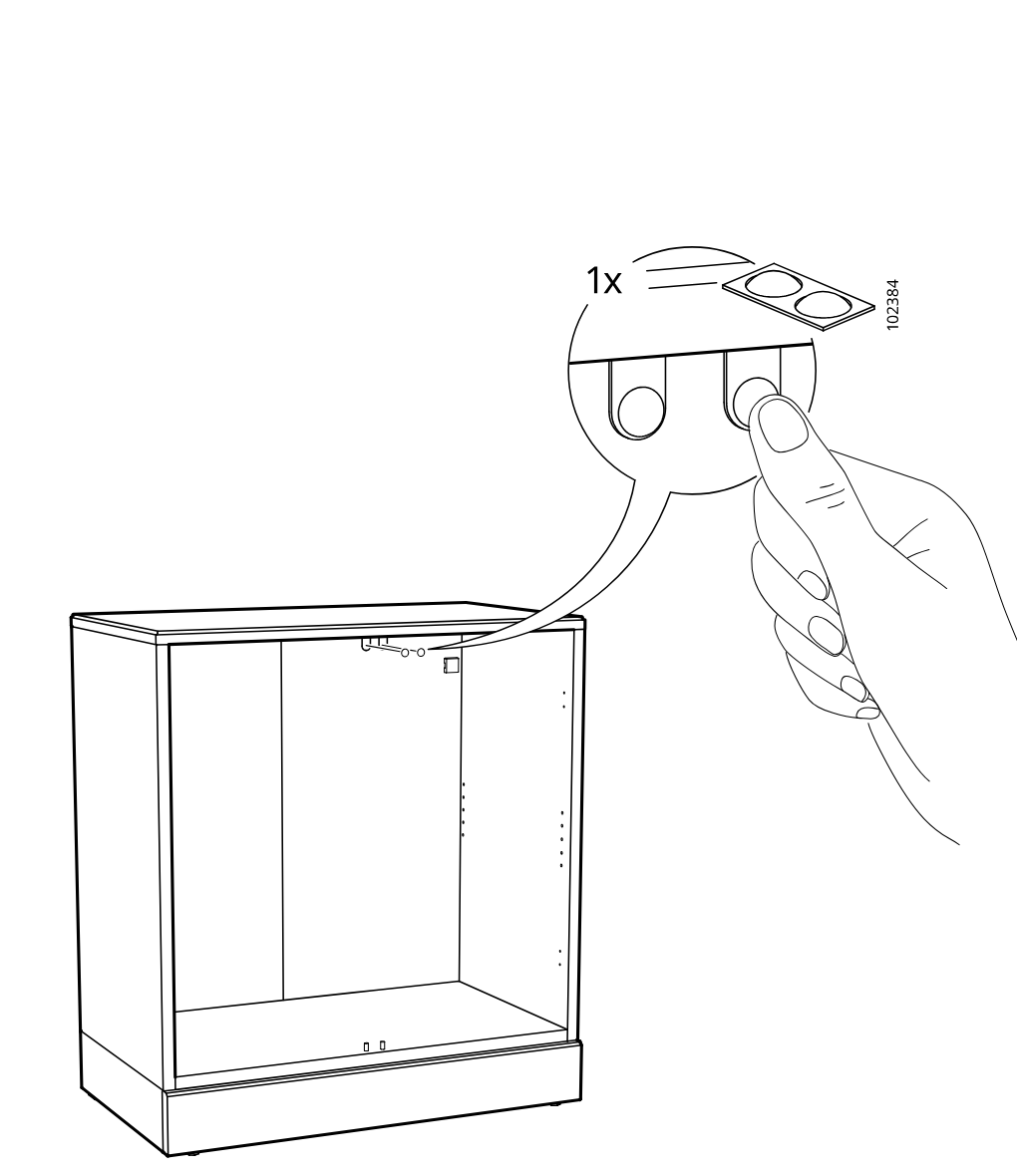
    Diagram for step 28: Presses 1 adhesive pad part 102384 onto the inside of the cabinet top area as indicated by the zoom callout.
  32. Step 29

    The cam fittings are installed into the cabinet side and back panel holes, with a zoom callout indicating the required hardware is used four times.
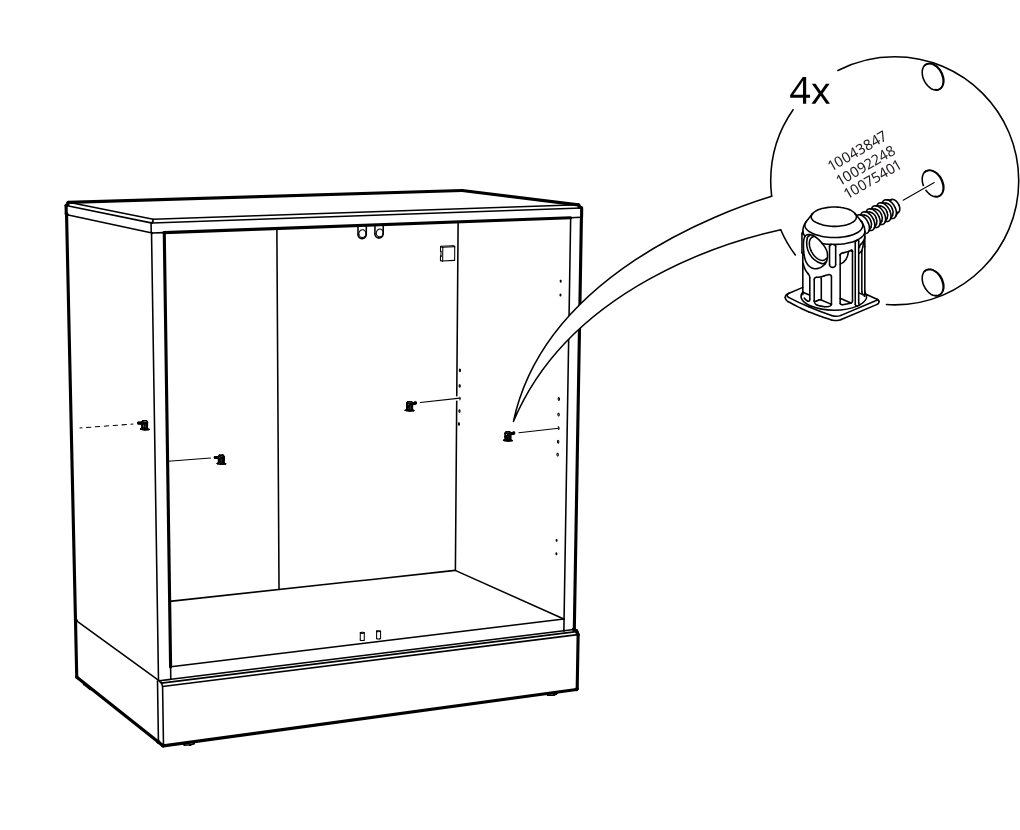
    Diagram for step 29: The cam fittings are installed into the cabinet side and back panel holes, with a zoom callout indicating the required hardware is used four times.
  33. Step 30

    A shelf panel is lowered into the cabinet interior and aligned onto the installed fittings.
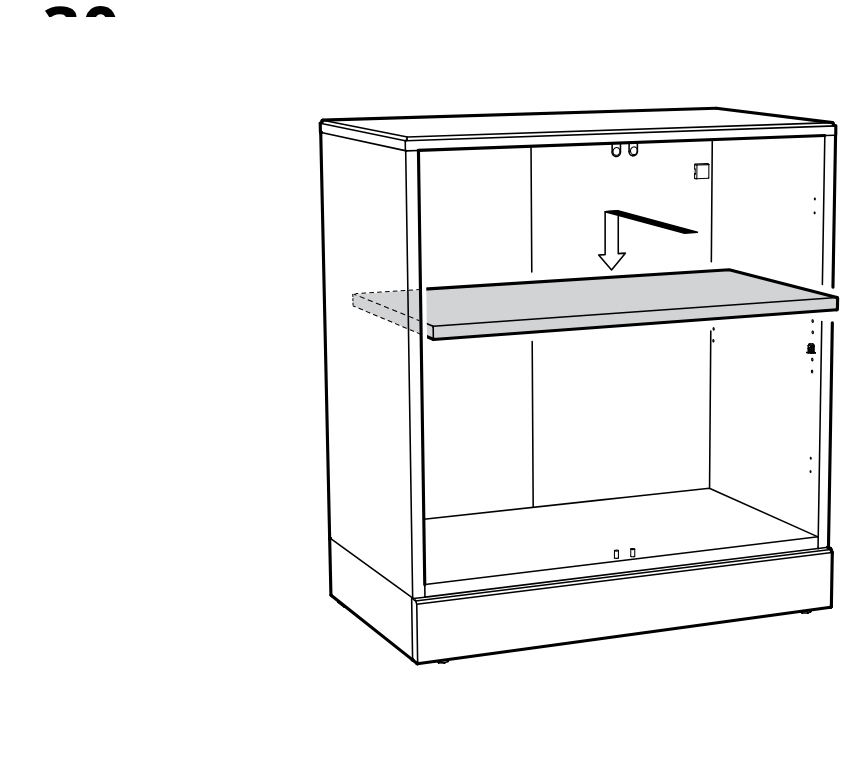
    Diagram for step 30: A shelf panel is lowered into the cabinet interior and aligned onto the installed fittings.
  34. Step 31

    The installer positions two hinge plates on the two door panels, confirms correct hinge orientation versus the crossed-out alternative, and tightens two screws per hinge.
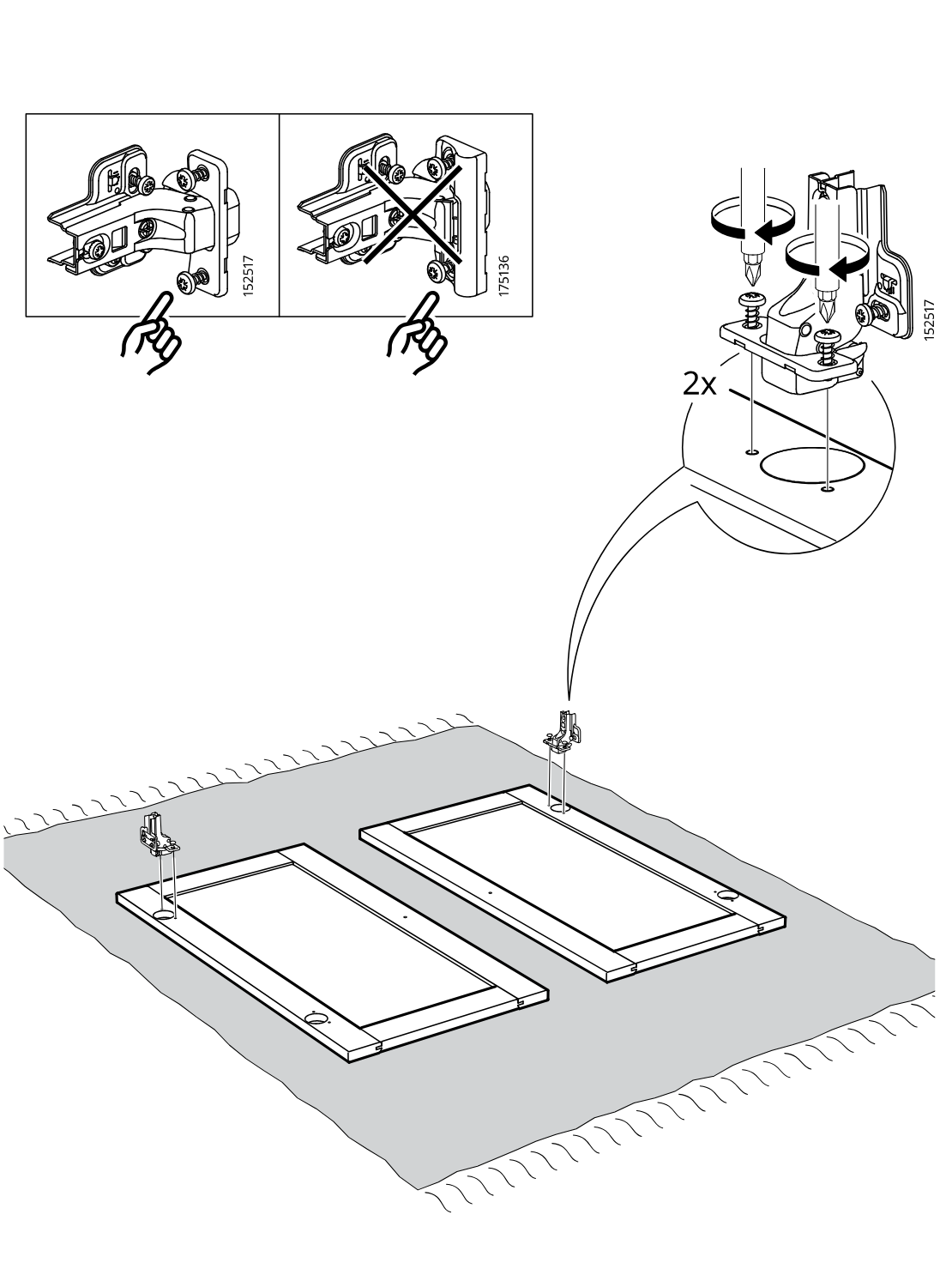
    Diagram for step 31: The installer positions two hinge plates on the two door panels, confirms correct hinge orientation versus the crossed-out alternative, and tightens two screws per hinge.
  35. Step 32

    The installer positions and secures two hinge plates on the two door panels (2x), then flips the assembled doors upright as indicated by the rotation arrow.
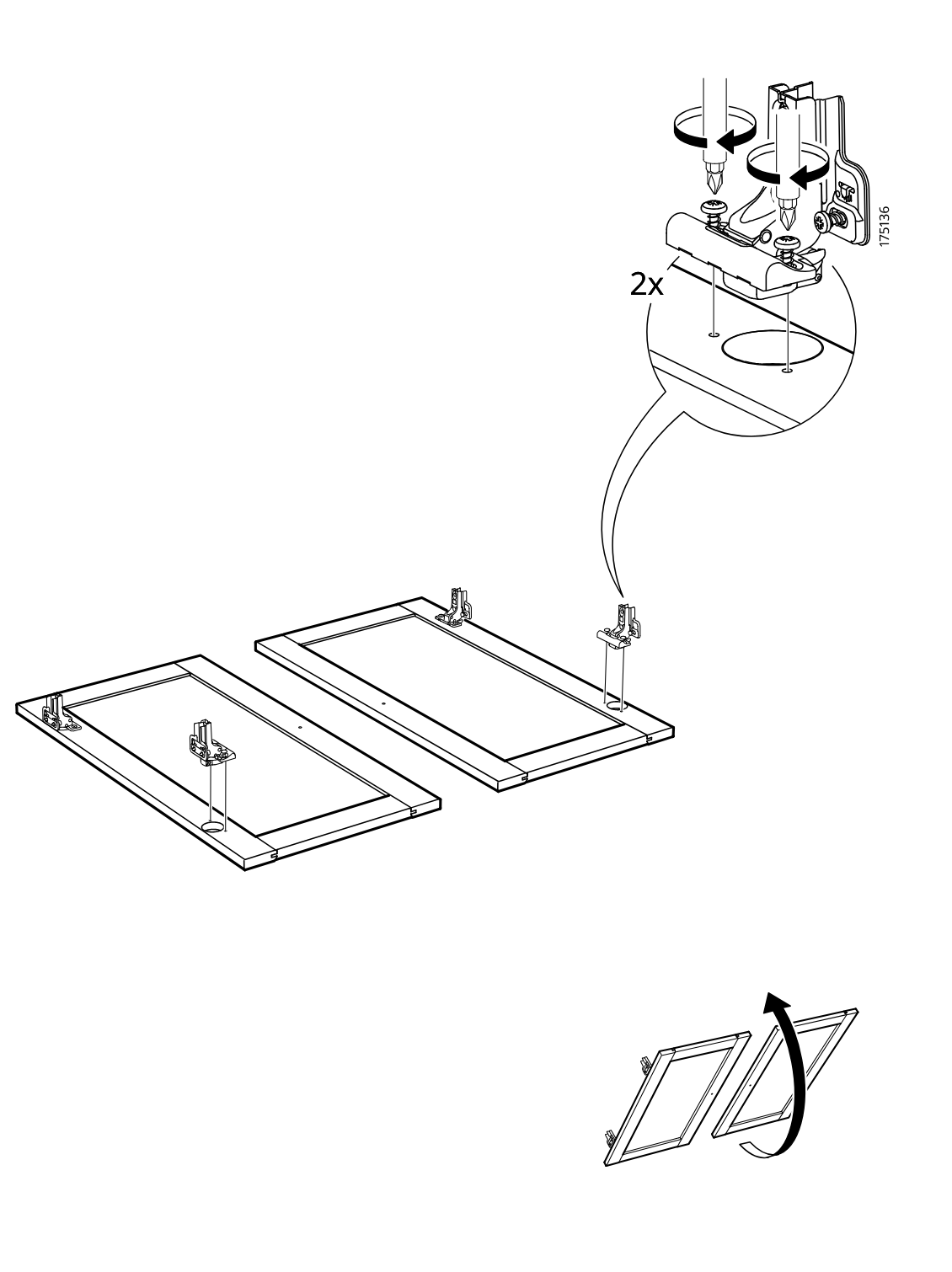
    Diagram for step 32: The installer positions and secures two hinge plates on the two door panels (2x), then flips the assembled doors upright as indicated by the rotation arrow.
  36. Step 33

    The door with pre-mounted hinges is aligned to the cabinet and pressed onto the hinge plates, with callouts showing screw adjustment and two hinge-plate variants for correct attachment.
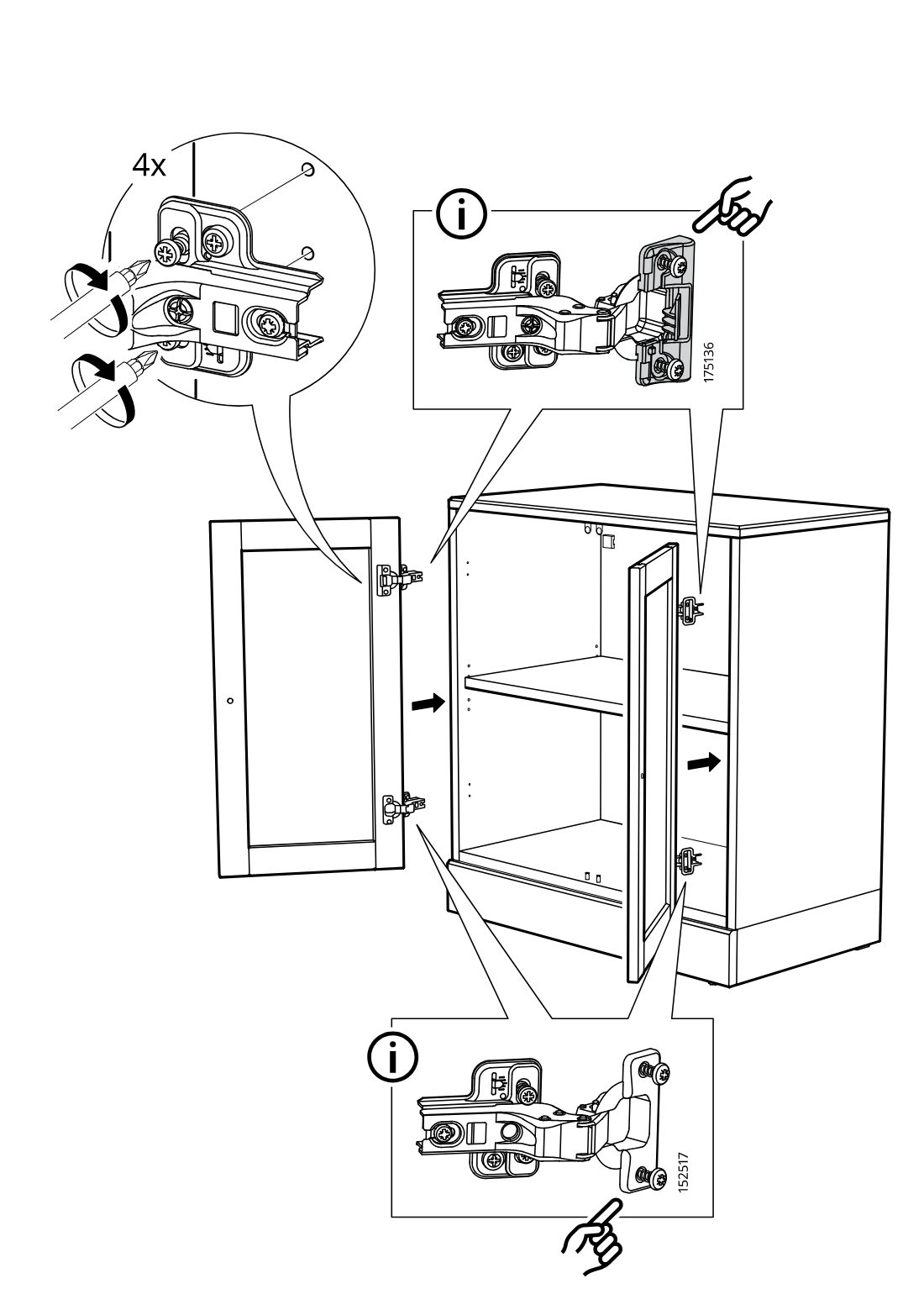
    Diagram for step 33: The door with pre-mounted hinges is aligned to the cabinet and pressed onto the hinge plates, with callouts showing screw adjustment and two hinge-plate variants for correct attachment.
  37. Step 34

    Attach two knob assemblies by inserting screw 119976 through each door from the inside and tightening knob 194867 on the outside.
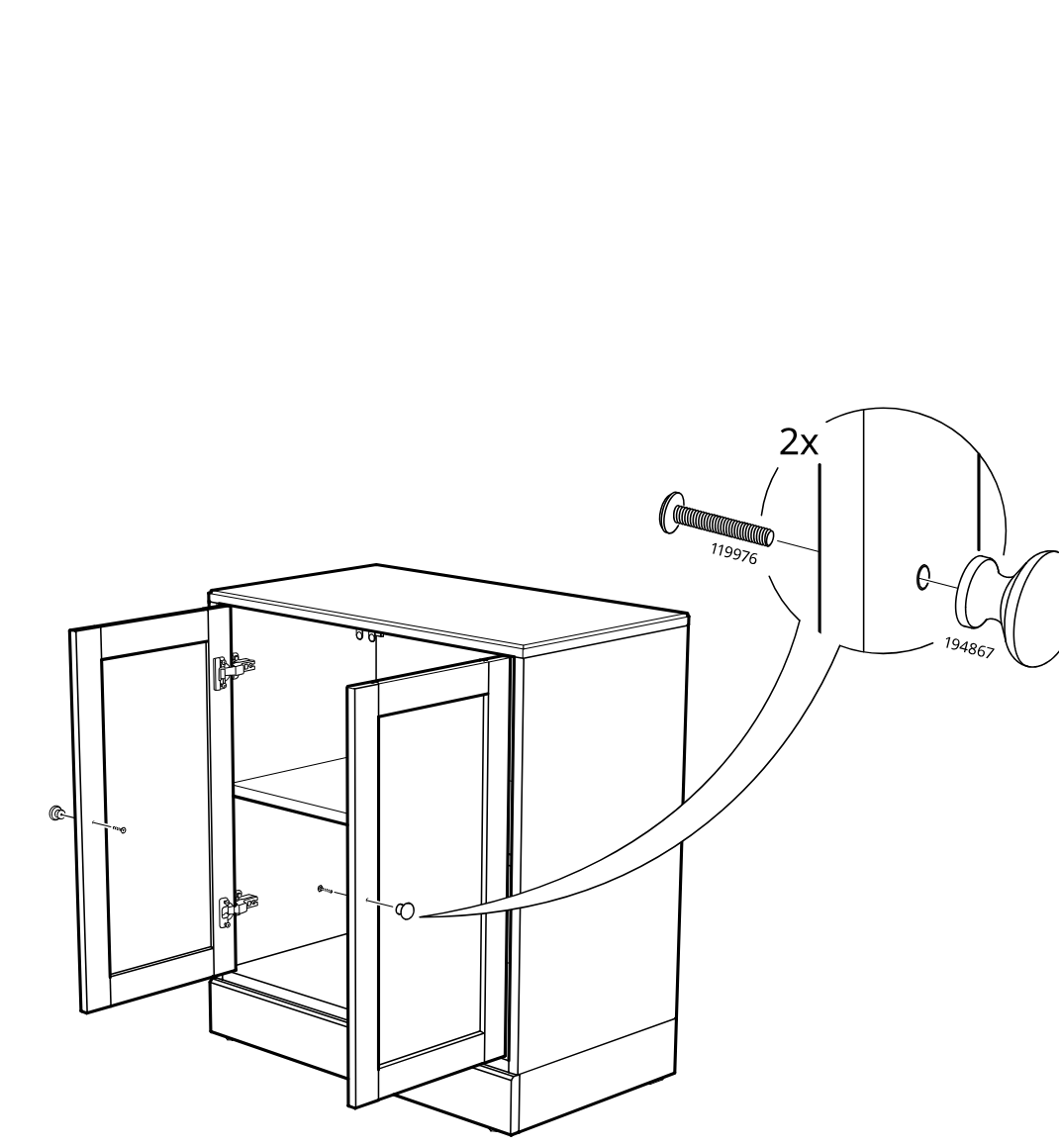
    Diagram for step 34: Attach two knob assemblies by inserting screw 119976 through each door from the inside and tightening knob 194867 on the outside.
  38. Before you begin

    Three standalone circled-info panels show hinge adjustment instructions: vertical adjustment, depth adjustment, and side adjustment using screwdriver turns and directional arrows.
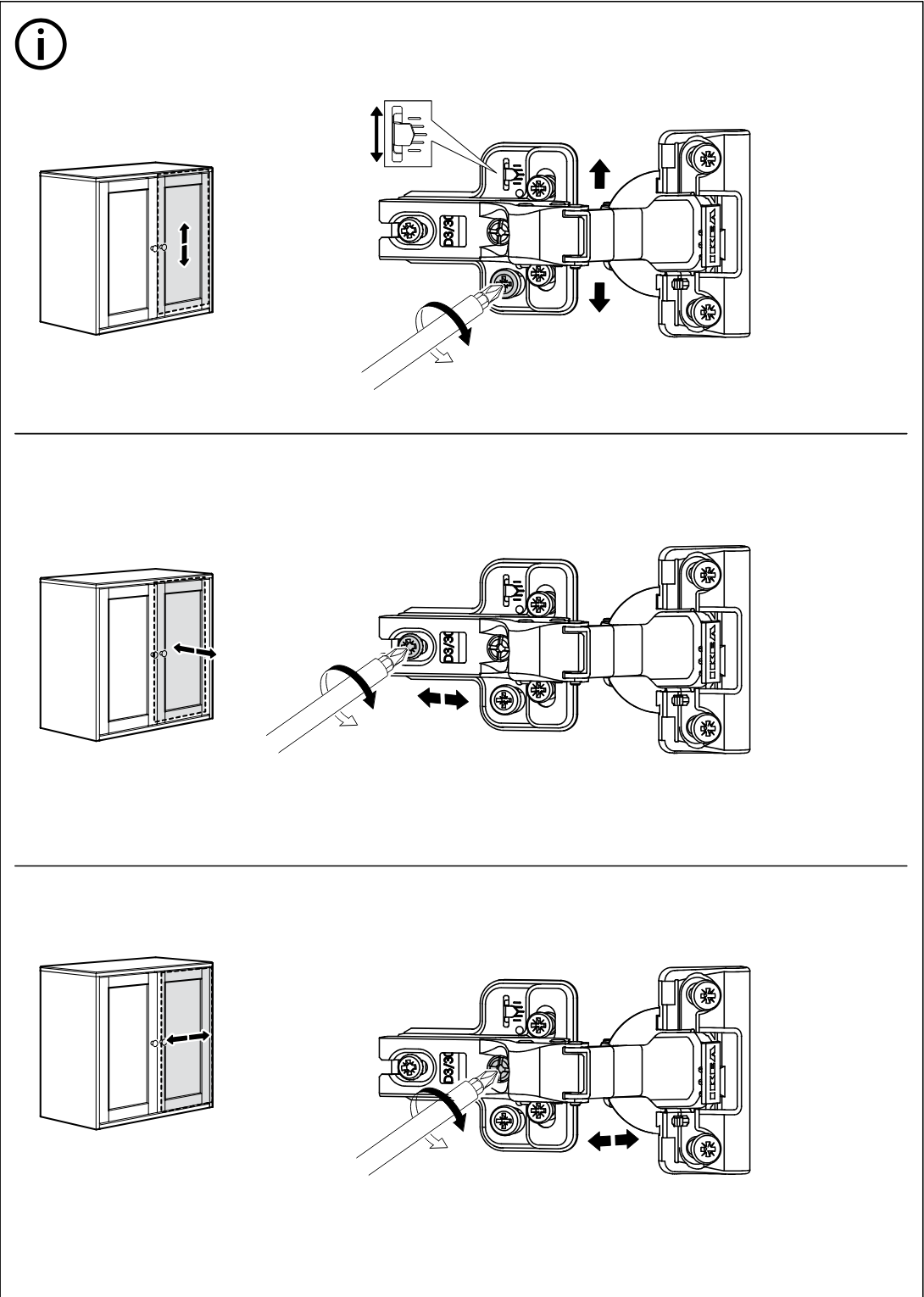
    Illustration for assembly note: Three standalone circled-info panels show hinge adjustment instructions: vertical adjustment, depth adjustment, and side adjustment using screwdriver turns and directional arrows.
  39. Before you begin

    Three stacked informational panels with a circled i show completed HAVSTA cabinet combinations and direct the user to the corresponding detailed manual for each upper-unit door/shelf configuration.
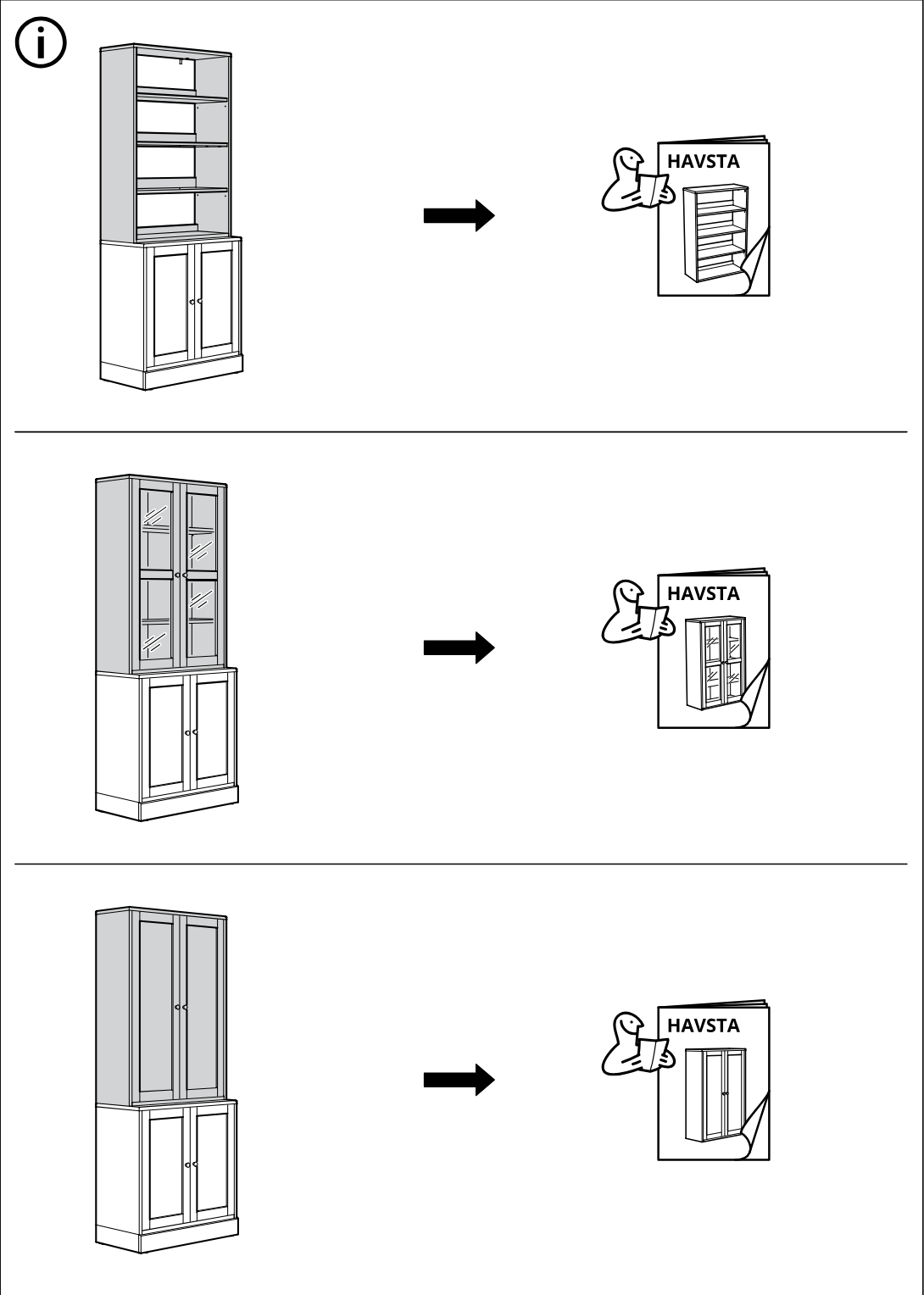
    Illustration for assembly note: Three stacked informational panels with a circled i show completed HAVSTA cabinet combinations and direct the user to the corresponding detailed manual for each upper-unit door/shelf configuration.

Video guide