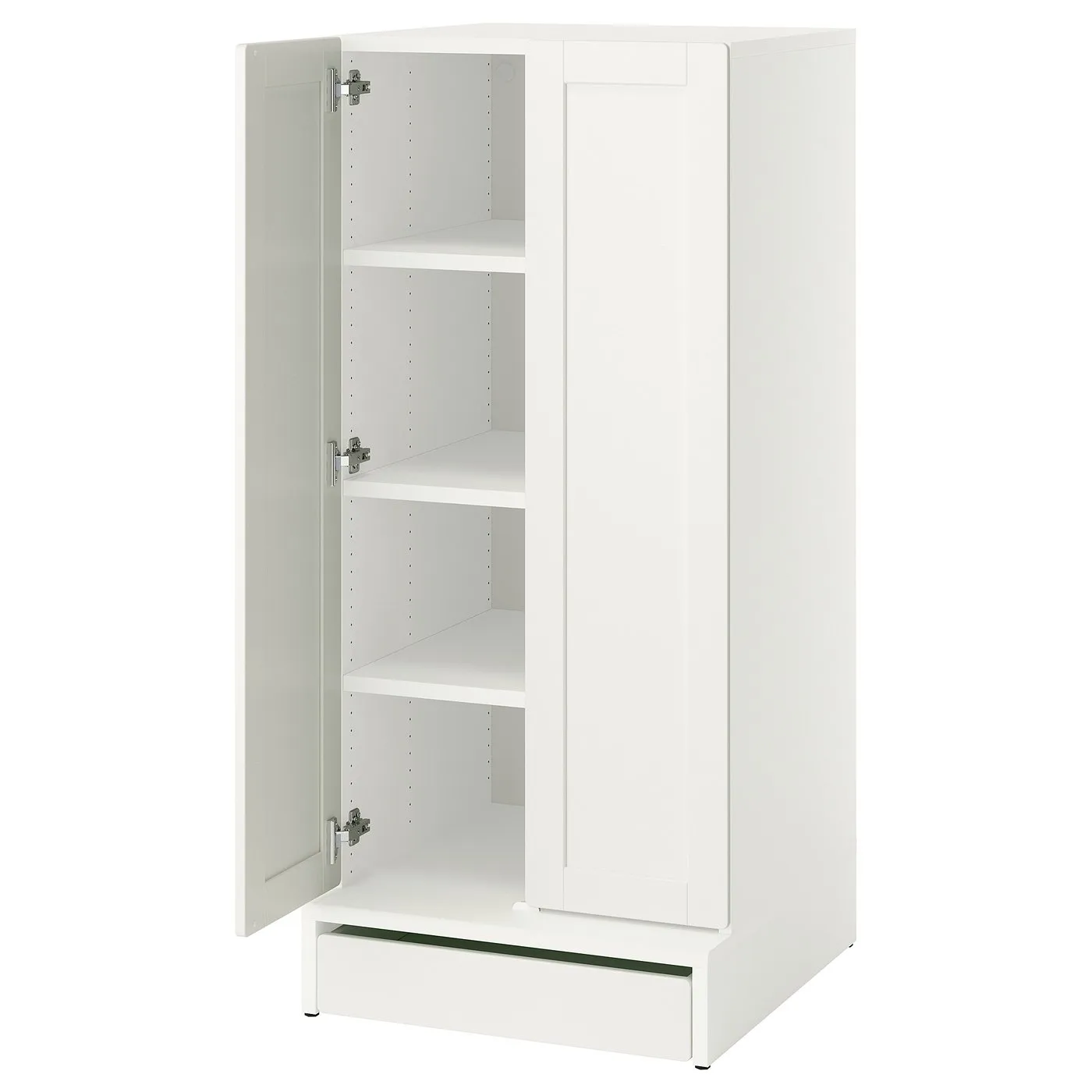
How to assemble IKEA SMÅSTAD / UPPFÖRA wardrobe

SMÅSTAD / UPPFÖRA wardrobe, white with frame/with 3 shelves, 235/8x255/8x531/2"

This guide covers the white IKEA SMÅSTAD / UPPFÖRA wardrobe combination, 895.558.88. Select the UPPFÖRA frame or drawer, or the HJÄLPA shelf or hinge instructions, to follow the relevant diagrams.

View on IKEA
SMÅSTAD / UPPFÖRA wardrobe

Interactive assembly guide

Step-by-Step Instructions

4 different parts, 11 boxes total — click on a package to see step-by-step assembly instructions

UPPFÖRA Frame

105.765.01

x1

25 ¾ "

Width

2 ¾ "

Height

59 ¼ "

Length

53 lb 14 oz

Weight

Start Assembly

HJÄLPA Shelf

903.311.66

x3

20 ¾ "

Width

1 "

Height

23 "

Length

5 lb 3 oz

Weight

Start Assembly

HJÄLPA Soft closing hinge

903.828.82

x6

6 ½ "

Width

1 ¼ "

Height

6 ½ "

Length

4 oz

Weight

Start Assembly

UPPFÖRA Drawer

904.335.51

x1

19 ¾ "

Width

1 ½ "

Height

23 "

Length

9 lb 11 oz

Weight

Start Assembly

Written guide

Step-by-step instructions with diagrams

Follow the numbered assembly steps below, or open the interactive guide above to track progress and zoom into each diagram. This guide includes 31 illustrated steps.

UPPFÖRA Frame

  1. Before you begin

    Tip-over safety warning panels and symbols showing anti-tip installation, no TV placement, and multilingual warning text in English, French, and Spanish.
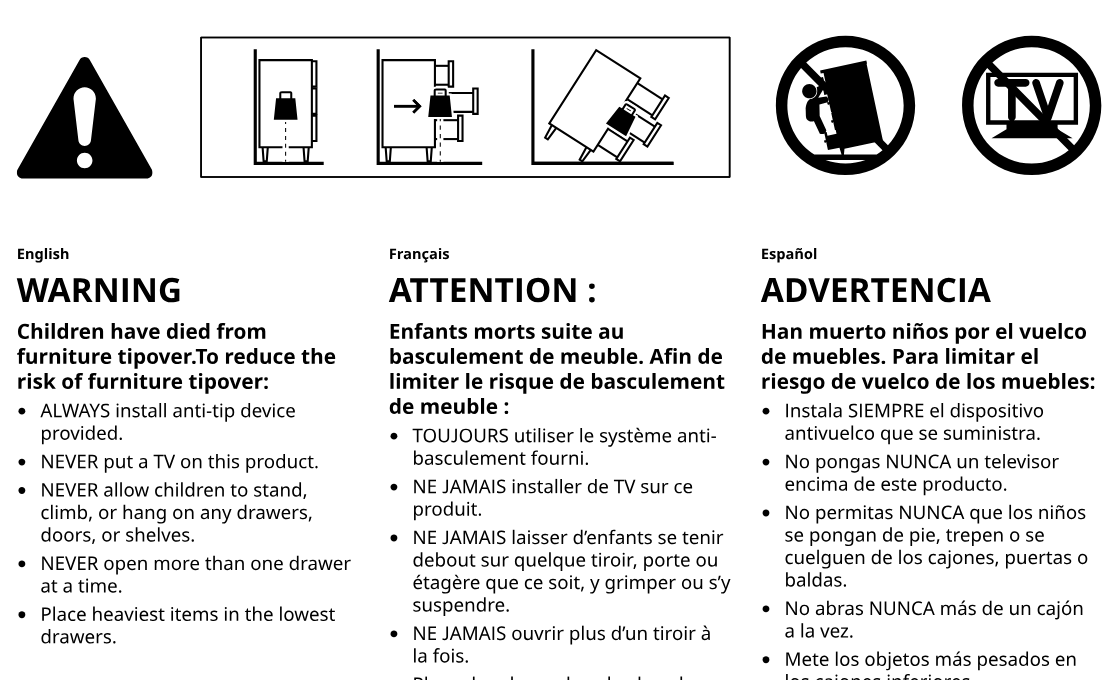
    Illustration for assembly note: Tip-over safety warning panels and symbols showing anti-tip installation, no TV placement, and multilingual warning text in English, French, and Spanish.
  2. Before you begin

    Preparation warnings show not to assemble directly on a hard floor, to assemble on a soft surface, and to contact IKEA if parts are damaged or unclear.
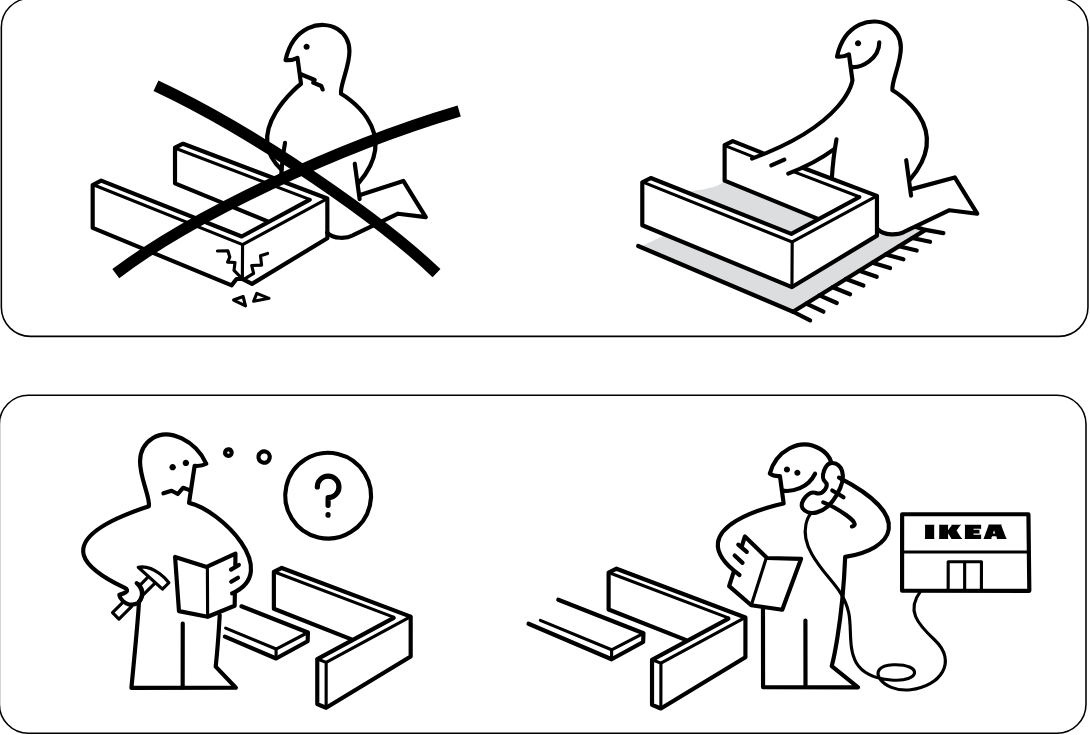
    Illustration for assembly note: Preparation warnings show not to assemble directly on a hard floor, to assemble on a soft surface, and to contact IKEA if parts are damaged or unclear.
  3. Before you begin

    Information panel shows the cabinet frame upright in two size variants with the base and interior bottom orientation indicated.
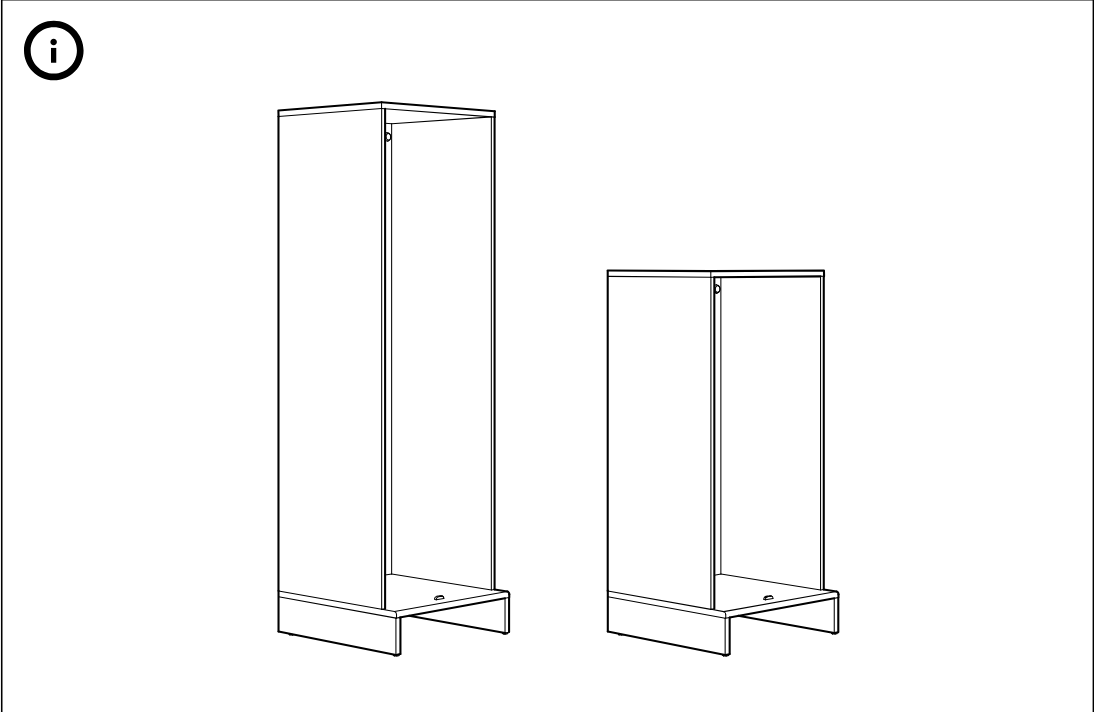
    Illustration for assembly note: Information panel shows the cabinet frame upright in two size variants with the base and interior bottom orientation indicated.
  4. Before you begin

    Parts-bag reference page labeled 1 showing included hardware and tools: screws, small screws, dowels, two plastic fittings, an Allen key, a plastic support piece, a threaded foot, and a wrench, plus a leaflet icon marked 7.
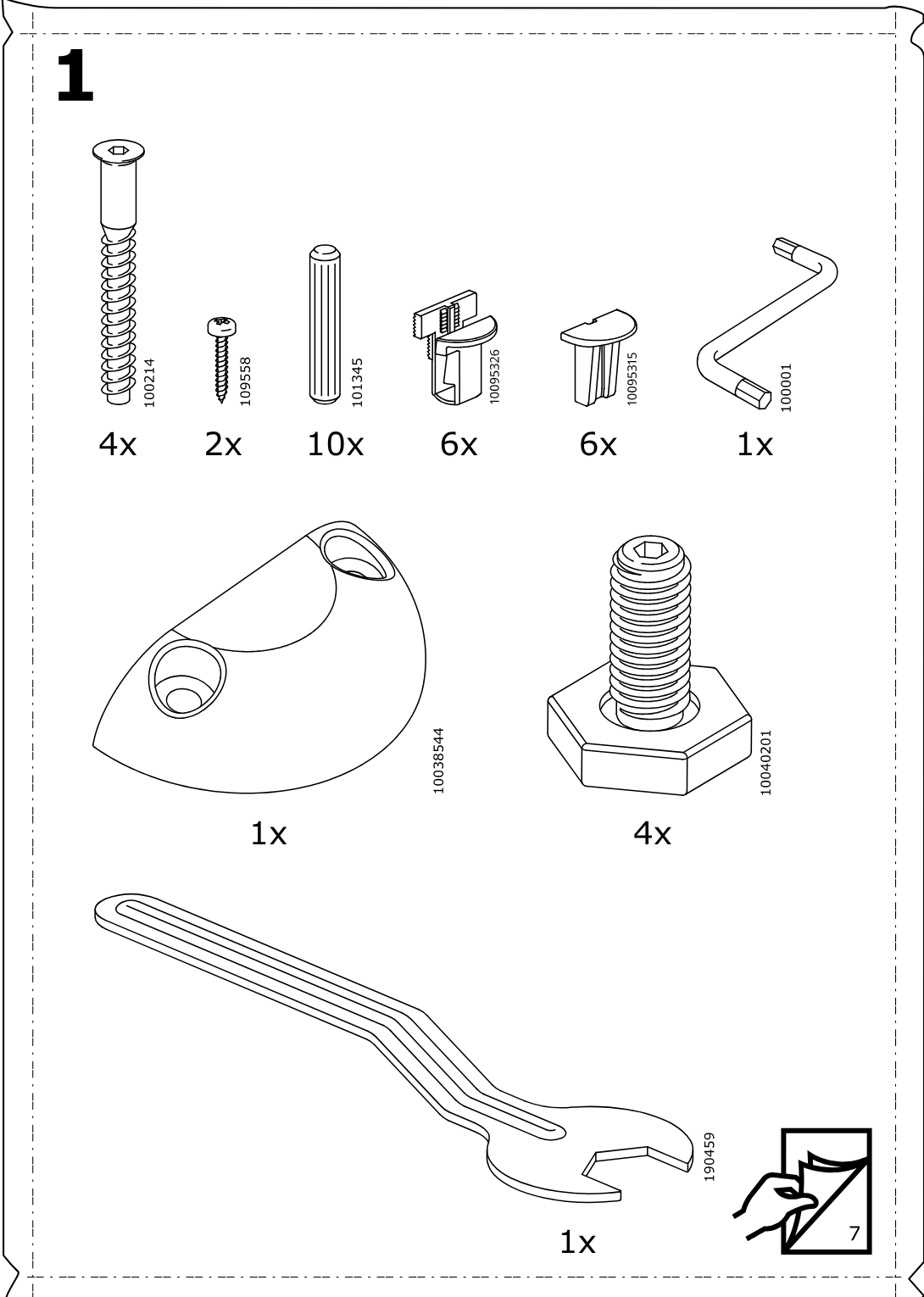
    Illustration for assembly note: Parts-bag reference page labeled 1 showing included hardware and tools: screws, small screws, dowels, two plastic fittings, an Allen key, a plastic support piece, a threaded foot, and a wrench, plus a leaflet icon marked 7.
  5. Before you begin

    Standalone information panel showing the cabinet/frame oriented upright after assembly.
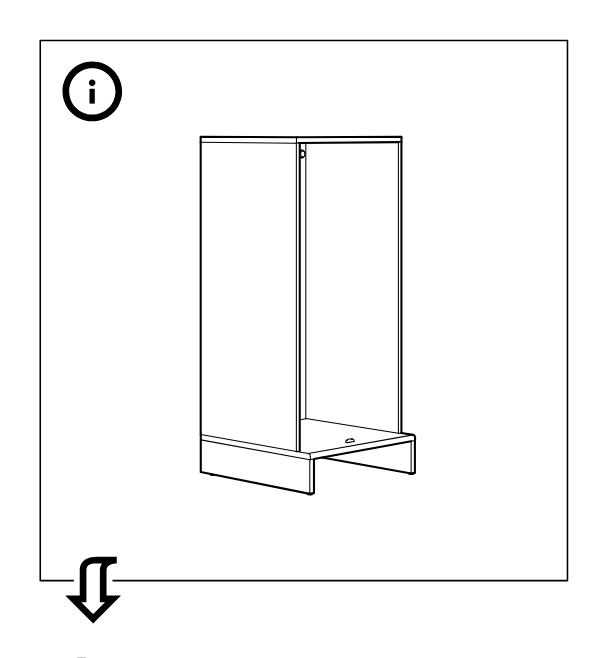
    Illustration for assembly note: Standalone information panel showing the cabinet/frame oriented upright after assembly.
  6. Before you begin

    Standalone parts-bag panel labeled 1 showing the required hardware and tools for this stage.
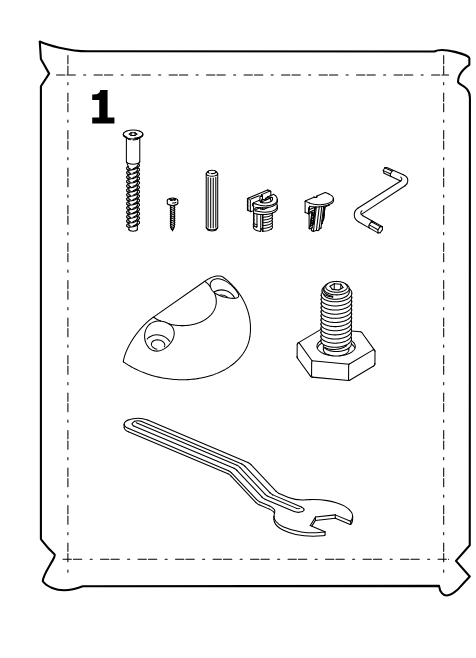
    Illustration for assembly note: Standalone parts-bag panel labeled 1 showing the required hardware and tools for this stage.
  7. Step 2

    Panels are aligned and joined into a drawer frame while eight cam fittings are indicated in a zoom callout for tightening at the side connection points.
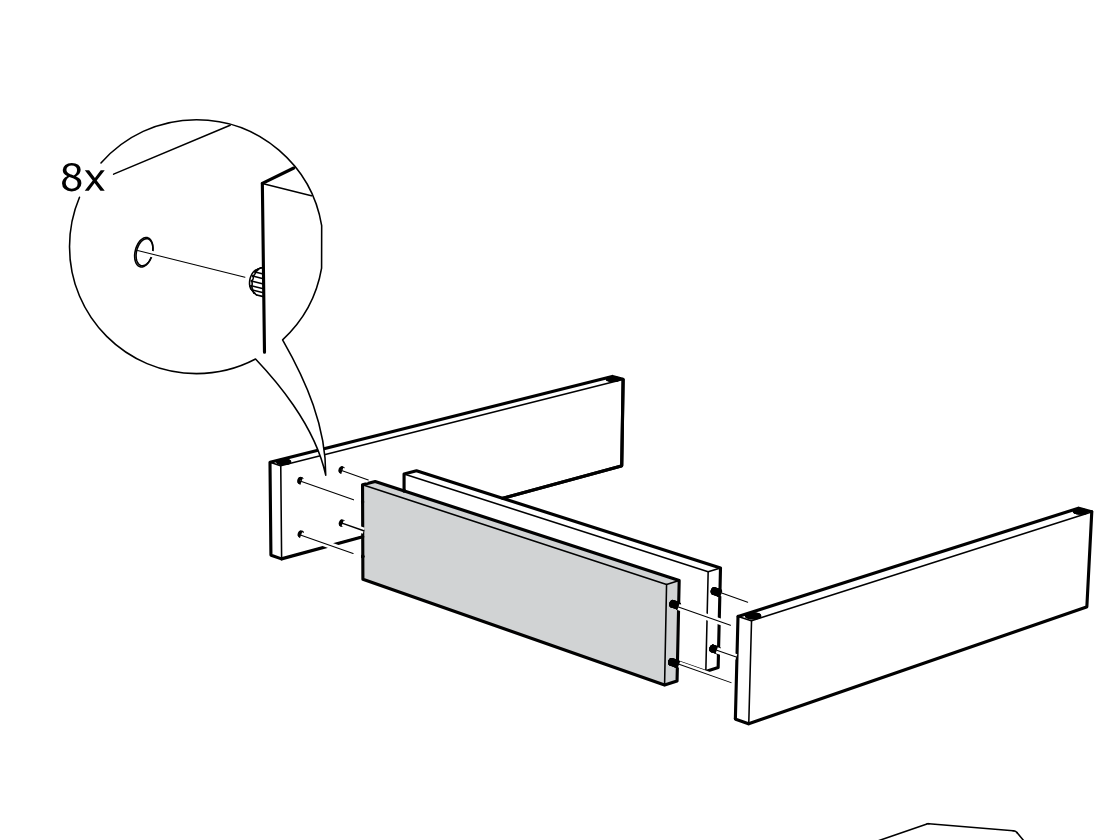
    Diagram for step 2: Panels are aligned and joined into a drawer frame while eight cam fittings are indicated in a zoom callout for tightening at the side connection points.
  8. Step 3

    Four threaded feet or bolts are inserted and turned into the corner sockets of the assembled frame, with a zoom callout showing the part 10040201 being screwed into place.
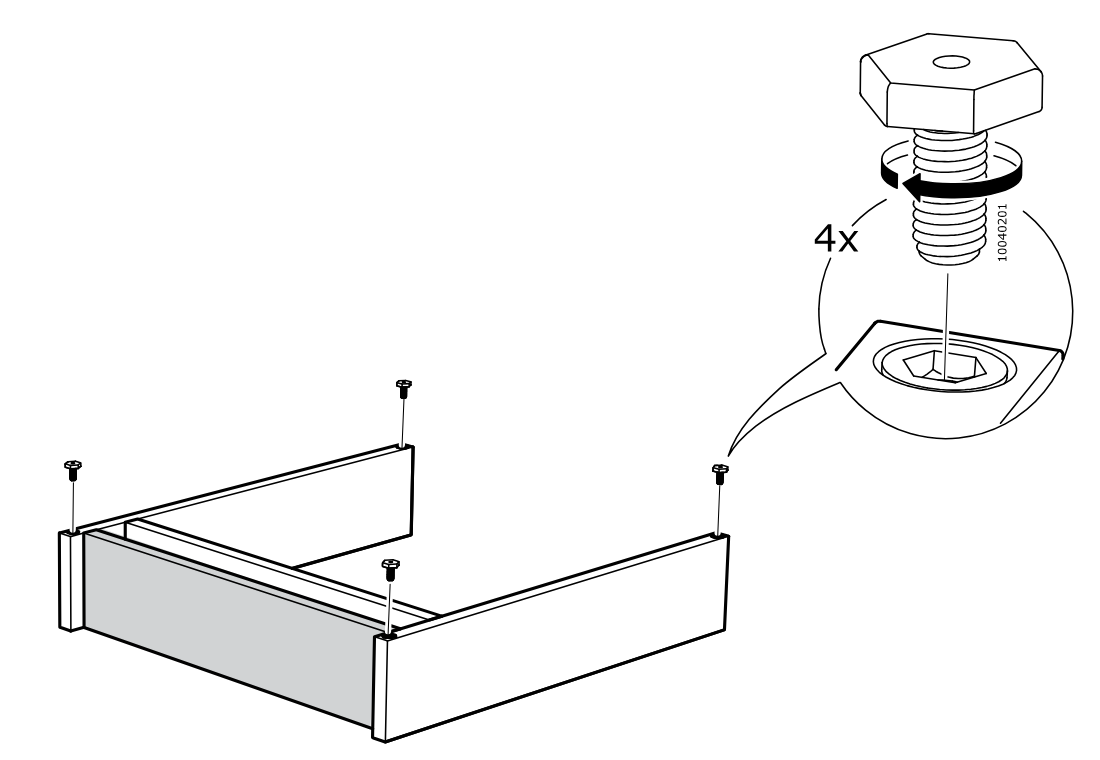
    Diagram for step 3: Four threaded feet or bolts are inserted and turned into the corner sockets of the assembled frame, with a zoom callout showing the part 10040201 being screwed into place.
  9. Step 4

    Turn the frame over, then insert 2 dowels (101345) into the marked top holes of the side panels, as shown in the zoom callout.
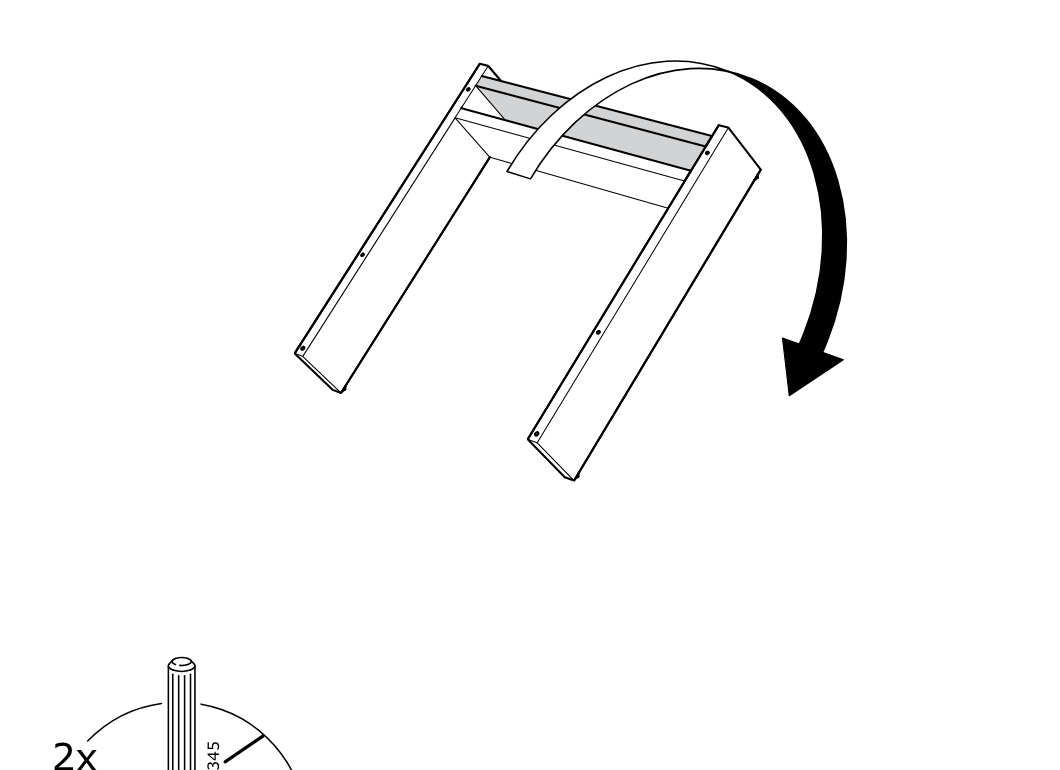
    Diagram for step 4: Turn the frame over, then insert 2 dowels (101345) into the marked top holes of the side panels, as shown in the zoom callout.
  10. Step 5

    Place the top panel down onto the frame and insert two locking pins as shown in the zoom callout.
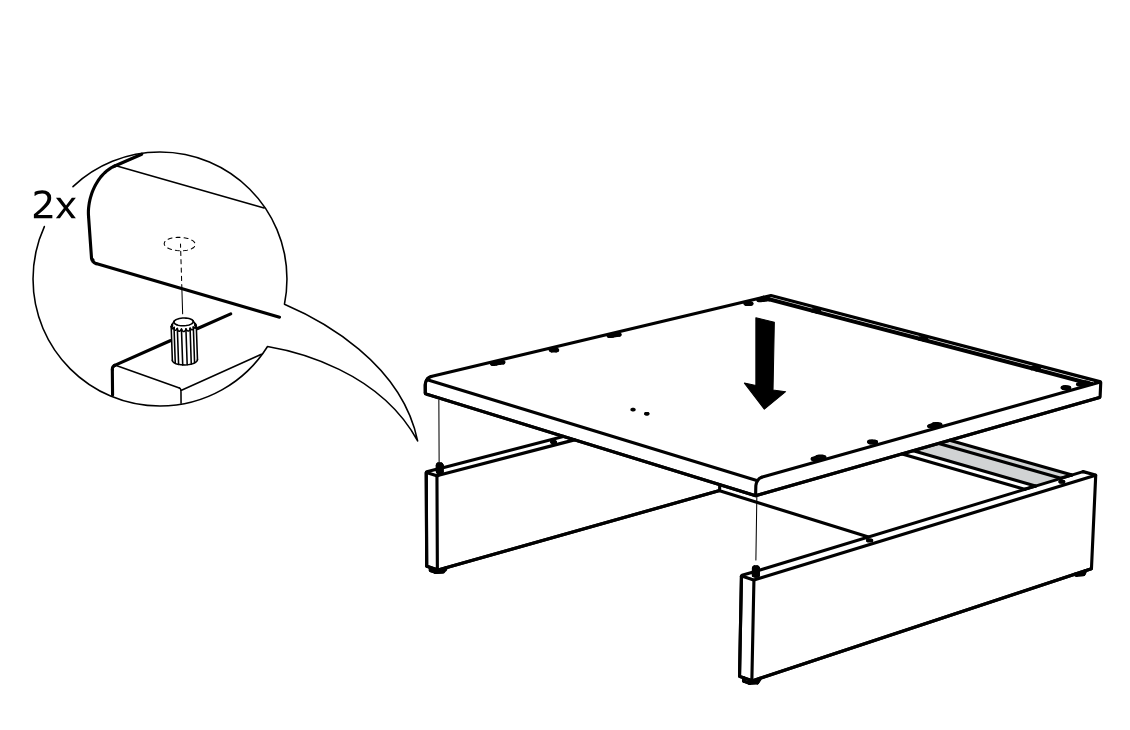
    Diagram for step 5: Place the top panel down onto the frame and insert two locking pins as shown in the zoom callout.
  11. Step 6

    Insert and tighten four screws with the included hex key, then cover the access holes with caps as shown in the zoom callouts.
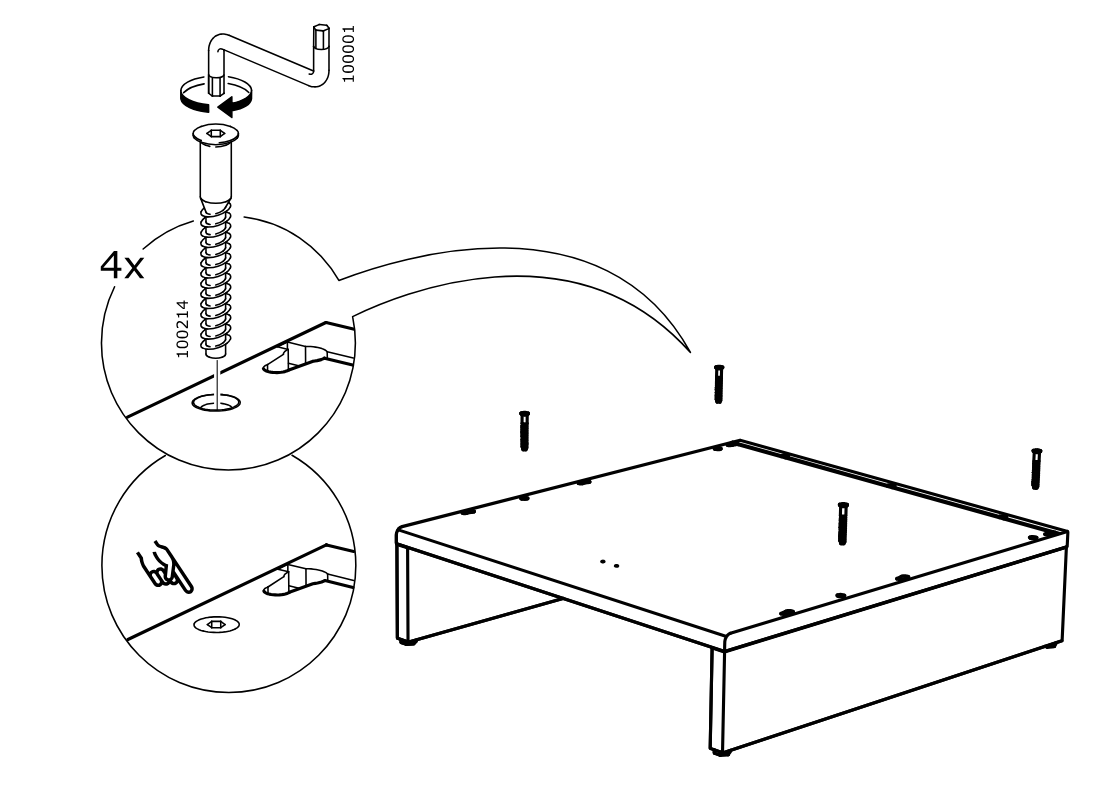
    Diagram for step 6: Insert and tighten four screws with the included hex key, then cover the access holes with caps as shown in the zoom callouts.
  12. Step 7

    Attach the side panel to the back panel, ensure the warning label is present and oriented correctly, and press the top edge down so the three connectors engage.
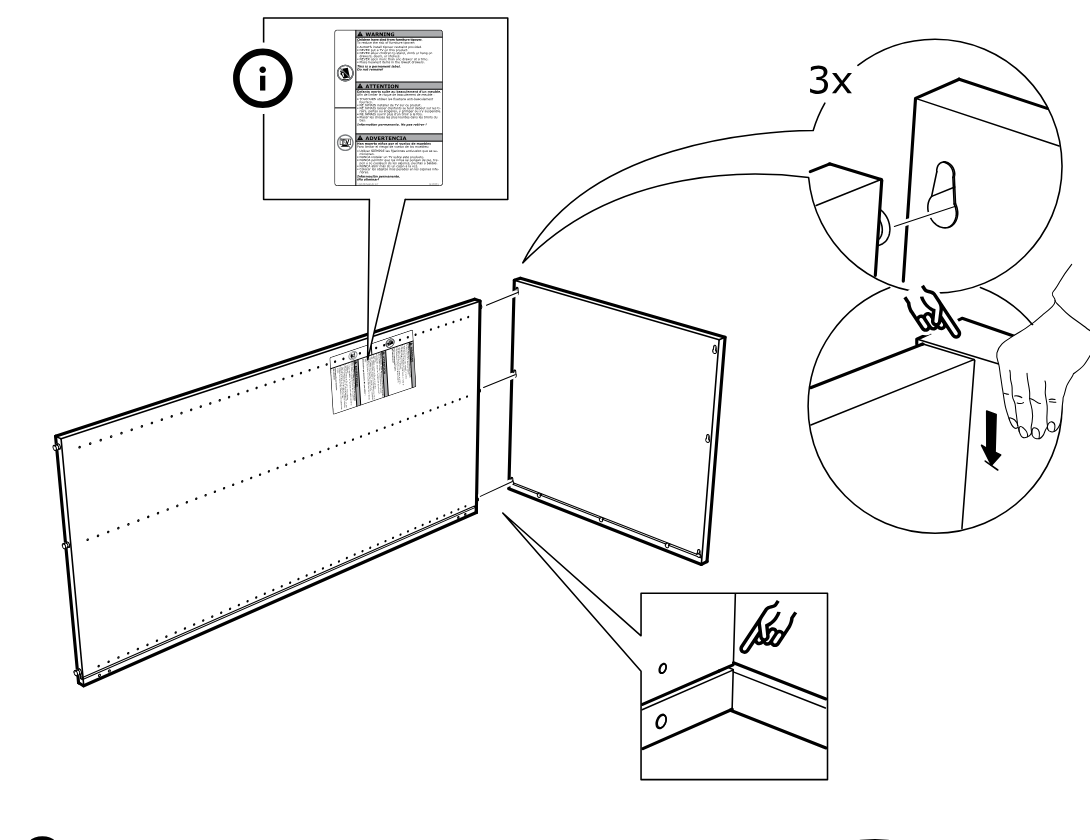
    Diagram for step 7: Attach the side panel to the back panel, ensure the warning label is present and oriented correctly, and press the top edge down so the three connectors engage.
  13. Step 8

    Attach the opposite side panel to the back panel and press the top edge down so the three connectors engage.
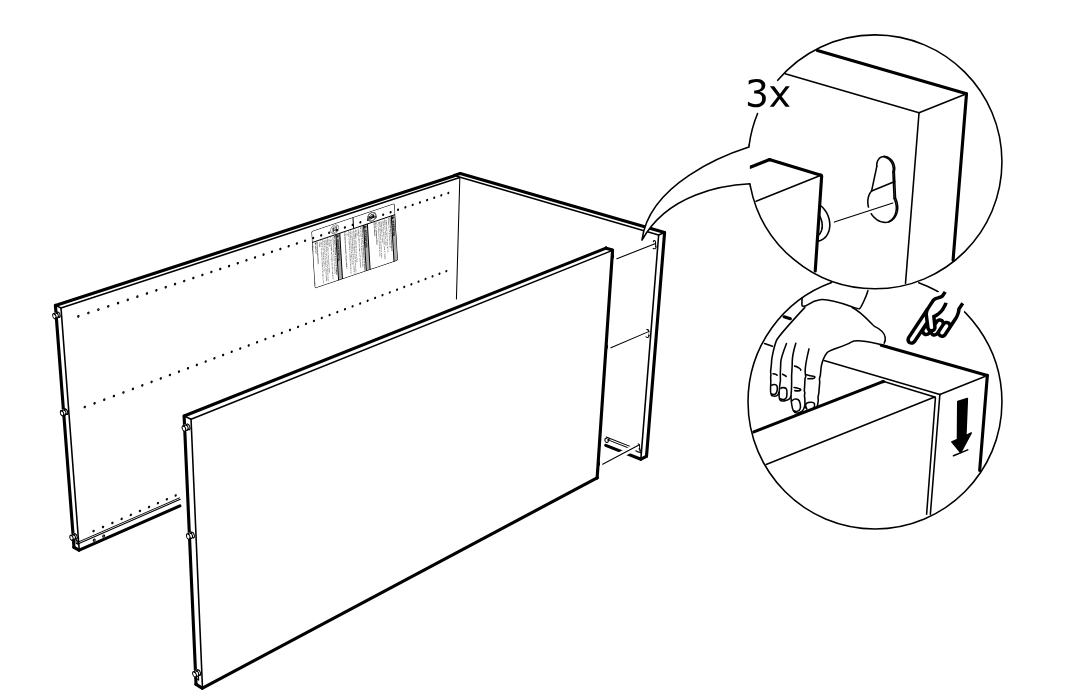
    Diagram for step 8: Attach the opposite side panel to the back panel and press the top edge down so the three connectors engage.
  14. Step 9

    Slide the large bottom panel into the cabinet side panels and align it using the indicated slots and guide points, checking the highlighted hole location.
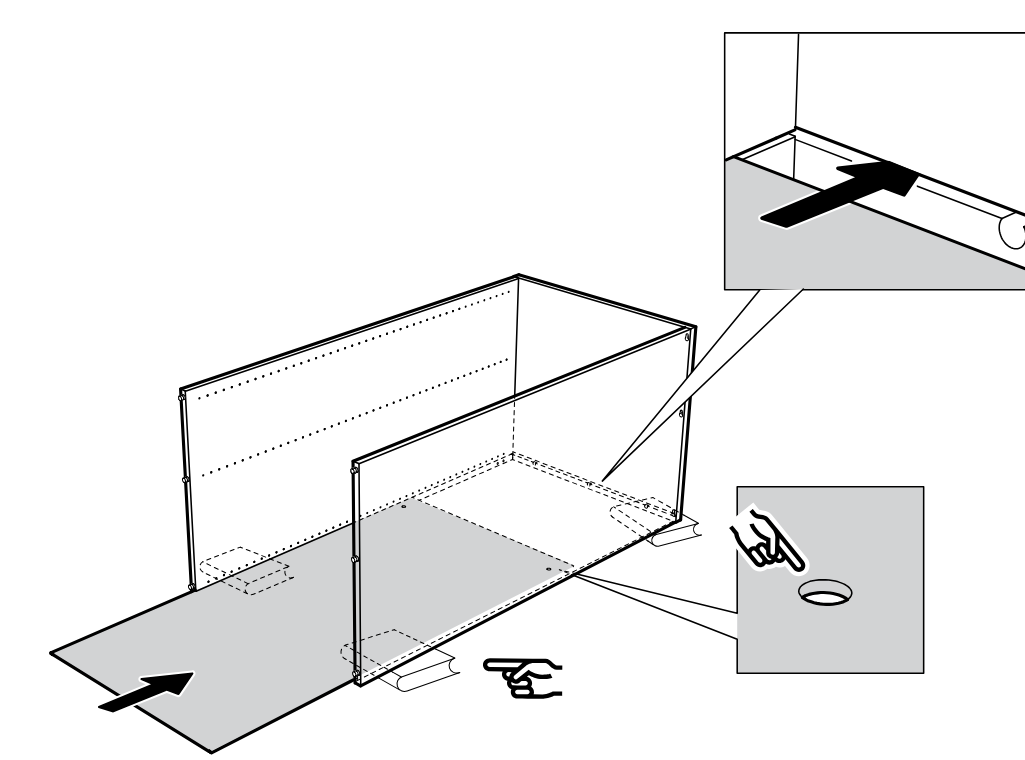
    Diagram for step 9: Slide the large bottom panel into the cabinet side panels and align it using the indicated slots and guide points, checking the highlighted hole location.
  15. Step 10

    Lower the side frame onto the assembled section so the tabs engage the slots, then press down and verify the bottom edge alignment in the close-up.
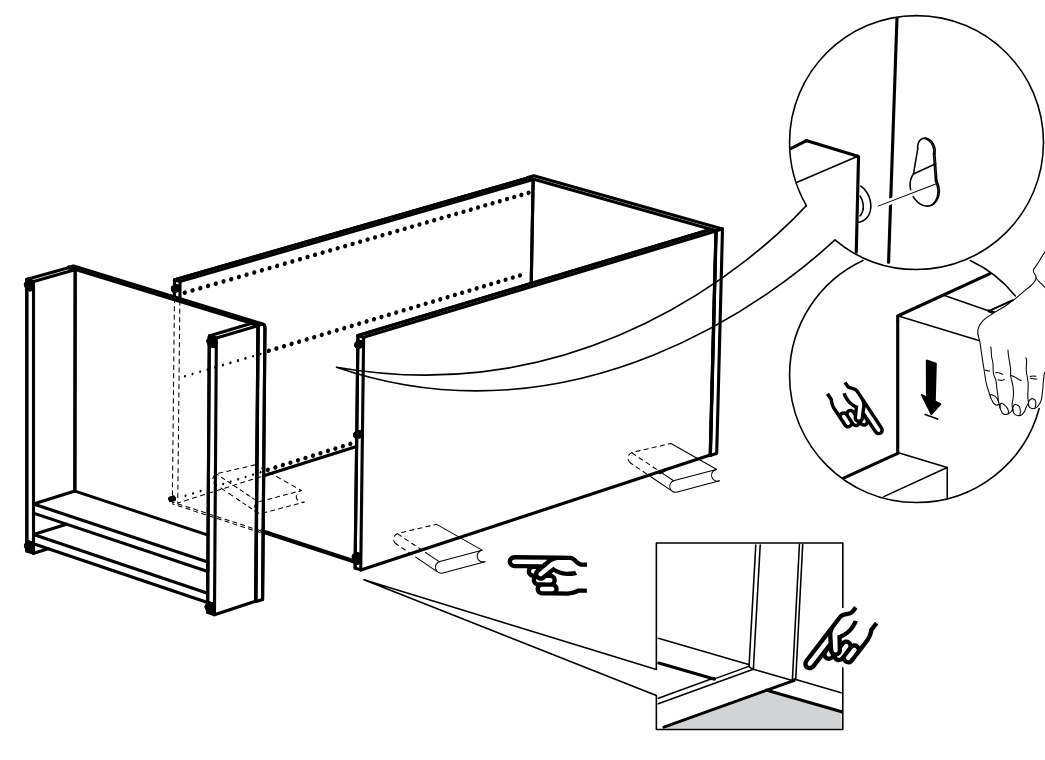
    Diagram for step 10: Lower the side frame onto the assembled section so the tabs engage the slots, then press down and verify the bottom edge alignment in the close-up.
  16. Step 11

    Slide the back panel down into the cabinet base and lock it in place with 6 clips, ensuring the clip orientation matches the correct example and not the crossed-out one.
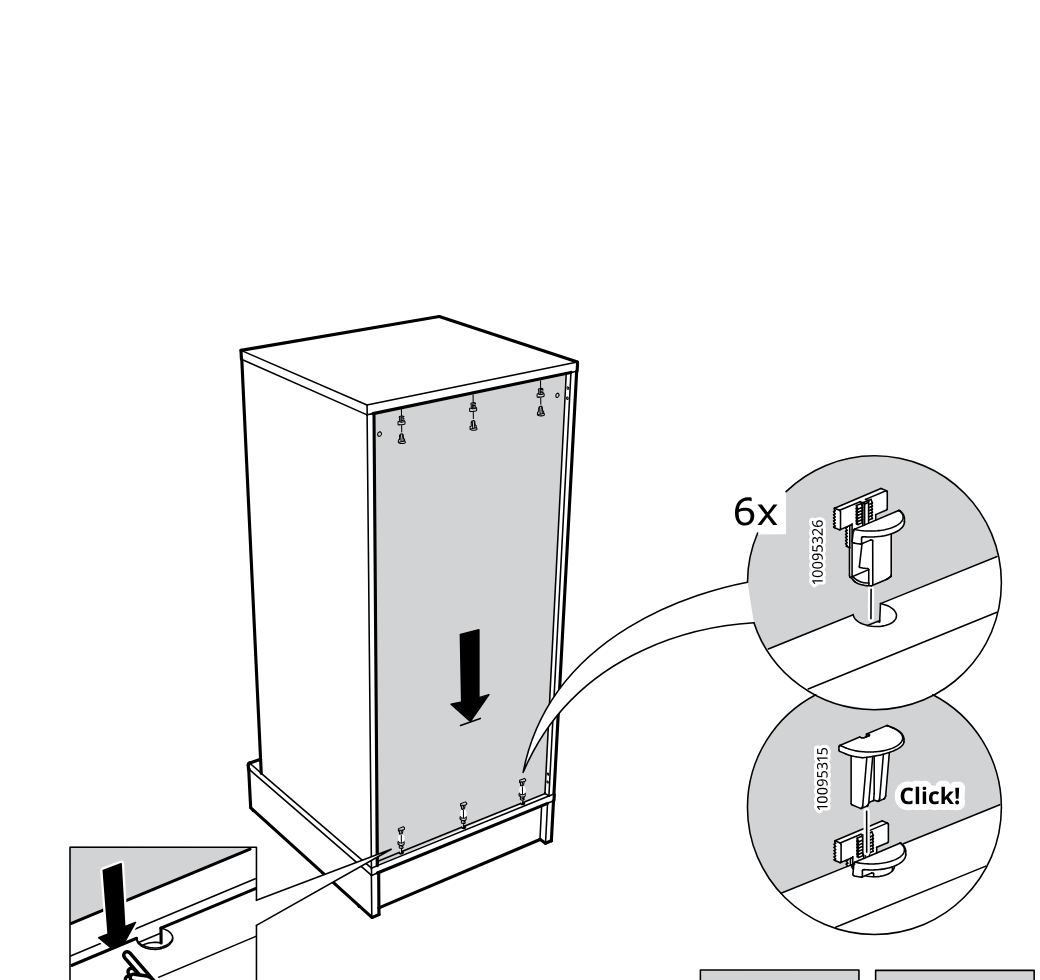
    Diagram for step 11: Slide the back panel down into the cabinet base and lock it in place with 6 clips, ensuring the clip orientation matches the correct example and not the crossed-out one.
  17. Before you begin

    Preparation warnings show to use the included anti-tip fitting instructions, check the cabinet top edge orientation, and do not tip or move the tall cabinet alone.
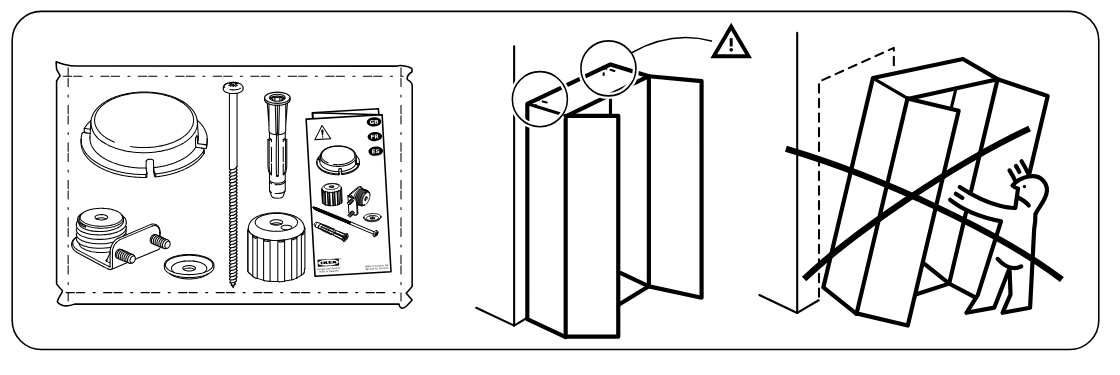
    Illustration for assembly note: Preparation warnings show to use the included anti-tip fitting instructions, check the cabinet top edge orientation, and do not tip or move the tall cabinet alone.
  18. Step 12

    The installer reads the anti-tip fitting instruction sheet and attaches two wall-fixing brackets to the upper back area of the cabinet, as shown in the zoom detail.
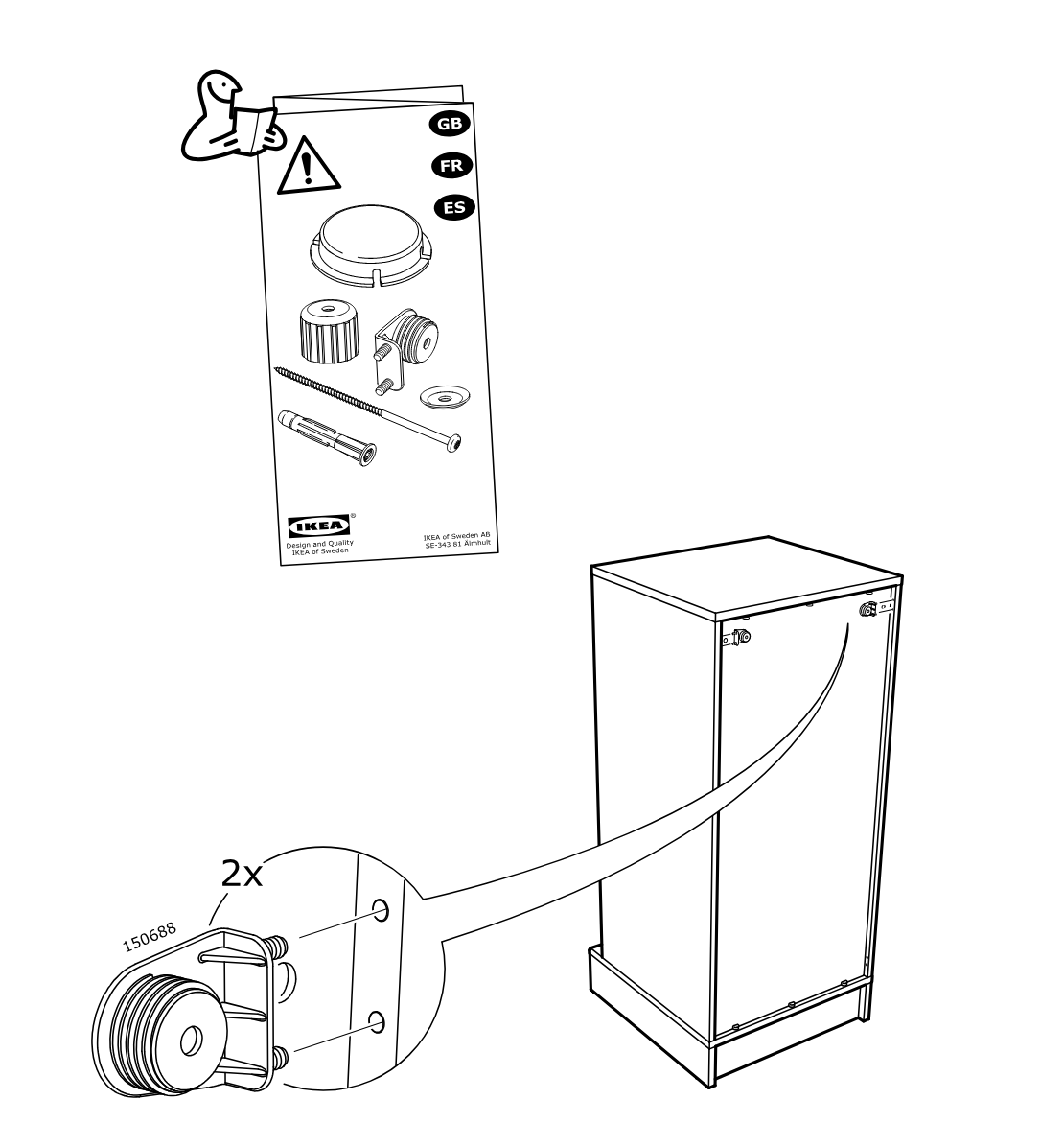
    Diagram for step 12: The installer reads the anti-tip fitting instruction sheet and attaches two wall-fixing brackets to the upper back area of the cabinet, as shown in the zoom detail.
  19. Before you begin

    Freestanding info panel shows the cabinet positioned by the wall and fitting the round cover/cap piece 150689 near the base by hand.
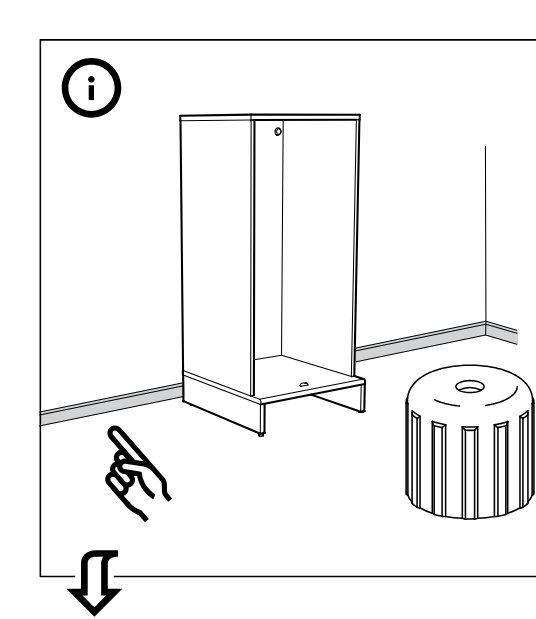
    Illustration for assembly note: Freestanding info panel shows the cabinet positioned by the wall and fitting the round cover/cap piece 150689 near the base by hand.
  20. Before you begin

    Freestanding info panel shows the cabinet by the wall with the round cover/cap 150689 crossed out and a page-turn icon referring to page 17.
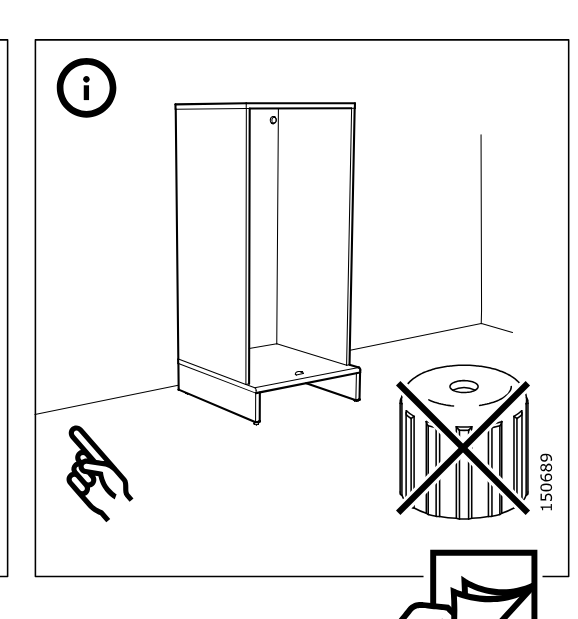
    Illustration for assembly note: Freestanding info panel shows the cabinet by the wall with the round cover/cap 150689 crossed out and a page-turn icon referring to page 17.
  21. Step 13

    Turn the cabinet and screw in two round threaded caps by hand onto the exposed fittings near the top, as shown in the zoom callout.
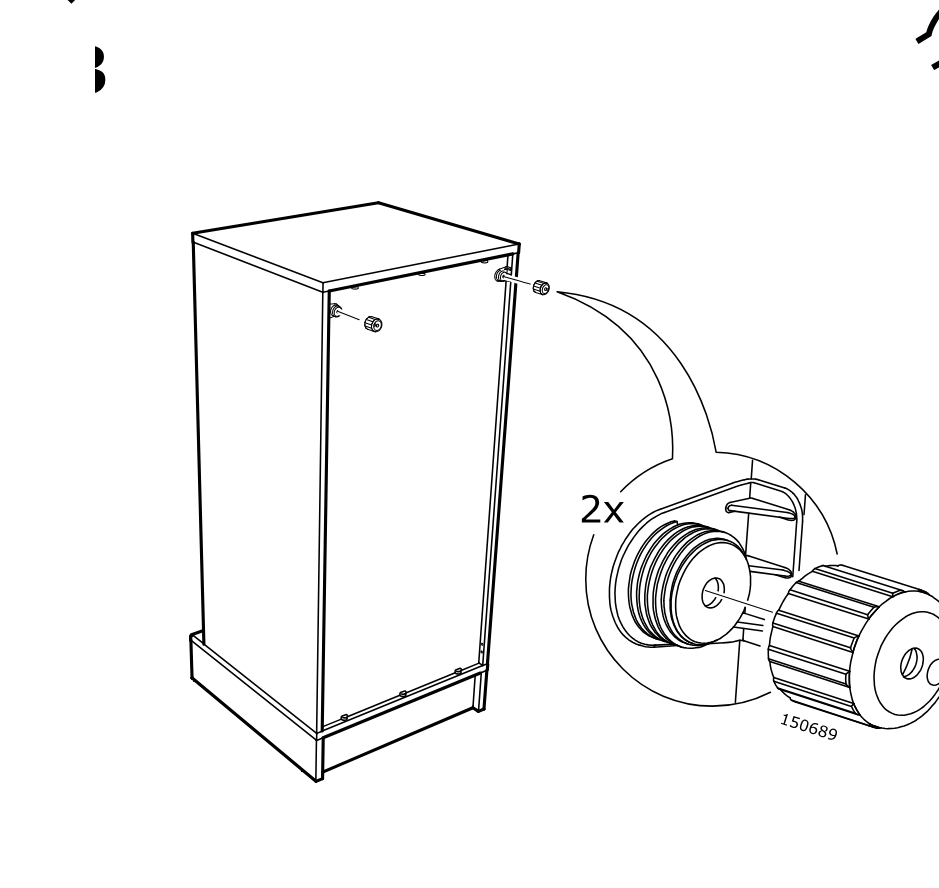
    Diagram for step 13: Turn the cabinet and screw in two round threaded caps by hand onto the exposed fittings near the top, as shown in the zoom callout.
  22. Step 15

    The cabinet is leveled by adjusting the four feet with the included wrench while checking the bubble level on top.
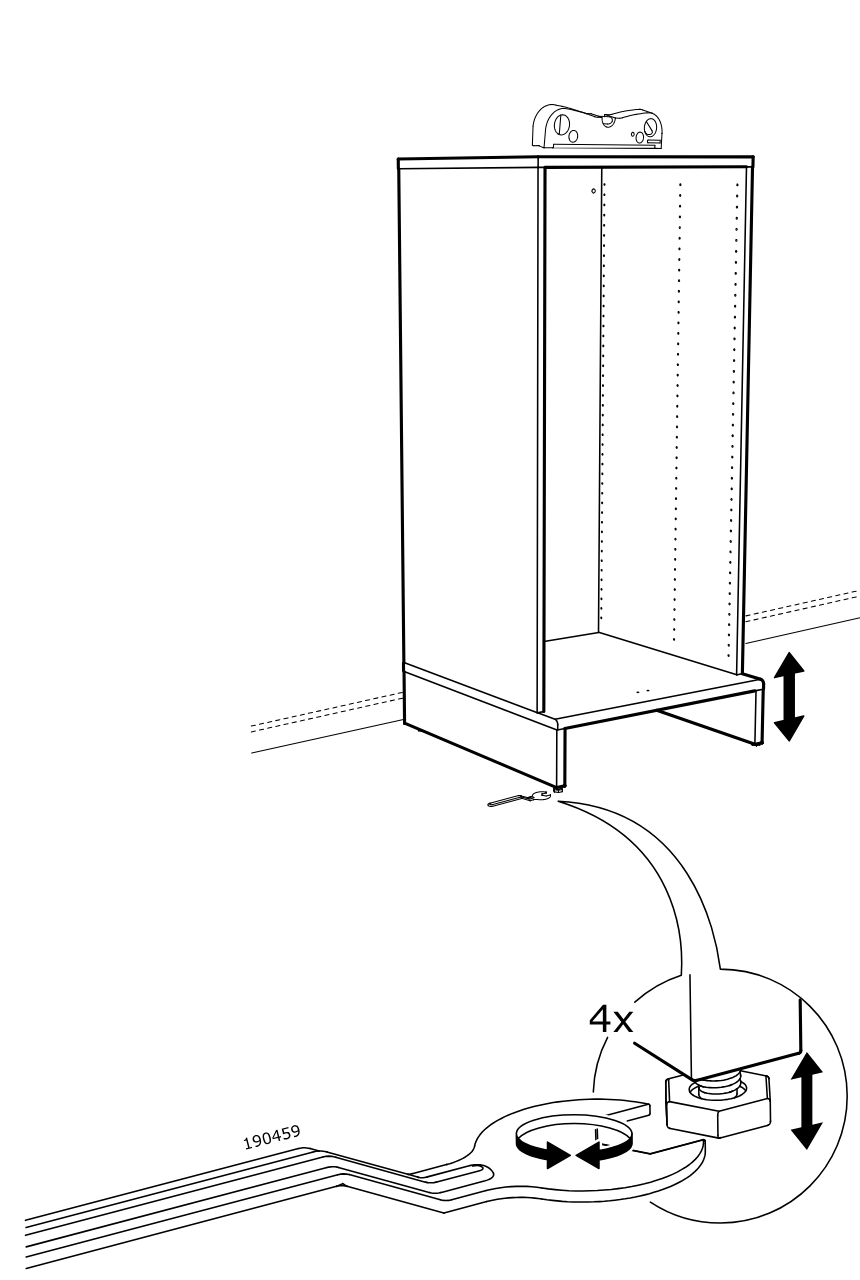
    Diagram for step 15: The cabinet is leveled by adjusting the four feet with the included wrench while checking the bubble level on top.
  23. Step 16

    Insert and tighten two screws at the top inside the cabinet, shown with a zoomed pencil-turn detail.
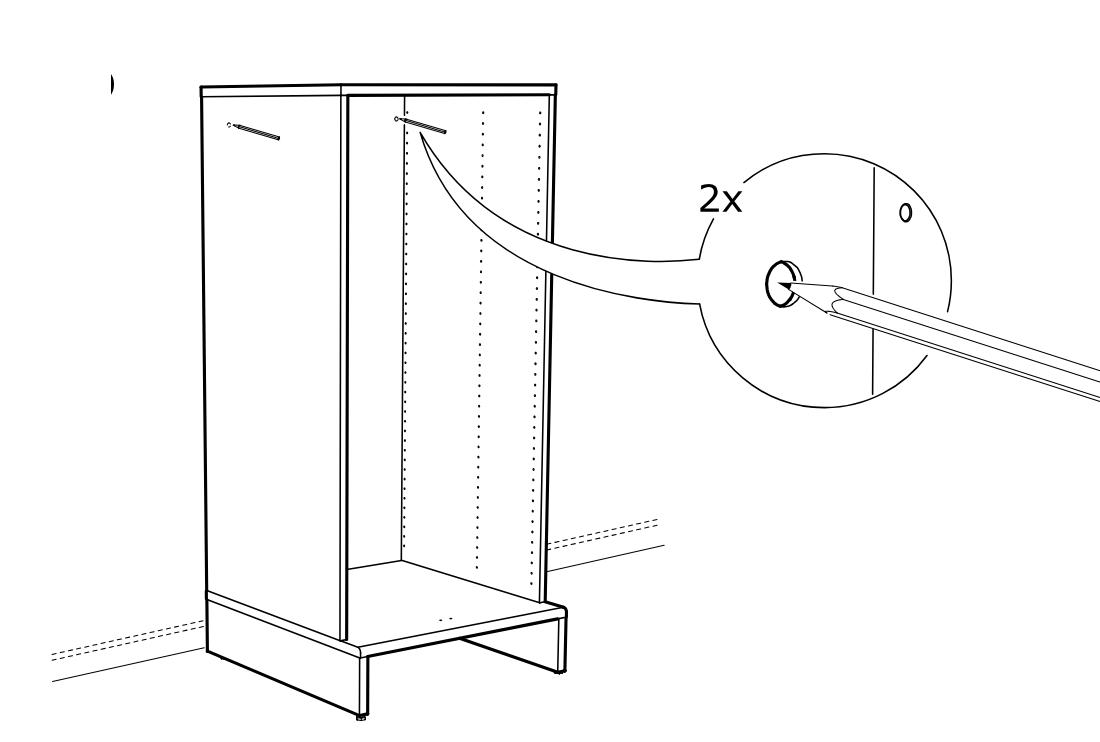
    Diagram for step 16: Insert and tighten two screws at the top inside the cabinet, shown with a zoomed pencil-turn detail.
  24. Step 17

    Slide the inner side panel outward to the right until it reaches its correct position.
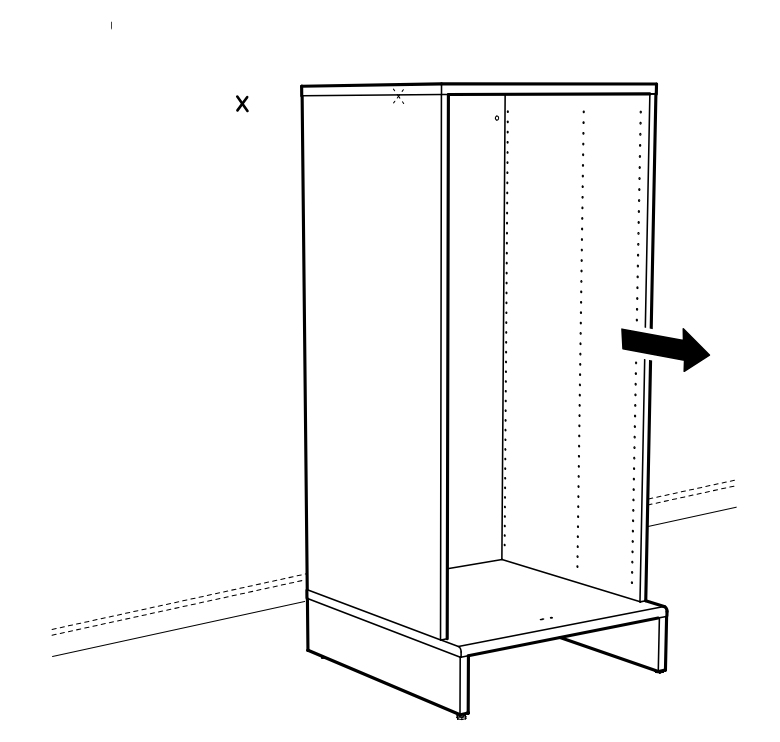
    Diagram for step 17: Slide the inner side panel outward to the right until it reaches its correct position.
  25. Before you begin

    Wall-fixing reference page showing secure-it reminder icons, multilingual guidance about supplied screws and plugs for wall types A/B/C, and three bordered instruction panels for solid wall, hollow wall, and solid wood drilling/fastening methods.
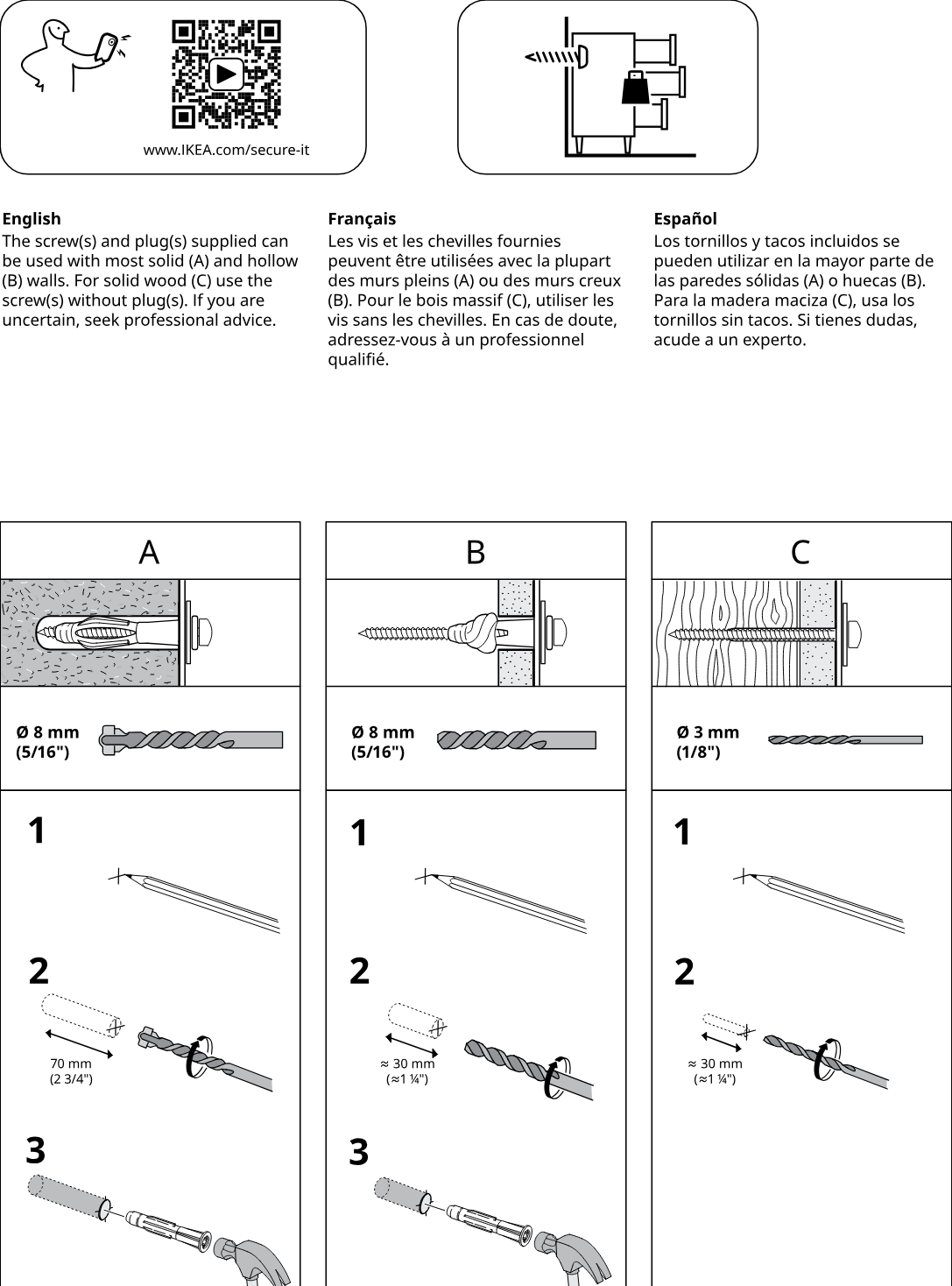
    Illustration for assembly note: Wall-fixing reference page showing secure-it reminder icons, multilingual guidance about supplied screws and plugs for wall types A/B/C, and three bordered instruction panels for solid wall, hollow wall, and solid wood drilling/fastening methods.
  26. Step 18

    Mark two positions and drill two holes as shown in the zoom detail using a power drill.
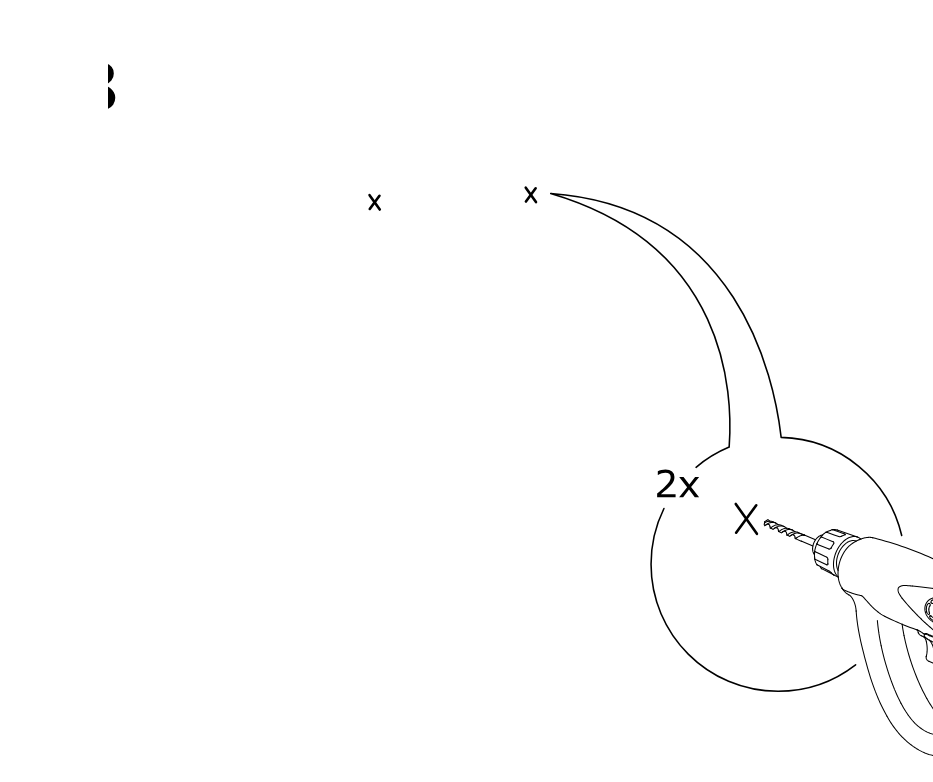
    Diagram for step 18: Mark two positions and drill two holes as shown in the zoom detail using a power drill.
  27. Step 19

    Insert two wall plugs labeled 121714 into the holes and tap them in with a hammer.
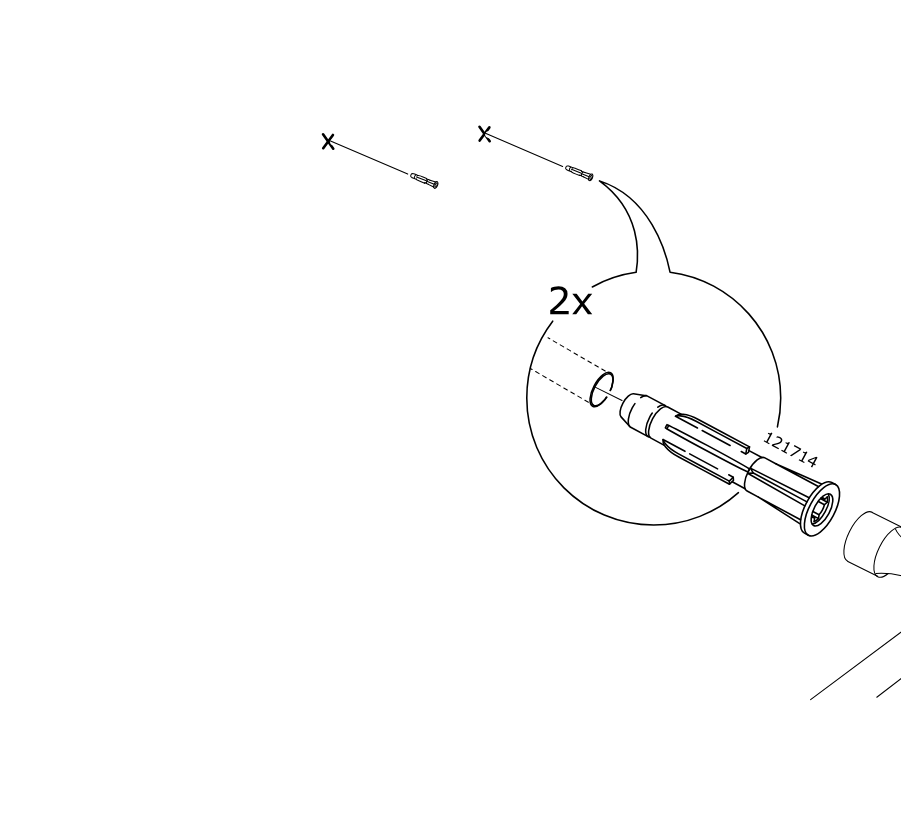
    Diagram for step 19: Insert two wall plugs labeled 121714 into the holes and tap them in with a hammer.
  28. Step 20

    Install two screw covers by inserting screw 147968 through washer 126916 into the cabinet side and then clicking cap 10005905 into place, without using a wall plug.
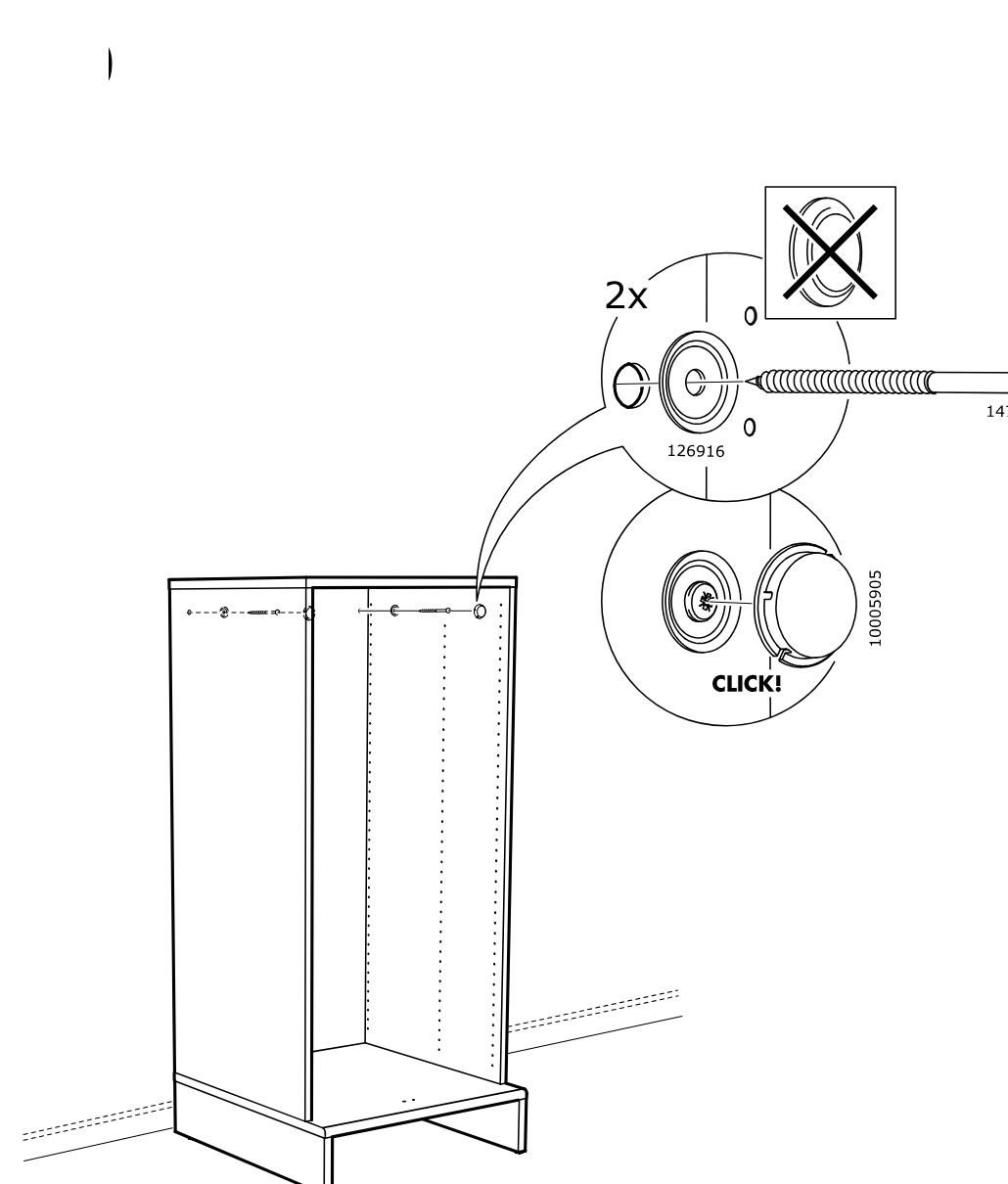
    Diagram for step 20: Install two screw covers by inserting screw 147968 through washer 126916 into the cabinet side and then clicking cap 10005905 into place, without using a wall plug.
  29. Before you begin

    Information panel shows the cabinet standing on its base and indicates pressing the 1x cover piece 10038544 into two holes, then fastening it with two screws 109558 at the bottom front inside area.
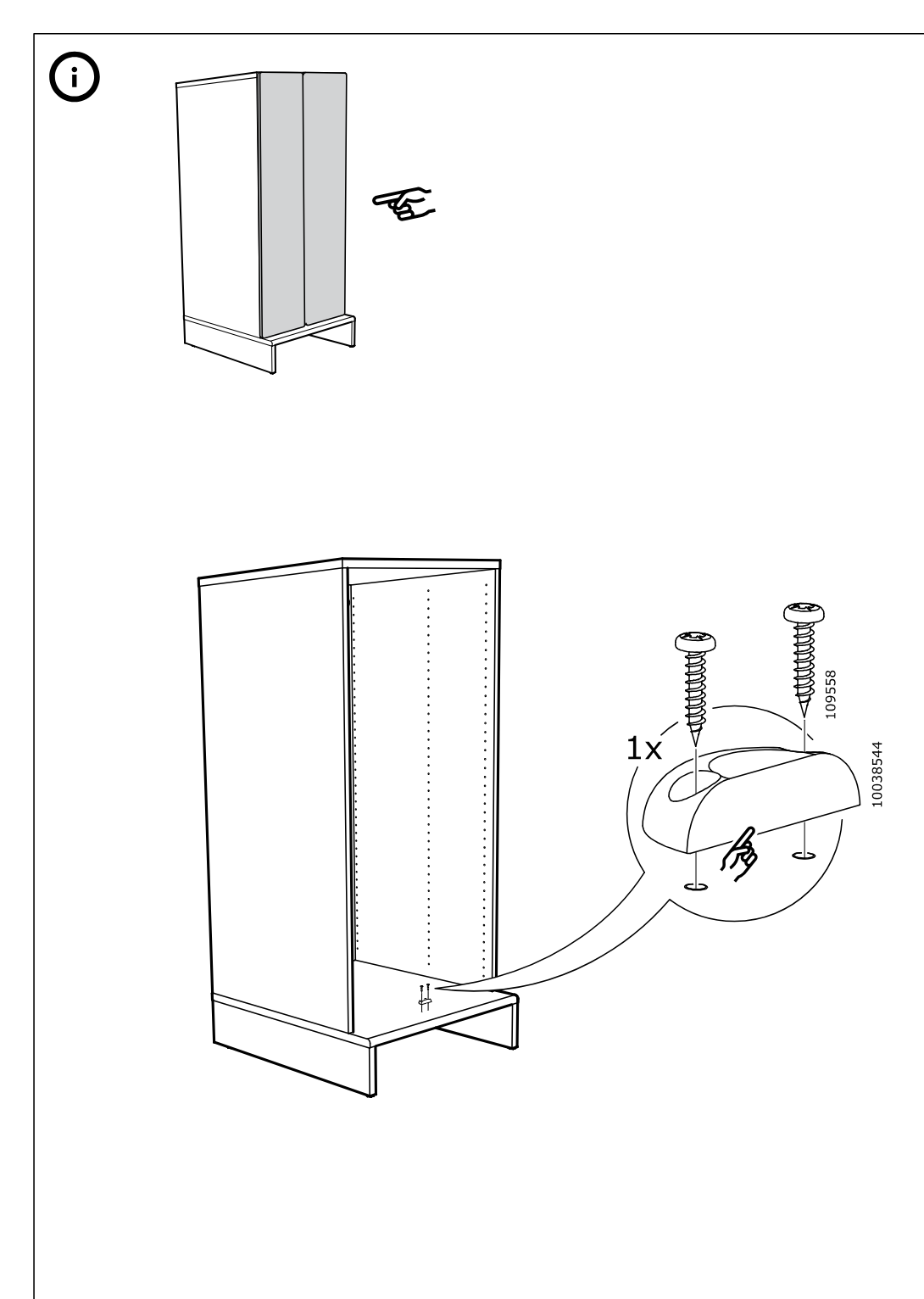
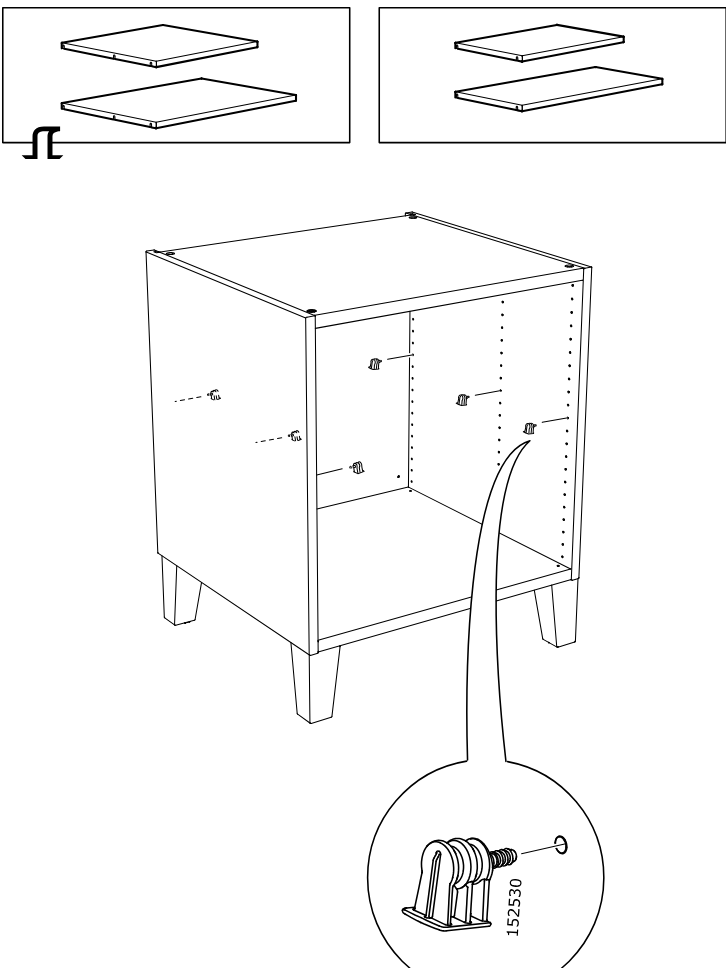
    Illustration for assembly note: Information panel shows the cabinet standing on its base and indicates pressing the 1x cover piece 10038544 into two holes, then fastening it with two screws 109558 at the bottom front inside area.
HJÄLPA Shelf

  1. Step 1

    The cabinet frame stands on its legs while six clips are inserted into the inner side holes, with a zoom callout showing part 152530 being pressed into place.

    Diagram for step 1: The cabinet frame stands on its legs while six clips are inserted into the inner side holes, with a zoom callout showing part 152530 being pressed into place.
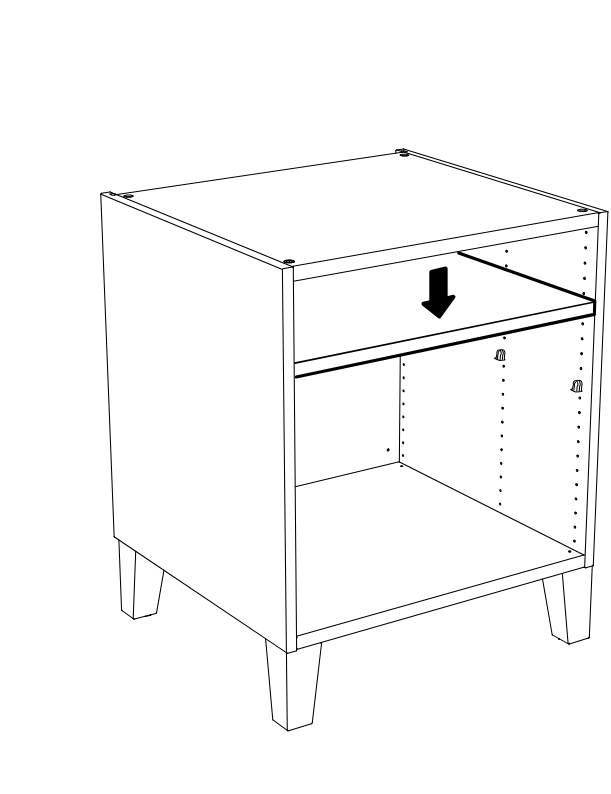
  2. Step 2

    Lower the shelf panel into the cabinet onto the shelf supports.

    Diagram for step 2: Lower the shelf panel into the cabinet onto the shelf supports.

HJÄLPA Soft closing hinge

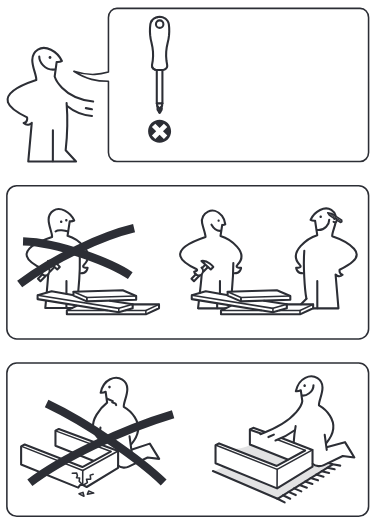
  1. Before you begin

    Three preparation panels show not to use a screwdriver, to assemble with another person, and to work with the unit laid down on the floor.

    Illustration for assembly note: Three preparation panels show not to use a screwdriver, to assemble with another person, and to work with the unit laid down on the floor.
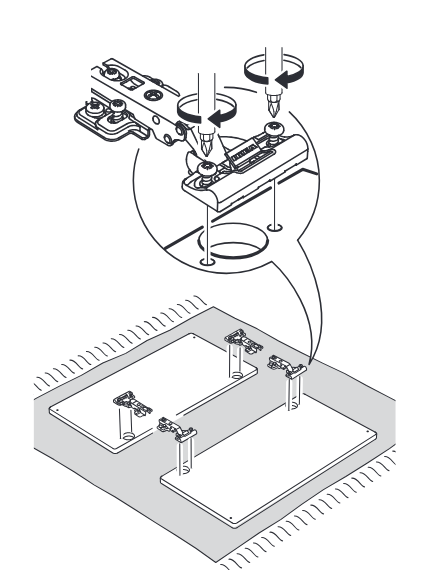
  2. Step 1

    Install the hinge and related fittings onto the door and cabinet panels using the shown screw positions and orientation.

    Diagram for step 1: Install the hinge and related fittings onto the door and cabinet panels using the shown screw positions and orientation.
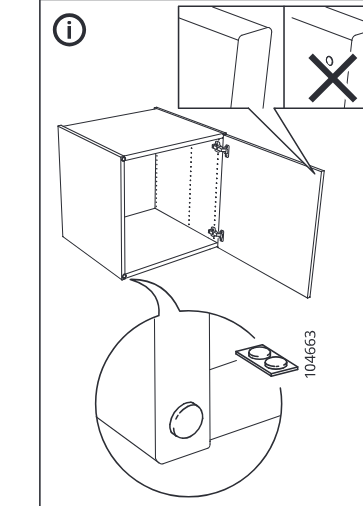
  3. Before you begin

    Free-standing information panel shows the door mounted on the cabinet, correct door-edge orientation versus incorrect orientation, and the hole cover position.

    Illustration for assembly note: Free-standing information panel shows the door mounted on the cabinet, correct door-edge orientation versus incorrect orientation, and the hole cover position.
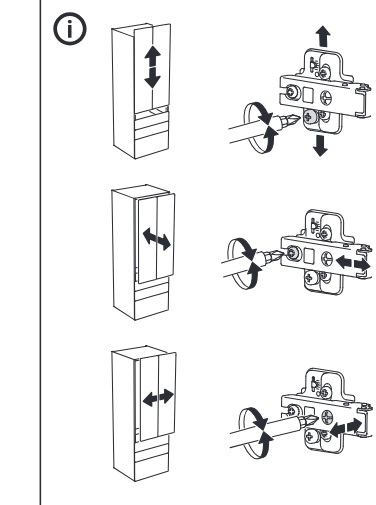
  4. Before you begin

    Free-standing information panel shows three hinge adjustment directions and which screw to turn for vertical, depth, and side adjustment.

    Illustration for assembly note: Free-standing information panel shows three hinge adjustment directions and which screw to turn for vertical, depth, and side adjustment.
  5. Before you begin

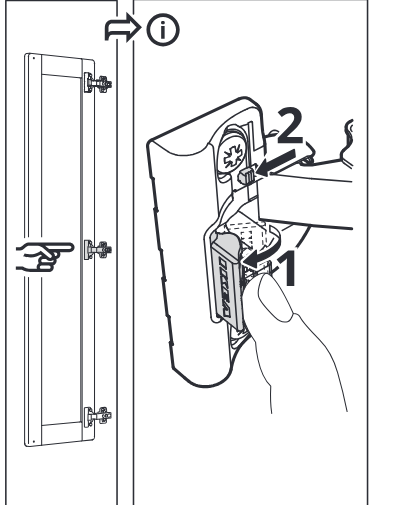
    Free-standing information panel shows how to release or detach the hinge arm from the mounting plate using the latch lever.

    Illustration for assembly note: Free-standing information panel shows how to release or detach the hinge arm from the mounting plate using the latch lever.

UPPFÖRA Drawer

  1. Step 1

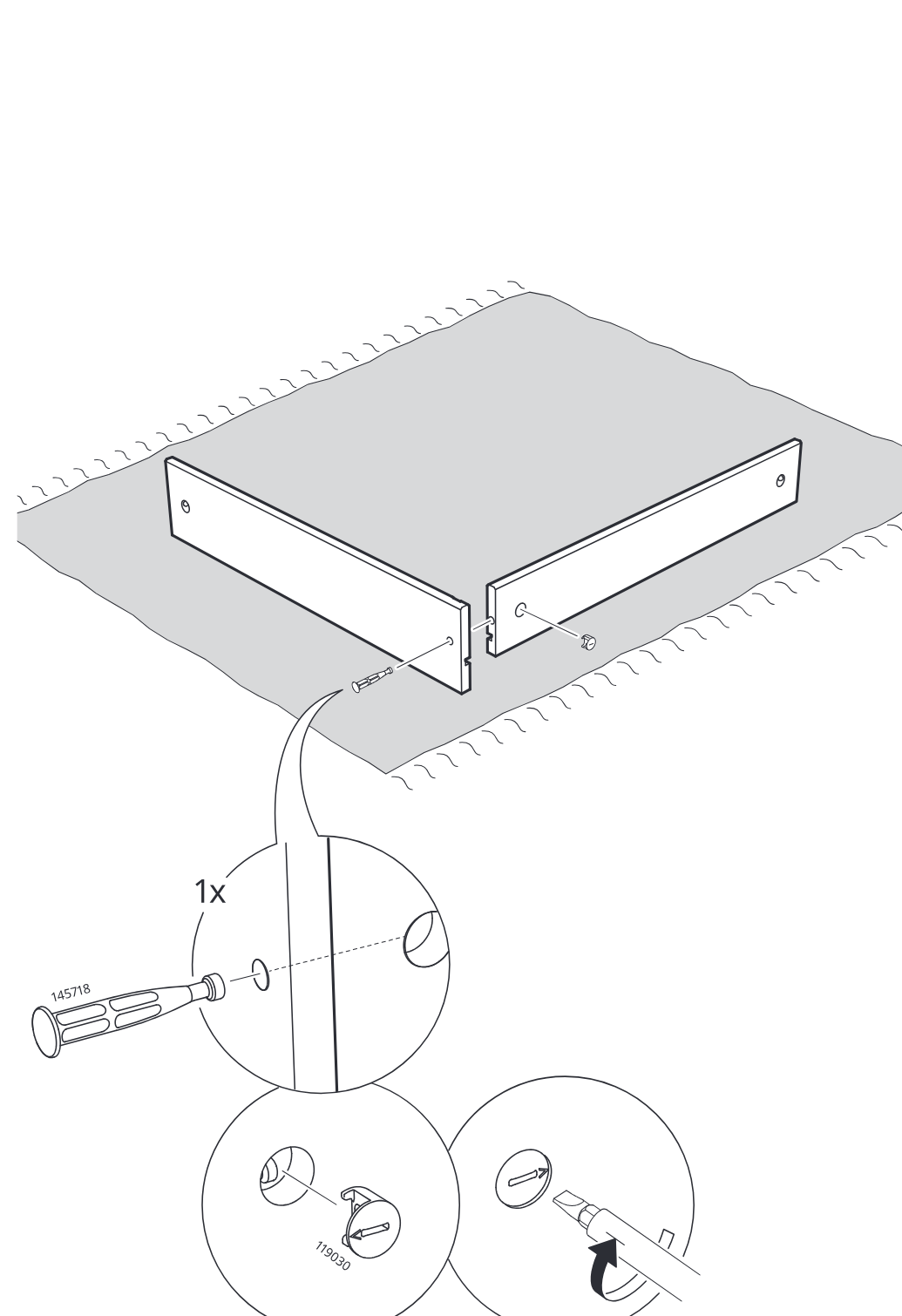
    Two side panels are joined on a soft surface, with a 145718 fastener inserted and a 119030 cam lock turned using a screwdriver as shown in the zoom callouts.

    Diagram for step 1: Two side panels are joined on a soft surface, with a 145718 fastener inserted and a 119030 cam lock turned using a screwdriver as shown in the zoom callouts.
  2. Step 2

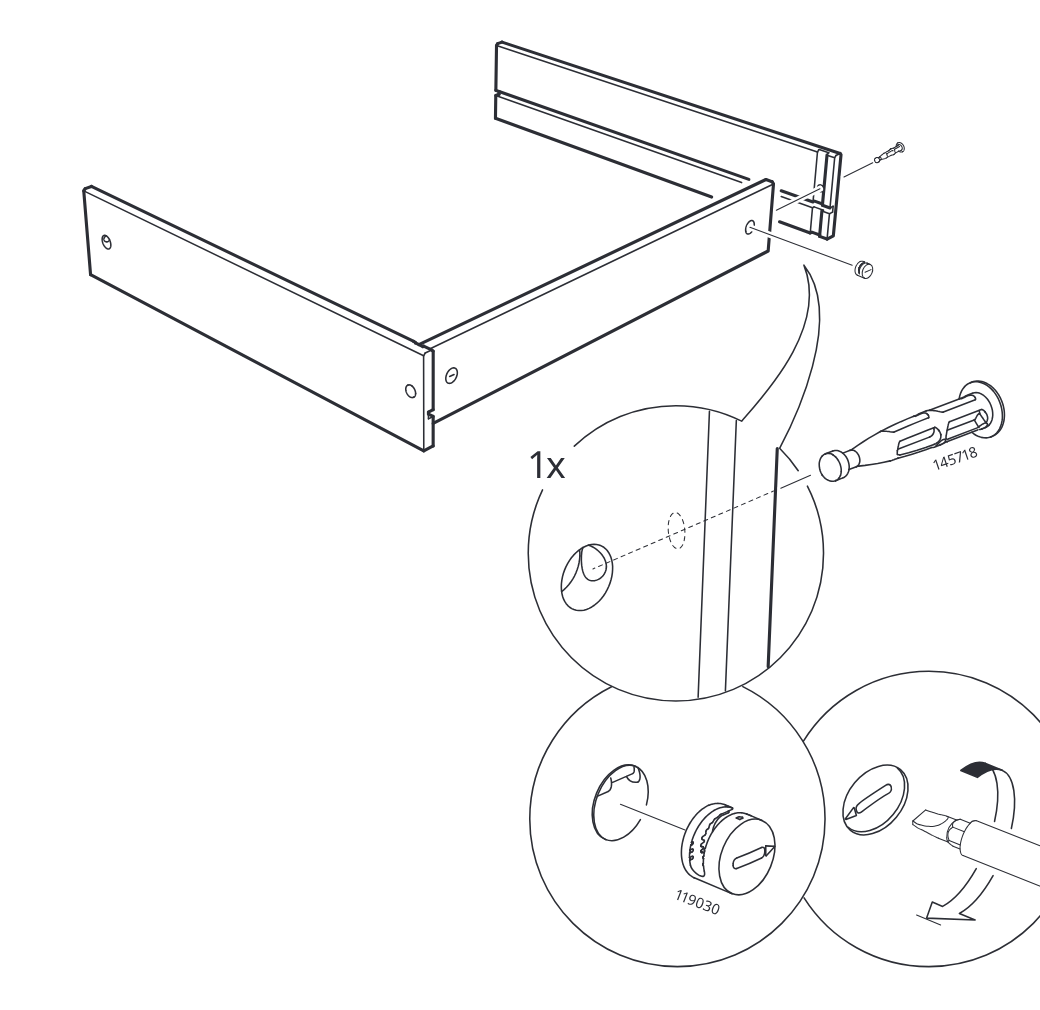
    The side panels and end panel are joined, then one plastic insert is pushed into the side hole and turned with a screwdriver to lock it.

    Diagram for step 2: The side panels and end panel are joined, then one plastic insert is pushed into the side hole and turned with a screwdriver to lock it.
  3. Step 3

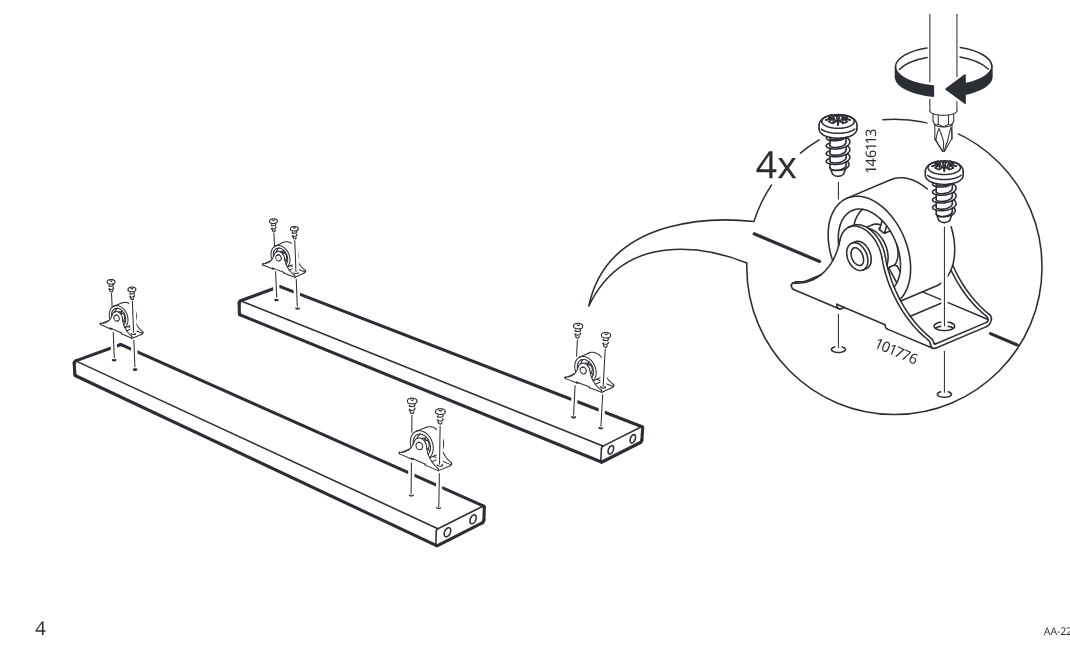
    Four caster brackets are positioned on the two long boards and secured with screws by tightening from above.

    Diagram for step 3: Four caster brackets are positioned on the two long boards and secured with screws by tightening from above.
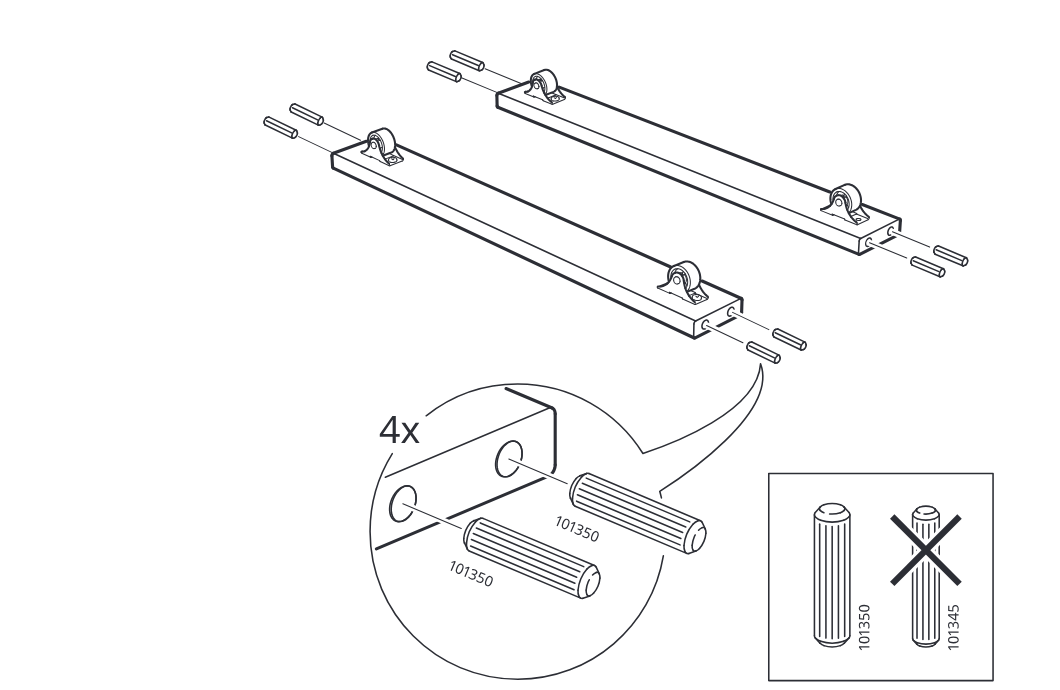
  4. Step 4

    Insert four ribbed dowels labeled 101350 into the ends of the two rail pieces, and use the correct dowel type instead of 101345.

    Diagram for step 4: Insert four ribbed dowels labeled 101350 into the ends of the two rail pieces, and use the correct dowel type instead of 101345.
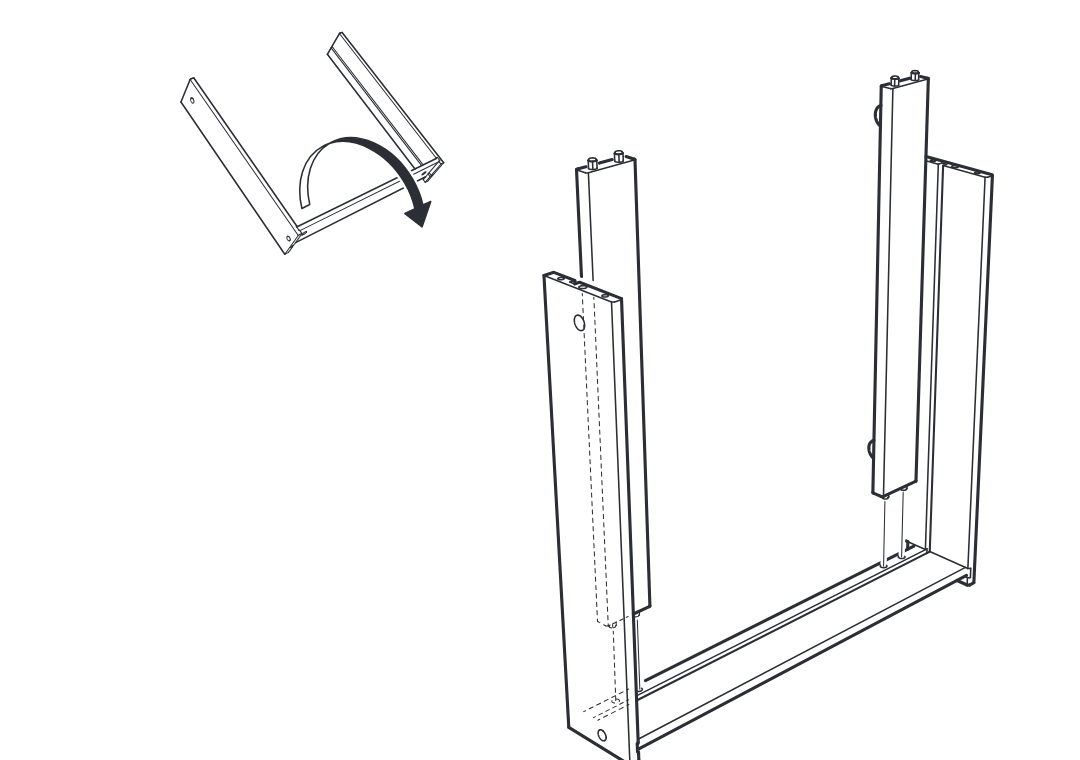
  5. Step 5

    Rotate the frame upright and slide the two tall side panels down onto the base assembly.

    Diagram for step 5: Rotate the frame upright and slide the two tall side panels down onto the base assembly.
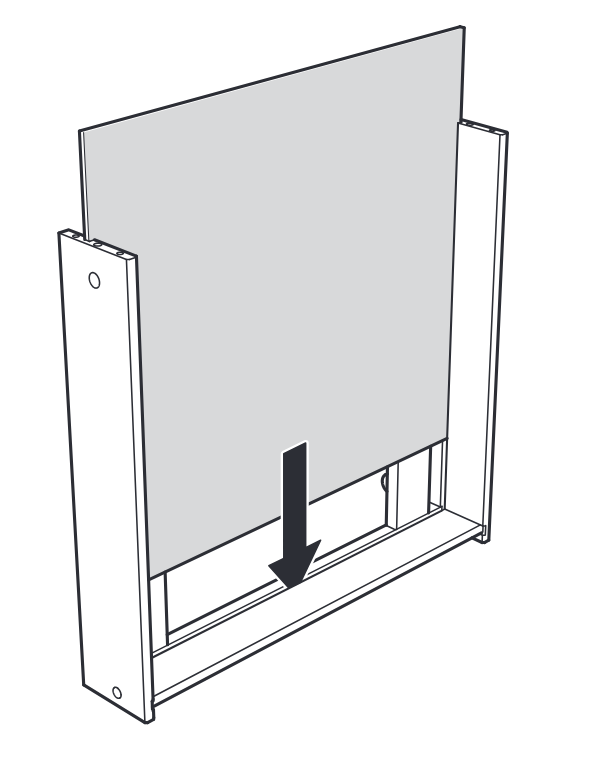
  6. Step 6

    A large panel is lowered down into the frame between the two side pieces and seated into the bottom rail.

    Diagram for step 6: A large panel is lowered down into the frame between the two side pieces and seated into the bottom rail.
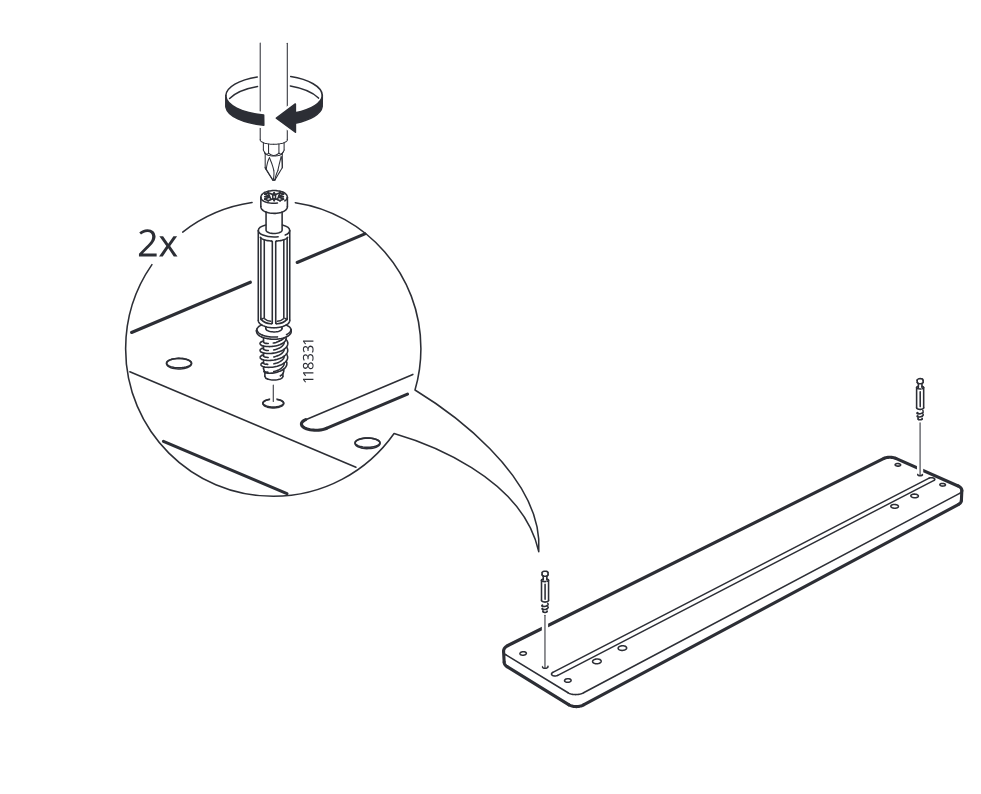
  7. Step 7

    Two cam screws (118331) are inserted and turned into the long board, with a zoom callout showing the screw detail and quantity 2x.

    Diagram for step 7: Two cam screws (118331) are inserted and turned into the long board, with a zoom callout showing the screw detail and quantity 2x.
  8. Step 8

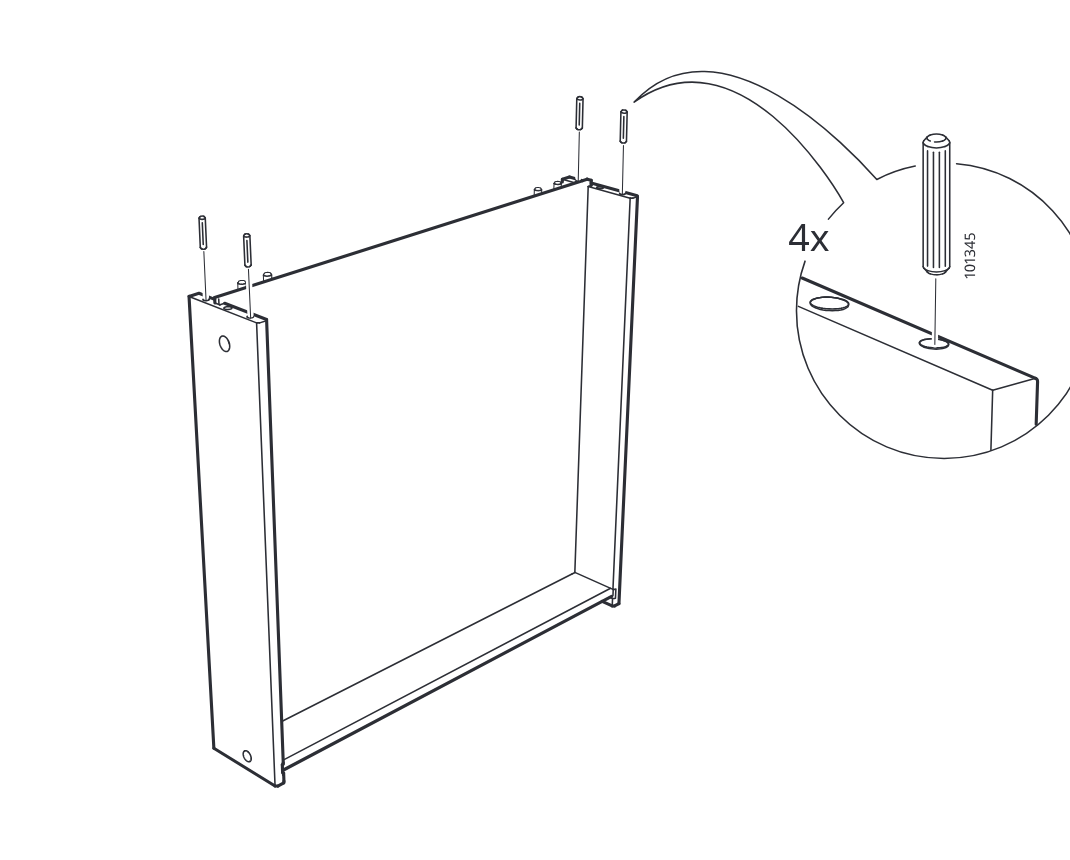
    Insert four dowels into the top holes of the side panels, as shown in the zoom detail.

    Diagram for step 8: Insert four dowels into the top holes of the side panels, as shown in the zoom detail.
  9. Step 9

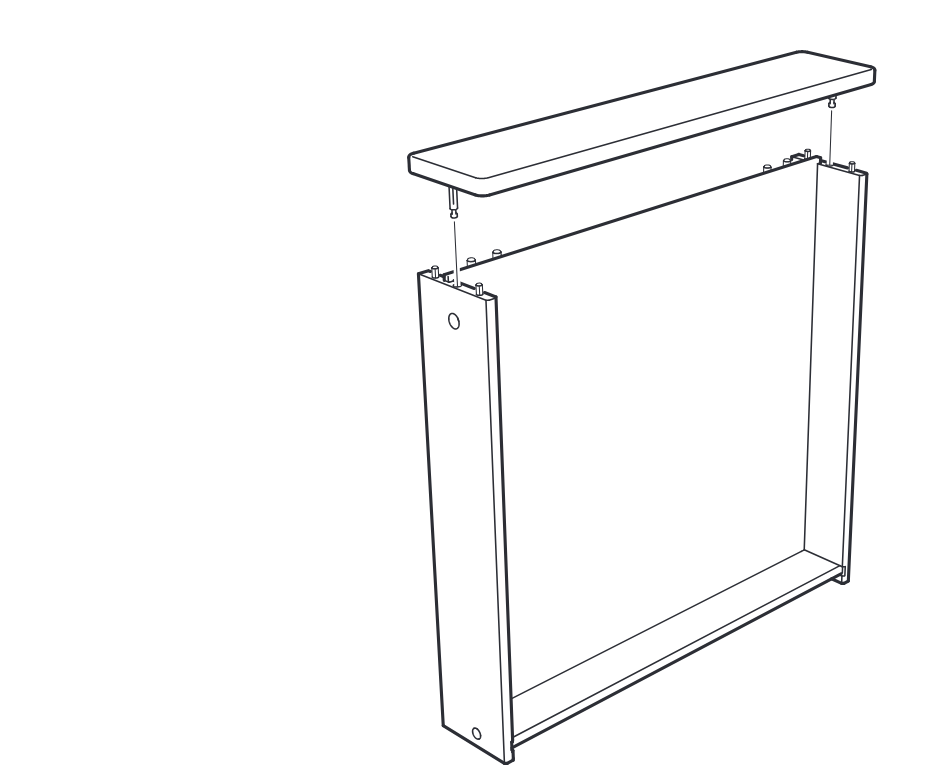
    Lower the top panel onto the assembled side frame, aligning its connectors with the top edges.

    Diagram for step 9: Lower the top panel onto the assembled side frame, aligning its connectors with the top edges.
  10. Step 10

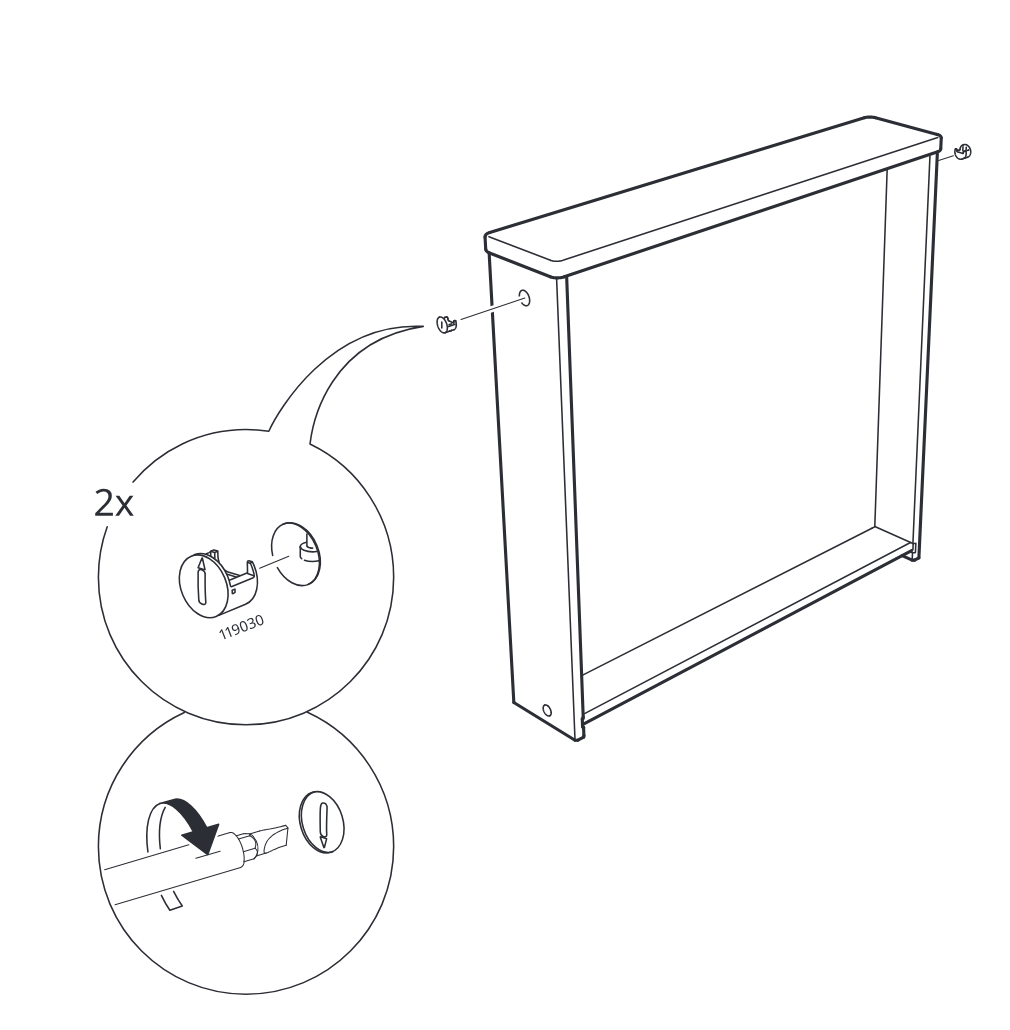
    Attach and tighten two 119030 cam locks into the side panel holes on the frame, using the indicated screwdriver orientation.

    Diagram for step 10: Attach and tighten two 119030 cam locks into the side panel holes on the frame, using the indicated screwdriver orientation.
  11. Before you begin

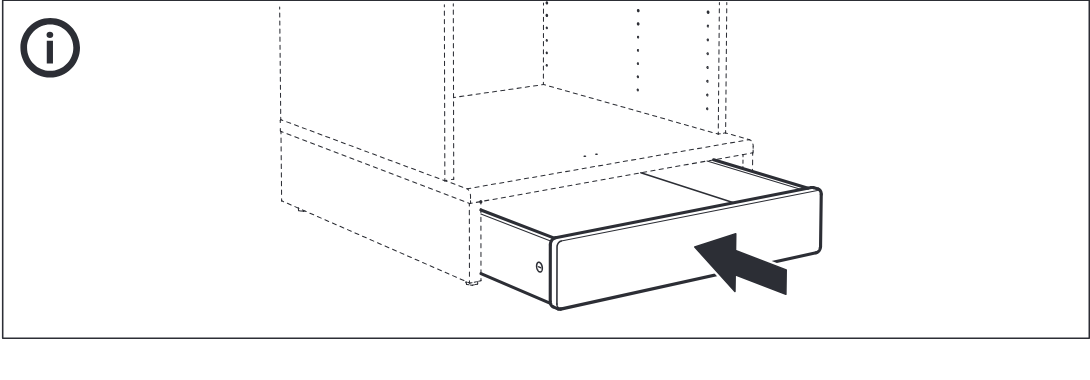
    Support panel shows the drawer/front unit sliding into the lower opening of the cabinet.

    Illustration for assembly note: Support panel shows the drawer/front unit sliding into the lower opening of the cabinet.